Repository navigation
Reapply "Add a More menu option to switch single-expense reports between expense view and table view" - #103703
Conversation


…een expense view and table view"

This reverts commit e3cd271, which reverted Expensify/App PR 103121.
Resolved a conflict in src/ONYXKEYS.ts by keeping both TABLE_COLUMN_WIDTHS and NVP_SINGLE_EXPENSE_REPORT_VIEW.

Co-authored-by: daledah <[email protected]>

 melvin-bot
Bot
added
Melvin-Test-Android
Melvin-Test-Web
melvin-bot
Bot
added
Melvin-Test-Android
Melvin-Test-Web

|
I created this PR from an upstream branch since I don't have push access to your fork. To take ownership of this branch and be able to push updates, run: Then you can close this PR and open a new one from your fork. |

🦜 Polyglot Parrot! 🦜Squawk! Looks like you added some shiny new English strings. Allow me to parrot them back to you in other tongues: View the translation diffdiff --git a/src/languages/el.ts b/src/languages/el.ts
index c852fd73..f87f9570 100644
--- a/src/languages/el.ts
+++ b/src/languages/el.ts
@@ -10472,8 +10472,8 @@ ${reportName}`,
category: 'Κατηγορία',
tag: 'Ετικέτα',
},
- switchToTableView: 'Εναλλαγή σε προβολή πίνακα',
- switchToExpenseView: 'Εναλλαγή σε προβολή δαπάνης',
+ switchToTableView: 'Αλλαγή σε προβολή πίνακα',
+ switchToExpenseView: 'Μετάβαση στην προβολή εξόδων',
},
report: {
newReport: {
diff --git a/src/languages/es.ts b/src/languages/es.ts
index 134ba044..4ebd2ba6 100644
--- a/src/languages/es.ts
+++ b/src/languages/es.ts
@@ -10088,7 +10088,7 @@ ${reportName}`,
tag: 'Etiqueta',
},
switchToTableView: 'Cambiar a vista de tabla',
- switchToExpenseView: 'Cambiar a vista de gasto',
+ switchToExpenseView: 'Cambiar a vista de gastos',
},
report: {
newReport: {
diff --git a/src/languages/fr.ts b/src/languages/fr.ts
index fc9c2218..aa5ffda5 100644
--- a/src/languages/fr.ts
+++ b/src/languages/fr.ts
@@ -10300,7 +10300,7 @@ Ajoutez davantage de règles de dépenses pour protéger la trésorerie de l’e
tag: 'Tag',
},
switchToTableView: 'Passer à la vue tableau',
- switchToExpenseView: 'Passer à la vue dépense',
+ switchToExpenseView: 'Passer à la vue dépenses',
},
report: {
newReport: {
diff --git a/src/languages/it.ts b/src/languages/it.ts
index 983ddae9..87d11a9a 100644
--- a/src/languages/it.ts
+++ b/src/languages/it.ts
@@ -10228,7 +10228,7 @@ Aggiungi altre regole di spesa per proteggere il flusso di cassa aziendale.`,
tag: 'Etichetta',
},
switchToTableView: 'Passa alla vista tabella',
- switchToExpenseView: 'Passa alla vista spesa',
+ switchToExpenseView: 'Passa alla vista spese',
},
report: {
newReport: {
diff --git a/src/languages/ja.ts b/src/languages/ja.ts
index 1fbf89b4..bd8fd62e 100644
--- a/src/languages/ja.ts
+++ b/src/languages/ja.ts
@@ -10076,8 +10076,8 @@ ${reportName}`,
category: 'カテゴリ',
tag: 'タグ',
},
- switchToTableView: 'テーブル表示に切り替え',
- switchToExpenseView: '経費表示に切り替え',
+ switchToTableView: 'テーブル表示に切り替えます',
+ switchToExpenseView: '経費ビューに切り替えます',
},
report: {
newReport: {
diff --git a/src/languages/pl.ts b/src/languages/pl.ts
index faf96be7..05d13865 100644
--- a/src/languages/pl.ts
+++ b/src/languages/pl.ts
@@ -10209,7 +10209,7 @@ Dodaj więcej zasad wydatków, żeby chronić płynność finansową firmy.`,
tag: 'Tag',
},
switchToTableView: 'Przełącz na widok tabeli',
- switchToExpenseView: 'Przełącz na widok wydatku',
+ switchToExpenseView: 'Przełącz na widok wydatków',
},
report: {
newReport: {
diff --git a/src/languages/pt-BR.ts b/src/languages/pt-BR.ts
index 28fb5100..cd425acc 100644
--- a/src/languages/pt-BR.ts
+++ b/src/languages/pt-BR.ts
@@ -10193,7 +10193,7 @@ Adicione mais regras de gasto para proteger o fluxo de caixa da empresa.`,
tag: 'Etiqueta',
},
switchToTableView: 'Mudar para visualização em tabela',
- switchToExpenseView: 'Mudar para visualização de despesa',
+ switchToExpenseView: 'Mudar para visão de despesas',
},
report: {
newReport: {
Note You can apply these changes to your branch by copying the patch to your clipboard, then running |

Codecov Report✅ Changes either increased or maintained existing code coverage, great job!
|
|
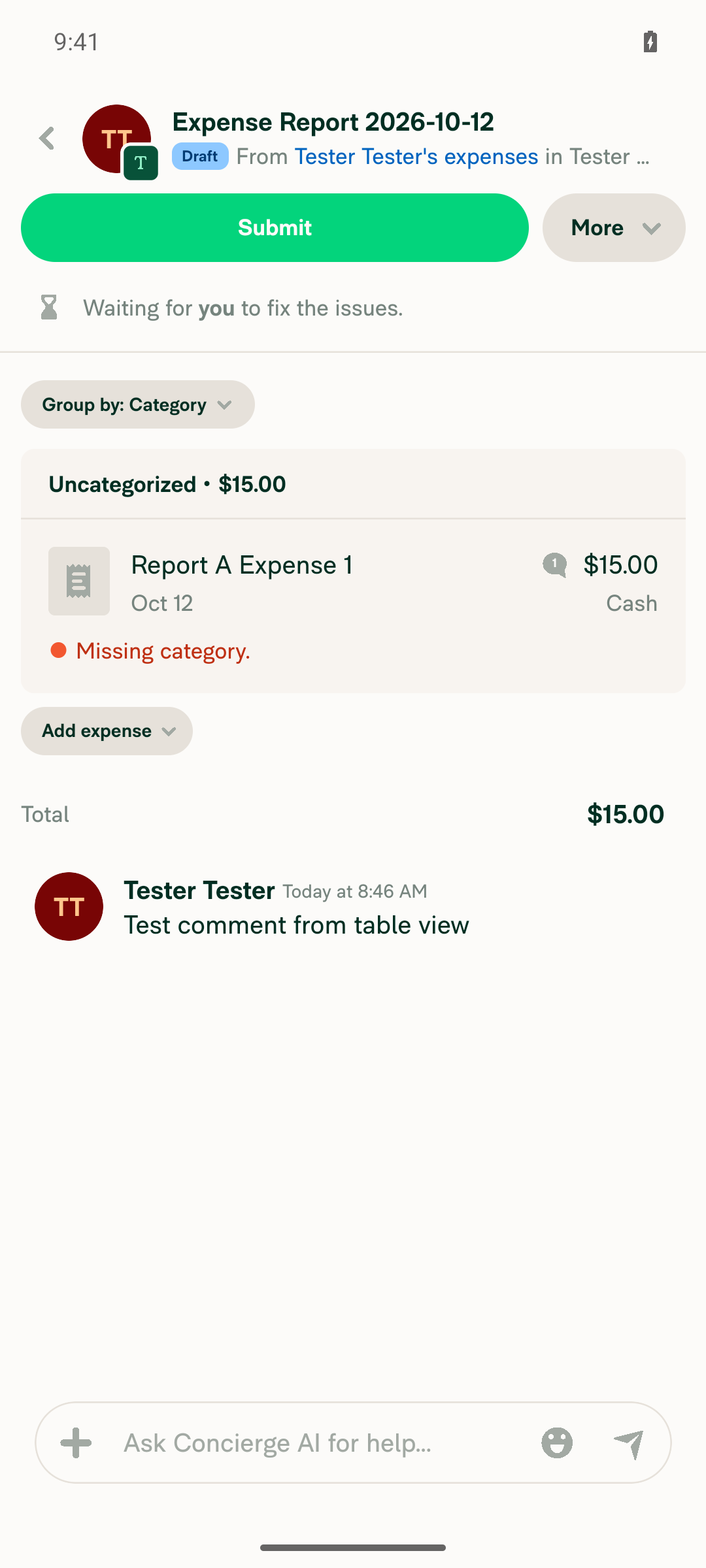
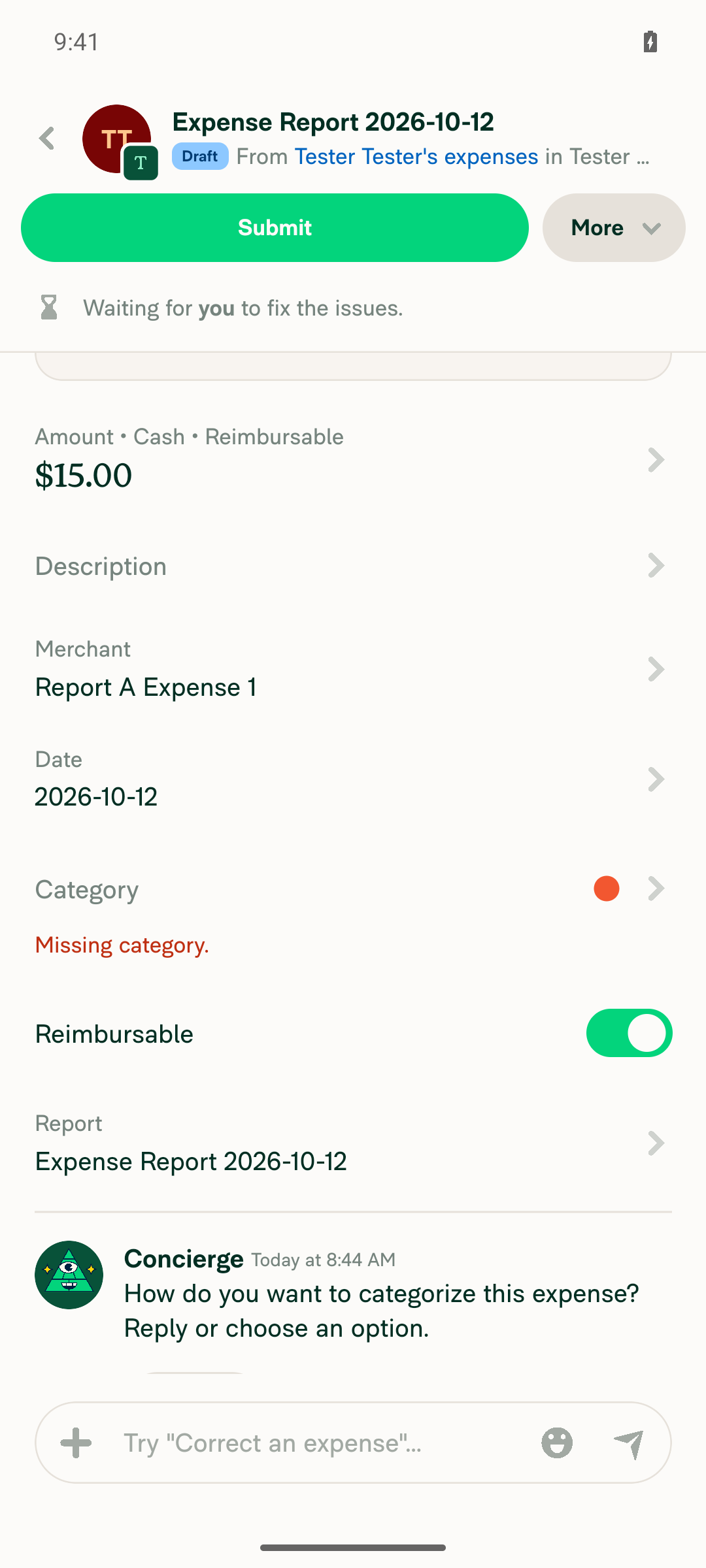
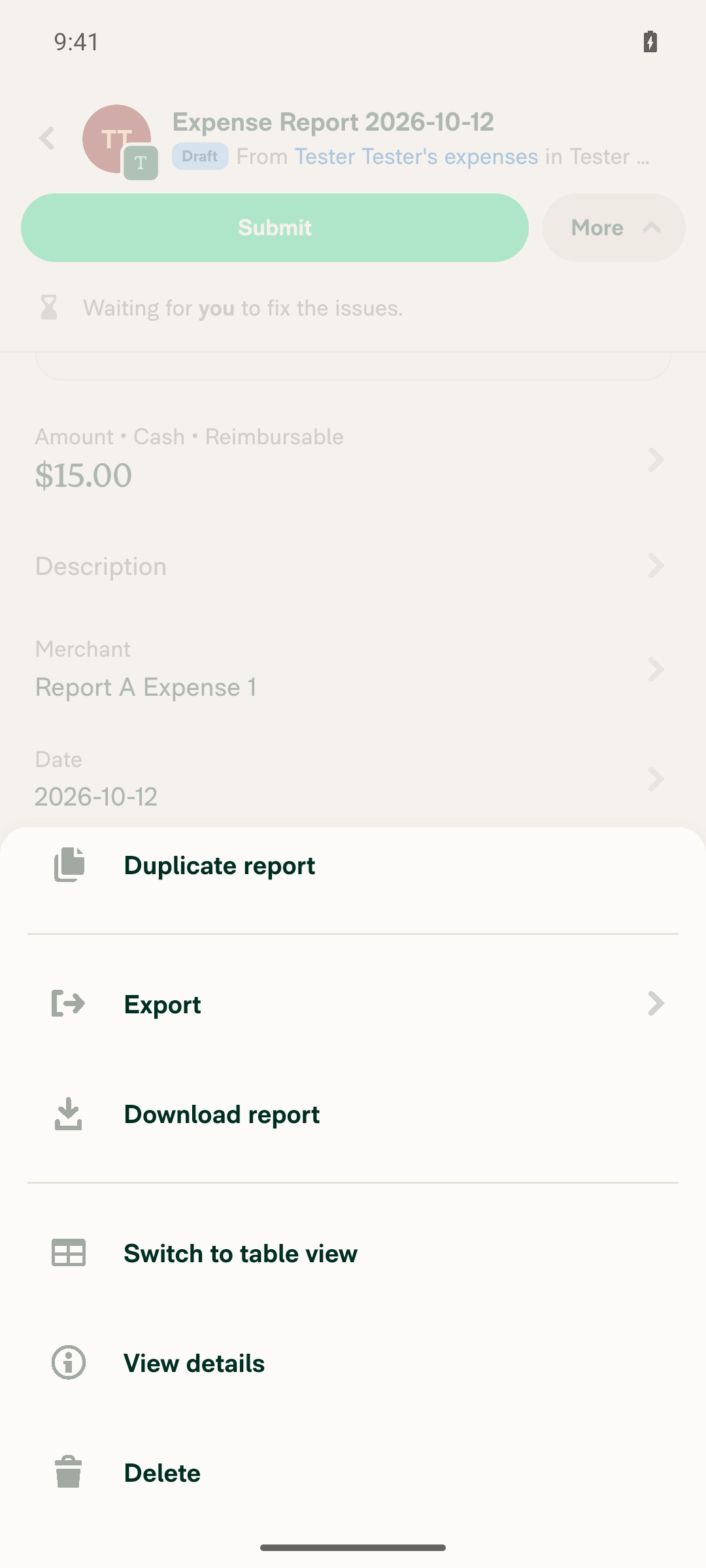
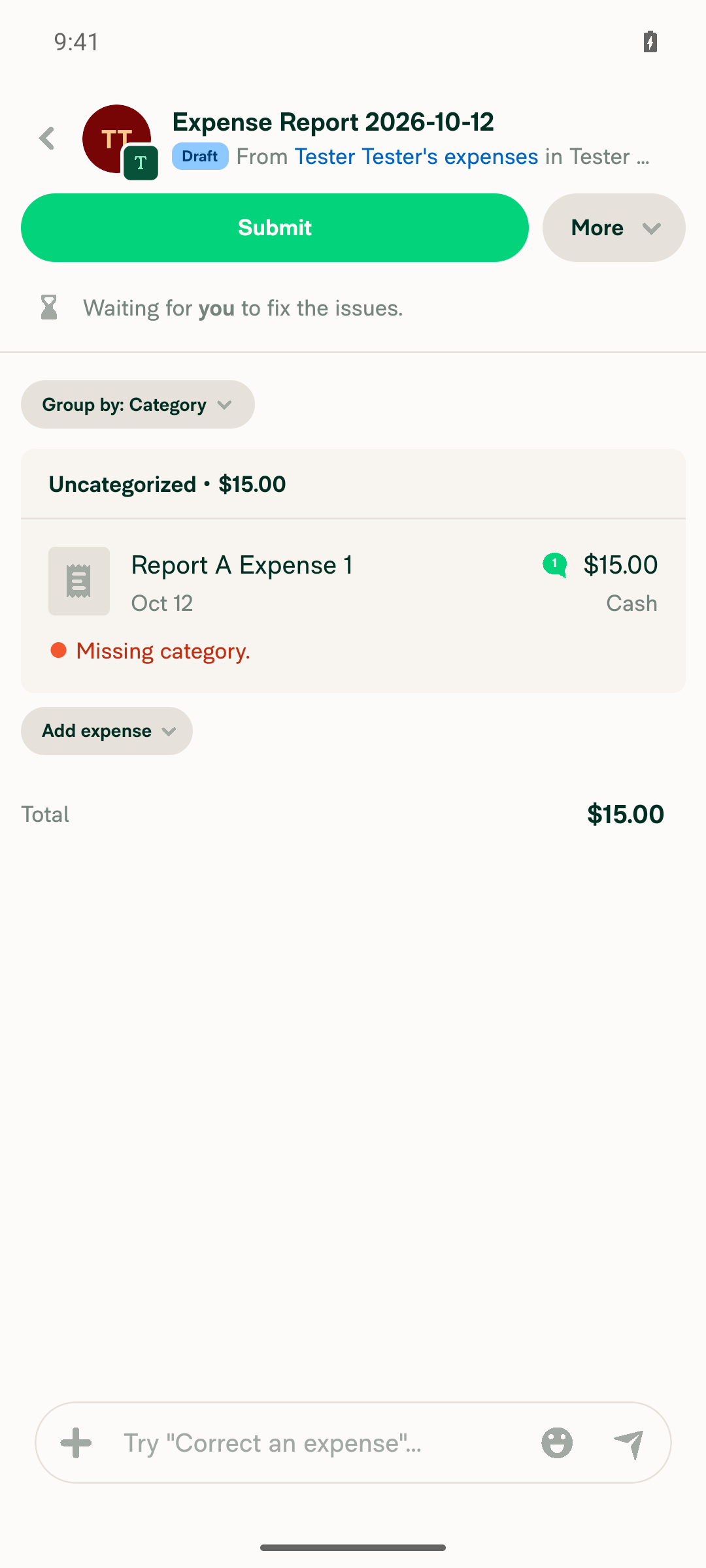
🤖 Android test steps verification results: Steps 1–7 pass on Android: the toggle, menu label swap, row navigation, composer, and saved table view all work (steps come from the original PR's Tests section, since this PR's Tests section is still TODO). Steps 8–11 were not run because the app froze while creating report B: it stopped responding after tapping "Create expense" on a new, empty draft report, outside the toggle flow.
|
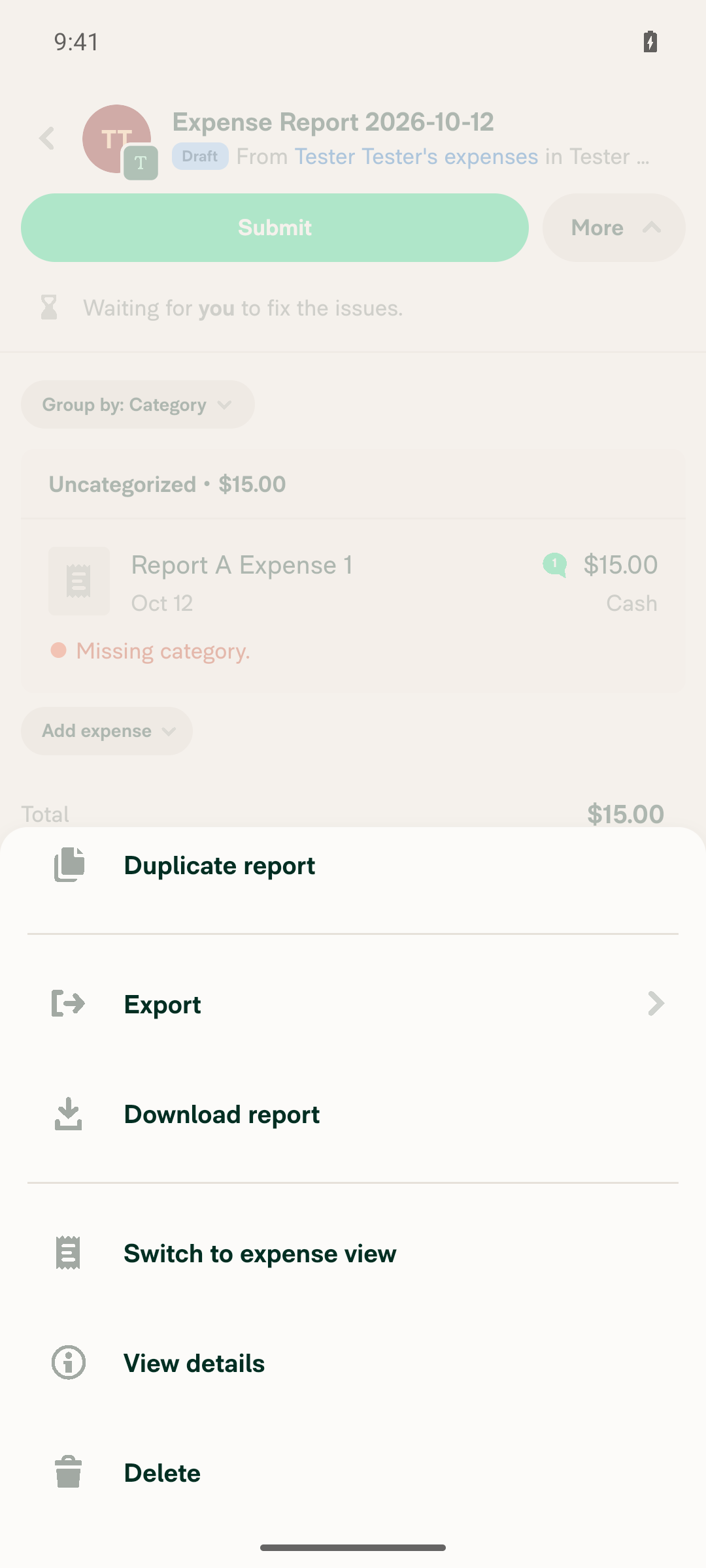
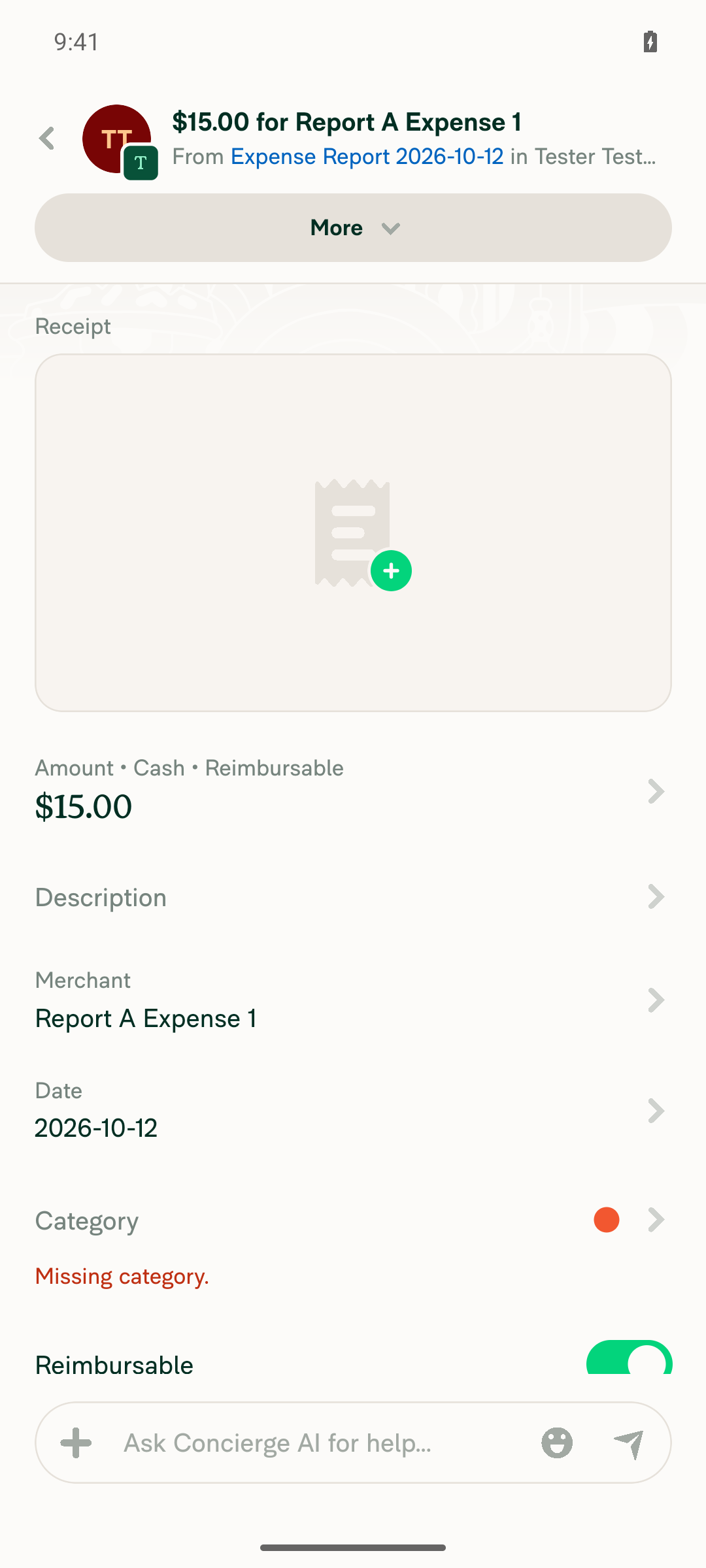
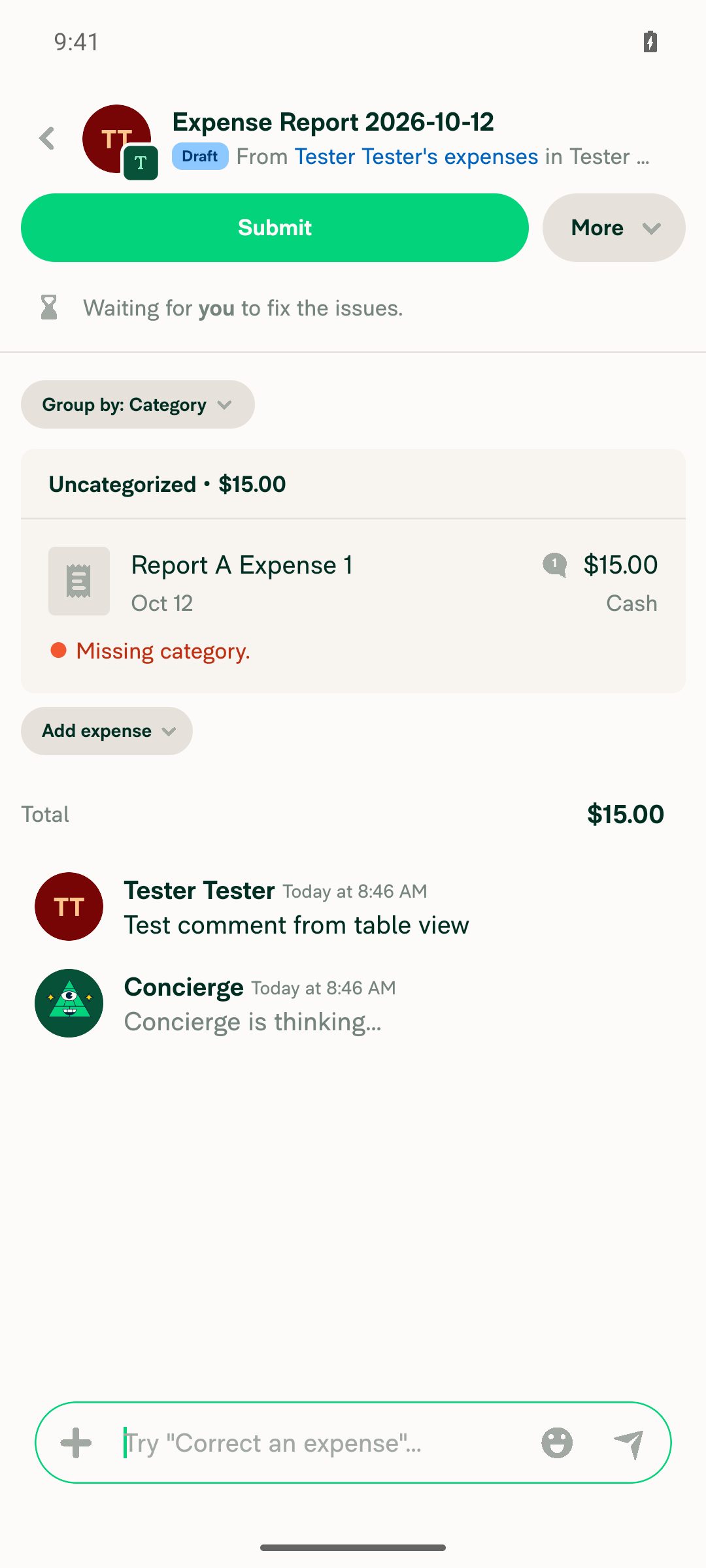
|
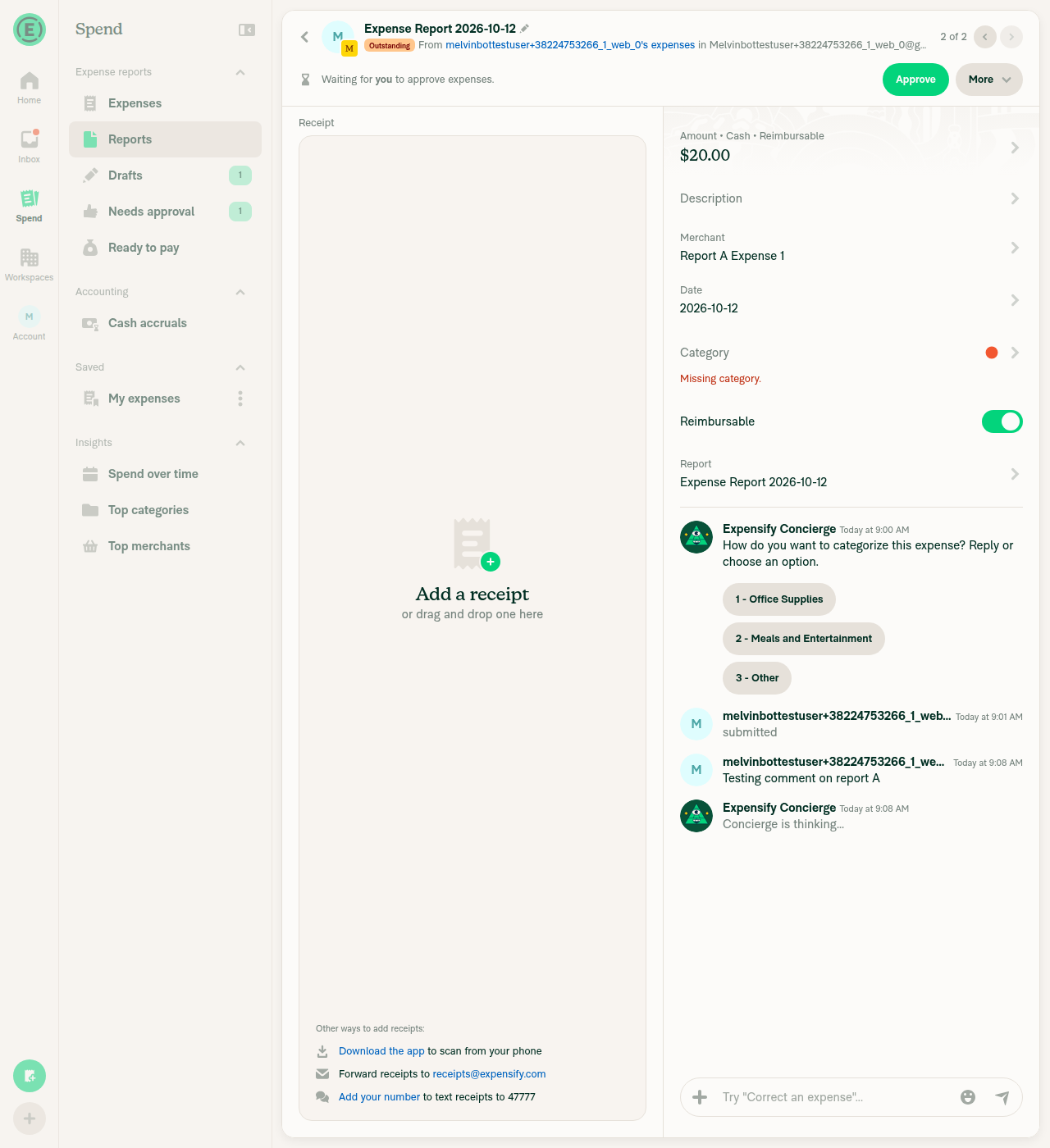
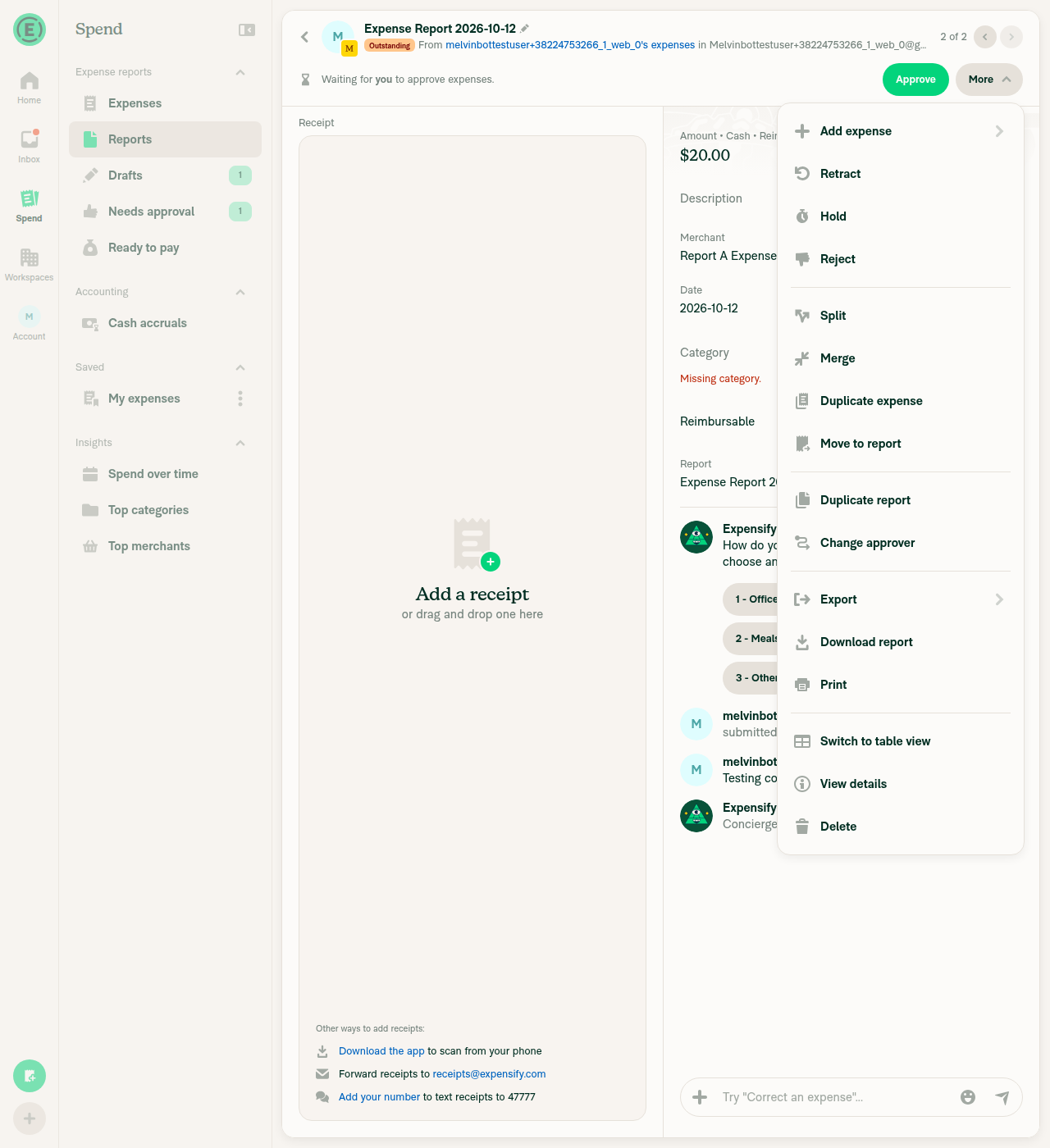
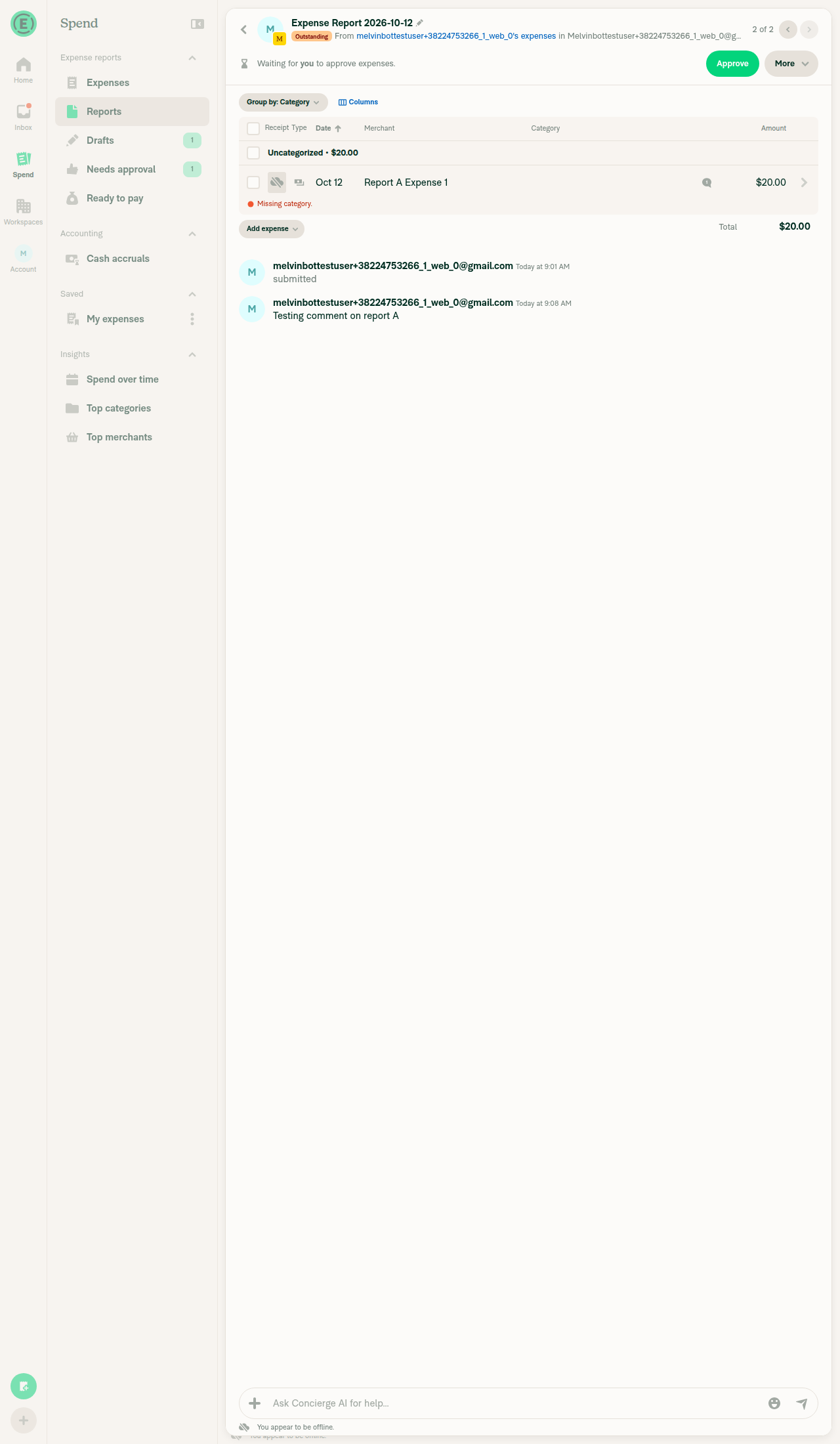
🤖 Web test steps verification results: ✅ pass The single-expense/table view toggle works on Web: the More menu label swaps, the view switches right away (including offline), the choice persists across navigation, and the option is hidden on multi-expense reports. Steps come from the original PR's Tests section, since this PR's Tests section is still TODO.
|
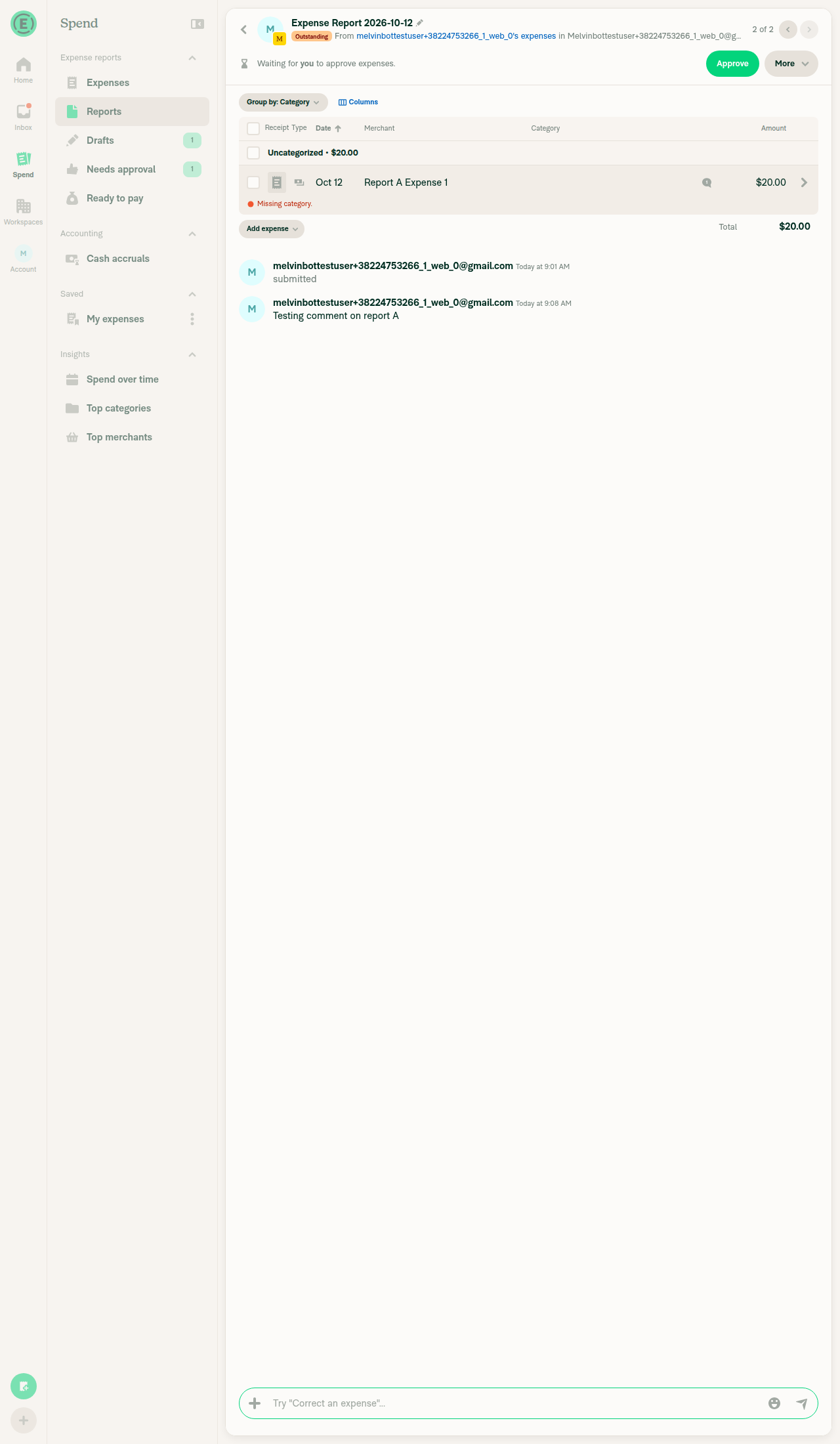
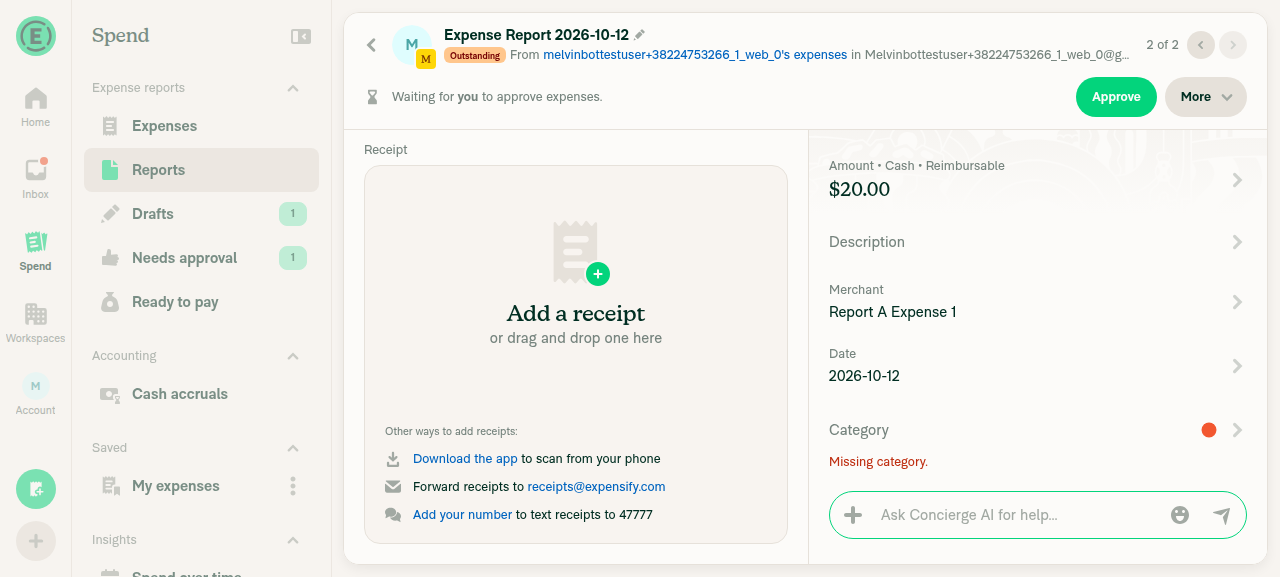
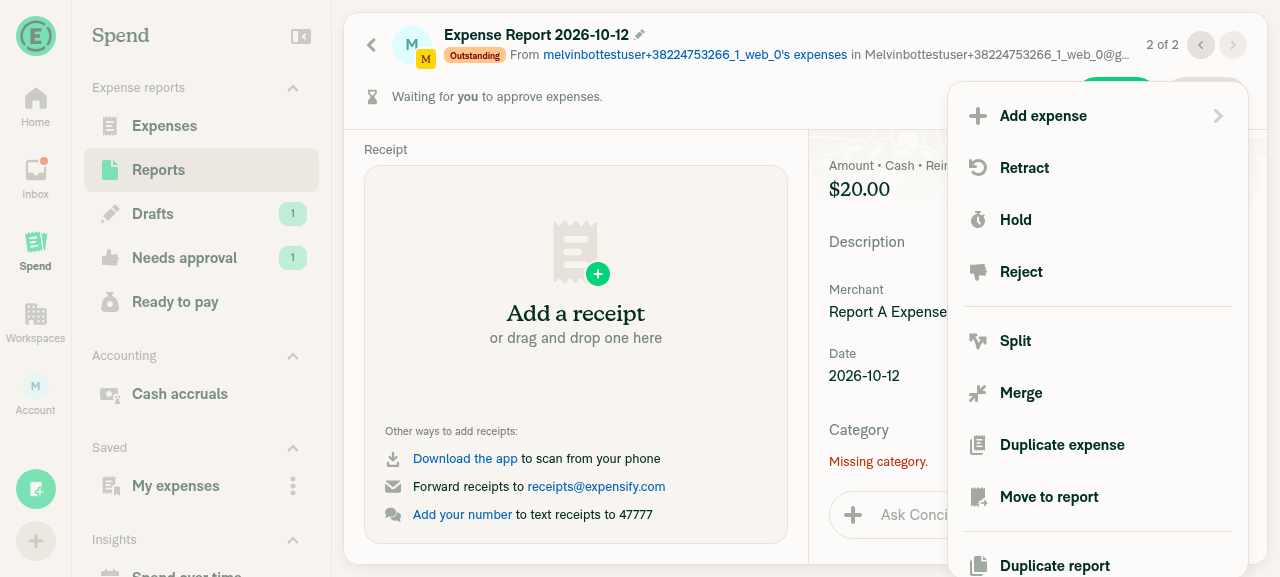
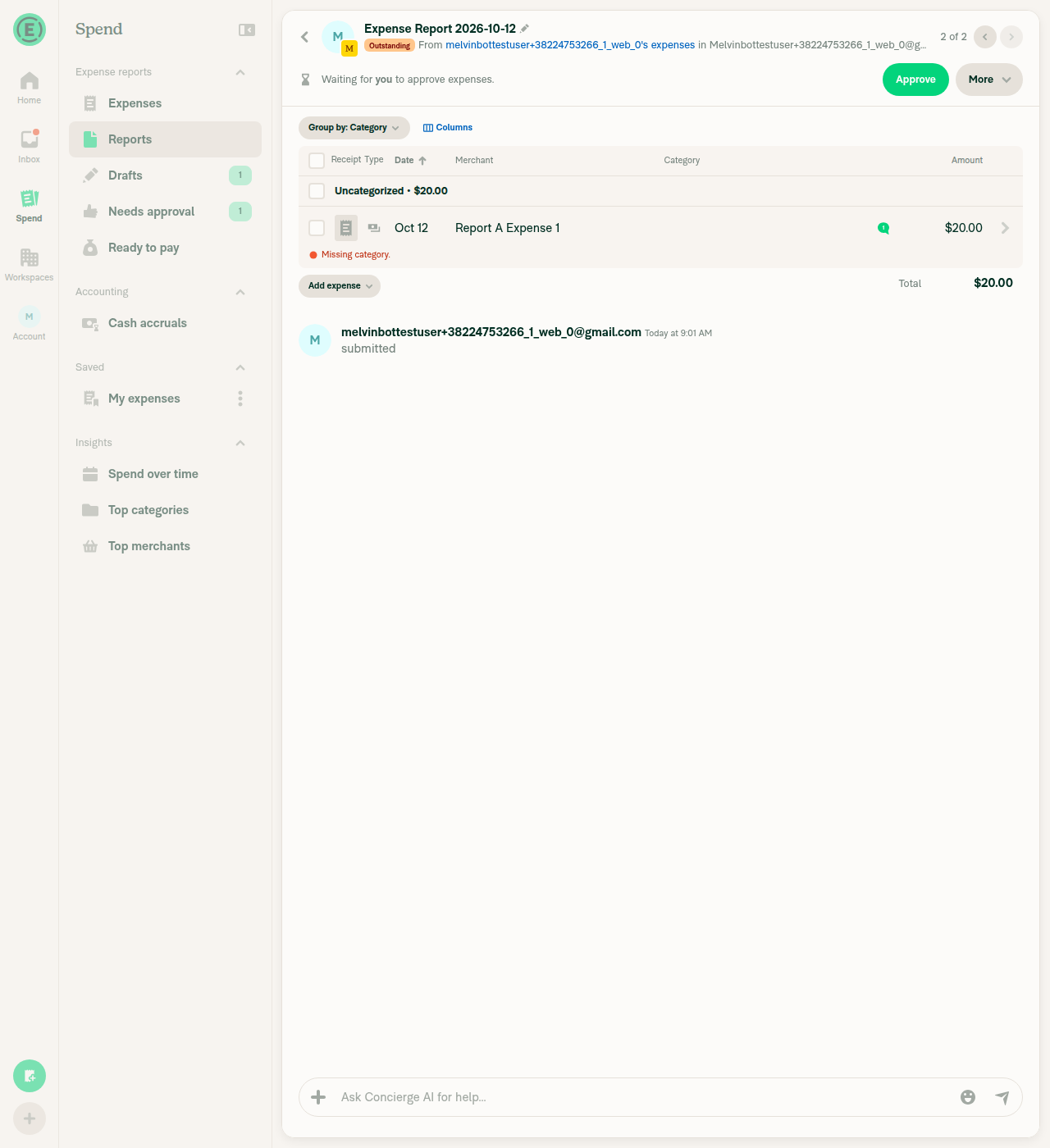
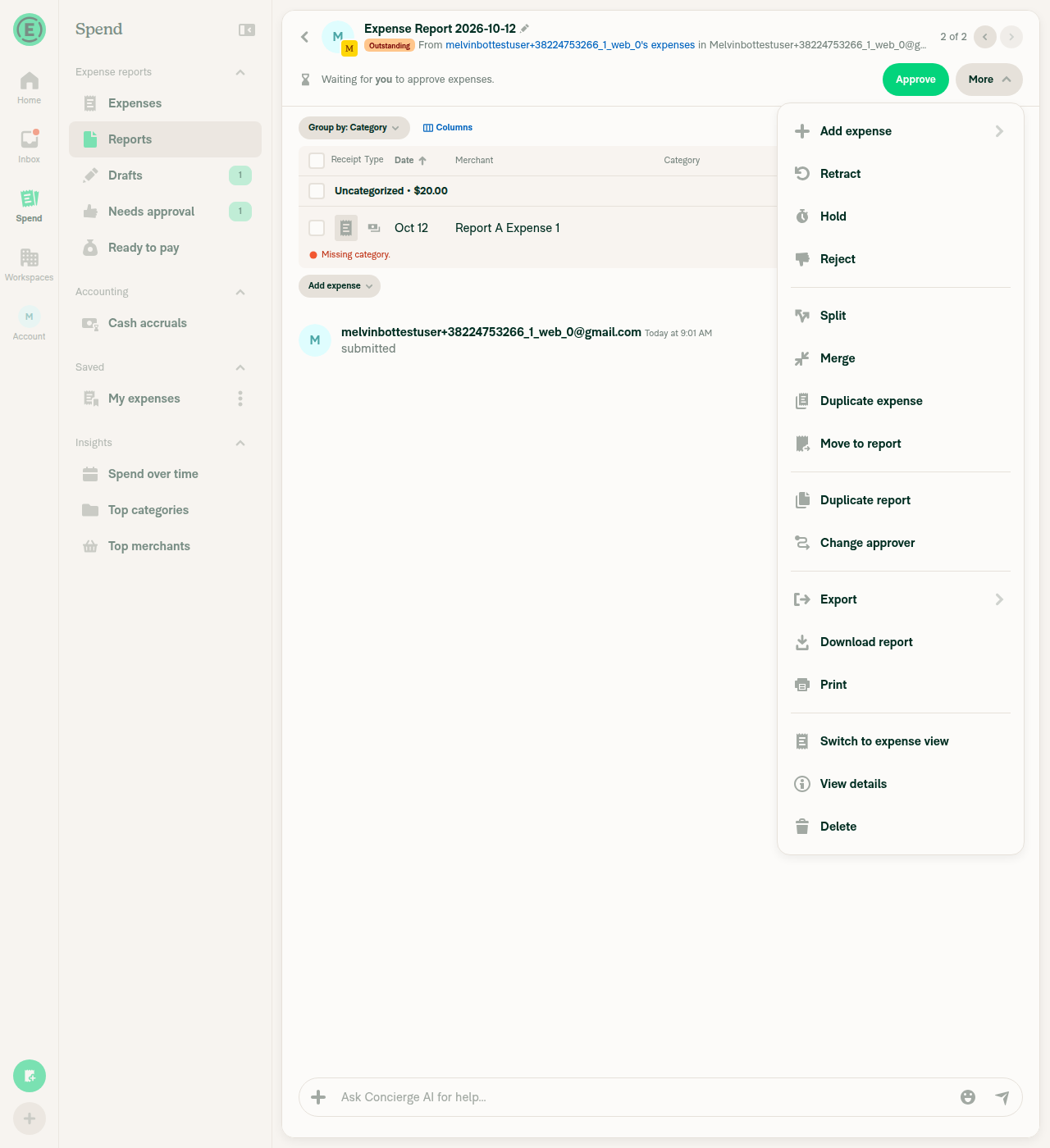
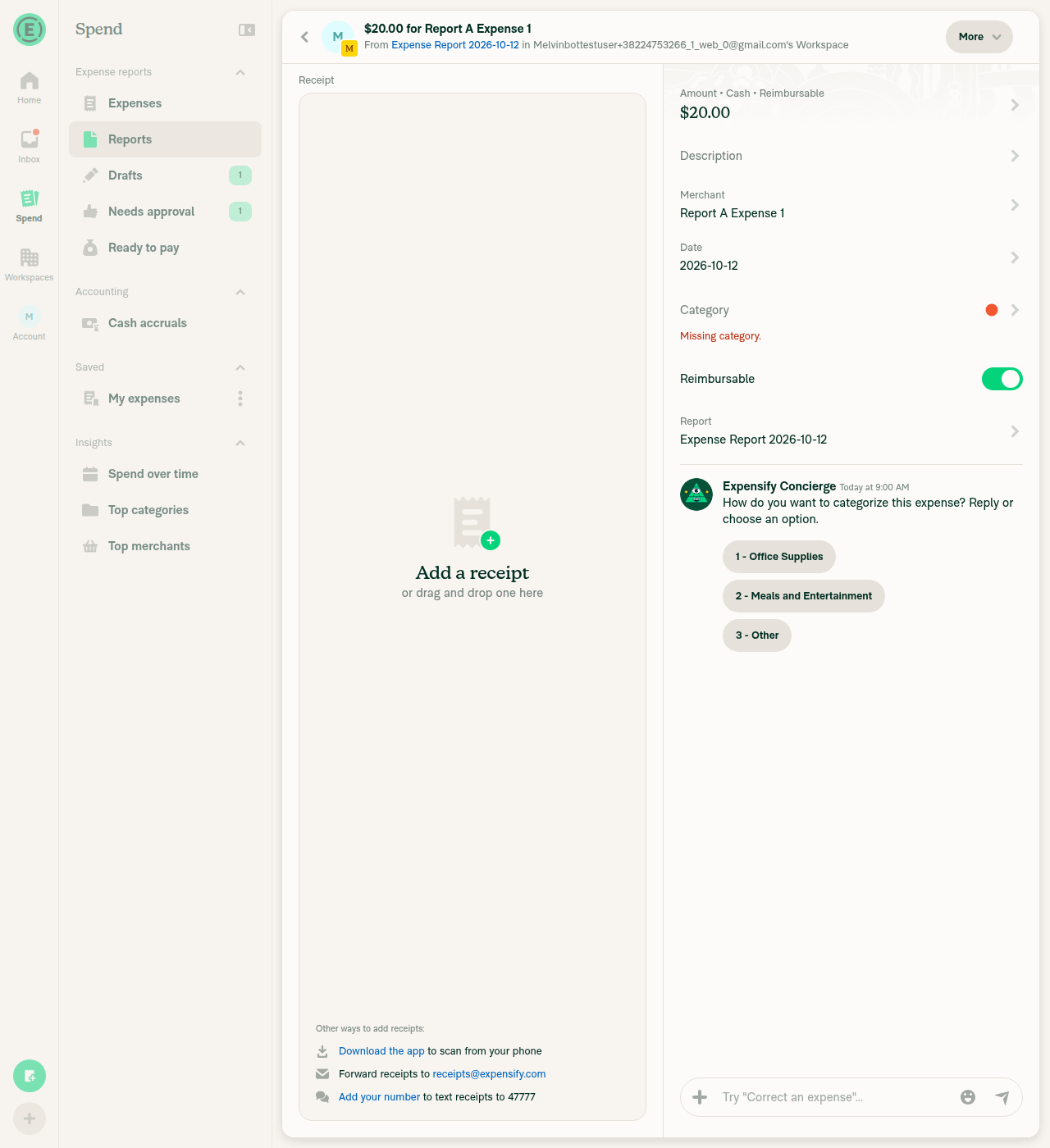
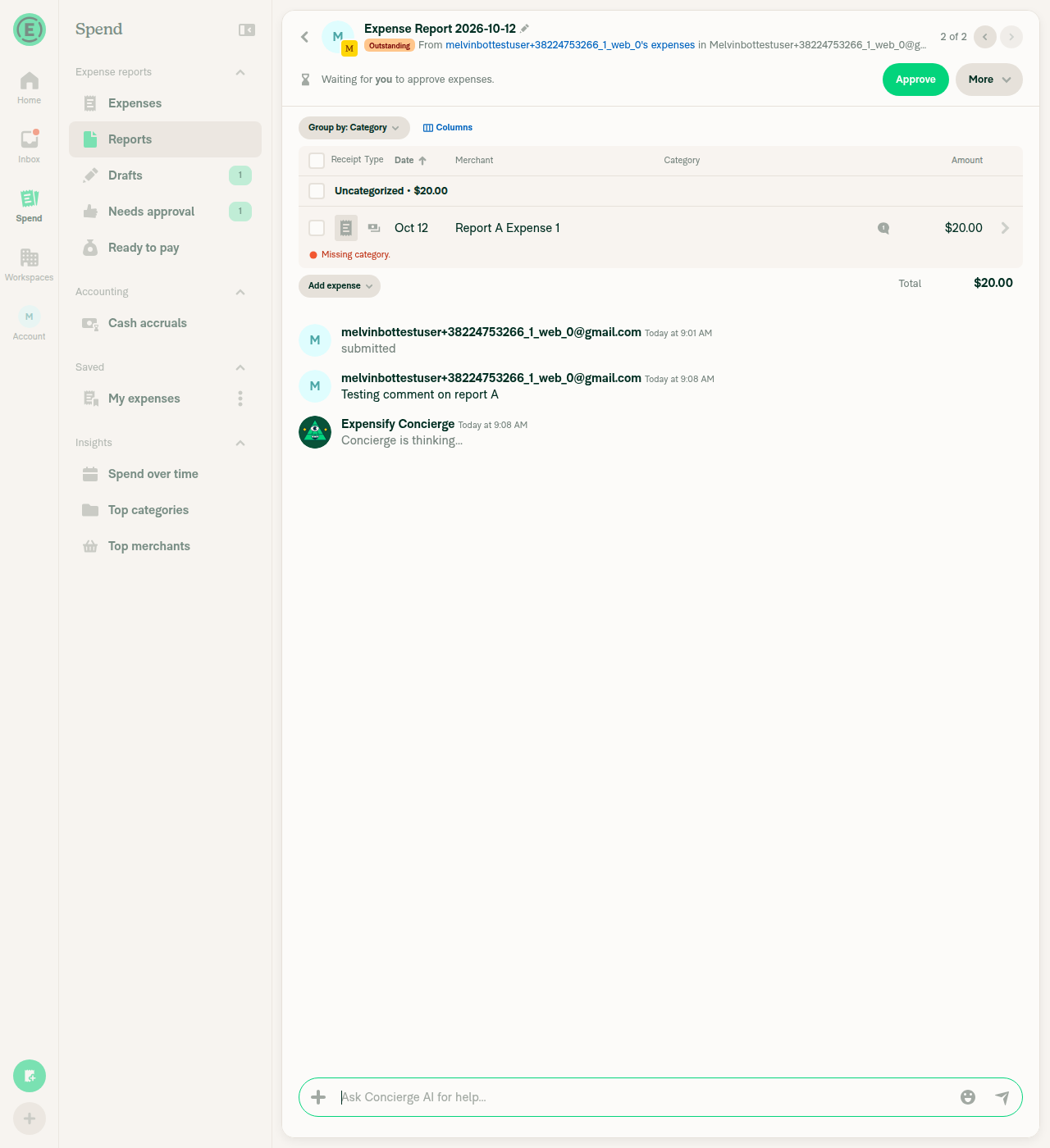
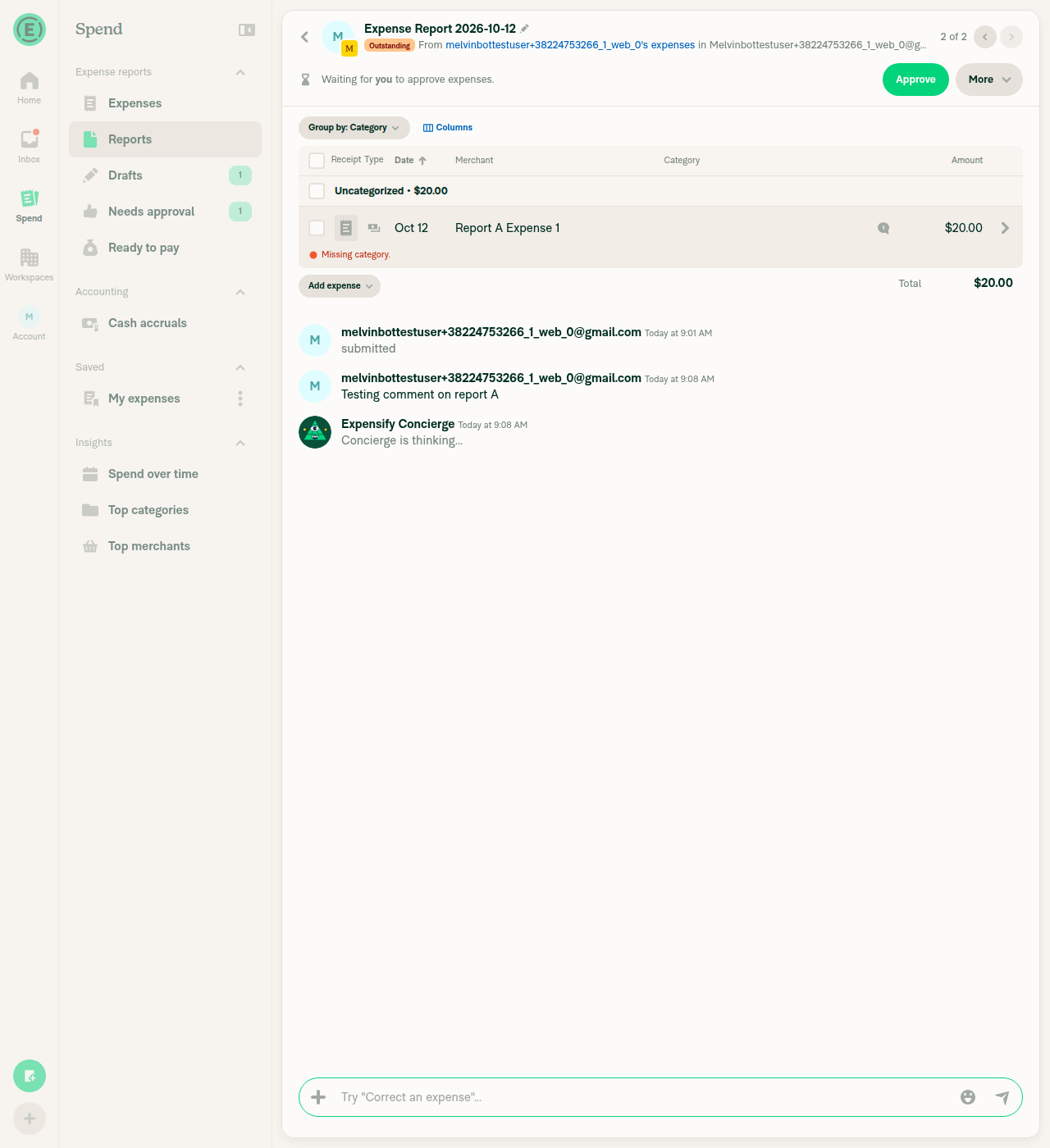
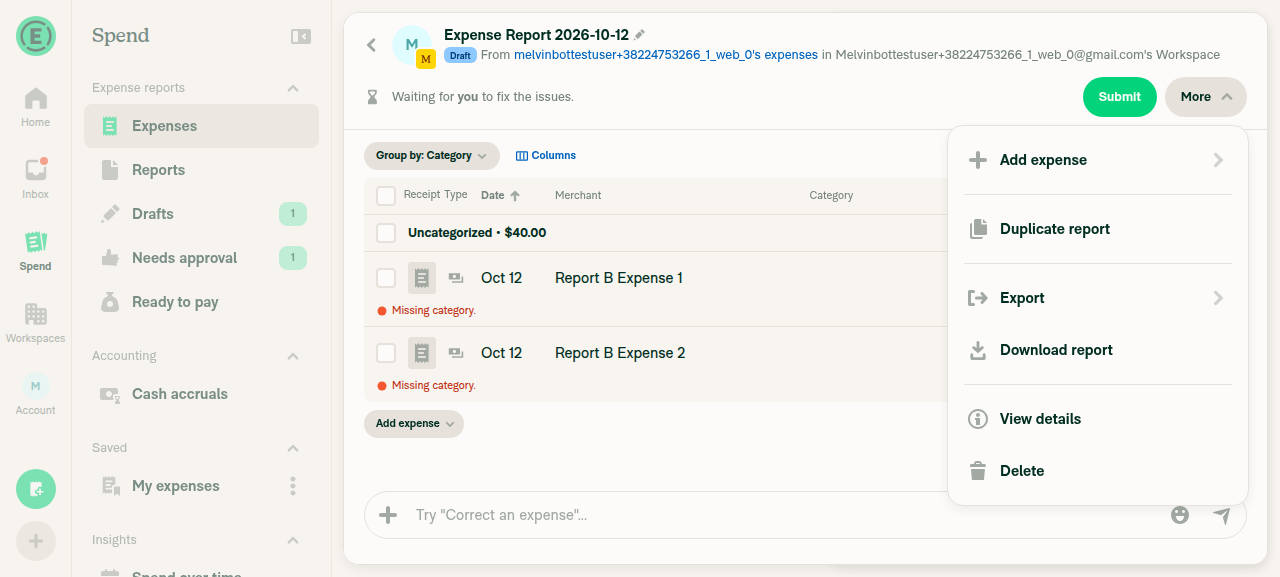

|
@MelvinBot please fix blockers #103387 #103389 |
In the table view, More > Delete on a single-expense expense report now runs the report-level delete, which moves the expense to the self DM, instead of deleting the expense. IOU and invoice reports keep deleting their only expense.

Co-authored-by: daledah <[email protected]>
The report header turned mobile selection mode off whenever one expense or fewer remained. A single-expense report in the table view shows a selectable row, so selection mode now stays on until no expenses remain.

Co-authored-by: daledah <[email protected]>
|
I pushed fixes for both blockers to this PR.
I couldn't test this manually. The web test session showed a blank page before any step ran, so you still need to test it in the app. Changes and checks
view run · no recording available |
|
@MelvinBot please fix blockers #103391 #103392 |
…e view

In the table view a single-expense report lists its expense as a selectable row, but the header still treated it as a transaction thread, so Submit and More stayed enabled during bulk selection. The header now treats it like a multi-expense report.

Co-authored-by: daledah <[email protected]>
On a Submit workspace, bulk Submit opens the submit-to popover, but the selection toolbar had no popover provider above it, so the click did nothing. The provider now wraps the toolbar, and the bulk action bar and the selection dropdown act as its anchor.

Co-authored-by: daledah <[email protected]>
|
I fixed both blockers and pushed two commits to this PR. I couldn't check them in the browser because the web test session loaded a blank page. Unit tests cover both fixes.
Checks
Please test on a Submit workspace: switch a one-expense report to table view, select the expense, and click Submit on the floating bar. view run · no recording available |
|
MelvinBot has made 5 consecutive commits trying to fix CI failures. Automatic CI fix dispatches are now paused for this PR. Next steps: A human should review the recent commits and resolve the conflicting CI errors manually. |
1 similar comment
|
MelvinBot has made 5 consecutive commits trying to fix CI failures. Automatic CI fix dispatches are now paused for this PR. Next steps: A human should review the recent commits and resolve the conflicting CI errors manually. |
|
@MelvinBot oke please continue with #103394 #103396 #103425 |
A Pay someone report's expense is the report itself, so it has no expense
thread for a table row to open. Pressing the row created an empty thread
that the RHP then closed. These reports now ignore the table view
preference and don't offer the switch.

Co-authored-by: daledah <[email protected]>
Deleting a report's only expense deletes the report too, so popping back to
that report in the super wide RHP showed the Not here page.

Co-authored-by: daledah <[email protected]>
Keeping a duplicate from another report discards the only expense of a
single-expense report in the table view. Returning to that report in the
super wide RHP showed the Not here page.

Co-authored-by: daledah <[email protected]>
|
I pushed fixes for all three blockers to this PR, one commit each. I couldn't check them in the browser because the web test session loaded a blank page again. Unit tests cover all three fixes.
Checks and notes
Still open: Expense - Report opens in default expense view on the second device, which needs backend support for view run · no recording available |
|
@MelvinBot please fix the oxfmt check |
Co-authored-by: daledah <[email protected]>
|
Fixed the failing Oxfmt check in bf0b5fd. Oxfmt wanted the The other failing check, |
|
@MelvinBot please open this PR |


|
Deploy Blocker #104649 was identified to be related to this PR. |

|
Deploy Blocker #104651 was identified to be related to this PR. |
|
Deploy Blocker #104653 was identified to be related to this PR. |
|
Deploy Blocker #104654 was identified to be related to this PR. |
|
Deploy Blocker #104657 was identified to be related to this PR. |

|
@MelvinBot can you create revert of this PR? note where the conflicts were during the revert and how you resolved them in the pr body |
|
I opened the revert as a draft: Revert "Reapply "Add a More menu option to switch single-expense reports between expense view and table view"". It's assigned to One conflict, in the imports of
I removed I couldn't run typecheck, lint, or Jest here, so CI needs to confirm them. I checked that no feature references remain and that no import removed by the revert is still in use. |

|
Deploy Blocker #104676 was identified to be related to this PR. |
|
Deploy Blocker #104678 was identified to be related to this PR. |
|
Deploy Blocker #104681 was identified to be related to this PR. |
|
Deploy Blocker #104682 was identified to be related to this PR. |

…pplySingleExpenseReportViewToggle"

This reverts commit 7cb9aa2, reversing
changes made to 7255f7a.

Co-authored-by: Vit Horacek <[email protected]>
|
🚀 Deployed to staging by https://github.com/Beamanator in version: 9.5.18-0 🚀
|
12 participants


Explanation of Change
This PR brings back Add a More menu option to switch single-expense reports between expense view and table view, which was reverted in Revert "Add a More menu option to switch single-expense reports between expense view and table view" after QA found deploy blockers. It reverts the revert commit. The C+ reviewer asked to restore the feature here and then fix the blockers one by one in this PR.
The only conflict was in
src/ONYXKEYS.ts, wheremainaddedTABLE_COLUMN_WIDTHSat the same spot. I kept both keys. The rest of the diff matches the original PR (34 files, +464/−24).This PR also fixes the deploy blockers QA found on the original PR. They are listed under Fixed Issues.
One blocker is still open: Expense - Report opens in default expense view on the second device. It needs backend support for
nvp_expensify_singleExpenseReportView, so it cannot be fixed in this PR.Spend - User avatar in invoice report changes after opening and closing workspace chat was also linked, but it probably isn't caused by this change.
AI tests:
npm run typecheckandnpm run linton all changed files pass. 7 related Jest suites pass (319 tests), includingReportLayoutTest,OneTransactionThreadRedirectHandlerTest,MoneyRequestReportUtilsTest,ReportSecondaryActionUtilsTest,useTransactionThreadReportID.test,ReportActionsWithInboxTabDeferredMountTest, andExportOnyxStateTest. I couldn't run the React Compiler compliance check oroxfmtlocally, so CI will cover them.Fixed Issues
$ #102910
PROPOSAL: #102910 (comment)
$ #103387
$ #103389
$ #103391
$ #103392
$ #103394
$ #103396
$ #103425
Tests
Setup: in a workspace chat, create report A with exactly one expense and report B with two or more expenses.
Switch between views
Selection mode in the table view (switch a single-expense report to the table view first)
10. On a narrow screen (Android, iOS, or mWeb), long-press the expense row and tap Select. Verify selection mode turns on and the row is selected.
11. On a wide screen, select the expense with its checkbox. Verify the header Submit and More buttons are disabled while the expense is selected.
12. In a workspace with Submit workflow (for example, onboarding with "Submit to my employer"), select the expense and click Submit on the floating bar. Verify the "Submit to" popover opens.
Delete in the table view
13. Create a new single-expense report and switch it to the table view. Click More > Delete > Delete. Verify the report is deleted and the expense moves to your self DM.
14. Create a new single-expense report and switch it to the table view. Open the expense row, click the report header, and click Delete expense > Delete. Verify the RHP closes and the "It's not here" page doesn't open.
Pay someone report
15. In a 1:1 DM, click + > Pay and complete the flow. Open the report. Verify it opens in the expense view and the More menu doesn't show Switch to table view.
Duplicates in the table view
16. Create a new single-expense report and switch it to the table view. Click More > Duplicate report and open the new report. Click Review duplicates, select the expense from the other report, click Keep selected, then Confirm. Verify the app opens the kept report and the "It's not here" page doesn't open.
Offline tests
QA Steps
nvp_expensify_singleExpenseReportView, so skip this step if that isn't deployed yet.PR Author Checklist
### Fixed Issuessection aboveTestssectionOffline stepssectionQA stepssectionAvatar, I verified the components usingAvatarare working as expected)npm run compress-svg)Avataris modified, I verified thatAvataris working as expected in all cases)Designlabel and/or tagged@Expensify/designso the design team can review the changes.mainbranch was merged into this PR after a review, I tested again and verified the outcome was still expected according to theTeststeps.Screenshots/Videos
Recordings from the C+ co-author are in the Reviewer Checklist.
Android: Native
See the Reviewer Checklist.
Android: mWeb Chrome
See the Reviewer Checklist.
iOS: Native
See the Reviewer Checklist.
iOS: mWeb Safari
See the Reviewer Checklist.
MacOS: Chrome / Safari
See the Reviewer Checklist.