Skip to content

Feat: add spinner with fade-in to charts (part 2/2) - #103210

Open
sharabai wants to merge 5 commits into
Expensify:mainfrom
software-mansion-labs:feat/charts/spinner-fade-in
Open

sharabai wants to merge 5 commits into
Expensify:mainfrom
software-mansion-labs:feat/charts/spinner-fade-in

Conversation

@sharabai

@sharabai sharabai commented Oct 6, 2026 •

Copy link
Copy Markdown
Contributor

Explanation of Change

Part 2 of 2 of the chart spinner fade-in, building on #103684, which sizes each chart from its card width.

Each chart entry point (BarChart, LineChart, PieChart, web and native) now renders inside ChartFrame, which puts ChartReveal inside ChartWidthBox. ChartReveal keeps one spinner up from the chart engine download until the chart body reports through useReportChartLoading that its data and fonts are ready, and the card has been measured. The chart then mounts at opacity 0 under the spinner, waits HOLD_FRAMES (5) frames for Skia's first draw, and fades in. The frames are counted on the UI thread, where native Skia draws, because the JS thread can be busy for seconds after launch. A chart that mounts with everything in memory has no spinner to hold, so it fades in as soon as its card is measured, in place of the spinner #103684 showed there on native.

The spinner box takes the loaded chart's height from utils/chartHeights.ts, and Home's skeleton spinner card matches it.

Important

A chart with angled x-axis labels, or a pie whose legend wraps past one row, makes its card grow as it mounts under the spinner. The spinner box reserves one line of flat labels and one legend row, because the label angle and the row count depend on the data. The spinner stays in place and the card grows below it.

On native, a chart that loads at app start can leave its card blank for a moment between the spinner and the chart. On a cold start, native Skia puts its first frame on screen after the hold has ended and gives no signal to wait for, so the chart appears partway through its fade. Main removes its spinner as soon as the data is ready, so it shows the same blank with no hold covering any of it.

Fixed Issues

$ #103964
PROPOSAL:

Follow-up to #99560

Tests

Preconditions:

  • Account A: an admin of a workspace with a few months of expenses across several categories and merchants, whose Home shows the Insights card with Spend over time.
  • Tests 1 to 4 run on web, in Chrome. Test 5 runs on iOS or Android.
  • For tests 1 and 2, open Chrome DevTools, and in the Network panel set throttling to Slow 4G, leaving Disable cache unticked. Keep DevTools open while testing.

All five tests exercise the change.

1. Home keeps the chart's spinner in place until the chart fades in (Account A, web)

  1. Sign in as Account A.
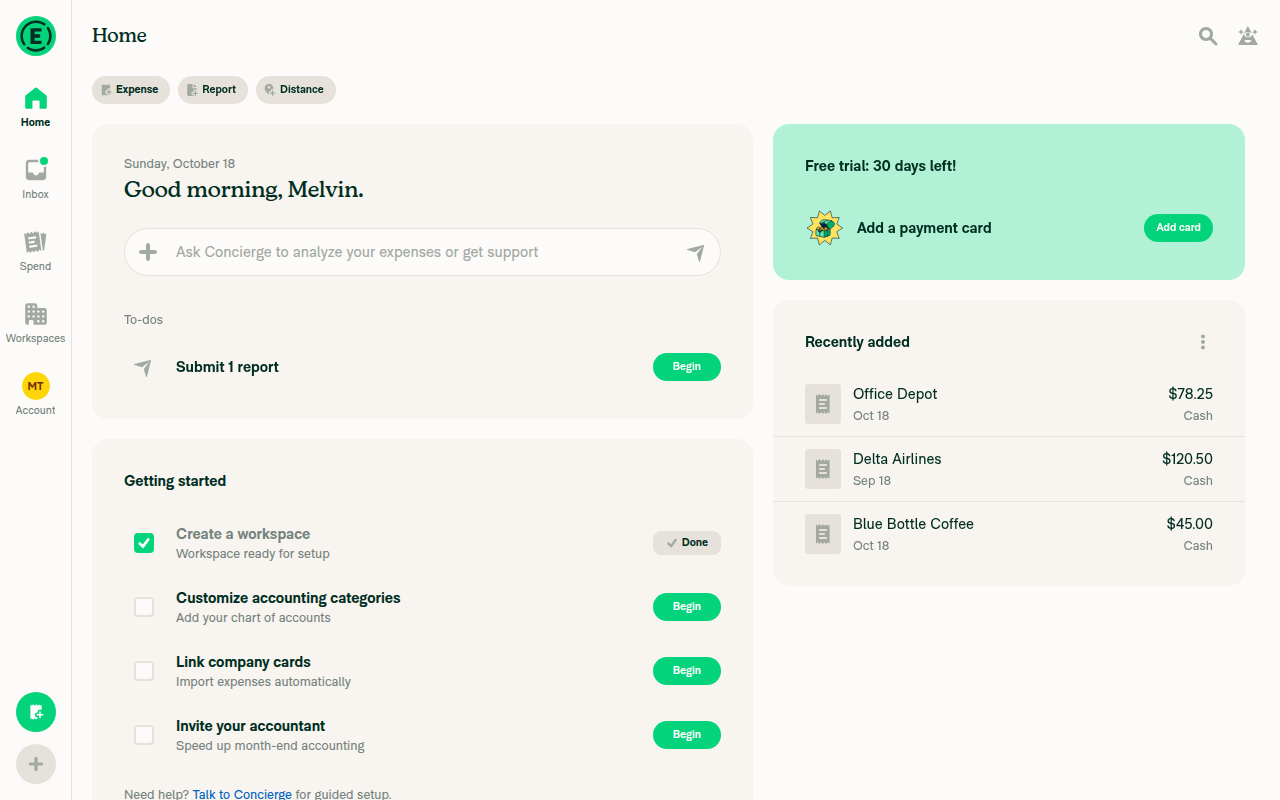
  2. While the page placeholder shows, note the height of the placeholder card that holds a spinner.
  3. Once the Insights card appears, verify that it is the same height as that placeholder card.
  4. Verify that the spinner does not move within the card until the Spend over time chart fades in, and that the card does not change height when the chart appears.

2. Each chart type fades in without the card jumping (Account A, web)

  1. Open Spend and reload the page, then in Display set Group by to Month and tap Apply. Open Display again, set View to Line, and tap Apply.
  2. Verify that a single spinner shows while the chart loads, and that the chart then fades in without the card changing height. If the x-axis labels sit at an angle, verify instead that the spinner stays in place while the card grows below it.
  3. Switch the chart type to bar, and repeat step 2.
  4. In Display, set Group by to Category and tap Apply, then set View to Pie the same way, and repeat step 2. If the legend wraps past one row, verify instead that the card grows only by the extra rows.

3. A reloaded chart shows the spinner again (Account A, web)

  1. On Home, open the title dropdown on the Insights card and pick an insight you have not opened in this session.
  2. Verify that the card shows a spinner, and that the new chart then fades in.

4. Without WebGL, the error message replaces the spinner (Account A, web)

  1. Quit Chrome, then start it again from Terminal with WebGL turned off: open -a "Google Chrome" --args --disable-webgl
  2. Open Home, signed in as Account A.
  3. Verify that the Insights card shows "Your browser doesn't support WebGL. Please enable it or switch browsers." with no spinner left on screen.

5. On native, only a loading chart shows the spinner (Account A, iOS or Android)

  1. On Spend, use Display as in test 2 step 1 to group by Month with the Bar view, then force quit the app and open it again.
  2. Verify that the chart card shows a spinner that stays in place until the bar chart fades in, and that the card does not change height when the chart appears. The card can be blank for a moment before the chart appears, as noted above.
  3. Repeat test 3 on the device.
  4. In Display, set View to Line and tap Apply, then switch it to Bar and back to Line the same way.
  5. Switch the chart type to bar, then back to line, and verify that each chart fades in with no spinner.
  • Verify that no errors appear in the JS console

Offline tests

N/A: this change only affects how a chart looks while it loads. It makes no requests and writes no Onyx data.

QA Steps

Same as tests.

  • Verify that no errors appear in the JS console

PR Author Checklist

  • I linked the correct issue in the ### Fixed Issues section above
  • I wrote clear testing steps that cover the changes made in this PR
    • I added steps for local testing in the Tests section
    • I added steps for the expected offline behavior in the Offline steps section
    • I added steps for Staging and/or Production testing in the QA steps section
    • I added steps to cover failure scenarios (i.e. verify an input displays the correct error message if the entered data is not correct)
    • I turned off my network connection and tested it while offline to ensure it matches the expected behavior (i.e. verify the default avatar icon is displayed if app is offline)
    • I tested this PR with a High Traffic account against the staging or production API to ensure there are no regressions (e.g. long loading states that impact usability).
  • I included screenshots or videos for tests on all platforms
  • I ran the tests on all platforms & verified they passed on:
    • Android: Native
    • Android: mWeb Chrome
    • iOS: Native
    • iOS: mWeb Safari
    • MacOS: Chrome / Safari
  • I verified there are no console errors (if there's a console error not related to the PR, report it or open an issue for it to be fixed)
  • I verified any copy / text that was added to the app is either coming verbatim from figma or has been approved by marketing (in order to get marketing approval, ask the Bug Zero team member to add the Waiting for copy label to the issue)
  • If a new code pattern is added I verified it was agreed to be used by multiple Expensify engineers
  • I tested other components that can be impacted by my changes (i.e. if the PR modifies a shared library or component like Avatar, I verified the components using Avatar are working as expected)
  • If new assets were added or existing ones were modified, I verified that:
    • The assets are optimized and compressed (for SVG files, run npm run compress-svg)
    • The assets load correctly across all supported platforms.
  • If the PR modifies code that runs when editing or sending messages, I tested and verified there is no unexpected behavior for all supported markdown - URLs, single line code, code blocks, quotes, headings, bold, strikethrough, and italic.
  • If the PR modifies a generic component, I tested and verified that those changes do not break usages of that component in the rest of the App (i.e. if a shared library or component like Avatar is modified, I verified that Avatar is working as expected in all cases)
  • If the PR modifies a component related to any of the existing Storybook stories, I tested and verified all stories for that component are still working as expected.
  • If the PR modifies a component or page that can be accessed by a direct deeplink, I verified that the code functions as expected when the deeplink is used - from a logged in and logged out account.
  • If the PR modifies the UI (e.g. new buttons, new UI components, changing the padding/spacing/sizing, moving components, etc) or modifies the form input styles:
    • I verified that all the inputs inside a form are aligned with each other.
    • I added Design label and/or tagged @Expensify/design so the design team can review the changes.
  • If the PR adds or modifies the UI:
    • I asked an AI agent to review the changes for accessibility issues and addressed its findings.
    • I tested with a screen reader (VoiceOver on macOS) and verified all new/changed elements are reachable with a logical focus order.
    • I verified all new/changed elements have meaningful accessible names and roles.
    • I verified state changes are announced (e.g. checked/unchecked, expanded/collapsed, selected).
  • I added unit tests for any new feature or bug fix in this PR to help automatically prevent regressions in this user flow.
  • If the main branch was merged into this PR after a review, I tested again and verified the outcome was still expected according to the Test steps.

Screenshots/Videos

Android: Native
Android: mWeb Chrome
iOS: Native
pr-103210-test-5-native-only-loading-chart-shows-spinner.mp4
iOS: mWeb Safari
MacOS: Chrome / Safari
pr-103210-test-1-home-keeps-chart-spinner-in-place-until-fade-in.mp4
pr-103210-test-2-each-chart-type-fades-in-without-card-jumping.mp4
pr-103210-test-3-reloaded-chart-shows-spinner-again.mp4
pr-103210-test-4-without-webgl-error-replaces-spinner.mp4

@sharabai sharabai changed the title Measure chart width above the lazy boundary Feat: add spinner with fade-in to charts Oct 6, 2026
@sharabai

sharabai commented Oct 8, 2026

Copy link
Copy Markdown
Contributor Author

@Expensify/design

Here’s what the fade-in looks like. What do you think?

Screen.Recording.2026-10-08.at.17.58.15.mov

@codecov

codecov Bot commented Oct 8, 2026 •

Copy link
Copy Markdown

Codecov Report

❌ Looks like you've decreased code coverage for some files. Please write tests to increase, or at least maintain, the existing level of code coverage. See our documentation here for how to interpret this table.

Files with missing lines Coverage Δ
src/components/Charts/BarChart/index.native.tsx 100.00% <100.00%> (ø)
src/components/Charts/LineChart/index.native.tsx 100.00% <100.00%> (ø)
src/components/Charts/PieChart/PieChartContent.tsx 60.29% <100.00%> (-1.35%) ⬇️
src/components/Charts/PieChart/index.native.tsx 100.00% <100.00%> (ø)
src/components/Charts/SkiaWebChart/index.tsx 100.00% <100.00%> (ø)
src/components/Charts/VictoryTheme.ts 100.00% <100.00%> (ø)
src/components/Charts/components/ChartFrame.tsx 100.00% <100.00%> (ø)
src/components/Charts/components/ChartReveal.tsx 100.00% <100.00%> (ø)
...components/Charts/hooks/useReadyCartesianCanvas.ts 80.00% <100.00%> (+5.00%) ⬆️
src/components/Charts/utils/chartHeights.ts 100.00% <100.00%> (ø)
... and 10 more
... and 23 files with indirect coverage changes

@dannymcclain

Copy link
Copy Markdown
Contributor

Here’s what the fade-in looks like. What do you think?

That's feeling pretty good to me!

@sharabai

Copy link
Copy Markdown
Contributor Author

Quick update: this PR got too big to review in one go, so I split it. #103684 is the first part, and it'll be merged first. It has the refactor that sizes each chart from its card's width before the chart mounts.

I'll rebase this branch onto #103684 and force push, so the diff here only shows what's left:

@sharabai
sharabai force-pushed the feat/charts/spinner-fade-in branch from 57bff60 to 99d61e7 Compare October 13, 2026 14:14
@sharabai sharabai changed the title Feat: add spinner with fade-in to charts [HOLD #103684] Feat: add spinner with fade-in to charts (part 2/2) Oct 13, 2026
@sharabai
sharabai force-pushed the feat/charts/spinner-fade-in branch from 82ad5b5 to 4c0ac5a Compare October 16, 2026 10:28
@sharabai sharabai changed the title [HOLD #103684] Feat: add spinner with fade-in to charts (part 2/2) Feat: add spinner with fade-in to charts (part 2/2) Oct 18, 2026
@sharabai

Copy link
Copy Markdown
Contributor Author

@codex review

@sharabai

Copy link
Copy Markdown
Contributor Author

@MelvinBot review

@chatgpt-codex-connector

chatgpt-codex-connector Bot commented Oct 18, 2026 •

Copy link
Copy Markdown

Codex Review Summary

This comment shows the latest Codex review activity on this pull request.

Review Status Commit Review trigger
📝 Code Review ✅ Completed 2026-10-18T16:36:47.264670Z 751a00e Draft marked ready
ℹ️ About Codex in GitHub

Your team has set up Codex to review pull requests in this repo. Reviews are triggered when you

  • Open a pull request for review
  • Mark a draft as ready
  • Comment "@codex review" or "@codex security review".

Codex reacts with 👀 while any review is running, comments if it has suggestions, and reacts with 👍 once all reviews finish with no findings.

@sharabai

Copy link
Copy Markdown
Contributor Author

@MelvinBot find regressions

@MelvinBot

Copy link
Copy Markdown
Contributor

Review

I found no correctness bugs, and all CI checks pass except Check independent approval. I have one optional suggestion.

Suggestion: let touches pass through the spinner overlay during the fade. In ChartReveal.tsx:129, the spinner box stays mounted over the chart after the hold ends. It goes away only when setIsRevealed(true) runs on the JS thread. On native, the JS thread can lag for seconds, as the hold comment notes. During that time the invisible overlay can block taps and hovers on the chart. Setting pointerEvents to none on that Animated.View when isReady fixes this.

What I checked
  • Callers: Every bar, line, and pie entry point (web and native) now renders the chart body under ChartFrame. Removing the in-body spinner and the empty-data return null leaves no other caller without a spinner. VictoryChartRenderer uses SkiaWebChart outside a reveal, so it keeps its old fallback spinner.
  • Heights: X_AXIS_LABEL_MIN_HEIGHT (15) is the floor for the measured flat label height (about 14.2 for 12px labels), so a chart with flat labels matches its loading height. The pie legend row matches Text's default lineHeight (fontSizeNormalHeight). The shouldShowLabels and shouldShowLegend defaults in chartHeights.ts match the chart body defaults.
  • Home skeleton: The spinner card now uses the same padding hook and height as the real Insights card.
  • Styles: pieChartLegendMargin keeps the old value (32).
  • State changes: Reload, unmount, and CanvasKit failure behave as described. The render-phase resets, the frame cancel on cleanup, and ChartUnavailable reporting isDrawnBySkia: false are all covered by the new tests.

view run

@chatgpt-codex-connector chatgpt-codex-connector Bot left a comment

Copy link
Copy Markdown

Choose a reason for hiding this comment

The reason will be displayed to describe this comment to others. Learn more.

💡 Codex Review

Here are some automated review suggestions for this pull request.

Reviewed commit: 751a00e6f7

ℹ️ About Codex in GitHub

Codex has been enabled to automatically review pull requests in this repo. Reviews are triggered when you

  • Open a pull request for review
  • Mark a draft as ready
  • Comment "@codex review".

If Codex has suggestions, it will comment; otherwise it will react with 👍.

When you sign up for Codex through ChatGPT, Codex can also answer questions or update the PR, like "@codex address that feedback".

// The chart this stands in for holds its own loading spinner at exactly this height.
const SPINNER_CARD_HEIGHT = CHART_CONTENT_MIN_HEIGHT;
// Home's first insight, spend over time, is a line chart, which holds its loading spinner at this height.
const SPINNER_CARD_HEIGHT = getCartesianChartHeight();

Copy link
Copy Markdown

Choose a reason for hiding this comment

The reason will be displayed to describe this comment to others. Learn more.

P2 Badge Account for persisted Home insights in skeleton height

When an Insights-beta user has persisted Top Spenders, Top Merchants, or Top Categories as the Home insight, Home restores that supporting chart rather than the first line chart; InsightsSectionContent.tsx:100 passes shouldShowGroupLabels={false}, so the bar/pie wrappers reserve only the 250px content height. This unconditional getCartesianChartHeight() reserves 289px instead, making the cold-start skeleton 39px taller than the restored card and causing it to visibly shrink; derive this height from the restored chart or otherwise accommodate the label-free selections.

Useful? React with 👍 / 👎.

Copy link
Copy Markdown
Contributor Author

Choose a reason for hiding this comment

The reason will be displayed to describe this comment to others. Learn more.

The 39px shrink is real, but neither option fits this PR, so the skeleton stays matched to spend over time, the first insight and the one Home falls back to.

Deriving the height from the restored chart isn't possible: the skeleton only shows while the first OpenApp is pending on an empty store (useInFlightRequests.ts:196-199), which means right after sign-in or a cache reset, and sign-out doesn't keep the saved insight (SignInRedirect.ts:56-68). It comes back in the same OpenApp response that removes the skeleton, so while the skeleton is up there's nothing to tell it which chart is coming. Accommodating the label-free charts would mean one height for every Home insight, which changes how the loaded card looks, so it belongs with design rather than in this PR.

@MelvinBot

MelvinBot commented Oct 18, 2026 •

Copy link
Copy Markdown
Contributor

🤖 Web test steps verification results: ❌ fail

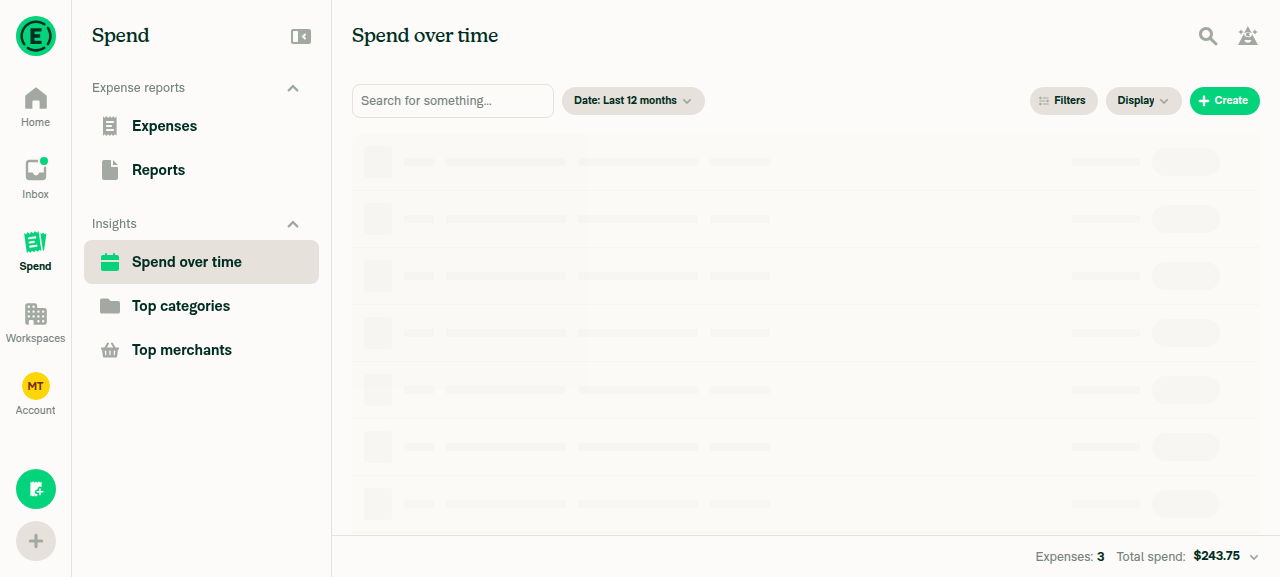
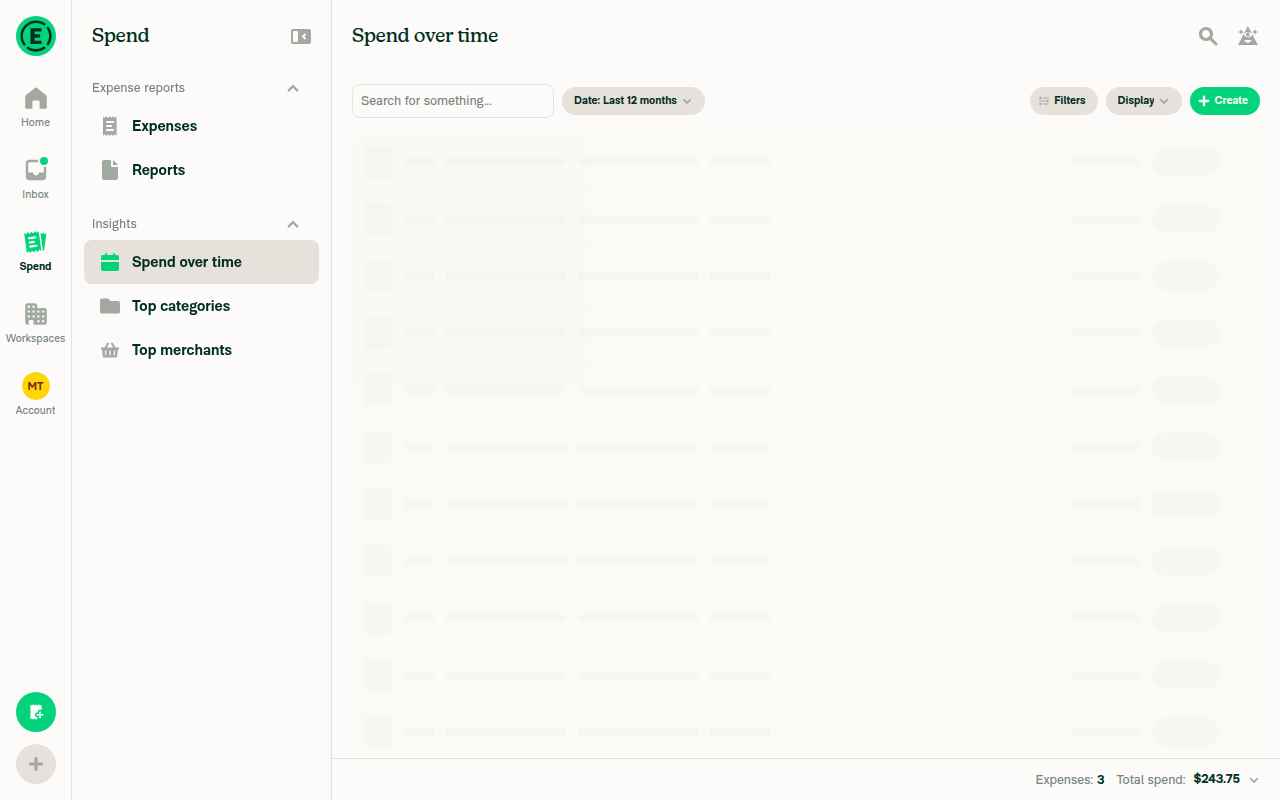
The line chart rendered correctly the first time. After that, the Spend section, including the plain Expenses list, got stuck on its row-loading skeleton and never recovered, so the bar, pie, and reload checks couldn't run. I don't think this PR causes the stall: the Expenses list renders no chart, and this PR doesn't touch Search data loading. A code review of every chart consumer (Home Insights, the Insights page, and Spend) also found no regressions.
Home page loaded

Step Status
Group by Month, View Line: one spinner, then the line chart, with no height jumpRight after Apply, the line chart rendered correctly. It showed Sep and Oct points, a tooltip, 3 expenses, and $243.75 total. On later visits (switching tabs, going to Home and back, resizing, re-applying Display), the area stayed on the generic row skeleton for more than 90 seconds and showed no error. The height-jump check couldn't be judged.
Line chart rendered after first Display Apply
Spend over time stuck on row skeleton after revisit
❌
Switch View to Bar: bar chart renders with no leftover spinnerNot reached, because Spend was already stuck on the row skeleton.
❌
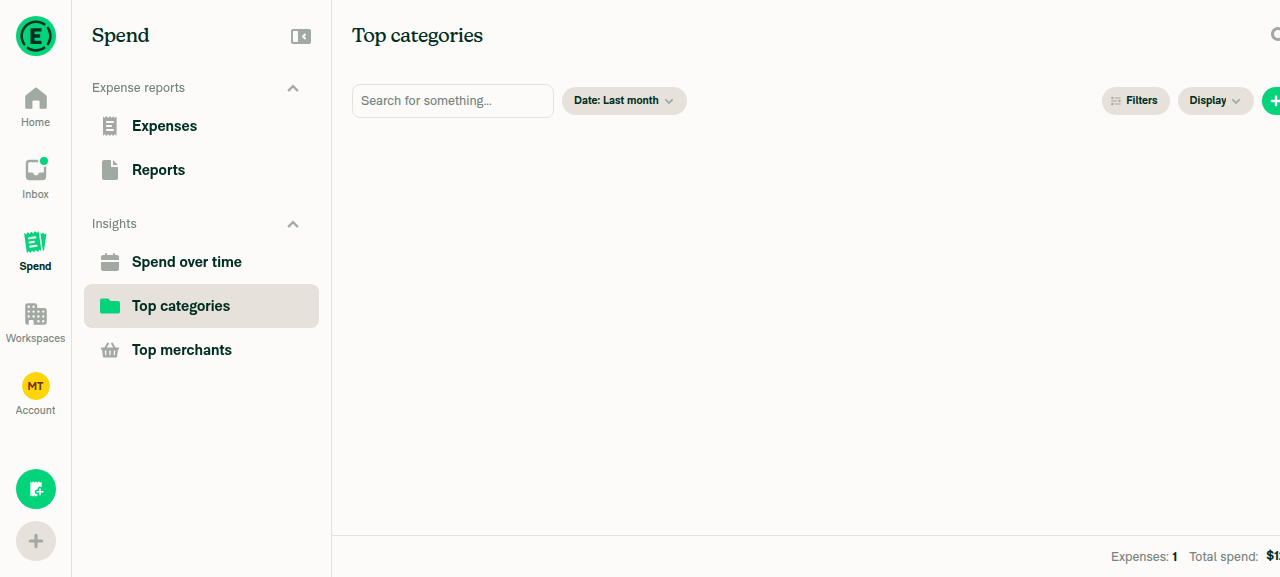
Group by Category, View Pie: pie and legend render with no leftover spinnerTop categories showed skeleton placeholders first, then a blank content area with no chart, legend, or error. The header showed 1 expense and $120.50 total.
Top categories content area blank
❌
Reload with Pie selected: spinner, then chart, with no leftover spinnerNot run. Reloading isn't allowed in this test session because it can drop sign-in.
❌
Home loads without a crash, and any Insights chart has no leftover spinnerHome loaded fully and listed all 3 expenses. This account has no Insights chart card on Home.
Home page loaded
✅
No console errors mention Chart, Skia, CanvasKit, Reanimated, worklet, or requestAnimationFrameNot checked. The web test tool can't capture console logs in this session.
❌

view run · view recording

@sharabai

Copy link
Copy Markdown
Contributor Author

Suggestion: let touches pass through the spinner overlay during the fade. In ChartReveal.tsx:129, the spinner box stays mounted over the chart after the hold ends. It goes away only when setIsRevealed(true) runs on the JS thread. On native, the JS thread can lag for seconds, as the hold comment notes. During that time the invisible overlay can block taps and hovers on the chart. Setting pointerEvents to none on that Animated.View when isReady fixes this.

Not a bug, so no change: on native the overlay can't take a tap or hover from the chart in that window.

It sits at opacity 0 for the whole window, set on the UI thread, and neither native touch path hit-tests a view that transparent: iOS skips anything under alpha 0.01 (RCTViewComponentView.mm:746), and gesture handler on Android, which carries every chart tap and hover, skips anything under 0.1 (GestureHandlerOrchestrator.kt:912). So on native the overlay already behaves as if it had pointerEvents: none, and adding it changes nothing there. The one platform it would change is web, where there's no lag to cover because the UI thread is the JS thread, and where isReady is already true during the hold, so a click on the still-visible spinner would land on the invisible chart.

@sharabai

Copy link
Copy Markdown
Contributor Author

🤖 Web test steps verification results: ❌ fail

Not caused by this PR: in each failed step Search never got its own content on screen, and the PR doesn't change any Search code.

That includes the blank Top categories area. A chart view always renders inside a card with its title, and that card sits outside the chart code (SearchChartWrapper.tsx:22-27), so a chart that hadn't faded in yet would still leave a titled card behind. The screenshot has no card at all, which means Search never showed its chart view there.

Nothing in the run's artifacts shows a rendered chart, though. The screenshot captioned as the rendered line chart shows the same row skeleton, and the recording ends while the test expenses are still being created, so the chart steps went untested rather than failing.

@sharabai
sharabai marked this pull request as ready for review October 18, 2026 16:18
@sharabai
sharabai requested review from a team as code owners October 18, 2026 16:18
@melvin-bot
melvin-bot Bot requested a review from daledah October 18, 2026 16:18
@melvin-bot
melvin-bot Bot requested review from JmillsExpensify and removed request for a team October 18, 2026 16:18
@melvin-bot

melvin-bot Bot commented Oct 18, 2026

Copy link
Copy Markdown

@daledah Please copy/paste the Reviewer Checklist from here into a new comment on this PR and complete it. If you have the K2 extension, you can simply click: [this button]


import ChartReveal from './ChartReveal';
import ChartWidthBox from './ChartWidthBox';

Copy link
Copy Markdown
Contributor

Choose a reason for hiding this comment

The reason will be displayed to describe this comment to others. Learn more.

❌ CONSISTENCY-13 (docs)

This new, non-trivial component file opens straight into a type declaration with no header comment describing its purpose. A one-line header would orient the next reader immediately instead of forcing them to infer from the body that ChartFrame composes ChartWidthBox with ChartReveal and collapses a chart that loads with no data.

Add a short header comment above the first declaration, e.g.:

import type {ReactNode} from 'react';

import React from 'react';

import ChartReveal from './ChartReveal';
import ChartWidthBox from './ChartWidthBox';

/**
 * Wraps a chart in its width box and reveal: measures the card, holds one spinner until the chart is ready, and collapses when it loads with no data.
 */
type ChartFrameProps = {

Reviewed at: 751a00e | Please rate this suggestion with 👍 or 👎 to help us improve! Reactions are used to monitor reviewer efficiency.

Copy link
Copy Markdown
Contributor Author

Choose a reason for hiding this comment

The reason will be displayed to describe this comment to others. Learn more.

Fixed in 6420b85.

@JmillsExpensify JmillsExpensify left a comment

Copy link
Copy Markdown
Contributor

Choose a reason for hiding this comment

The reason will be displayed to describe this comment to others. Learn more.

LGTM

@daledah

daledah commented Oct 20, 2026

Copy link
Copy Markdown
Contributor

Reviewer Checklist

  • I have verified the author checklist is complete (all boxes are checked off).
  • I verified the correct issue is linked in the ### Fixed Issues section above
  • I verified testing steps are clear and they cover the changes made in this PR
    • I verified the steps for local testing are in the Tests section
    • I verified the steps for Staging and/or Production testing are in the QA steps section
    • I verified the steps cover any possible failure scenarios (i.e. verify an input displays the correct error message if the entered data is not correct)
    • I turned off my network connection and tested it while offline to ensure it matches the expected behavior (i.e. verify the default avatar icon is displayed if app is offline)
  • I checked that screenshots or videos are included for tests on all platforms
  • I included screenshots or videos for tests on all platforms
  • I verified that the composer does not automatically focus or open the keyboard on mobile unless explicitly intended. This includes checking that returning the app from the background does not unexpectedly open the keyboard.
  • I verified tests pass on all platforms & I tested again on:
    • Android: HybridApp
    • Android: mWeb Chrome
    • iOS: HybridApp
    • iOS: mWeb Safari
    • MacOS: Chrome / Safari
  • If there are any errors in the console that are unrelated to this PR, I either fixed them (preferred) or linked to where I reported them in Slack
  • I verified any copy / text that was added to the app is either coming verbatim from figma or has been approved by marketing (in order to get marketing approval, ask the Bug Zero team member to add the Waiting for copy label to the issue)
  • If a new code pattern is added I verified it was agreed to be used by multiple Expensify engineers
  • I verified other components that can be impacted by these changes have been tested, and I retested again (i.e. if the PR modifies a shared library or component like Avatar, I verified the components using Avatar have been tested & I retested again)
  • If a new component is created I verified that:
    • A similar component doesn't exist in the codebase
    • All props are defined accurately
    • The component has a clear name that is non-ambiguous and the purpose of the component can be inferred from the name alone
    • The only data being stored in the state is data necessary for rendering and nothing else
    • The component has the minimum amount of code necessary for its purpose, and it is broken down into smaller components in order to separate concerns and functions
  • If the PR modifies code that runs when editing or sending messages, I tested and verified there is no unexpected behavior for all supported markdown - URLs, single line code, code blocks, quotes, headings, bold, strikethrough, and italic.
  • If the PR modifies a generic component, I tested and verified that those changes do not break usages of that component in the rest of the App (i.e. if a shared library or component like Avatar is modified, I verified that Avatar is working as expected in all cases)
  • If the PR modifies a component related to any of the existing Storybook stories, I tested and verified all stories for that component are still working as expected.
  • If the PR modifies a component or page that can be accessed by a direct deeplink, I verified that the code functions as expected when the deeplink is used - from a logged in and logged out account.
  • If the PR modifies the UI (e.g. new buttons, new UI components, changing the padding/spacing/sizing, moving components, etc) or modifies the form input styles:
    • I verified that all the inputs inside a form are aligned with each other.
    • I added Design label and/or tagged @Expensify/design so the design team can review the changes.
  • If the PR adds or modifies the UI:
    • I asked an AI agent to review the changes for accessibility issues and addressed its findings.
    • I tested with a screen reader (VoiceOver on macOS) and verified all new/changed elements are reachable with a logical focus order.
    • I verified all new/changed elements have meaningful accessible names and roles.
    • I verified state changes are announced (e.g. checked/unchecked, expanded/collapsed, selected).
  • For any bug fix or new feature in this PR, I verified that sufficient unit tests are included to prevent regressions in this flow.
  • If the main branch was merged into this PR after a review, I tested again and verified the outcome was still expected according to the Test steps.
  • I have checked off every checkbox in the PR reviewer checklist, including those that don't apply to this PR.

Screenshots/Videos

Android: HybridApp
Android: mWeb Chrome
iOS: HybridApp
iOS: mWeb Safari
MacOS: Chrome / Safari

<View>
<Animated.View style={fadeStyle}>{children}</Animated.View>
{!isRevealed && (
<Animated.View style={[styles.chartActivityIndicator, StyleUtils.getHeight(loadingHeight), isReady && [styles.pAbsolute, styles.t0, styles.l0, styles.r0, spinnerStyle]]}>

Copy link
Copy Markdown
Contributor

Choose a reason for hiding this comment

The reason will be displayed to describe this comment to others. Learn more.

The spinner overlay is position: absolute with no pointerEvents, and opacity: 0 disables neither hit-testing nor the accessibility tree - so between the fade starting on the UI thread and scheduleOnRN(setIsRevealed, true) landing on JS, it swallows every hover/tap over the chart and keeps shadowing the chart's accessible elements from VoiceOver.

Could you add pointerEvents="none" and hide the overlay from the a11y tree once it's transparent?

<Animated.View
    pointerEvents="none"
    accessibilityElementsHidden={isReady}
    importantForAccessibility={isReady ? 'no-hide-descendants' : 'auto'}
    style={[styles.chartActivityIndicator, StyleUtils.getHeight(loadingHeight), isReady && [styles.pAbsolute, styles.t0, styles.l0, styles.r0, spinnerStyle]]}
>

This branch has not been deployed

No deployments
Sign up for free to join this conversation on GitHub. Already have an account? Sign in to comment

Labels

None yet

Projects

None yet

Development

Successfully merging this pull request may close these issues.

5 participants