Skip to content

refactor: size charts from the card width before they mount (part 1/2) - #103684

Merged
luacmartins merged 9 commits into
Expensify:mainfrom
software-mansion-labs:feat/charts/size-from-card-width
Oct 15, 2026
Merged

luacmartins merged 9 commits into
Expensify:mainfrom
software-mansion-labs:feat/charts/size-from-card-width

Conversation

@sharabai

@sharabai sharabai commented Oct 11, 2026 •

Copy link
Copy Markdown
Contributor

Explanation of Change

Part 1 of 2 of the chart spinner fade-in. Part 2, #103210, builds its fade-in on the sizing here.

Each chart entry point (BarChart, LineChart, PieChart, web and native) wraps its chart in ChartWidthBox, which measures the card above SkiaWebChart's lazy boundary. The chart bodies pass that width to victory-native as explicitSize instead of measuring themselves with onLayout, and the line and vertical bar charts compute their plot bounds with getCartesianPlotBounds instead of re-rendering from onChartBoundsChange, so a chart draws its final layout in the render it mounts in. plotBoundsDrift.test.ts checks that prediction against victory-native's own bounds, rendering with the same CARTESIAN_Y_AXIS the charts use.

ChartWidthBox and the explicitSize handoff are ported from #100610.

Important

On native, a chart that remounts with its data already loaded shows the spinner until its card has been measured. On main that pass showed an empty box, or the pie chart's legend without its ring. #103210 replaces this loading state.

Fixed Issues

$ #103964
PROPOSAL:

Follow-up to #99560

Tests

Preconditions:

  • Account A: an admin of a workspace with expenses across several categories and merchants, some from last month and some from a few months earlier, with last month's expenses coming from at least two submitters.
  • Test 1 runs on web, in Chrome. Test 2 runs on iOS or Android.

Both tests are regression coverage.

1. Charts fill the card and follow the window width (Account A, web)

  1. Open Home, and pick Spend over time from the dropdown in the Insights card's title. Verify that the line chart spans the full card width with its y-axis labels fully visible.
  2. Pick Top spenders, and verify the same for the bar chart.
  3. Drag the browser window narrower, and verify that the bar chart redraws to fill the card with its labels still readable.
  4. Pick Top merchants, and verify that the pie chart's ring is centered in the card. With the Insights beta on, Home shows Top categories as the pie instead.

2. Native (Account A, iOS or Android)

  1. Repeat test 1 on the device, skipping step 3.
  • Verify that no errors appear in the JS console

Offline tests

N/A: this change only affects how a chart is sized. It makes no requests and writes no Onyx data.

QA Steps

Same as tests.

  • Verify that no errors appear in the JS console

PR Author Checklist

  • I linked the correct issue in the ### Fixed Issues section above
  • I wrote clear testing steps that cover the changes made in this PR
    • I added steps for local testing in the Tests section
    • I added steps for the expected offline behavior in the Offline steps section
    • I added steps for Staging and/or Production testing in the QA steps section
    • I added steps to cover failure scenarios (i.e. verify an input displays the correct error message if the entered data is not correct)
    • I turned off my network connection and tested it while offline to ensure it matches the expected behavior (i.e. verify the default avatar icon is displayed if app is offline)
    • I tested this PR with a High Traffic account against the staging or production API to ensure there are no regressions (e.g. long loading states that impact usability).
  • I included screenshots or videos for tests on all platforms
  • I ran the tests on all platforms & verified they passed on:
    • Android: Native
    • Android: mWeb Chrome
    • iOS: Native
    • iOS: mWeb Safari
    • MacOS: Chrome / Safari
  • I verified there are no console errors (if there's a console error not related to the PR, report it or open an issue for it to be fixed)
  • I verified any copy / text that was added to the app is either coming verbatim from figma or has been approved by marketing (in order to get marketing approval, ask the Bug Zero team member to add the Waiting for copy label to the issue)
  • If a new code pattern is added I verified it was agreed to be used by multiple Expensify engineers
  • I tested other components that can be impacted by my changes (i.e. if the PR modifies a shared library or component like Avatar, I verified the components using Avatar are working as expected)
  • If new assets were added or existing ones were modified, I verified that:
    • The assets are optimized and compressed (for SVG files, run npm run compress-svg)
    • The assets load correctly across all supported platforms.
  • If the PR modifies code that runs when editing or sending messages, I tested and verified there is no unexpected behavior for all supported markdown - URLs, single line code, code blocks, quotes, headings, bold, strikethrough, and italic.
  • If the PR modifies a generic component, I tested and verified that those changes do not break usages of that component in the rest of the App (i.e. if a shared library or component like Avatar is modified, I verified that Avatar is working as expected in all cases)
  • If the PR modifies a component related to any of the existing Storybook stories, I tested and verified all stories for that component are still working as expected.
  • If the PR modifies a component or page that can be accessed by a direct deeplink, I verified that the code functions as expected when the deeplink is used - from a logged in and logged out account.
  • If the PR modifies the UI (e.g. new buttons, new UI components, changing the padding/spacing/sizing, moving components, etc) or modifies the form input styles:
    • I verified that all the inputs inside a form are aligned with each other.
    • I added Design label and/or tagged @Expensify/design so the design team can review the changes.
  • If the PR adds or modifies the UI:
    • I asked an AI agent to review the changes for accessibility issues and addressed its findings.
    • I tested with a screen reader (VoiceOver on macOS) and verified all new/changed elements are reachable with a logical focus order.
    • I verified all new/changed elements have meaningful accessible names and roles.
    • I verified state changes are announced (e.g. checked/unchecked, expanded/collapsed, selected).
  • I added unit tests for any new feature or bug fix in this PR to help automatically prevent regressions in this user flow.
  • If the main branch was merged into this PR after a review, I tested again and verified the outcome was still expected according to the Test steps.

Screenshots/Videos

Android: Native
Android: mWeb Chrome
iOS: Native
pr-103684-test-2-native.mp4
iOS: mWeb Safari
MacOS: Chrome / Safari
pr-103684-test-1-charts-fill-card-follow-window-width.mp4

@codecov

codecov Bot commented Oct 11, 2026 •

Copy link
Copy Markdown

Codecov Report

✅ Changes either increased or maintained existing code coverage, great job!

Files with missing lines Coverage Δ
src/components/Charts/BarChart/BarChartContent.tsx 100.00% <ø> (+100.00%) ⬆️
src/components/Charts/BarChart/index.native.tsx 100.00% <100.00%> (+100.00%) ⬆️
src/components/Charts/LineChart/index.native.tsx 100.00% <100.00%> (+50.00%) ⬆️
src/components/Charts/PieChart/index.native.tsx 100.00% <100.00%> (+50.00%) ⬆️
src/components/Charts/VictoryTheme.ts 100.00% <100.00%> (ø)
src/components/Charts/components/ChartWidthBox.tsx 100.00% <100.00%> (ø)
src/components/Charts/utils/index.ts 79.69% <100.00%> (+0.42%) ⬆️
src/components/Charts/PieChart/PieChartContent.tsx 61.64% <92.30%> (+61.64%) ⬆️
...components/Charts/hooks/useReadyCartesianCanvas.ts 75.00% <75.00%> (ø)
src/components/Charts/BarChart/index.tsx 0.00% <0.00%> (ø)
... and 4 more
... and 21 files with indirect coverage changes

…-card-width

# Conflicts:
#	src/components/Charts/BarChart/VerticalBarChartContent.tsx
@sharabai

Copy link
Copy Markdown
Contributor Author

@codex review

@sharabai

Copy link
Copy Markdown
Contributor Author

@MelvinBot review

@sharabai

Copy link
Copy Markdown
Contributor Author

@MelvinBot find regressions

@chatgpt-codex-connector

chatgpt-codex-connector Bot commented Oct 12, 2026 •

Copy link
Copy Markdown

Codex Review Summary

This comment shows the latest Codex review activity on this pull request.

Review Status Commit Review trigger
📝 Code Review ✅ Completed 2026-10-13T13:54:40.279776Z cc8cd3d Draft marked ready
ℹ️ About Codex in GitHub

Your team has set up Codex to review pull requests in this repo. Reviews are triggered when you

  • Open a pull request for review
  • Mark a draft as ready
  • Comment "@codex review" or "@codex security review".

Codex reacts with 👀 while any review is running, comments if it has suggestions, and reacts with 👍 once all reviews finish with no findings.

@MelvinBot

Copy link
Copy Markdown
Contributor

Code review

The approach looks correct. I found one change you need to make before merging and one optional suggestion. I didn't find any logic bugs.

Must fix: knip fails because of this PR. useReadyCartesianCanvas imports useChartFontManager straight from the context file. That leaves the re-export in src/components/Charts/hooks/index.ts:4 with no consumers. CI reports [exports] useChartFontManager. Remove that line.

Suggestion: the drift probe copies the chart config instead of sharing it. plotBoundsProbeMain.tsx:234-265 duplicates the padding and yAxis props from the bar and line charts. Suppose someone changes the real charts' yAxis settings, for example by adding a font or setting labelPosition: 'inset'. victory-native would then move the plot, and the probe would still pass. You could pull the shared yAxis and padding settings into one constant that the charts and the probe both use.

typecheck failure is unrelated. It fails in tests/actions/PolicyTest.ts (missing personalDetailsByLogins), which this PR doesn't touch. Merging main should fix it.

What I verified
  • getCartesianPlotBounds matches victory-native 41.21.0 for any domain padding. victory-native's makeScale widens the domain so that xScale(domain ends) always lands on the output range. That makes chartBounds.left equal padding.left and chartBounds.right equal width - padding.right - labelOffset, as long as the y axis gets no font, which neither chart passes. So the prediction also holds for the line chart's label-driven domainPadding and for the bar chart's explicit domain, even though the probe covers only the bar layout.
  • The pie keeps the same geometry. It uses a fixed height of CHART_CONTENT_MIN_HEIGHT, the same value styles.chartContent gave the onLayout measurement before.
  • On web, WithSkiaWeb memoizes its lazy component on getComponent. getComponent is a module-level constant, so chartWidth changes on resize re-render the chart without remounting the chunk.
  • The only consumer is SearchChartView. It renders each chart directly inside chartContainerStyle, so the w100 wrapper doesn't change the layout there.
  • bundleWithRnStubs keeps dev.ts behaving as before. Extra outputs still go to dirname(outFile), which is the old .dev folder.

@chatgpt-codex-connector

Copy link
Copy Markdown

Codex Review: Didn't find any major issues. Keep them coming!

Reviewed commit: ce660bd733

ℹ️ About Codex in GitHub

Codex has been enabled to automatically review pull requests in this repo. Reviews are triggered when you

  • Open a pull request for review
  • Mark a draft as ready
  • Comment "@codex review".

If Codex has suggestions, it will comment; otherwise it will react with 👍.

When you sign up for Codex through ChatGPT, Codex can also answer questions or update the PR, like "@codex address that feedback".

@MelvinBot

Copy link
Copy Markdown
Contributor

Regression check

I found no confirmed functional regressions in the code. I found two low-severity behavior changes, both from reading the code. The web test came back blank, but the evidence points to the test environment, not this PR.

1. A spinner flashes when a chart mounts or switches type. ChartWidthBox passes null until its first onLayout, and the content shows chartActivityIndicator until then. SearchChartView renders a different component for Bar, Line, and Pie. So every switch remounts the box, and each switch shows one frame of a large spinner where main showed a blank box. On web the sequence becomes fallback spinner, then content spinner, then chart. Your PR body already notes this for native, and #103210 replaces it.

2. The pie chart now loses its state when its container width goes to 0. On main, the pie never waited for a width, so PolarChart and activeSliceIndex stayed mounted. Now PieChartContent unmounts the canvas when the width is null. When it shows again, it rebuilds the canvas (a new WebGL context on web) and flashes the spinner. Bar and line already unmounted CartesianChart at width 0 on main. I couldn't confirm that any screen hides a mounted chart this way.

Candidates I ruled out
  • Refetch spinner: ChartWidthBox sits outside the isLoading branch, so it keeps its width while data reloads.
  • Height jump: the spinner and the web fallback are both CHART_CONTENT_MIN_HEIGHT. The chart now grows to its final height in one step instead of two.
  • w100 wrapper: every parent is a column, including the Insights wide-layout flex1 columns, the Search chart wrapper, and the Home Insights section. Percentage width there matches what stretch gave before.
  • Resize with explicitSize: victory-native re-reads explicitSize on every render, and ChartWidthBox's onLayout keeps it current.
  • Tooltip and hit-testing: the tooltip's chartWidth equals the old measured width. Bar and line hit-testing still uses the shared values from onChartBoundsChange, which victory-native still fires.
  • Empty data while fonts load: the chart now returns null right away instead of showing a spinner. That's an improvement.
  • Removed !fontManager guards: this is safe, because useReadyCartesianCanvas makes sure fonts have loaded before the canvas renders.
  • Direct consumers: no Storybook stories or other components render the *Content components without chartWidth.

🤖 Web test steps verification results: ❌ fail

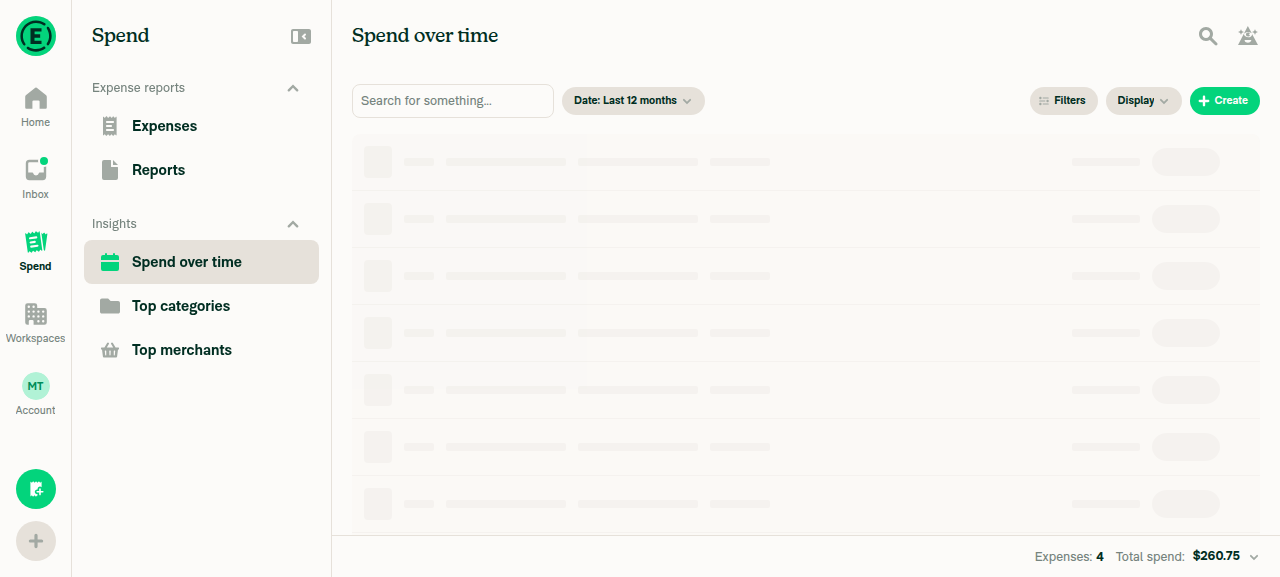
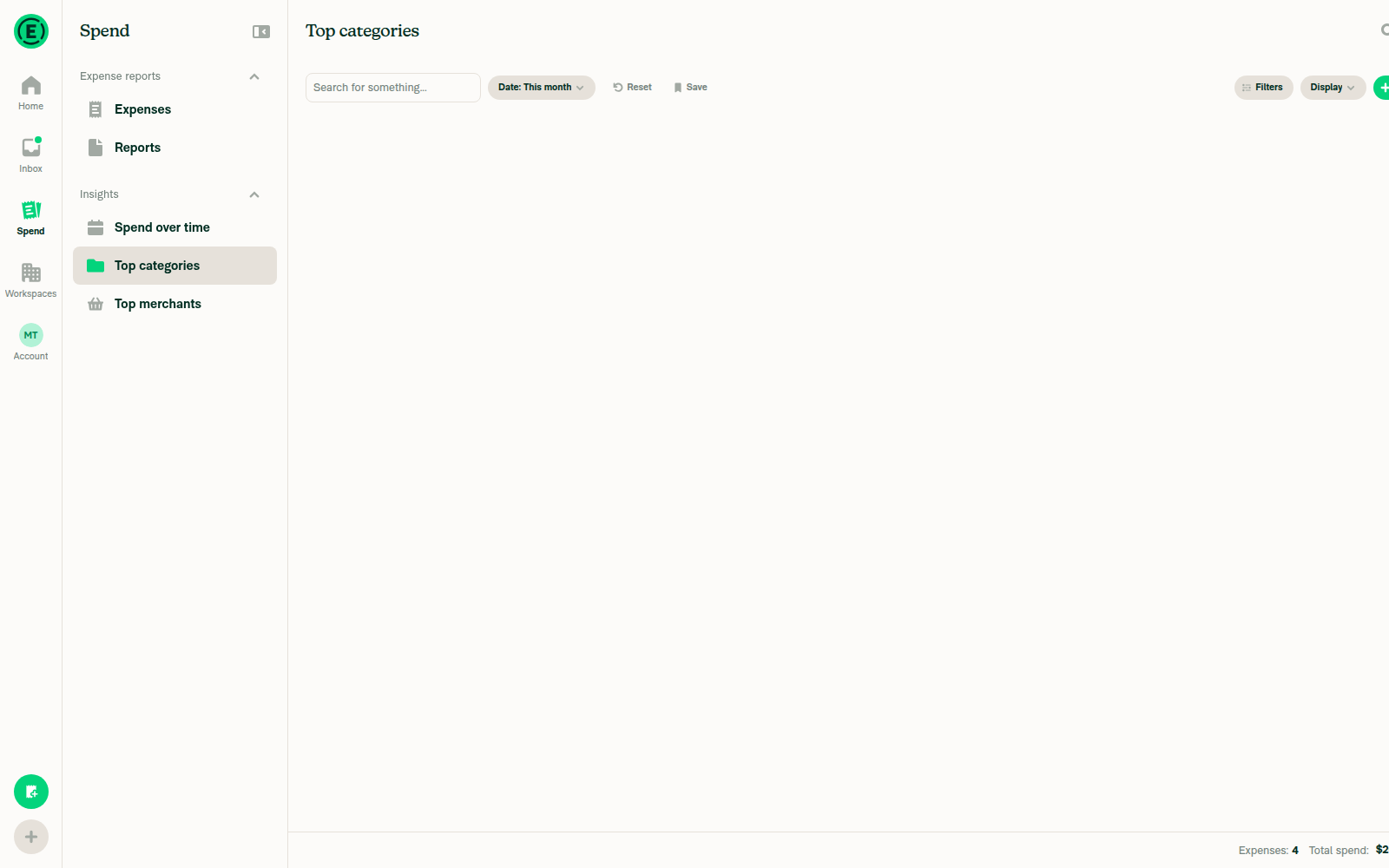
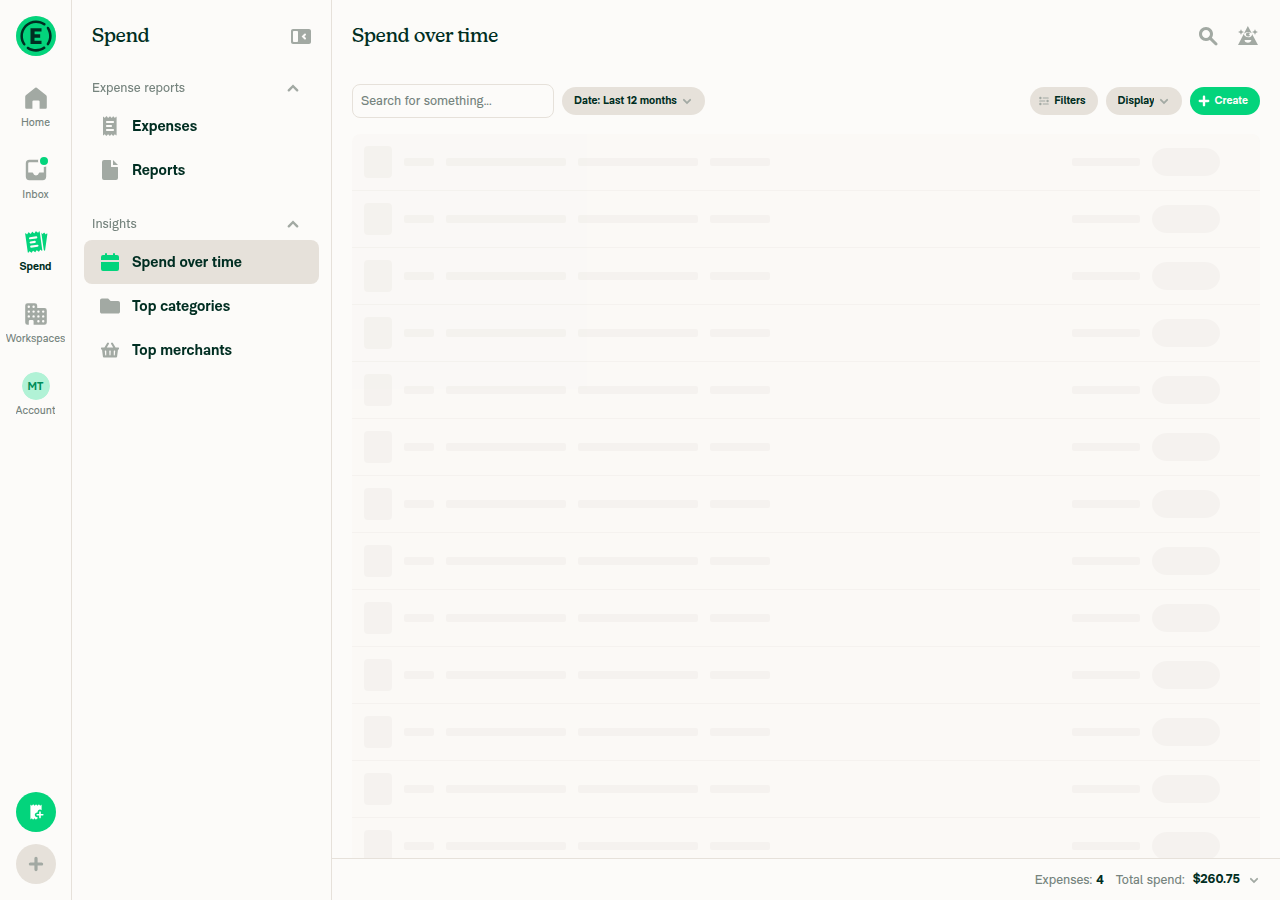
The Spend over time line chart rendered correctly on first load, filling the card with its labels visible. After that, every chart view stayed blank, and so did Table view, even though the footer showed all 4 expenses ($260.75). This PR doesn't touch Table view, so the blank screens most likely come from the headless browser, not this PR. I didn't run a baseline on main to confirm. Please check steps 3–5 on a real browser.
Table view also blank

Step Status
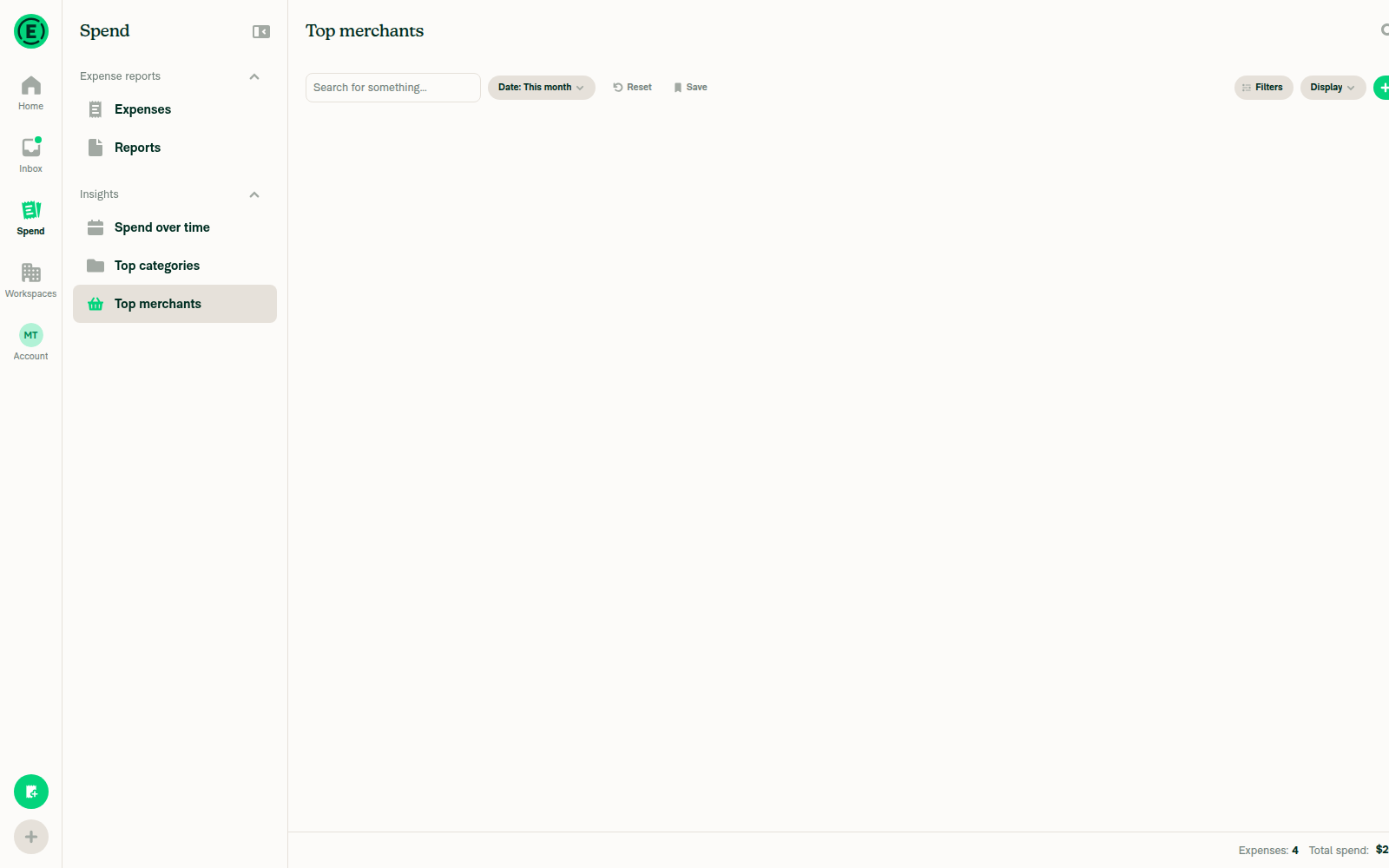
Bar chart spans full card width, labels visibleTop merchants switched to Bar showed a blank card. No bars, axes, or labels appeared.
Top merchants bar view blank
❌
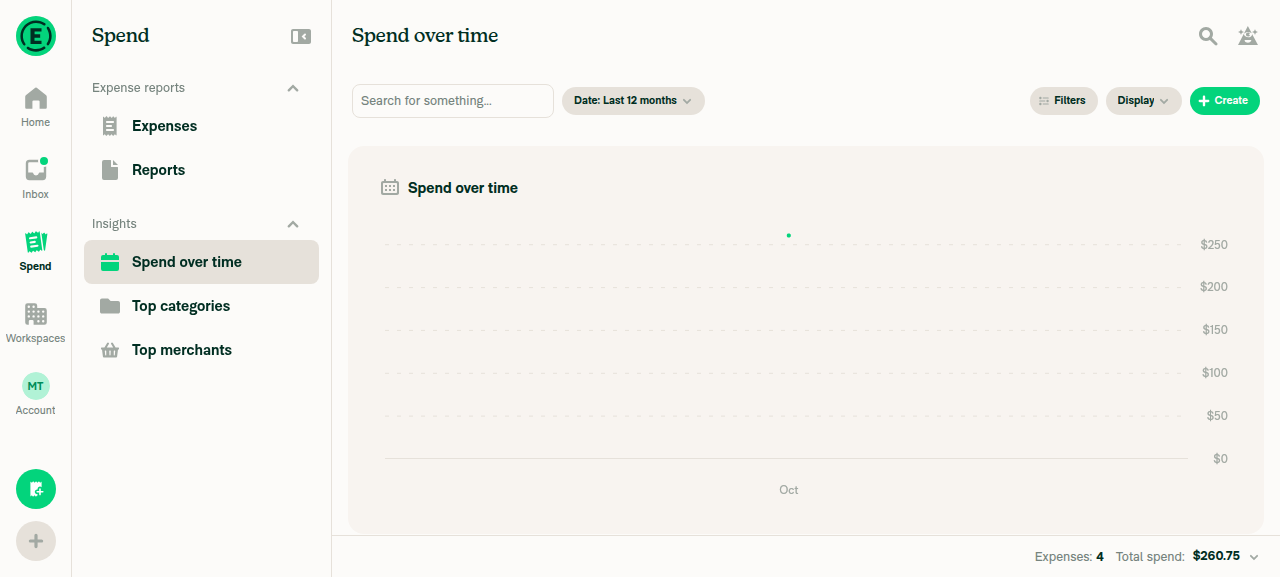
Line chart spans full card width, y-axis labels visibleOn first load the line chart filled the card. Y-axis labels ($0–$250) and the x-axis label "Oct" were visible. After a resize and a tab switch, it stayed blank.
Spend over time line chart on first load
Spend over time blank after resize
❌
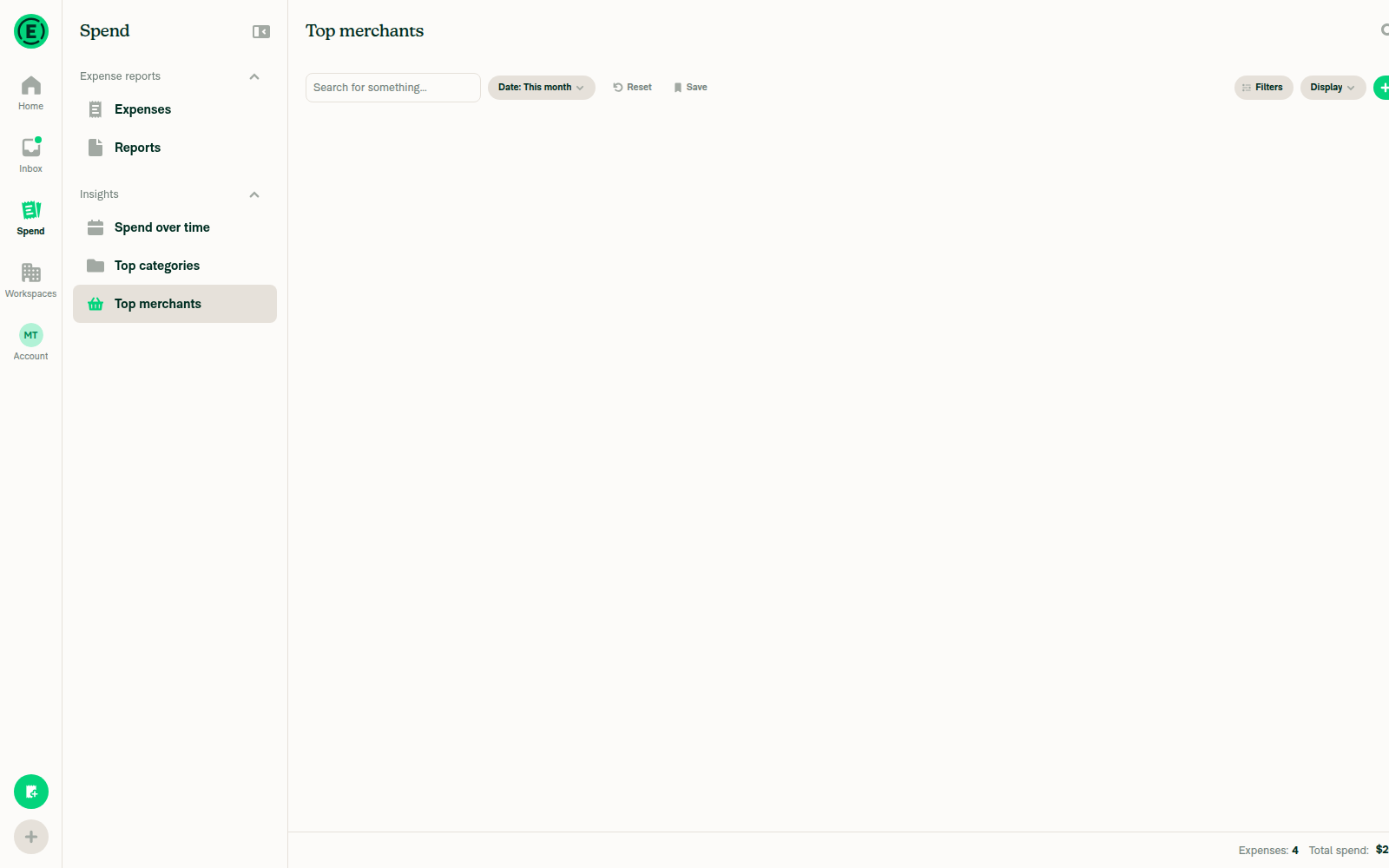
Pie ring centered, legend showsTop categories and Top merchants in Pie view showed a blank card, with no ring or legend.
Top categories pie view blank
❌
Bar chart redraws to fill the card after a narrower resizeAfter the resize, the card stayed in a loading state that never resolved.
Stuck loading state after resize
❌
Switching chart types leaves no stuck spinner, blank chart, or layout jumpEvery switch left the area blank, including Table view. The accessibility tree still listed the expense rows, for example "Delta Airlines 1 $128.00".
Table view also blank
❌
Hovering a bar or slice shows a positioned tooltipCouldn't test, because no chart elements rendered to hover over.
❌
No chart-related JS console errorsCouldn't check, because the web tool can't capture console logs.
❌

@sharabai

Copy link
Copy Markdown
Contributor Author

Replying to this comment.

Both fixed in c88657b.

@sharabai

Copy link
Copy Markdown
Contributor Author

Replying to this comment.

Item 2 is fixed in 602870e, and item 1 is the loading state the description already flags, which #103210 builds its fade-in on.

@sharabai sharabai changed the title refactor: size charts from the card width before they mount refactor: size charts from the card width before they mount (part 1/2) Oct 13, 2026
@sharabai
sharabai marked this pull request as ready for review October 13, 2026 13:38
@sharabai
sharabai requested review from a team as code owners October 13, 2026 13:38
@melvin-bot
melvin-bot Bot requested review from carlosmiceli and dylanexpensify and removed request for a team October 13, 2026 13:39
@melvin-bot

melvin-bot Bot commented Oct 13, 2026

Copy link
Copy Markdown

@carlosmiceli Please copy/paste the Reviewer Checklist from here into a new comment on this PR and complete it. If you have the K2 extension, you can simply click: [this button]

@carlosmiceli

Copy link
Copy Markdown
Contributor

@dylanexpensify should this have gotten a C+ assigned to review first?

@dylanexpensify

Copy link
Copy Markdown
Contributor

@dylanexpensify should this have gotten a C+ assigned to review first?

Yeah it should've! Product is assigned to review a different scope, but agree for engineering reviews a C+ should happen first!

@dylanexpensify dylanexpensify left a comment

Copy link
Copy Markdown
Contributor

Choose a reason for hiding this comment

The reason will be displayed to describe this comment to others. Learn more.

refactor: product input not required

return null;
}

if (!readyCanvas) {

Copy link
Copy Markdown
Contributor

Choose a reason for hiding this comment

The reason will be displayed to describe this comment to others. Learn more.

Should we show the spinner only when isLoading is true?

Copy link
Copy Markdown
Contributor Author

Choose a reason for hiding this comment

The reason will be displayed to describe this comment to others. Learn more.

Right now the spinner shows while any of three things is missing: the data (isLoading), the chart's fonts, or the card's width. The fonts need to stay, since the chart can't draw without them and they finish loading only after it mounts. Main already shows the spinner while they load, and showing it only on isLoading would leave a blank card there instead.

You're right about the width though, good catch and thanks for pointing it out. That check is new in this PR, and it's the temporary loading state the description flags. Part 2 of this feature will handle it, so a chart that's only waiting for its card's width won't flash the spinner.

chartBottom,
});

const handleChartBoundsChange = (bounds: ChartBounds) => {

Copy link
Copy Markdown
Contributor

Choose a reason for hiding this comment

The reason will be displayed to describe this comment to others. Learn more.

We already compute barLayout above from the predicted plot bounds:

const plotBounds = getCartesianPlotBounds(chartWidth, chartPaddingRight);
const barLayout = getBarLayout(plotBounds.width, data.length);

Should we reuse it here instead of recomputing it from the bounds victory-native reports?

Copy link
Copy Markdown
Contributor Author

Choose a reason for hiding this comment

The reason will be displayed to describe this comment to others. Learn more.

Good catch, thanks! Two sources for the same layout was a smell. Fixed in f63475a.

@daledah

daledah commented Oct 14, 2026 •

Copy link
Copy Markdown
Contributor

Reviewer Checklist

  • I have verified the author checklist is complete (all boxes are checked off).
  • I verified the correct issue is linked in the ### Fixed Issues section above
  • I verified testing steps are clear and they cover the changes made in this PR
    • I verified the steps for local testing are in the Tests section
    • I verified the steps for Staging and/or Production testing are in the QA steps section
    • I verified the steps cover any possible failure scenarios (i.e. verify an input displays the correct error message if the entered data is not correct)
    • I turned off my network connection and tested it while offline to ensure it matches the expected behavior (i.e. verify the default avatar icon is displayed if app is offline)
  • I checked that screenshots or videos are included for tests on all platforms
  • I included screenshots or videos for tests on all platforms
  • I verified that the composer does not automatically focus or open the keyboard on mobile unless explicitly intended. This includes checking that returning the app from the background does not unexpectedly open the keyboard.
  • I verified tests pass on all platforms & I tested again on:
    • Android: HybridApp
    • Android: mWeb Chrome
    • iOS: HybridApp
    • iOS: mWeb Safari
    • MacOS: Chrome / Safari
  • If there are any errors in the console that are unrelated to this PR, I either fixed them (preferred) or linked to where I reported them in Slack
  • I verified any copy / text that was added to the app is either coming verbatim from figma or has been approved by marketing (in order to get marketing approval, ask the Bug Zero team member to add the Waiting for copy label to the issue)
  • If a new code pattern is added I verified it was agreed to be used by multiple Expensify engineers
  • I verified other components that can be impacted by these changes have been tested, and I retested again (i.e. if the PR modifies a shared library or component like Avatar, I verified the components using Avatar have been tested & I retested again)
  • If a new component is created I verified that:
    • A similar component doesn't exist in the codebase
    • All props are defined accurately
    • The component has a clear name that is non-ambiguous and the purpose of the component can be inferred from the name alone
    • The only data being stored in the state is data necessary for rendering and nothing else
    • The component has the minimum amount of code necessary for its purpose, and it is broken down into smaller components in order to separate concerns and functions
  • If the PR modifies code that runs when editing or sending messages, I tested and verified there is no unexpected behavior for all supported markdown - URLs, single line code, code blocks, quotes, headings, bold, strikethrough, and italic.
  • If the PR modifies a generic component, I tested and verified that those changes do not break usages of that component in the rest of the App (i.e. if a shared library or component like Avatar is modified, I verified that Avatar is working as expected in all cases)
  • If the PR modifies a component related to any of the existing Storybook stories, I tested and verified all stories for that component are still working as expected.
  • If the PR modifies a component or page that can be accessed by a direct deeplink, I verified that the code functions as expected when the deeplink is used - from a logged in and logged out account.
  • If the PR modifies the UI (e.g. new buttons, new UI components, changing the padding/spacing/sizing, moving components, etc) or modifies the form input styles:
    • I verified that all the inputs inside a form are aligned with each other.
    • I added Design label and/or tagged @Expensify/design so the design team can review the changes.
  • If the PR adds or modifies the UI:
    • I asked an AI agent to review the changes for accessibility issues and addressed its findings.
    • I tested with a screen reader (VoiceOver on macOS) and verified all new/changed elements are reachable with a logical focus order.
    • I verified all new/changed elements have meaningful accessible names and roles.
    • I verified state changes are announced (e.g. checked/unchecked, expanded/collapsed, selected).
  • For any bug fix or new feature in this PR, I verified that sufficient unit tests are included to prevent regressions in this flow.
  • If the main branch was merged into this PR after a review, I tested again and verified the outcome was still expected according to the Test steps.
  • I have checked off every checkbox in the PR reviewer checklist, including those that don't apply to this PR.

Screenshots/Videos

MacOS: Chrome / Safari
Screen.Recording.2026-10-14.at.22.56.34.mov

@daledah

daledah commented Oct 14, 2026

Copy link
Copy Markdown
Contributor

@sharabai could you please also resolve conflict?

@sharabai

sharabai commented Oct 14, 2026 •

Copy link
Copy Markdown
Contributor Author

@daledah thanks for the review! I fixed the code smell you pointed out.

You're right about the spinner. It stays visible until the card is measured, even when the data has already loaded. #103210 replaces that loading state, and the two PRs are one feature split into two for review, so this will only be an issue between the two merges. I'd rather leave it for part 2 than fix it twice.

Over to you!

@daledah daledah left a comment

Copy link
Copy Markdown
Contributor

Choose a reason for hiding this comment

The reason will be displayed to describe this comment to others. Learn more.

the code changes LGTM

luacmartins
luacmartins previously approved these changes Oct 14, 2026

@luacmartins luacmartins left a comment

Copy link
Copy Markdown
Contributor

Choose a reason for hiding this comment

The reason will be displayed to describe this comment to others. Learn more.

LGTM

@luacmartins

Copy link
Copy Markdown
Contributor

@sharabai conflicts

@sharabai

Copy link
Copy Markdown
Contributor Author

@luacmartins conflicts are resolved.

@sharabai

Copy link
Copy Markdown
Contributor Author

@cristipaval @luacmartins conflicts are resolved and checks are green, ready to merge whenever you are.

@luacmartins
luacmartins merged commit d6b7807 into Expensify:main Oct 15, 2026
36 of 37 checks passed
@github-actions

Copy link
Copy Markdown
Contributor

🚧 luacmartins has triggered a test Expensify/App build. You can view the workflow run here.

@OSBotify

Copy link
Copy Markdown
Contributor

✋ This PR was not deployed to staging yet because QA is ongoing. It will be automatically deployed to staging after the next production release.

@OSBotify

Copy link
Copy Markdown
Contributor

🚀 Deployed to staging by https://github.com/luacmartins in version: 9.5.10-0 🚀

platform result
🕸 web 🕸 success ✅
🤖 android 🤖 success ✅
🍎 iOS 🍎 success ✅

@MelvinBot

Copy link
Copy Markdown
Contributor

No help site update needed. This PR changes how the Insights charts measure their size before drawing, so no feature, label, or documented step changes for users.


view run

@OSBotify

Copy link
Copy Markdown
Contributor

🚀 Deployed to staging by https://github.com/luacmartins in version: 9.5.12-0 🚀

platform result
🕸 web 🕸 success ✅
🤖 android 🤖 success ✅
🍎 iOS 🍎 success ✅

@MelvinBot

Copy link
Copy Markdown
Contributor

No help site update needed. This PR only changes how the Insights charts measure their size before drawing, so no feature, label, or documented step changes for users. This matches my earlier review; the PR hasn't changed since.


view run

@OSBotify

Copy link
Copy Markdown
Contributor

🚀 Deployed to production by https://github.com/cristipaval in version: 9.5.12-1 🚀

platform result
🕸 web 🕸 success ✅
🤖 android 🤖 success ✅
🍎 iOS 🍎 success ✅

Bundle Size Analysis (Sentry):

Sign up for free to join this conversation on GitHub. Already have an account? Sign in to comment

Labels

None yet

Projects

None yet

Development

Successfully merging this pull request may close these issues.

8 participants