Repository navigation
[CP Staging] fix: Expense - Arrow navigation is not automatically displayed when opening expense via growl - #102854
Conversation


…pening expense via growl


|
@MelvinBot review |

ReviewThe fix works for the main case, and the narrow-layout branch matches the report preview flow. CI passes apart from the approval check. I found one issue you should fix before merge. 1. The arrows step through expenses in the wrong order. The growl seeds
The report preview sorts its list first ( Example: a report has expenses dated Oct 1 and Sep 15. You add a Sep 20 expense and press "View". The report lists them oldest first: Sep 15, Sep 20, Oct 1. The arrows treat the new expense as the last one, so "Next" is disabled when it should open Oct 1. Fix: Sort the IDs the same way the report sorts them before you seed them. Add a test where creation order and display order differ. 2. Question: the Search and Home tabs still seed only the new expense. Nits
I reviewed the code only. I did not test the flow in the app. |
|
I approved all PRs except this one. |
|
🤖 Web test steps verification results: ✅ pass On web (wide layout), pressing "View" on the "Expense added" growl opened the new expense with prev/next arrows. The arrows followed the report's list order in both directions, and no regressions showed up in this flow.
|
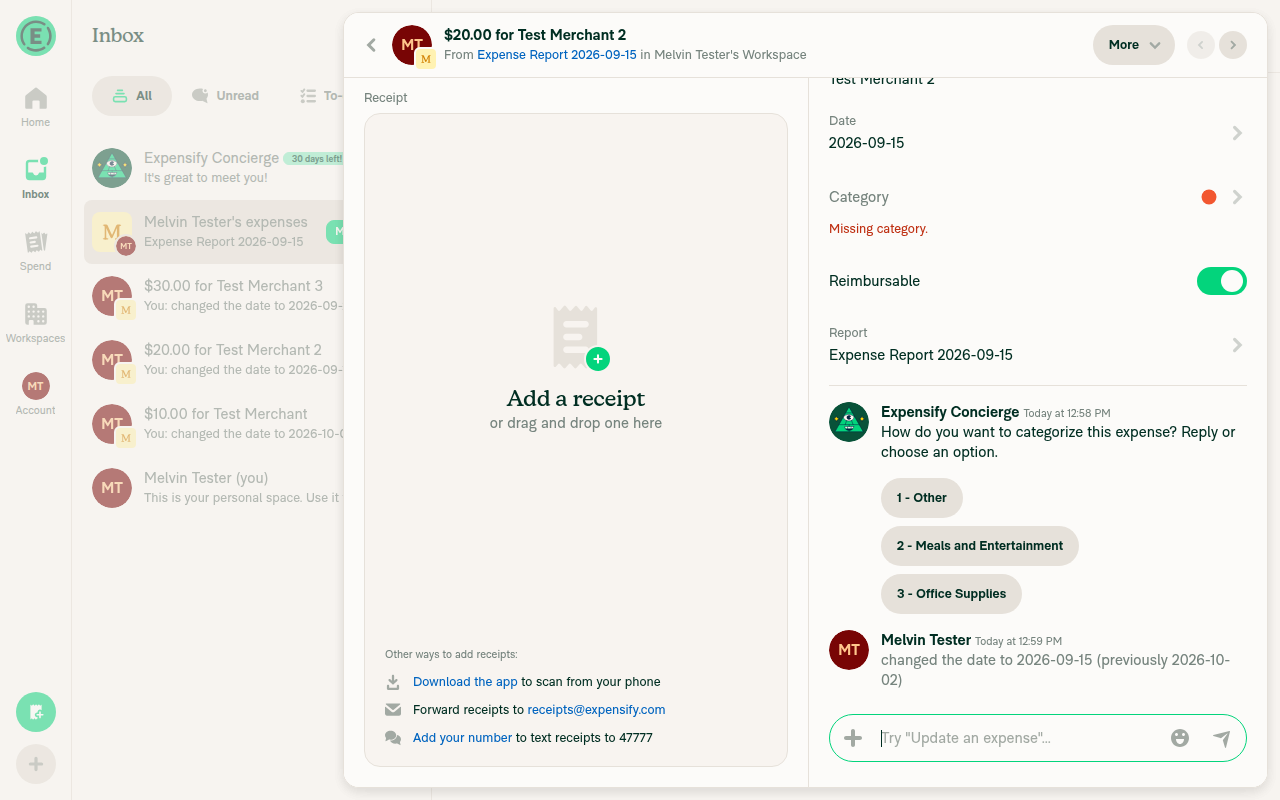
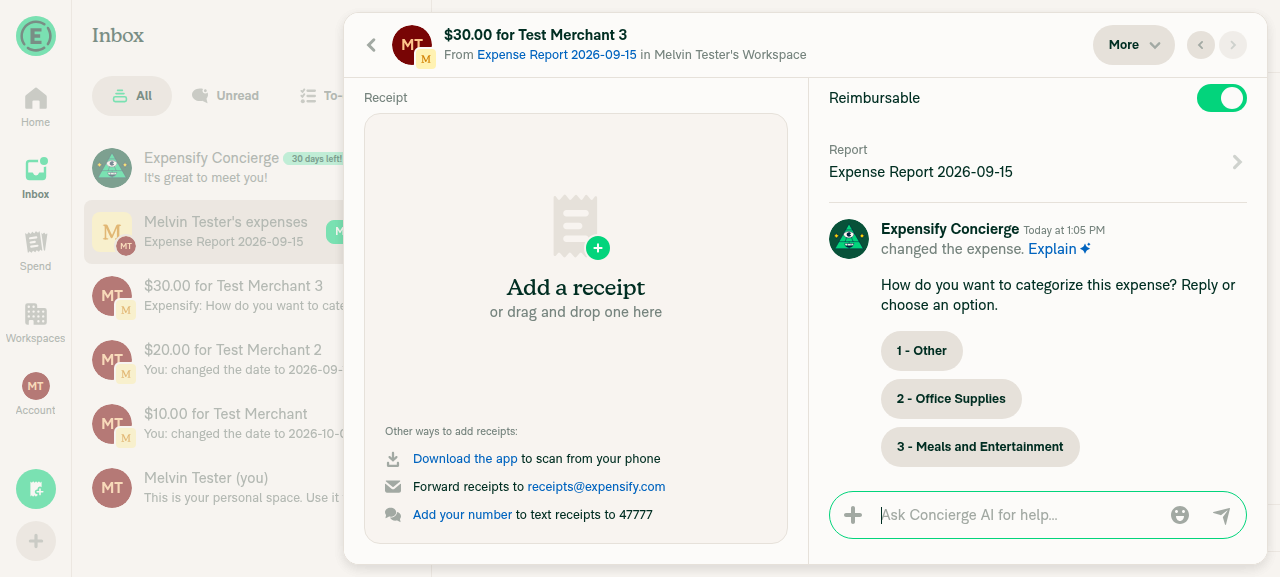
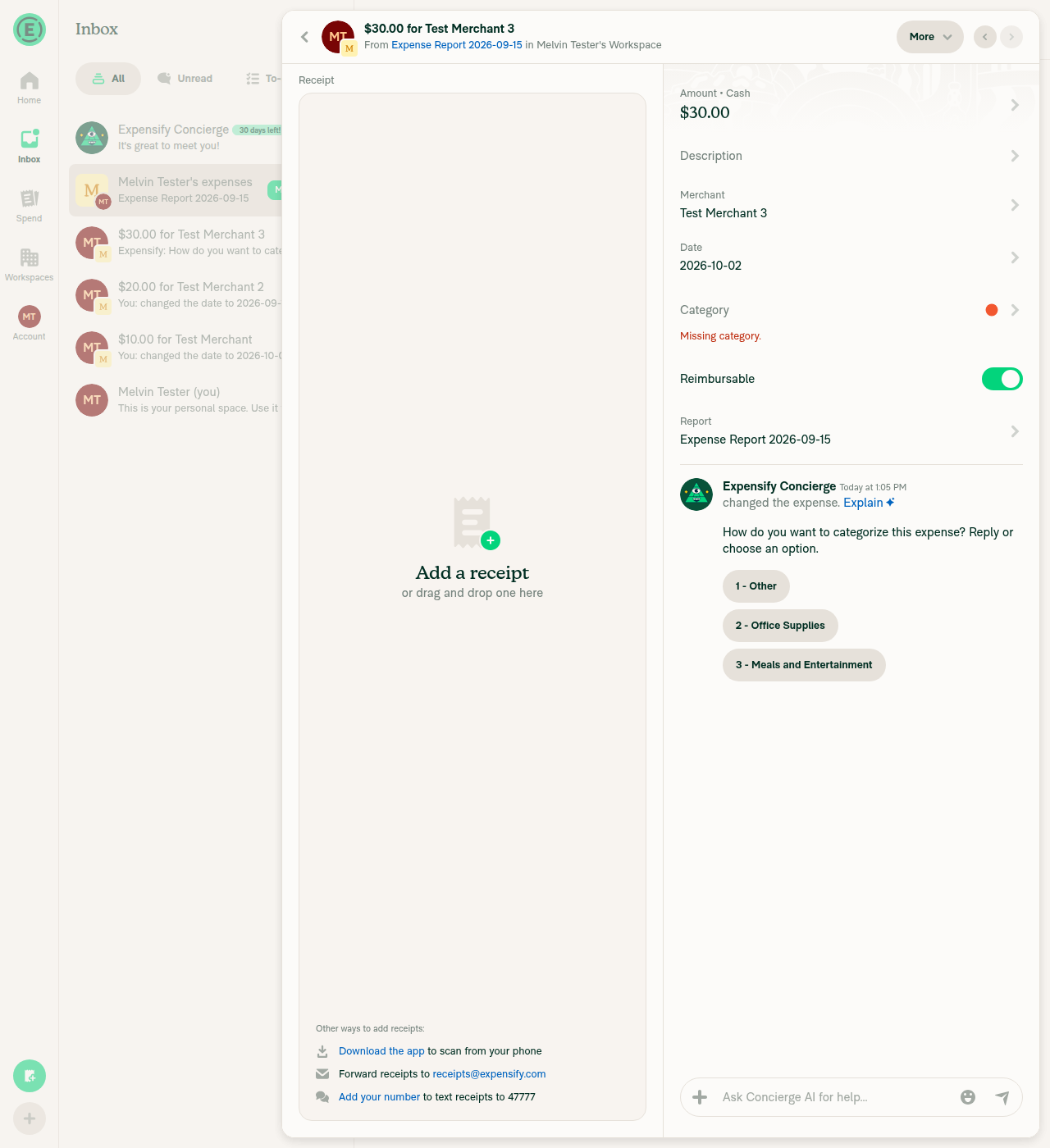
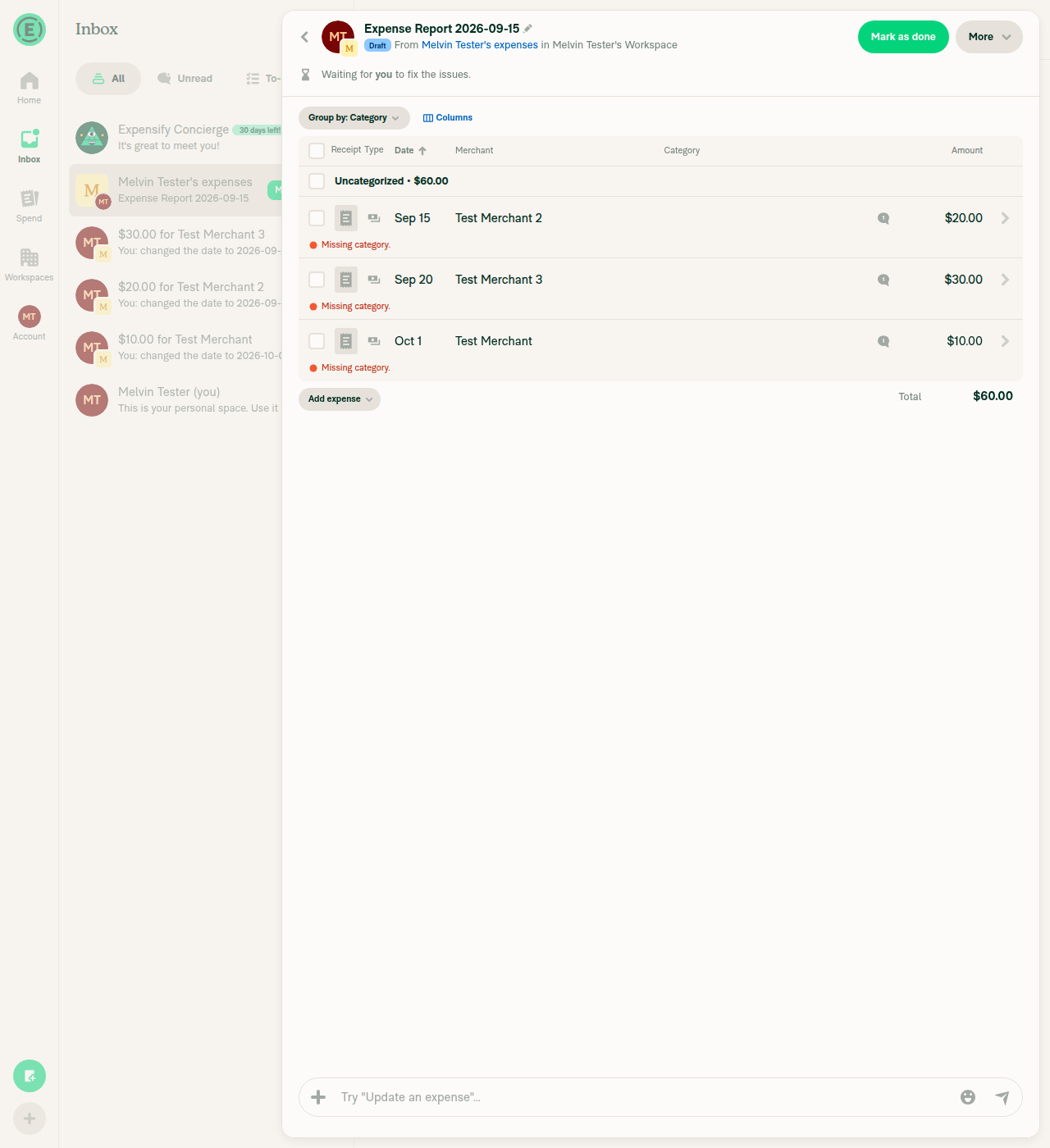
RegressionsI found one regression, on narrow layout only. It needs a report to already be open in the RHP when you press "View". The main path works, and the web test above passed. 1. A report is already open in the RHP: "View" replaces it and skips the expense report. For example, you open another expense from a report preview while the growl is still showing, then press "View".
2. Minor: after a forced replace, reloading on mobile web can land on the Spend tab.
Checked and fine
About the arrow order from my earlier review: the web test didn't reproduce it. The tester had to set dates by editing the expenses after creating them, so the run may not have tested this case cleanly. The code still seeds the IDs unsorted ( I found these regressions by reading the code. The web test covered only the wide layout. |
RegressionsI found one regression. It happens on narrow layout, when a report is already open in the RHP and you press "View". The PR hasn't changed since my earlier regressions comment, and I re-checked this finding against the current code. "View" replaces the open RHP and skips the expense report. This only happens when the report has more than one expense.
The main narrow path (no RHP open) and the wide path look correct. On those paths, Back and delete now land on the expense report instead of the chat. That change matches the report preview. I found this by reading the code and did not test it in the app. The earlier web test covered only the wide layout. |
 mountiny
changed the title

done, added sorting by getCreated, which is the value the report's default date sort uses.
yes, I think that's intended
has to stay to satisfy typescript
indeed, done |
Fixed. When the replaced RHP has no backTo, the thread now falls back to r/<iouReportID> |
I think it only broke when the RHP was showing something from a different report, like an expense from another report's preview or the expense report itself, and then you press "View". To be safe, "View" now closes the RHP in those cases, then opens the expense report with the thread on top, so Back and delete land on the expense report. If another expense report was open under the RHP, the new one replaces it rather than stacking on it, so Back goes from the expense, to its report, to the chat. When the expense report is already under the RHP, nothing changed. |
|
@situchan I addressed the AI reviewer's comments, back to you. on top of the arrow navigation, could you also please test if the navigation works correctly when we have an expense opened already and we click "View"? cause we switched to opening the /search rhp instead of /r and it affected the behavior, so I had to introduce more changes for it |
Regressions (re-review at
|
So this is behavioral change on all growl deep open. Hopefully not bug or at least not blocker |
Reviewer Checklist
Screenshots/VideosAndroid: HybridAppAndroid: mWeb ChromeiOS: HybridAppios.mp4iOS: mWeb SafariMacOS: Chrome / Safariweb1.movweb2.mov |

yeah, I believe this is the expected behavior. since we're replacing an expense when opening a new one while one is open, instead of stacking |

|
@mountiny could you take a look at this potential fix please |

 Julesssss
left a comment
Julesssss
left a comment
There was a problem hiding this comment.
Comments are a bit too verbose but it's resolving a blocker so moving forward.
 Julesssss
changed the title
Julesssss
changed the title
|
Okay going ahead, I'd prefer to revert the original PR but it's not clean and other fixes have already been CPd |

|
🚧 Julesssss has triggered a test Expensify/App build. You can view the workflow run here. |

…-navigation

[CP Staging] fix: Expense - Arrow navigation is not automatically displayed when opening expense via growl

(cherry picked from commit 6a53868)

(cherry-picked to staging by Julesssss)


|
✋ This PR was not deployed to staging yet because QA is ongoing. It will be automatically deployed to staging after the next production release. |
|
🧪🧪 Use the links below to test this adhoc build on Android, iOS, and Web. Happy testing! 🧪🧪
|


|
🔁 Filed a Staging retest request for deploy blockers #102848 after this PR was cherry-picked to staging. |
|
🚀 Cherry-picked to staging by https://github.com/Julesssss in version: 9.5.1-6 🚀
|
|
No help site update is needed. This bug fix makes the previous/next arrows appear when you open an expense from the "Expense added" message, which is what users already expect, and no article under |

|
Deploy Blocker #100015 was identified to be related to this PR. |

|
🚀 Deployed to production by https://github.com/Julesssss in version: 9.5.1-9 🚀
Bundle Size Analysis (Sentry): |
|
🚀 Cherry-picked to staging by https://github.com/Julesssss in version: 9.5.2-0 🚀
|
|
No help site update is needed. This is a bug fix: selecting View on the expense-added message now shows the previous/next arrows, as users already expect, and no help article describes this flow. |
|
🚀 Deployed to production by https://github.com/Julesssss in version: 9.5.2-4 🚀
Bundle Size Analysis (Sentry): |

|
Issue is not reproducible on Xiaomi Poco F5 / Android 13 in v9.5.5-0 1000232110.mp4 |


Explanation of Change
Opening a new expense with "View" on the "Expense added" growl didn't show the previous/next arrows, even when the report had other expenses. Closing the expense and reopening it from the report made the arrows appear.
Wide layout: "View" opens the expense report and then the expense on top of it. Before opening the expense, it set the arrow list (
setActiveTransactionIDs) to only the new expense, so there was nothing to step to. It now sets every expense on the report that isn't pending deletion.Narrow layout: "View" opened the expense as a full report
(r/<threadID>). Arrows only render onSEARCH_REPORT, so they could never appear there. It now does what tapping an expense in the report preview does: open the expense report, set the arrow list, then open the expense asSEARCH_REPORTon top. Back and delete now land on the expense report, the same as when the expense is opened from the report.Fixed Issues
$ #102848
PROPOSAL: N/A
Tests
Offline tests
N/A
QA Steps
Same as tests.
PR Author Checklist
### Fixed Issuessection aboveTestssectionOffline stepssectionQA stepssectionAvatar, I verified the components usingAvatarare working as expected)StyleUtils.getBackgroundAndBorderStyle(theme.componentBG))npm run compress-svg)Avataris modified, I verified thatAvataris working as expected in all cases)Designlabel and/or tagged@Expensify/designso the design team can review the changes.mainbranch was merged into this PR after a review, I tested again and verified the outcome was still expected according to theTeststeps.Screenshots/Videos
Android: Native
Nagranie.z.ekranu.2026-10-2.o.12.36.28.mov
MacOS: Chrome / Safari
Nagranie.z.ekranu.2026-10-2.o.11.05.18.mov