A terminal-based sorting algorithm race visualizer, which puts any sorting algorithm head to head to showcase how different data being sorted effects the performance of various sorting algorithms.


- C++17
- CMake 3.10+
Clone the repository and navigate into the project directory:
git clone https://github.com/zbob256/Sorting-Algorithm-Race.git
cd Sorting-Algorithm-RaceConfigure the project with CMake:
cmake -S . -B build
cmake --build buildAfter building, run the executable from the build directory:
./build/Sorting-Algorithm-RaceThis project puts as many as 16 different sorting algorithms in a race. Each sorting algorithm obtains one thread to run on, as the main thread prints information to the terminal. The program keep tracks of general statistics as well as the number of operations - those being mainly comparisons and writes to arrays.
There are 5 total statuses a sorting algorithm can be in: "Ready", "Running", "Checking", and then either "Finished" or "Failed".
The program waits for the user to press Enter, than sorts the vector dataset. Each algorithm makes a copy of the same data by passing it into the array for each function to ensure fairness among each algorithm. Once one's status is "Finished", the vector is passed to the function verify, and if that function returns true the status is set to "Finished", or if verify returns false, "Failed".
The program also shows each thread's ID, the time in seconds, and of course the rank of the sorting algorithm upon completion. It is worth noting the time taken is likely not accurate for each sorting algorithm, if we are only talking about the raw speed to sort the array. In the code for the sorting algorithm it increases sort.operations for the sort's respective class, which takes some time. You can manually comment out any lines in the src/sorts folder in order to have the algorithm run at max speed. However, the time is minimal. For shell sort, the difference for 10 million elements between shell sort and a version that did not track operations was as low as 0.2 seconds out of the 10+ seconds the sort took in total to finish.
- Bubble Sort
- Bucket Sort
- Cocktail Shaker Sort
- Comb Sort
- Counting Sort
- Gnome Sort
- Heap Sort
- Insertion Sort
- Intro Sort
- Merge Sort
- Odd-Even Sort
- Quick Sort
- Radix Sort
- Selection Sort
- Shell Sort
- Tim Sort
I orignally was motivated to make this from a video on YouTube called sorting algorithms to relax/study to. I thought the sheer number of completely unique ways to sort a list of numbers was fascinating.
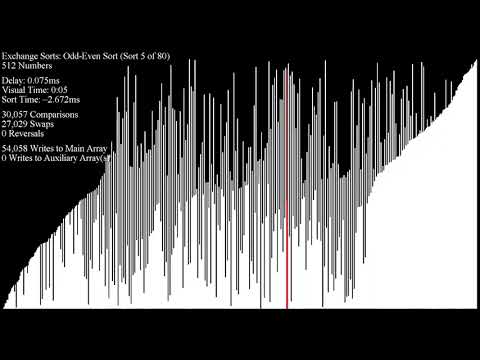
However, the project the video is based on, Array V, and similar projects like Sound of Sorting, lacked the ability to race lots of sorting algorithms together. I also wanted to race bigger numbers than their visualizers allowed for, as well as capture a closer raw speed of the algorithms, when they aren't bottlenecked by having to move bars around on a window.
Upon running the program, you must press Enter to start. To change the minimum value, maximum value, the number of elements in the array being sorted, and the neatness of the array (how sorted it already is), configure dataset.hpp and change the constants at the top - MIN, MAX, ELEMENTS, and NEATNESS.
- Adjust terminal and font size properly.
- For less efficient sorts, like Bubble sort for example, be careful with going to high, or else it runs for what feels like forever. The bottom 6 all had this problem with larger amounts of elements.
- That being said, you can also take algorithms away by commenting out some in list.cpp.
- I prefer this set up since it takes away the noticably slower sorts (bottom 6):
std::vector<std::reference_wrapper<Algorithm>> algorithms = {
    // bubbleSort,
    bucketSort,
    // cocktailShakerSort,
    combSort,
    countingSort,
    // gnomeSort,
    heapSort,
    // insertionSort,
    introSort,
    mergeSort,
    // oddEvenSort,
    quickSort,
    radixSort,
    // selectionSort,
    shellSort,
    timSort
};
Note: the entire project was not designed for vectors with floats, or other data types. It is currently only adapted for integers.
- Make two new files: in
include/sorts: (mysort.hpp) and insrc/sorts: (mysort.cpp). mysort.hppshould contain:
#pragma once

#include "dataset.hpp"
#include <vector>

void myFunc(std::vector<int> arr);- and
mysort.cppshould have:
#include "list.hpp"
#include <vector>
#include "sorts.hpp"
#include "sorts/verify.hpp"

void myFunc(std::vector<int> arr) {
    mySort.id = std::this_thread::get_id();
    mySort.startTime = std::chrono::steady_clock::now();
    mySort.status = "Running";

    // Sorting logic here

    mySort.status = "Checking";
    mySort.status = verify(arr) ? "Finished" : "Failed";
}- You can also add this line of code inside of the algorithm to keep track of operations done:
mySort.operations++;- Add to list.hpp:
extern Algorithm mySort;- And list.cpp:
Algorithm mySort(-1, "My Sort", std::this_thread::get_id(), "Ready", myFunc);

std::vector<std::reference_wrapper<Algorithm>> algorithms = {
    ...,
    mySort
};- Then, add it to sorts.hpp, which brings all of the sorts to one file for organization purposes:
#include "sorts/mysort.hpp"- Lastly, add the excecutable to CMakeLists.txt:
add_executable(Sorting-Algorithm-Race
    ...
    src/sorts/mysort.cpp
)
