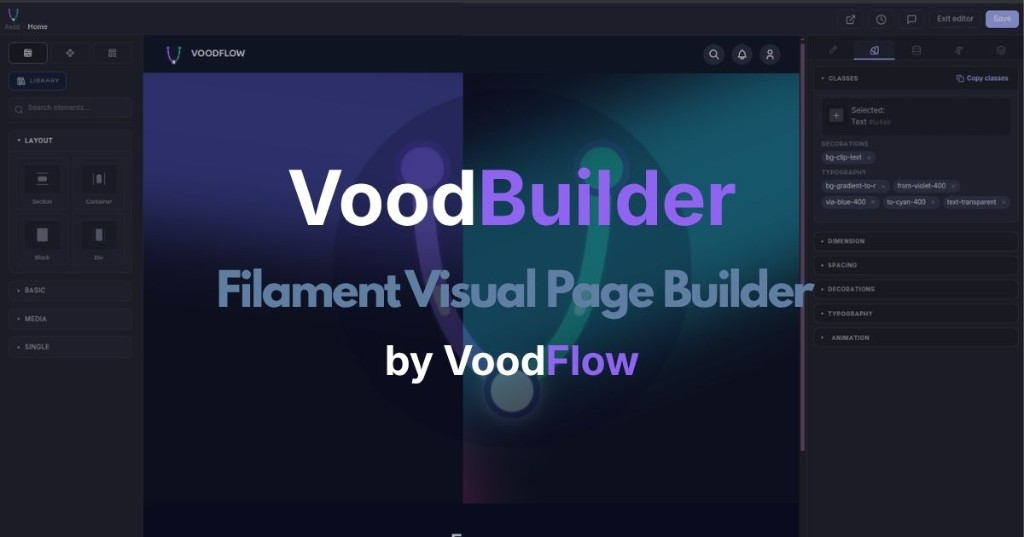
Visual page builder and public site shell for Laravel + Filament 5 — themes, pages, navigation, and a GrapesJS editor.
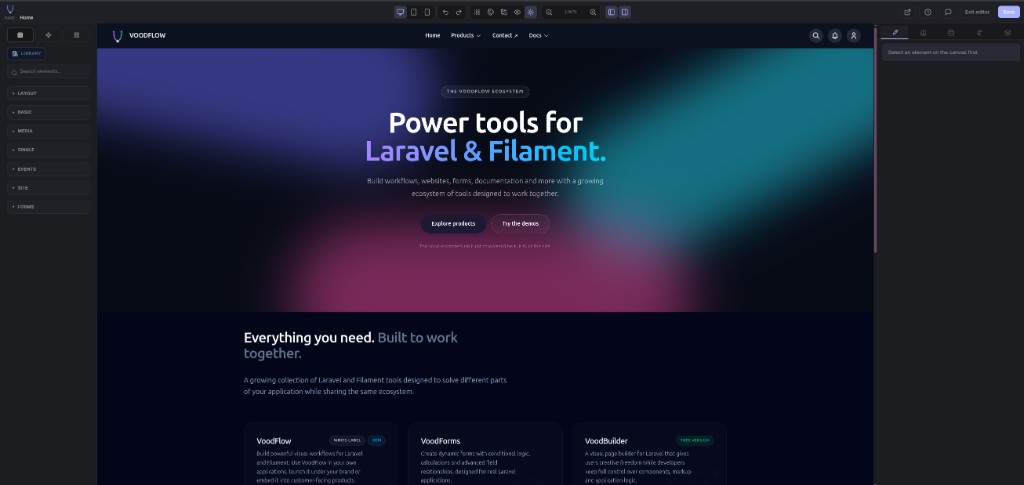
Docs: voodflow.com
| Capability | What you get |
|---|---|
| Visual editor | Drag-and-drop canvas, device previews, undo / redo, revision history, autosave, style inspector |
| Core blocks | Layout · Basic · Media · Single · Site blocks, plus local marketing sections (hero, features, CTA, FAQ, …) |
| Theme Studio | Map colours / sub-themes to Site pages and content channels; global light / dark preference |
| Chrome layouts | Shared header / footer / optional progress strip per channel; Integration tab for reading typography (live preview when companions register samples) |
| Site search | Header palette + full results page — ranking, channel filters, snippets with highlights, deep-linkable pagination |
| SEO | Per-page meta (title, description, robots, canonical), JSON-LD breadcrumbs / Article where relevant |
| Page access | Public, registered-only, profile-based gates, optional password unlock |
| Menu-driven URLs | Pages get public routes from Navigation (e.g. /about or /company/about) |
| Reserved paths | Companions declare URL prefixes so site-page catch-alls never shadow docs / tutorials / APIs |
| Media | voodflow/vmedia is required by Composer; register its Filament plugin for the admin media UI |
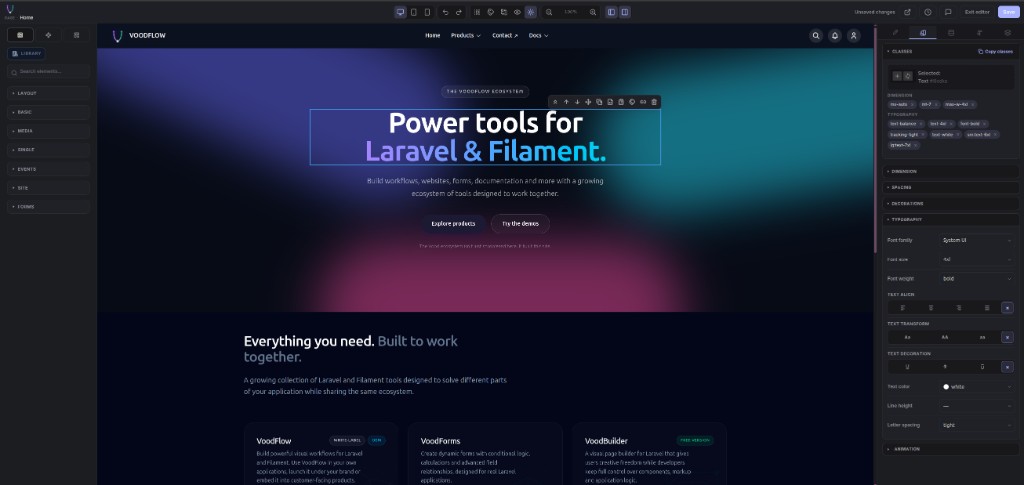
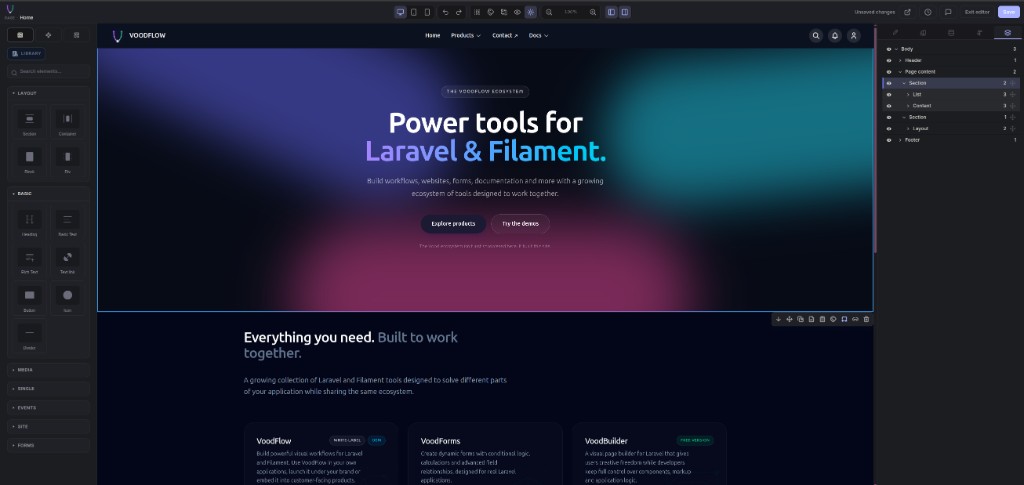
Optional packages (cookie bar, Elements, Dynamic Data, Dynamic API, Templates, Components, Popups, content verticals) extend the same editor. Details: voodflow.com.
- PHP 8.4+
- Laravel 12+ / 13+
- Filament 5+
- Node.js + npm (for the host Vite build)
- Vite + Tailwind CSS v4 (theme CSS compiles in your app)
voodflow/vmedia(pulled in by Composer)
Optional: laravel/fortify for public login / /account.
composer require voodflow/voodbuilder -W
php artisan voodbuilder:install
-W lets Composer settle Guzzle when a fresh Laravel app locked Guzzle 8 while a dependency needs Guzzle 7.
voodbuilder:install publishes config, runs migrations, seeds settings + empty menus (no sample pages by default), patches Vite / package.json (Editor, Tailwind, CodeMirror, fonts, …), runs npm install, and npm run build when npm is on PATH.
Then register plugins on your Filament panel. Only VoodbuilderPlugin is required — add others only if those packages are installed:
->plugins([
    \Voodflow\Voodbuilder\VoodbuilderPlugin::make(),
    \Voodflow\Vmedia\VmediaPlugin::make(), // recommended: media admin UI
    // \Voodflow\Vcookiebar\VcookiebarPlugin::make(),
    // \Voodflow\Vpopups\VpopupsPlugin::make(),
    // \Voodflow\Vforms\VformsPlugin::make(),
])
After install you should see Pages, Menus, Theme Studio, Settings (and Layouts when enabled) under the Voodbuilder nav group.
First visit to /: with no home page yet, the public site shows a setup card (create a Layout, then a Page). The default Blade header/footer is hidden on that screen — it is not a Layout record. Opt-in sample pages: VOODBUILDER_SEED_SAMPLE_PAGES=true.
Theme CSS and the editor compile through your app’s Vite (public/build/manifest.json). The package cannot ship a one-size-fits-all prebuilt bundle.
- Default:
voodbuilder:installalready runsnpm run build - Skip compile:
--skip-npm-build/--skip-npm, then laternpm run buildornpm run dev - If the public site shows a yellow “assets not built” notice, run
npm run buildfrom the app root
- Without Filament Shield: anyone who can open the Filament panel sees VoodBuilder resources
- With Filament Shield: generate and assign resource permissions, or set
VOODBUILDER_AUTHORIZATION=panelin.envto allow all panel users
Stock Laravel
GET /inroutes/web.phpoverrides the VoodBuilder home route — the install command removes it.
Do not publish duplicate package migrations.
Flags: --skip-npm, --skip-npm-build, --skip-seed, --skip-migrate, --force.
- Admin → Voodbuilder → Layouts — create a site shell (header/footer), then enable it.
- Admin → Voodbuilder → Pages — create a home page and open the visual editor.
- Admin → Voodbuilder → Menus — link menu items to the page (or to a named route / URL).
- Public URLs come from config:
| Mode | Example |
|---|---|
| Prefixed (default) | /pages/about |
Menu paths (menu_paths) |
/about or /company/about from the menu tree |
'pages' => [
    'enabled' => true,
    'route_prefix' => 'pages',   // '' + menu_paths → clean URLs from Navigation
    'menu_paths' => false,
],
Reserved first segments (admin, vmedia, voodbuilder, login, …) never become page sections, so package APIs are not shadowed. Companions can also call Voodbuilder::reservePathPrefix() for their public routes.
Admin → Voodbuilder → Theme Studio maps sub-themes (palettes + optional CSS) to areas:
- Site pages
- Content channels (docs, tutorials, events, search, …) when those packages register channels
Light / dark is a global preference on top of the area theme.
Admin → Voodbuilder → Layouts — edit the shared shell (header, optional Progress zone, page content slot, footer) in the same visual editor.
- Progress zone — drop Reading Progress between header and page content so it is not nested in the nav
- Integration tab — typography controls (primary / secondary fonts, body + heading scales) with live preview when a companion registers
Voodbuilder::readingPreview() - Companions own reading layouts (
vdocs,vtuts, …); core stays layout-agnostic viaVoodbuilder::reservePathPrefix()
Built-in search across content channels that opt in:
- Header search palette (live matches, keyboard nav, recent queries)
- Results page with ranking, channel filter pills,
<mark>highlights, and?page=pagination - Settings → Search: results per page, per channel, snippet length
Companions make content searchable via the PHP SDK — details on voodflow.com.
Per page you can combine:
- Visibility — public / registered users / profile-based gates
- Password — unlock form; session TTL configurable (
password_unlock_minutes) - SEO — meta title, description, robots, canonical on the morph
seorelation; gated pages default tonoindexunless overridden
- Block library with layout, media, and marketing sections
- Style inspector (Tailwind-aware)
- Device previews (desktop / tablet / mobile)
- Undo / redo and page revisions
- Media picker via vmedia
- Utilities such as reading progress and social share (specialized settings)
| Where | What |
|---|---|
| voodflow.com | Guides and demos |
Package CHANGELOG.md |
Release notes |
| SECURITY.md | Vulnerability reporting |
- Docs: voodflow.com
- Security: SECURITY.md (not via public issues)