
An AI resume consultant that writes, formats, and polishes your resume in minutes. Just talk — it handles the rest.
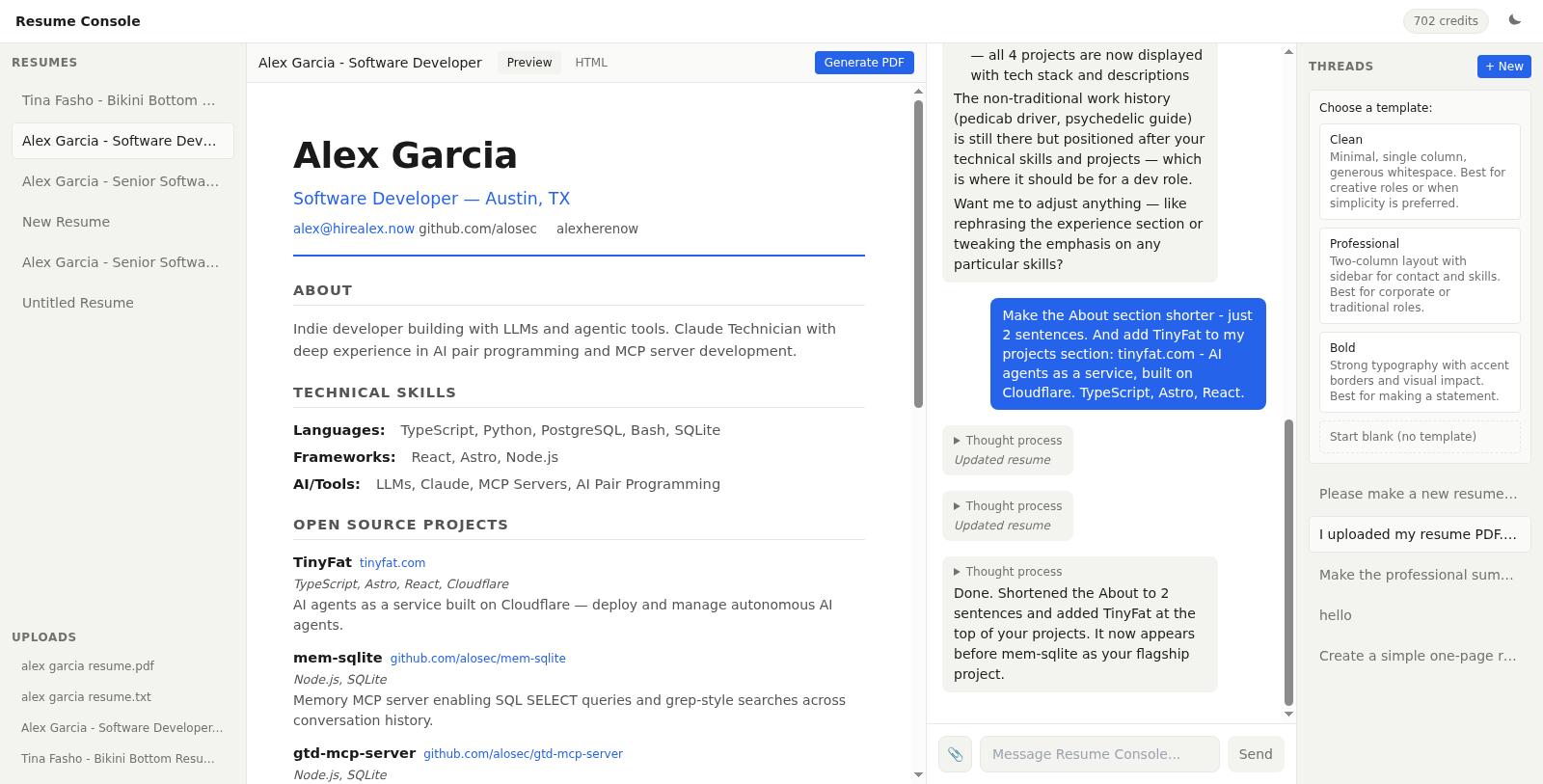
- AI-guided writing — Chat with an AI consultant that asks the right questions and writes compelling resume content
- Live preview — Watch your resume update in real-time as you chat
- PDF upload — Upload an existing resume PDF and the AI extracts your details
- PDF generation — One-click PDF rendering via Cloudflare Browser Rendering
- Multiple templates — Clean, Professional, and Bold styles
- Dark mode — Full dark theme support
- Credit-based pricing — Stripe integration, no subscriptions
- Frontend: Astro + React 19 + TanStack Router/Query
- Auth: BetterAuth with D1 adapter
- AI: pi-ai with MiniMax M2.5 via OpenRouter
- Database: Cloudflare D1 (SQLite)
- Storage: Cloudflare R2
- PDF: Cloudflare Queues + Browser Rendering API
- Payments: Stripe Checkout
- Email: Resend
- Hosting: Cloudflare Pages
- Node.js 22+
- pnpm
- A Cloudflare account
- Wrangler CLI:
npm install -g wrangler
git clone https://github.com/tinyfatco/resume-console.git
cd resume-console
pnpm install# D1 database
wrangler d1 create resonate-db
# Copy the database_id into wrangler.toml and workers/resonate/wrangler.toml
# R2 bucket
wrangler r2 bucket create resonate-storage
# Queue
wrangler queues create pdf-generation
wrangler queues create pdf-generation-dlq# Local
wrangler d1 migrations apply resonate-db
# Production
wrangler d1 migrations apply resonate-db --remotecp .env.example .dev.vars
# Fill in your API keysFor production, set secrets via:
wrangler pages secret put BETTER_AUTH_SECRET
wrangler pages secret put OPENROUTER_API_KEY
wrangler pages secret put RESEND_API_KEY
wrangler pages secret put STRIPE_SECRET_KEY
wrangler pages secret put STRIPE_WEBHOOK_SECRET
wrangler pages secret put STRIPE_PUBLISHABLE_KEYpnpm dev# Main app (CF Pages)
pnpm build && wrangler pages deploy dist --project-name=resume-console
# PDF worker (CF Workers)
cd workers/resonate && wrangler deploysrc/
├── components/app/ # React SPA (TanStack Router)
│ ├── ChatPane.tsx # Chat interface with AI
│ ├── PreviewPane.tsx # Live resume preview (iframe)
│ └── ResumeSidebar.tsx
├── lib/
│ ├── ai.ts # pi-ai model config
│ ├── auth.ts # BetterAuth setup
│ ├── stripe.ts # Stripe + credit tiers
│ └── tools.ts # AI tool definitions (create/edit/list resume, bash)
├── pages/api/ # Astro API routes
│ ├── chat.ts # SSE streaming endpoint
│ ├── resumes/ # CRUD
│ ├── credits/ # Stripe checkout + balance
│ └── auth/ # BetterAuth handler
├── middleware.ts # Auth middleware
└── prompts/
└── resume-builder.md # System prompt
workers/resonate/ # PDF generation worker
└── src/index.ts # Queue consumer → Browser Rendering → R2
templates/ # HTML resume templates
├── clean.html
├── professional.html
└── bold.html
- User sends a message via the chat pane
- The message is streamed to OpenRouter (MiniMax M2.5) with the resume consultant system prompt
- The AI can call tools:
create_resume,edit_resume,list_resumes,read_resume,archive_resume, andbash - Tool results update the resume in D1, and the preview pane refreshes via polling
- "Generate PDF" enqueues a job → the PDF worker renders HTML with headless Chrome → stores in R2
pnpm testMIT