



A mindful coding companion for VS Code. Set an intention, focus, take real breaks, breathe, and reflect, with a tiny pixel pet keeping you company in the sidebar.
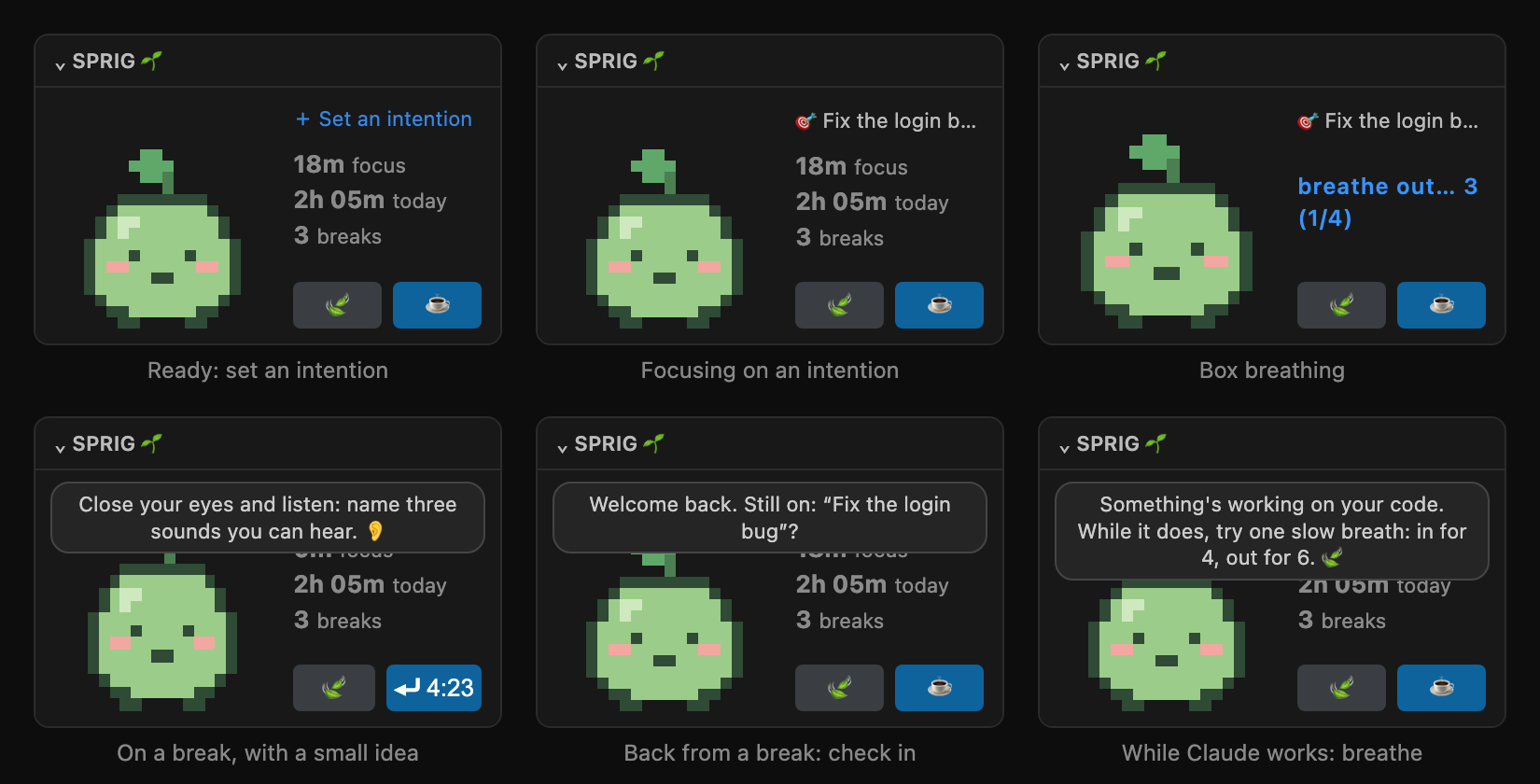
Sprig is built around one loop: intention → focus → break → reflect.
- Set an intention. Click + Set an intention in the panel. Pick one small, clear thing, like "Fix the login bug". Sprig starts you off with one settling breath, and your intention stays in view while you work.
- Focus. Sprig counts only active time: minutes when you (or Claude) are actually changing files.
- Take real breaks. After 25 minutes Sprig suggests a break, each with a small idea: stretch, walk slowly, name three sounds you can hear, drink water away from the screen. When you come back, it checks in: still on the same intention?
- Breathe while Claude works. When files change in a burst you didn't type, Sprig suggests one slow breath instead of watching the screen.
- Reflect. End the session and answer three short questions: did you do it, how do you feel, and one note for future you. Everything goes to your Mindful Journal.
## Tuesday, 24 November 2026

### ✅ Fix the login bug
10:02–11:31 · 1h 12m focused · 2 breaks · felt 😌 Calm and clear

> Writing a failing test first helped- Box breathing: 4 rounds of 4 in, 4 hold, 4 out, 4 hold. The pet breathes with you.
- Gentle nudges: 20-20-20 eye rest, water reminders, and a late-night "go to sleep" note.
- Pause reminders for 30 minutes, 1 hour, 2 hours or until tomorrow.
- This week's focus: a 7-day history of your focus time.
- Celebrates fixed errors: the pet cheers when the last error in your files is gone.
- Fits any panel: the pet scales with the panel. Short panels switch to a compact side-by-side layout; taller ones get the full layout.
- Status bar:
🌱 18mshows your current focus time. Click it for the Sprig menu. - Updates itself from GitHub: once a day Sprig checks for a newer release and offers to install it with one click.
- Private by design: your sessions, journal and stats stay on your machine. The only network request is the daily update check to GitHub, which sends nothing about you.
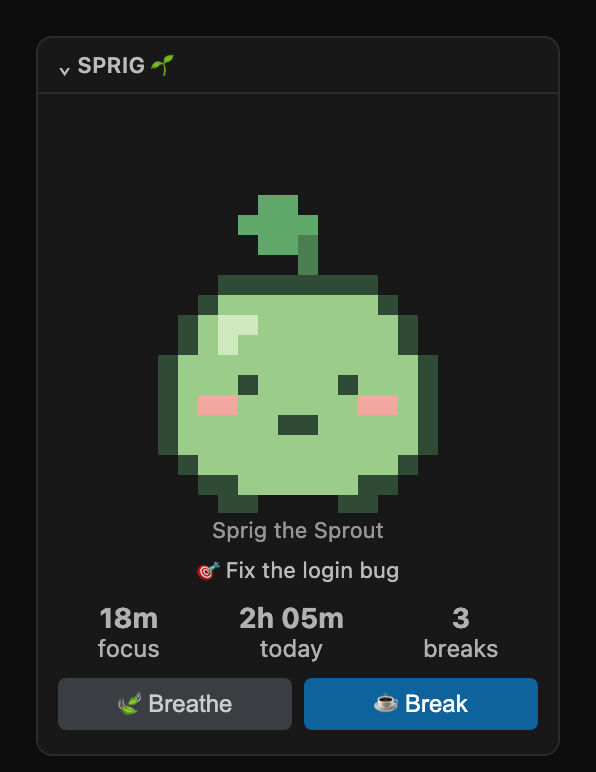
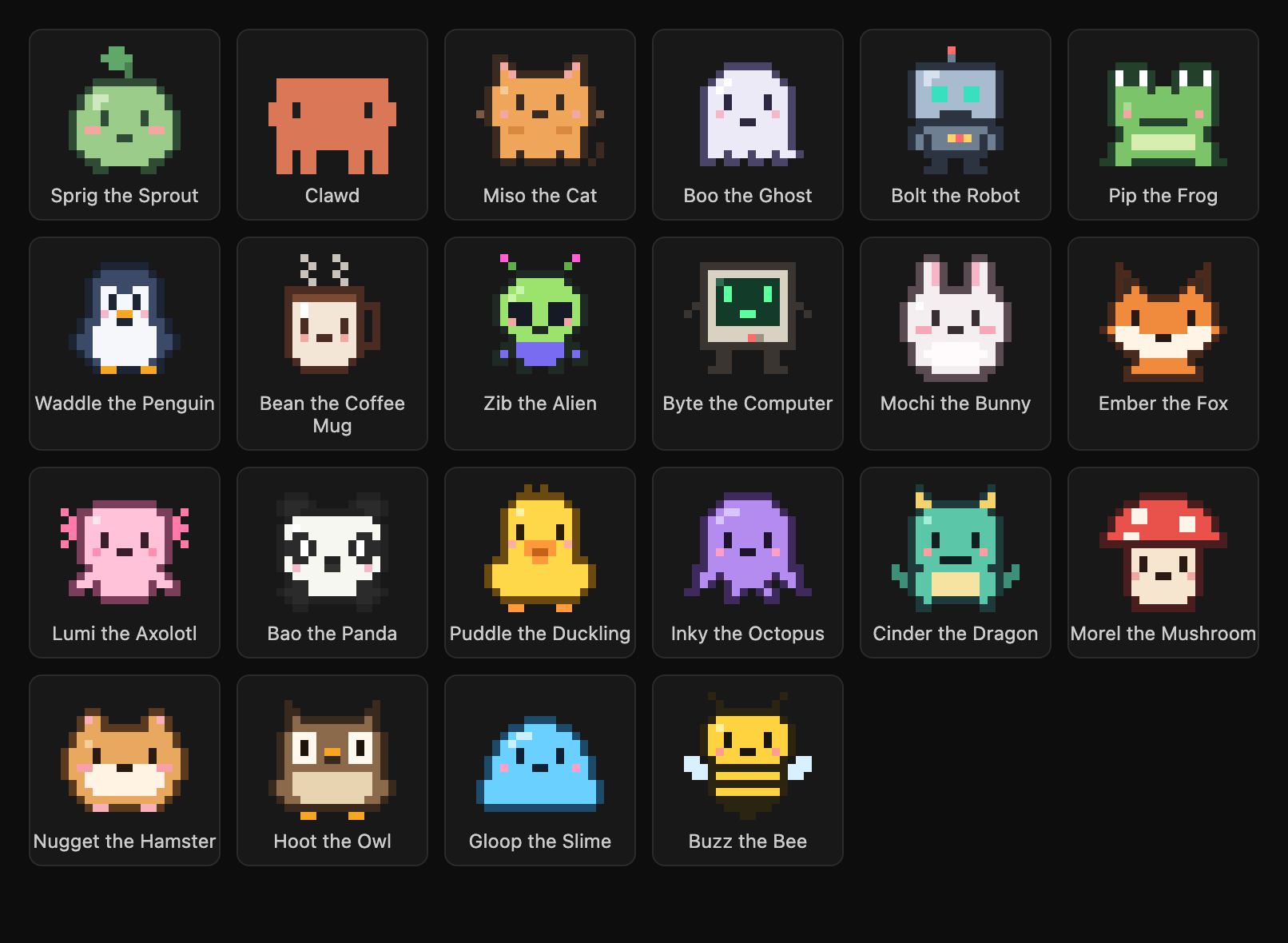
Sprig the Sprout is the default, with Clawd next in the list. Change pets with Sprig: Choose Pet (↑/↓ previews each one live in the panel) or double-click the pet.
Sprig is distributed only here on GitHub. It isn't on the VS Code Marketplace or Open VSX.
- Download sprig.vsix (always the latest version). Older versions are on the releases page.
- In VS Code, open Extensions, click
…at the top, choose Install from VSIX…, and pick the file. Or from a terminal:code --install-extension sprig.vsix - Run Developer: Reload Window. Sprig appears in the Explorer sidebar.
Editors built on VS Code, such as Cursor and VSCodium, install the same file through their own Install from VSIX… option.
Updating: your editor's own Auto Update only works for store extensions, so Sprig updates itself. Once a day it checks this repo's latest release; when there's a newer one you get a notification with Update, What's new and Later. Click Update and Sprig downloads and installs it, then asks you to reload. You can also run Sprig: Check for Updates any time, or turn the daily check off with sprig.checkForUpdates. Your settings, journal and stats are kept.
Open the Command Palette (Cmd/Ctrl+Shift+P) and type "Sprig":
| Command | What it does |
|---|---|
| Sprig: Open Menu | Everything below in one place (same as clicking the status bar) |
| Sprig: Start Mindful Session | Set an intention and begin |
| Sprig: Change Intention | Switch what you're focusing on |
| Sprig: End Session & Reflect | Close the session with a short reflection |
| Sprig: Open Mindful Journal | Read past sessions and notes |
| Sprig: Breathe With Me (1 min) | Guided box breathing |
| Sprig: Start a Break Now | Start a break with a countdown |
| Sprig: Pause Reminders… | Mute nudges for a while |
| Sprig: Show This Week's Focus | 7-day focus history |
| Sprig: Choose Pet | Pick a pet with live preview |
| Sprig: Reset Focus Timer | Start the focus count from zero |
| Sprig: Show Pet | Reveal the panel |
| Sprig: Check for Updates | Look for a newer release on GitHub now |
| Setting | Default | |
|---|---|---|
sprig.pet |
sprout |
Which pet keeps you company |
sprig.focusMinutes |
25 |
Minutes of active coding before a break is suggested |
sprig.breakMinutes |
5 |
Length of a break |
sprig.eyeReminderMinutes |
20 |
20-20-20 eye rest interval (0 turns it off) |
sprig.hydrationMinutes |
45 |
Water reminder interval (0 turns it off) |
sprig.breakNotifications |
true |
Also show break suggestions and "break's over" as VS Code notifications |
sprig.checkForUpdates |
true |
Check GitHub once a day for a newer release and offer to install it |
- Claude's edits only count as activity when a folder is open in VS Code. Changes in
.git,node_modules,dist,outandbuildare ignored. - If you use several VS Code windows at once, each keeps its own counts.
- Clawd is Anthropic's Claude Code mascot, redrawn here as unofficial fan art. It isn't covered by the MIT license; see NOTICE.
MIT, except the Clawd sprite, which is Anthropic's mascot and isn't covered by it. See NOTICE.