
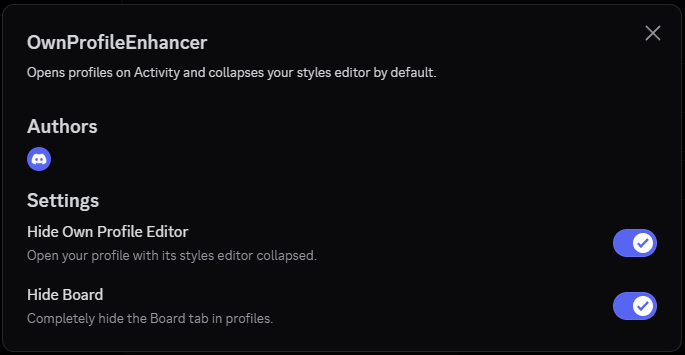
It opens your own profile with Discord's native styles editor collapsed, so the built-in Show Styles button remains available and Activity tab is the default tab. It also includes an optional Hide Board setting. When enabled, it hides the Board tab in any profile; it does not alter other profile sections. Wishlist remains available.
Important
This is a custom Vencord user plugin. It cannot be installed directly through the regular, prebuilt Vencord installation. You must build Vencord from source and add the plugin to that build or use the installer.
- A Vencord source checkout and a working source-build setup.
- Git, Node.js, and pnpm, as required by Vencord.
- Discord's interface language set to English. The plugin detects the profile and tabs using their visible English labels.
If you have only installed Vencord using its normal installer, start with Vencord's Installing from Source guide, then read the official custom-plugin instructions.
OwnProfileEnhancerInstaller.exe includes a complete built Vencord payload and patches Discord Stable directly. It asks you to close Discord before installation and offers to restart it afterward. No Vencord source checkout, Node.js, or pnpm is required.
Discord and Vencord settings are preserved because the installer patches only Discord's installed application files; it does not modify the separate Discord user-data store. Because Vencord packages plugins into one compiled payload, installing this build replaces the recipient's compiled Vencord payload; separately compiled custom plugins must be added to this build before distribution.
These steps are for Discord Desktop and assume you have already set up a Vencord source checkout.
-
Download or clone this repository.
-
In your Vencord source folder, create
src/userplugins/ownProfileEnhancer/if it does not already exist. -
Copy this repository's
index.tsinto that folder. The resulting path should beVencord/src/userplugins/ownProfileEnhancer/index.ts. -
Fully close Discord.
-
Open a terminal in the Vencord source root and run:
pnpm build
-
To install or re-install the custom build into Discord Desktop, run:
pnpm inject
Follow the Vencord Installer prompts and select the Discord installation you use.
-
Start Discord and open User Settings → Vencord → Plugins. Enable OwnProfileEnhancer if it is not already enabled.
For other clients or platforms, follow Vencord's custom-build installation instructions.
- Selects Activity when any profile opens.
- Collapses your own profile's styles editor through Discord's native toggle; use Show Styles to reopen it.
- Optionally hides Board in any profile.
- Leaves Wishlist visible and usable.
- Does not force you back to Activity when you manually switch to another tab.
Discord's interface changes over time. This plugin detects profiles through the visible labels Avatar & Decoration and Theme & Banner, and finds the Activity and Board tabs by their visible labels. Changes to Discord's wording, language, or tab markup may stop it from working until the plugin is updated.
This is a community-made plugin and is not officially supported by Vencord. The code has not been verified against every Discord/Vencord version.
When this repository is opened on its own, VS Code uses vencord-editor.d.ts to recognize Vencord's source aliases such as @api/Settings and @utils/types. These declarations are only for local diagnostics; copy only index.ts into the Vencord source tree, where Vencord provides the actual implementations and types.
Run the installer and click "Uninstall". It removes the plugin without touching anything else.
- Disable OwnProfileEnhancer in Vencord's plugin settings, or remove
src/userplugins/ownProfileEnhancer/from your Vencord source folder. - If you remove the source folder, rebuild Vencord with
pnpm buildand update your installed build as needed. - Restart Discord.
This source package contains no credentials, personal paths, or contact details.