
This Contao extension lets you define CSS styles (a title plus one or more CSS classes) in categories and groups once in the back end and select them in articles, content elements, modules, forms, form fields, page layouts, pages, news and events. The classes of the selected styles are written into the CSS class field of the record.
- PHP 8.1 or higher (Contao 6 requires PHP 8.4)
- Contao 5.3 or higher, including Contao 6
Install the bundle via the Contao Manager or Composer and update the database afterwards:
composer require pdir/css-style-selector-bundle
vendor/bin/contao-console contao:migrateGo to Layout → CSS styles, create a category, add a group to it and add your styles to the group.
Categories
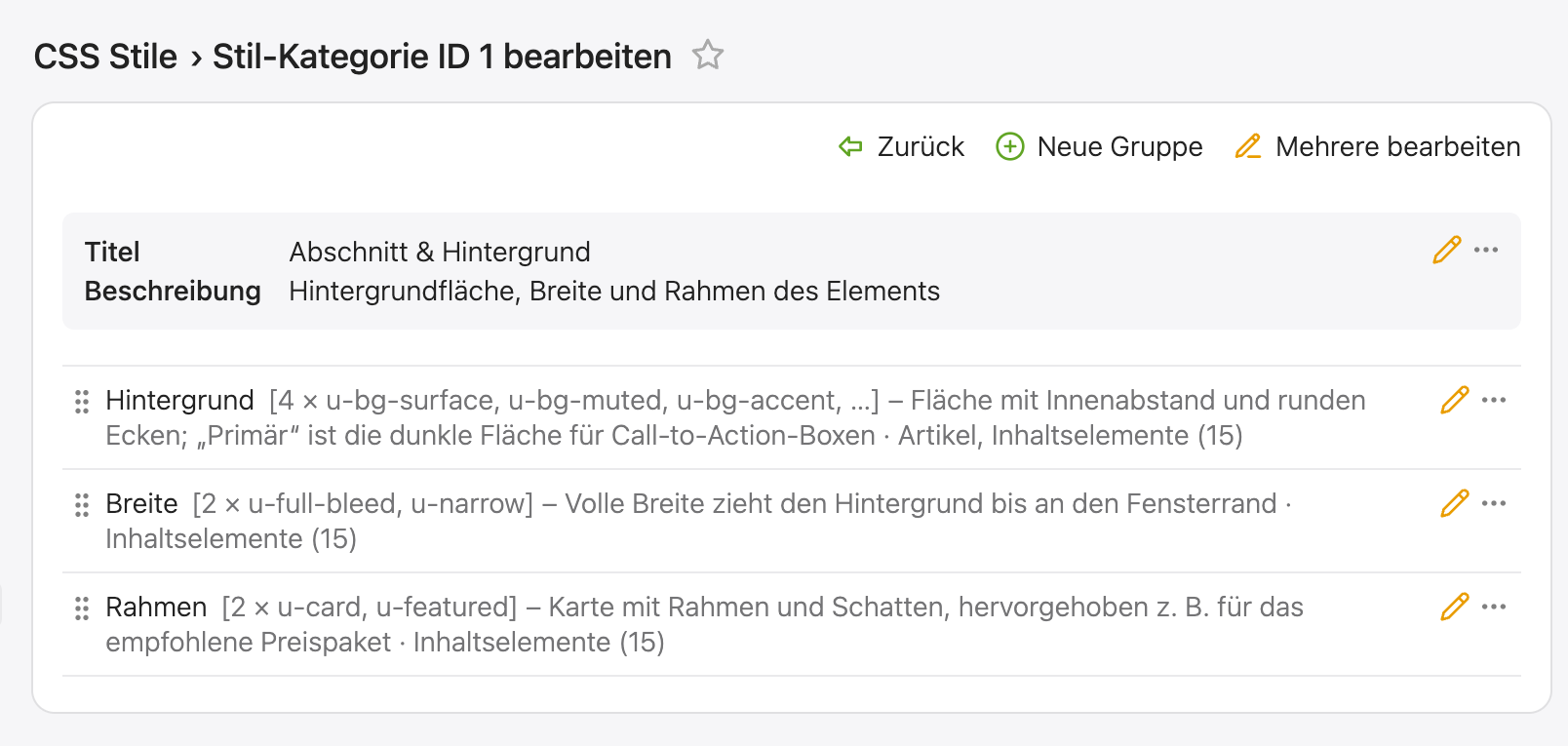
- Categories structure the groups, e.g. "Section", "Text" or "Spacing". With several categories, the style selection shows a heading per category.
- Sorting defines the order of the categories (lower values first). New categories are added at the end.
- Description is an optional hint for editors, shown below the category title.
Groups
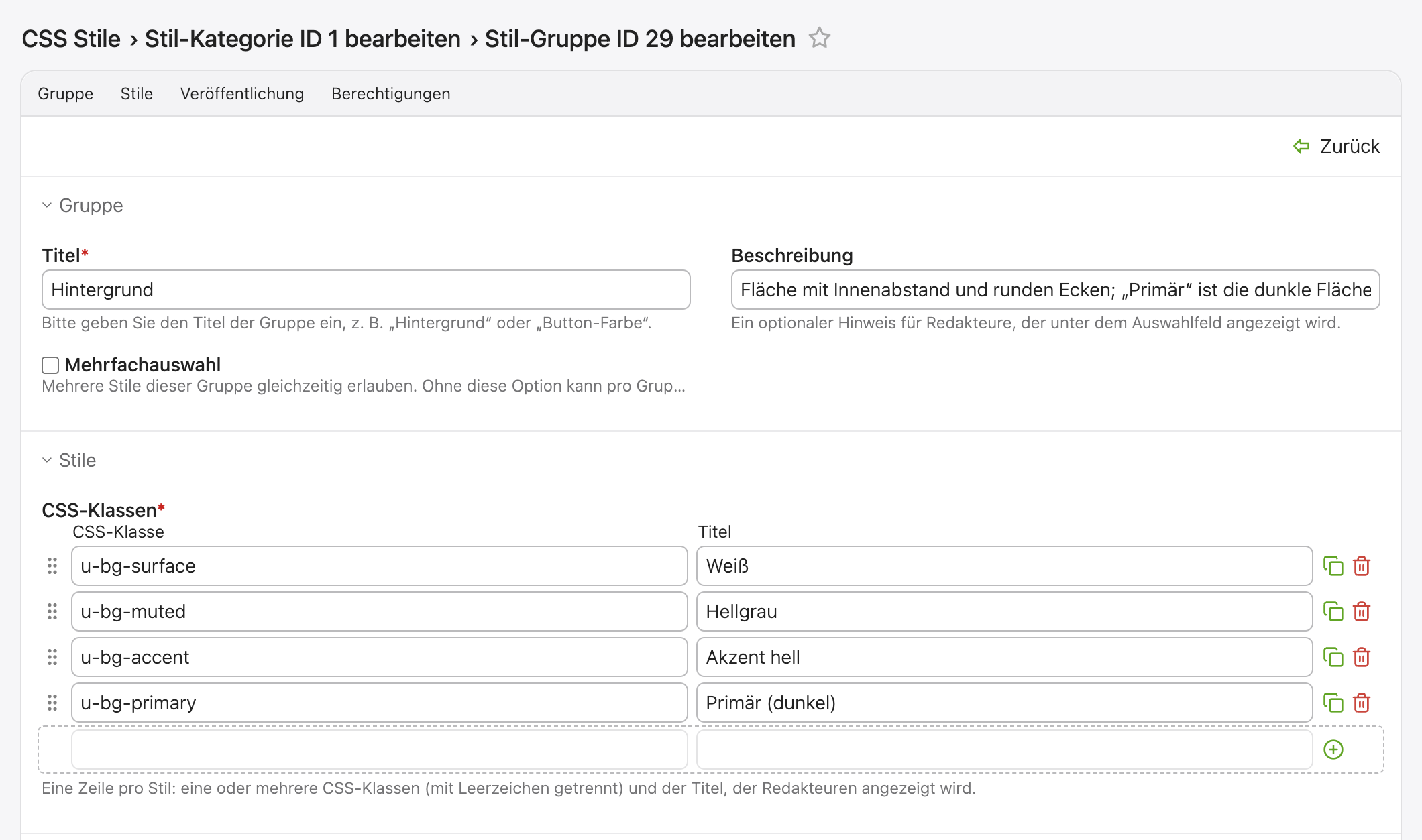
- Each group is shown as a select menu in the style selection, e.g. "Button color".
- CSS classes: one row per style with one or more CSS classes (separated by spaces) and the title shown to editors. Drag and drop the rows to define their order.
- Drag and drop the groups to define their order within the category; use "Move" to move a group into another category.
- Description is an optional hint for editors, shown below the select menu.
- Without Multiple selection, editors can pick only one style per group (e.g. "Background: light / dark"), so conflicting classes are not possible.
- Publication: choose the areas the group is offered in (layouts, pages,
articles, modules, news, events, forms, form fields, content elements). For
content elements, modules and form fields, the group can be limited to
certain types (e.g. only
textandhyperlink); without a selection it applies to all types. - Limit to user groups offers the styles of a group to certain back end user groups only. Administrators always see all styles. Styles selected by other users are kept when an editor without access saves the record.
For editors
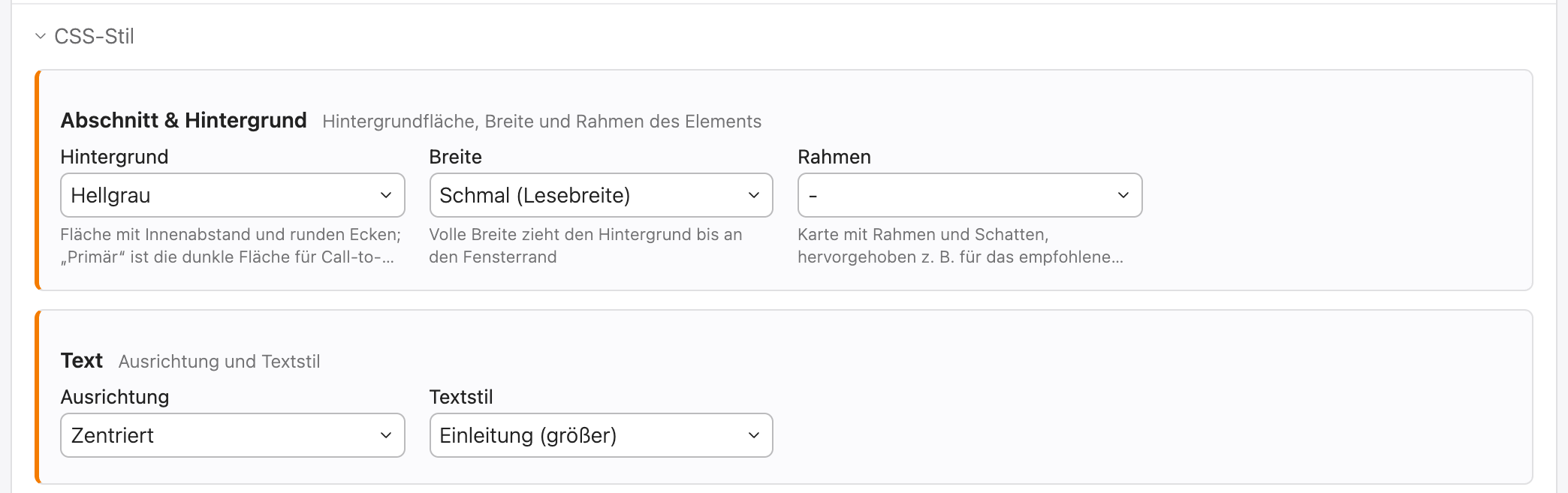
The style selection is shown in its own "CSS style" section above the expert settings (the section of the CSS class field), with the select menus of the groups side by side. It is hidden if no styles are available for the record. The list views show the selected styles next to each record. A selected style is stored by its CSS classes, so the selection is kept when records are copied, exported or imported.
The CSS class field only shows the classes you entered yourself. The classes of the selected styles are added when the record is saved and are stored in the CSS class field, so they work with every template. Classes that belong to a style can only be set through the style selection.
Updating from version 2.0
Run vendor/bin/contao-console contao:migrate. Existing styles without a group
are moved into the group "Styles", which allows multiple selection like before,
and groups without a category into the category "General". The styles become
rows of their group; each group is published in the areas and for the element
types its styles were available for, and the selection of the records is kept.
The former table tl_css_style_selector is no longer used: the database
update offers to drop it once you have checked the result.