Repository navigation
Conversation


Co-Authored-By: Claude <[email protected]>
Co-Authored-By: Claude <[email protected]>
Co-Authored-By: Claude <[email protected]>
Co-Authored-By: Claude <[email protected]>
Co-Authored-By: Claude <[email protected]>
Co-Authored-By: Claude <[email protected]>
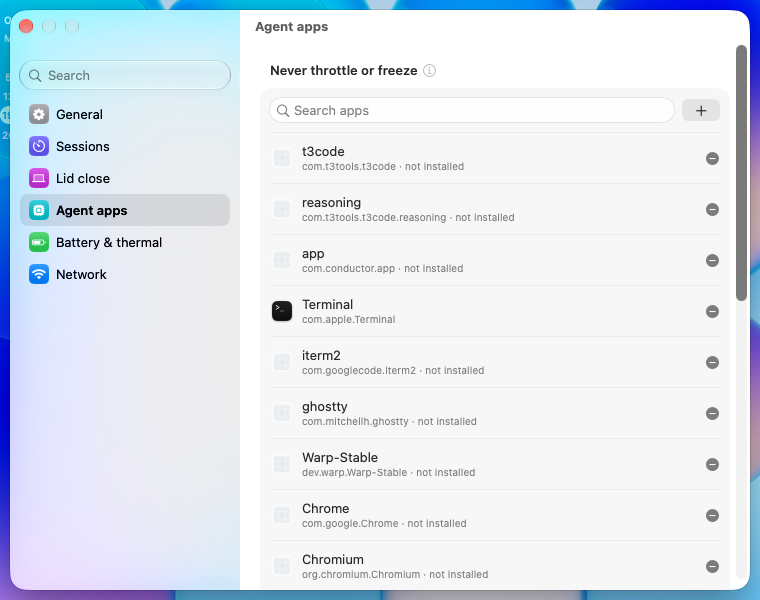
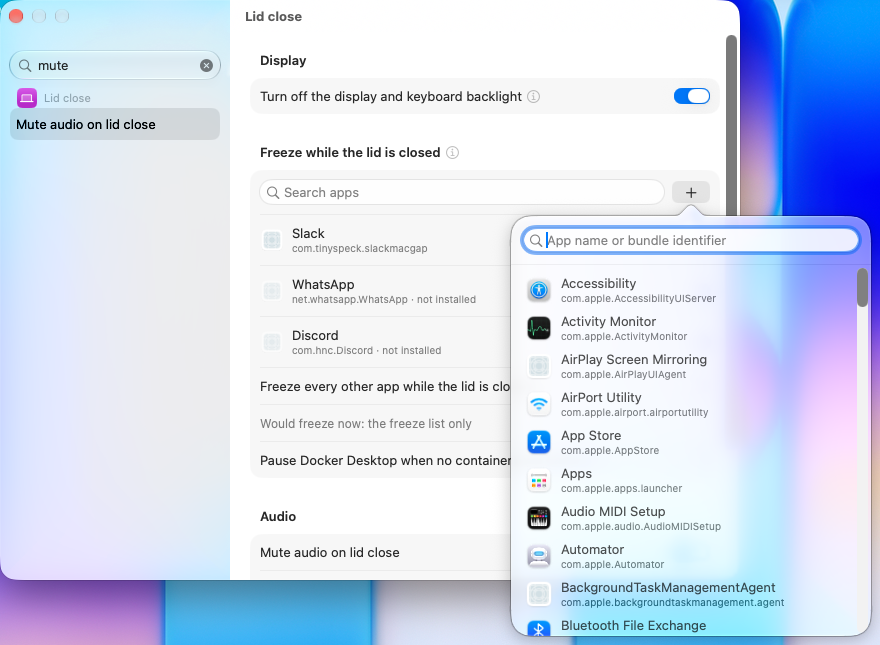
Each editable list (presets, the freeze list, agent apps, tmux targets) now opens with a search field that filters its rows and a + button beside it. For app lists the + opens a picker of installed apps with their icons, searchable by name or bundle identifier, which also adds a typed bundle identifier that no installed app has. App rows show the app's icon and mark ids with no app installed.
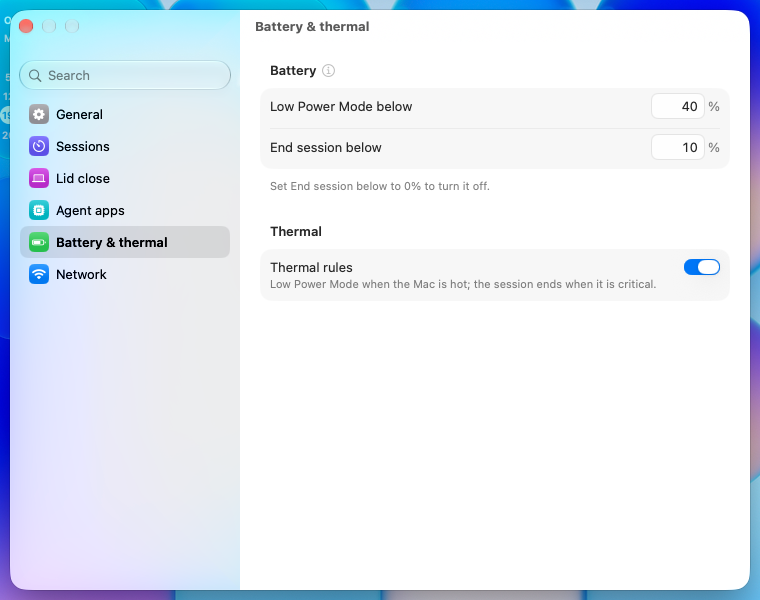
The Low Power Mode floor, the end floor and the tmux nudge delay were steppers. Each is now a small box that takes digits only, with its unit after it, and sets the value on Return or when it loses focus, pulled into the setting's range. The floors still keep their order through the Config setters, and the box shows where the setter left the value.
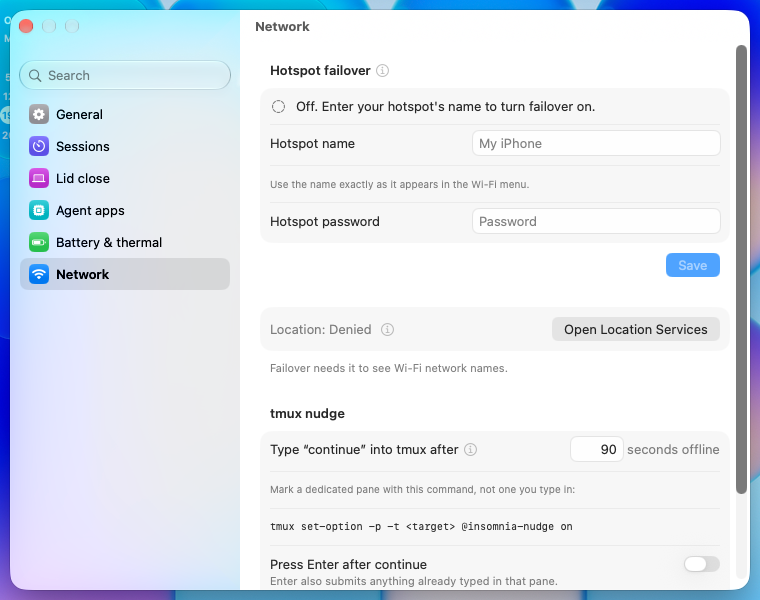
The password field had no visible box, the name saved as you typed and the password had its own Save button. Both are now bordered fields, and one Save button under the section writes the name to config.json and then stores the password under it. The button lights up only while the name differs from the saved one or the password differs from what the keychain holds; the password the window loads counts as saved.
Removing the sidebar toggle from the sidebar column made the column ignore navigationSplitViewColumnWidth and sit at 144 pt, which cut off "Battery & Thermal". The toggle is now removed on the split view, and the column opens at its 230 pt ideal width.
Long gray paragraphs under rows and sections now sit behind an info button beside the setting or section title: hovering shows a one-line help tag, clicking opens the full text in a popover. Warnings, live status and one-line descriptions stay on the pane, as the HIG keeps warnings out of popovers. The popover text lives on each search entry, so the sidebar search still finds words that are only in a popover.

![greptile-apps[bot]](https://avatars.githubusercontent.com/in/867647?s=60&v=4)
…g battery charging An extend leaves the fields editable; its completion now clears them only if they still hold what was submitted. On the adapter with the battery draining, the power row names the adapter and the draw instead of "Charging".
A search pick cancelled by a newer one no longer clears the newer highlight. A number box takes one digit more than its range's top, so 100 in 0...95 becomes 95, not 10. The hotspot status reads the saved password, not a draft. Save's steps move into SettingsView.hotspotSave, with tests that run them against a config and an in-memory keychain. The app picker says "No apps found".
Everything above the footer sits in a scroll view that takes its content's height up to a cap: the screen's usable height less room for the footer and the arrow. A long list of warnings now scrolls, and Settings and Quit stay on screen.
"Lid close", "Agent apps" and "Battery & thermal", as the writing rules ask. The lid-close notice now says to open the Lid close pane.
…ts field A grouped form right-aligns the text of a field that carries its own label, so .multilineTextAlignment(.leading) did nothing. The name and password fields now sit in LabeledContent with their labels hidden, which keeps the text at the left. The line about using the name from the Wi-Fi menu moves from under Save to under the name field.
…dited during the load A load that kept the user's draft also skipped recording what the keychain holds, so the status said the password was missing. The load now records it unless a save began since, which may have replaced it.
SettingsView.runHotspotSave does the whole press: the name to config.json, then the password to the keychain under it or a clear, the field's saving state, and the failover's report. The view calls it, and tests now run it against a config and an in-memory keychain for a new name, a new password, an emptied field and nothing changed.


macOS 27.0.1 VM. Before: main 8302ee8. After: #118 head 4709a86, built as is. Co-Authored-By: Claude Opus 5.5 <[email protected]>

|
For @krishhgg (the owner) to see what the changes look like. The maintainer's tooling made these in a macOS 27.0.1 VM. This is not a review and not a merge decision. Setup. A macOS 27.0.1 VM on the maintainer's Mac mini. "After" is this PR's head Popover, start to end
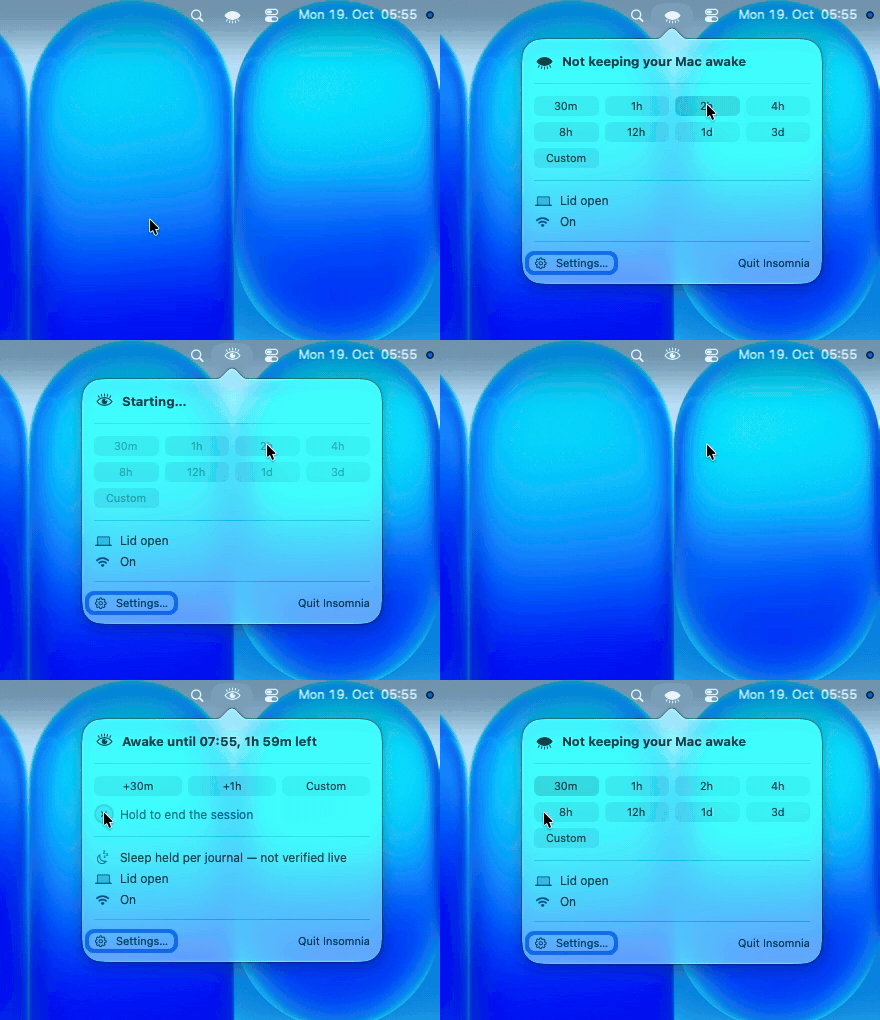
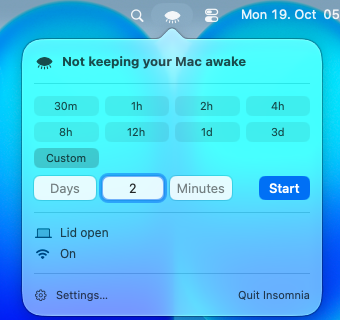
Click the eye and pick 2h. The header reads "Starting…" for about 5 s, then "Awake until 07:55, 1h 59m left". With the popover closed the menu bar shows only the eye. Reopen it and hold the ring to end the session. Menu bar
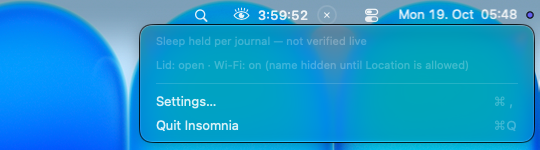
main shows a countdown and a × next to the eye. This PR shows the open eye alone. Clicking the eyemain, left click: Days, Hours and Minutes fields open right in the menu bar.
main, right click: a menu with status, Settings and Quit.
The same menu during a session:
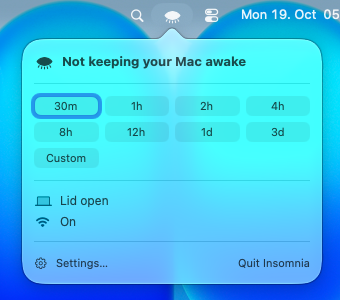
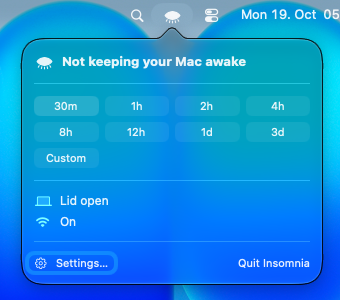
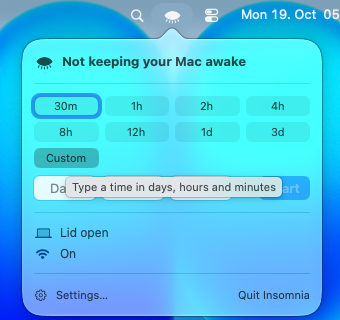
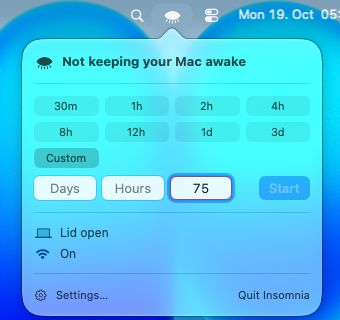
This PR, left or right click: one popover.
Popover, light and dark
While a session runs, the chips change to +30m, +1h and Custom, and "Hold to end the session" appears. Custom time
Settings
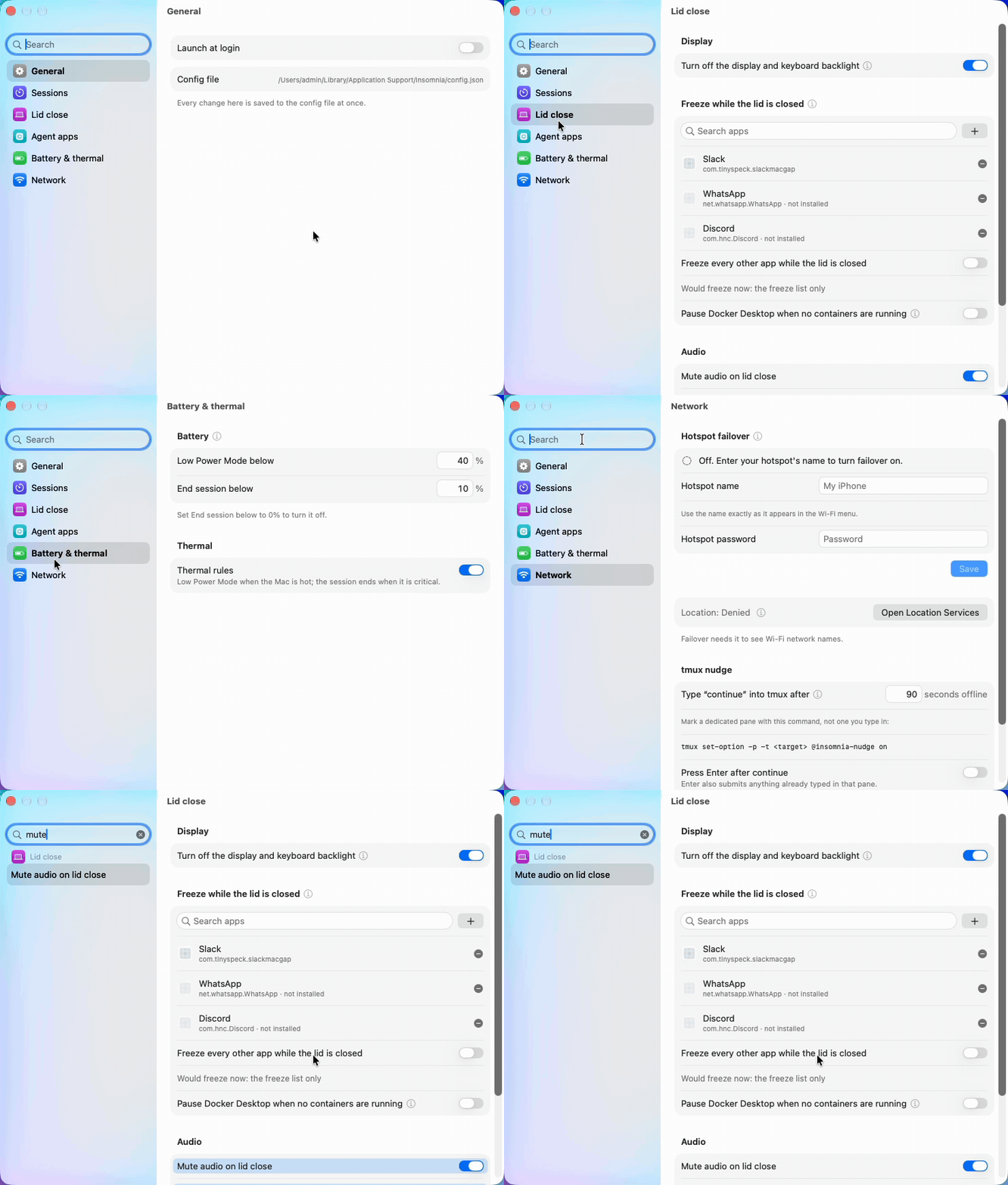
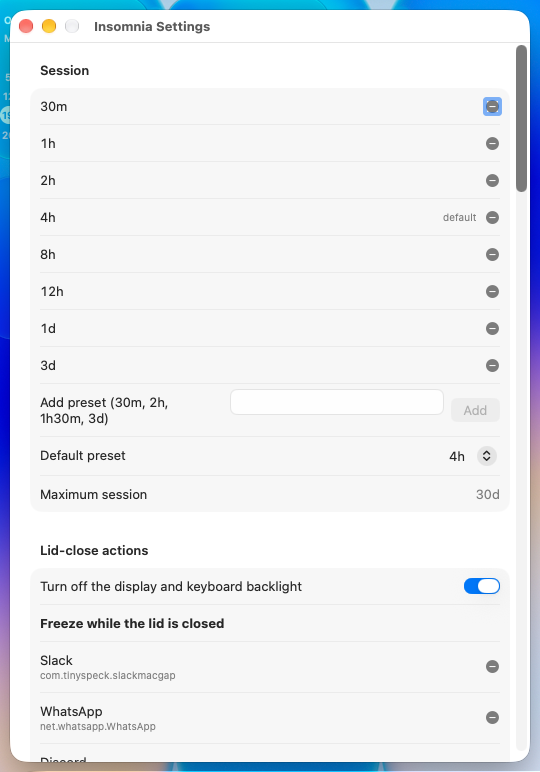
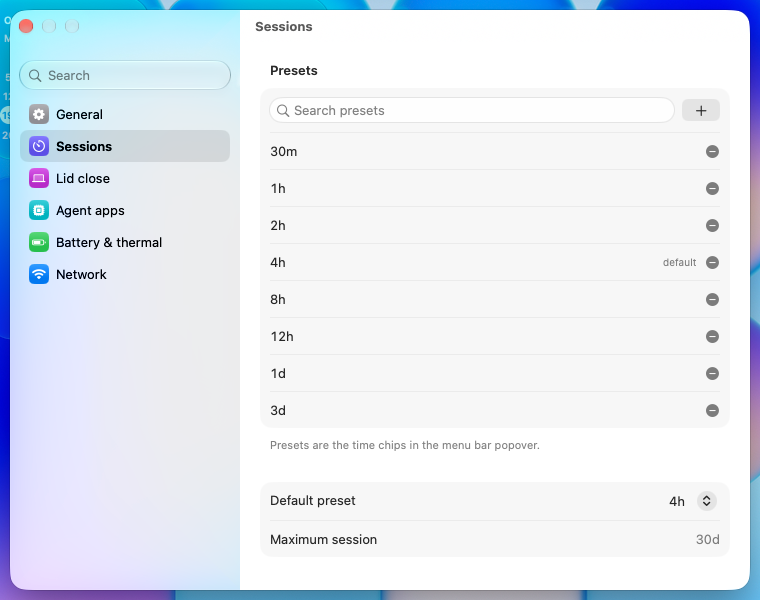
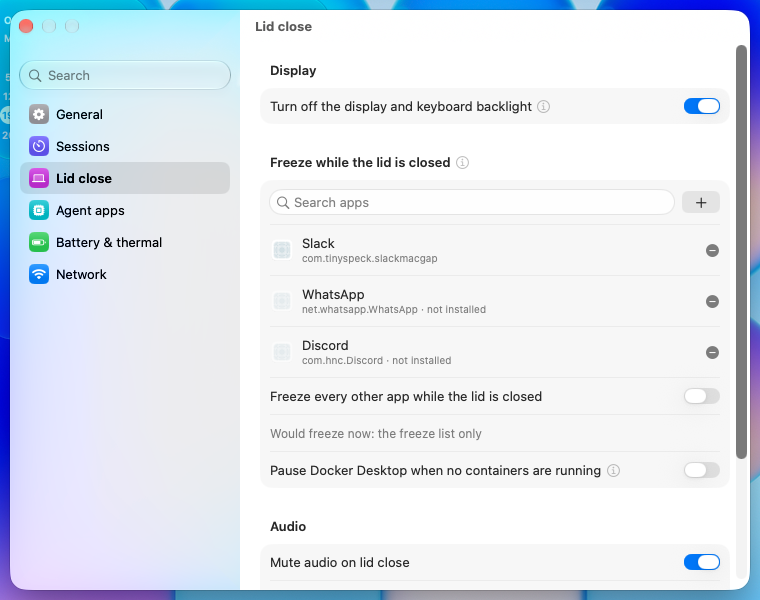
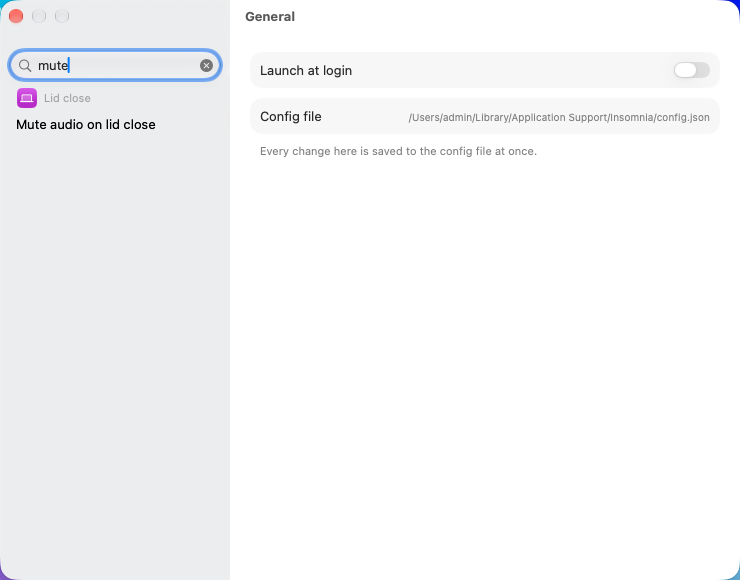
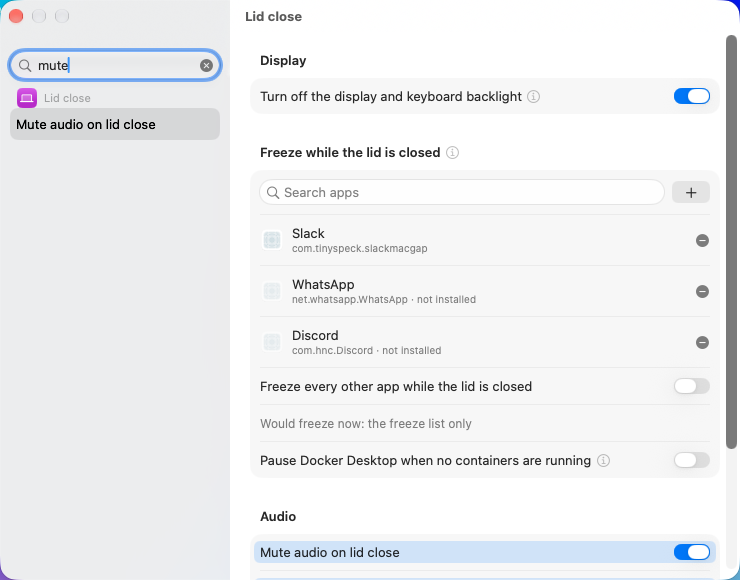
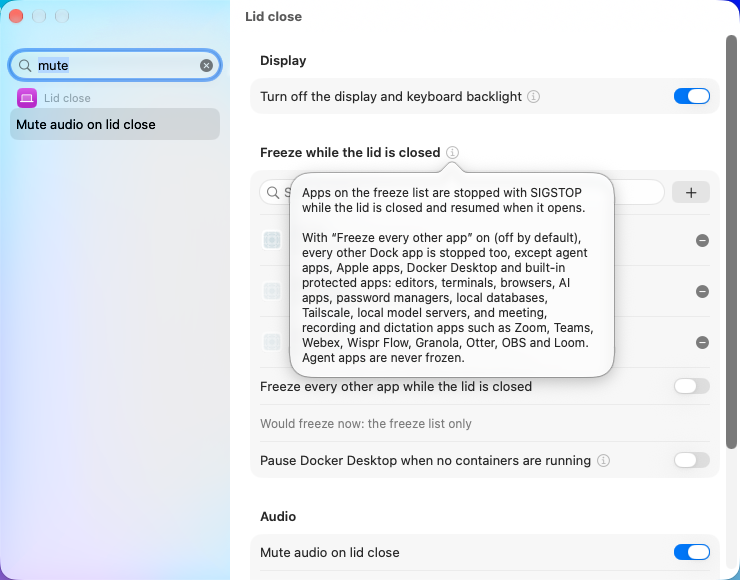
Click through the six panes, type "mute" in the search and click the result. It jumps to Lid close and tints the row. main's Settings is one long form:
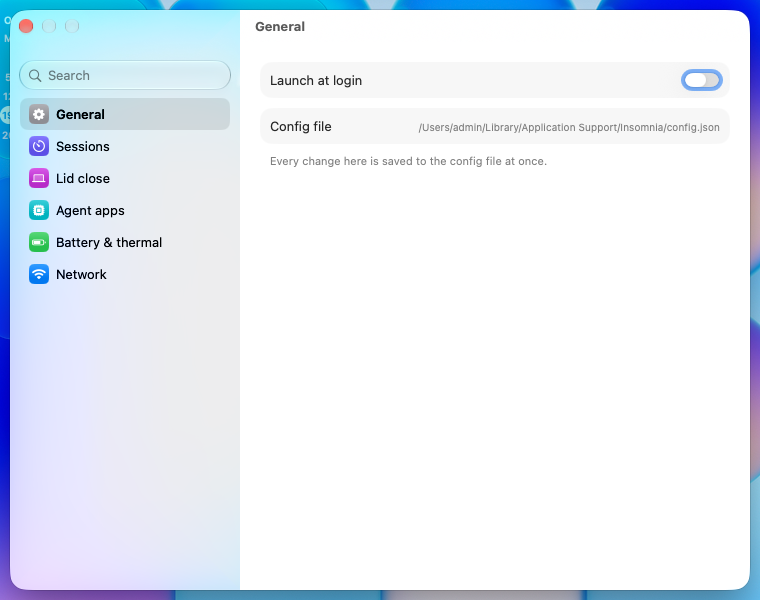
This PR's panes:
Search results, then the jump after clicking one:
The + on an app list opens a picker of installed apps:
An ⓘ button opens the full text in a popover:
What looked odd
Files: 🤖 Generated with Claude Code |






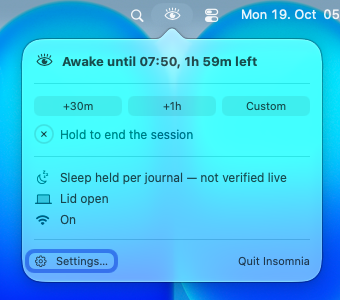
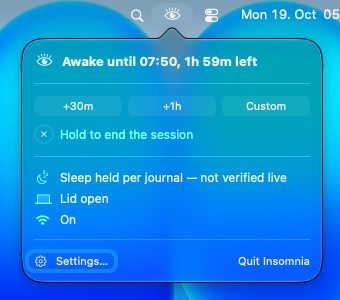
The line shows in every running session; the journal and the missing live re-check are how the app knows, not something the popover needs to say.
The countdown already says the Mac is being kept awake; only the two mismatches (a session not holding sleep, a hold with no session) are worth a row, and both stay warnings.
Eight presets wrapped the chips onto a second row. Four fit one row with Custom. A config.json that already lists its presets keeps them.
… reads 0 A start read the bit back once; powerd or another tool could set it back to 0 later in the session and a closed lid would then sleep the Mac with the popover none the wiser. The read takes no lock; only a 0 takes the transaction and runs disablesleep 1 again. A set that fails shows "Sleep is not held" and posts once per session; the next check retries.
The row reads the Network pane's verdict (HotspotSetupStatus): off with no hotspot name, needs the password, needs Location access, or ready. The password is checked with the same prompt-free keychain peek as the Network pane's recheck, at launch and on each popover open. The row gives way to the hotspot password warning, which already says what is wrong.

|
Want your agent to iterate on Greptile's feedback? Start a greploop in Claude Code and it will work through the open comments and keep going until this PR reviews clean. |
2 participants


What changes
Before: the menu bar item grew inline Days / Hours / Minutes pills while you typed a time, and status, warnings, Settings and Quit lived in a right-click menu. Settings was one long scrolling form.
After: the menu bar shows only the eye (closed when idle, open with a short countdown during a session). Any click on it, left or right, opens one fixed-width popover with the status line, preset chips and a Custom row (Days / Hours / Minutes with a Start or Extend button that stays disabled until the time is valid), hold-to-end, the Mac's status and warnings, a battery row with time to empty or to full, and Settings and Quit at the bottom. Settings is now a window with a sidebar of panes and a search field that jumps to and highlights the matching setting, with searchable lists, an installed-app picker, typed number boxes, and info buttons for long explanations.
How:
DesignTokensandHoverHighlighthold the shared sizes, colours and hover treatment;BrandPalettenames its colours by role.PowerMonitor.readTimeRemaining()reads the internal battery's time to empty or to full from the power source list, or reports that it is still calculating.StatusPopoverViewreplaces the right-click menu andPillView;StatusMenuandStatusSourcenow build rows for it. Warning lines lose their inline ⚠ because the row draws one. A start or extend in flight no longer shows "Sleep still held with no session".StatusItemControllerkeeps its own open/closed state, so every click flips the popover at once, however fast. The popover never animates and is closed by the controller's own mouse-down monitors. A click on the item is not counted as both a click outside and a reopen.KeyCatcherPanelis gone.SettingsPanessplits the window into panes with search; the lid-close notice now points at the Lid close pane. Pane names are sentence case. Each editable list (presets, freeze list, agent apps, tmux targets) has a search field and a + button; for app lists the + opens a picker of installed apps with their icons. The battery floors and the tmux nudge delay are typed into small boxes instead of steppers. The hotspot name and password are bordered fields saved by one Save button. Long explanations sit behind info buttons (a help tag on hover, the full text in a popover on click), and search still finds their words. The sidebar opens wide enough to fit every pane name.docs/spec.mddescribe the popover and the new Settings.How it was tested
swift build -c release -Xswiftc -warnings-as-errorssucceeds at the head commit (Xcode 27.0).swift testat the head commit: 1,282 tests, 13 skipped (tmux is not installed on this Mac), 1 failure:AppEncodedJournalScriptTests.testAnEscapedNameOrUIDDoesNotStopTheAgentAndTheAppRestoresIt, which passed twice when rerun alone. This branch does not touchscripts/.UIStatusTests,UIStartupTests,StatusMenuWarningTests) cover fast clicks, clicks outside, fixed width and wrapping, chips, the Custom row's validation, and the start/extend flows.SettingsSearchTestscovers Settings search.Real-Mac evidence
Not posted yet. This changes
Sources/, so a real-Mac report for the head commit will follow as a comment after the last push.

The latest changes appear safe to merge; no new actionable issue was found.Summary
This PR moves session controls and status into one menu bar popover and splits Settings into searchable panes.
Diagram
%%{init: {'theme': 'neutral'}}%% flowchart TD A[Open popover] --> B[Read configured hotspot name] B --> C[Check saved password without a prompt] C --> D[Keep newest answer] D --> E{Answer matches current name?} E -->|No| F[Leave readiness row out] E -->|Yes| G{Password warning already shown?} G -->|Yes| H[Show existing warning] G -->|No| I[Show off, missing setup, or ready]Reviews (9) · Last reviewed commit: "Popover: show whether hotspot failover i..." · Reviewed by Greptile