
Drive real device SDKs with Python and see calls, callbacks, media, and test results in one console.
Beacon is a Python framework for device SDK testing and test automation. It brings Native SDK calls, declarative callback hooks, multi-device orchestration, and a visual macOS console into one testing workflow. Current integrations cover Agora, Volcengine, and ZEGO Express for real-time communication (RTC) and audio/video testing.
Click to watch the product demo. It shows:
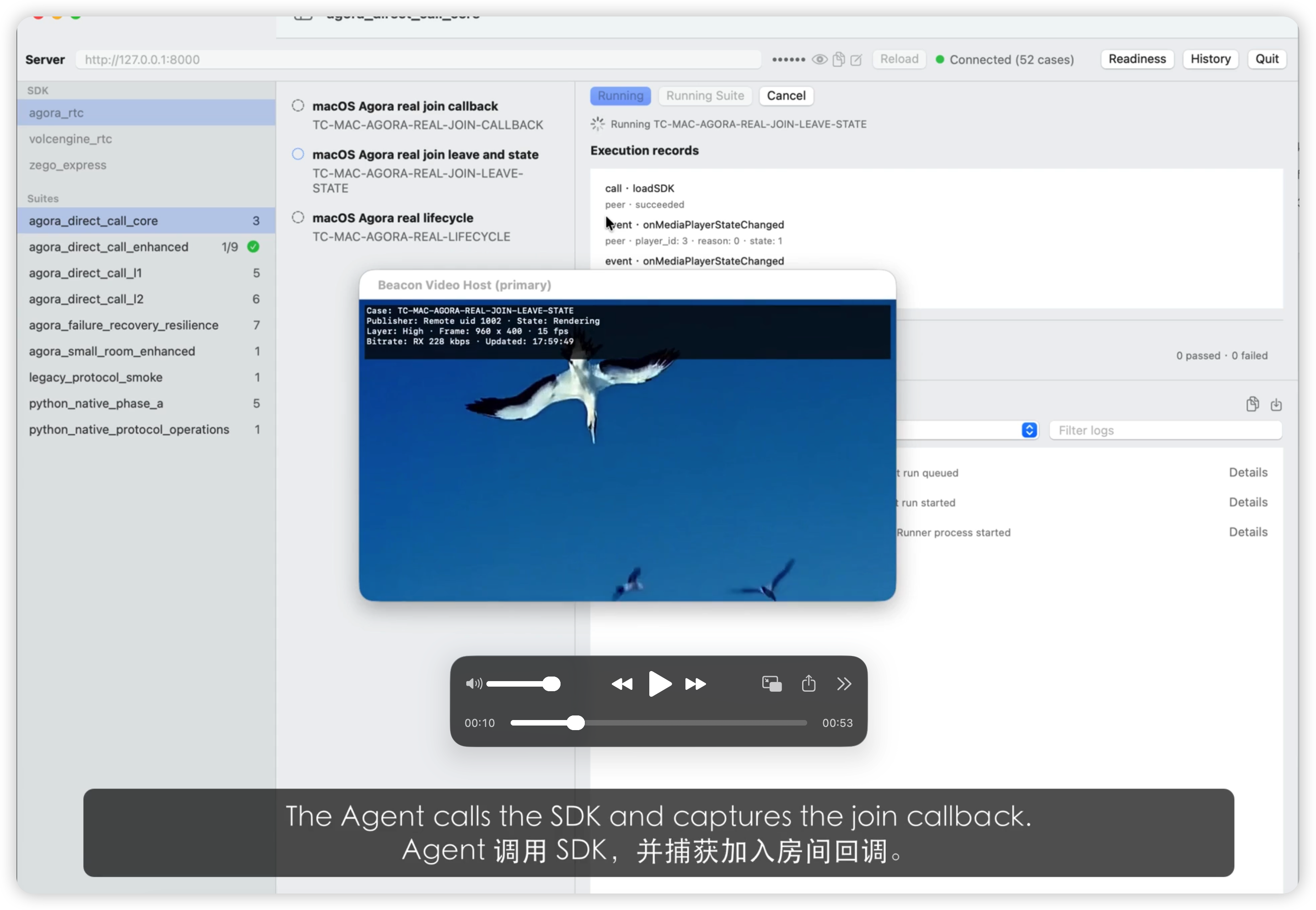
- API and callback validation: run an Agora room-join case in the Console and inspect execution records and actual callbacks.
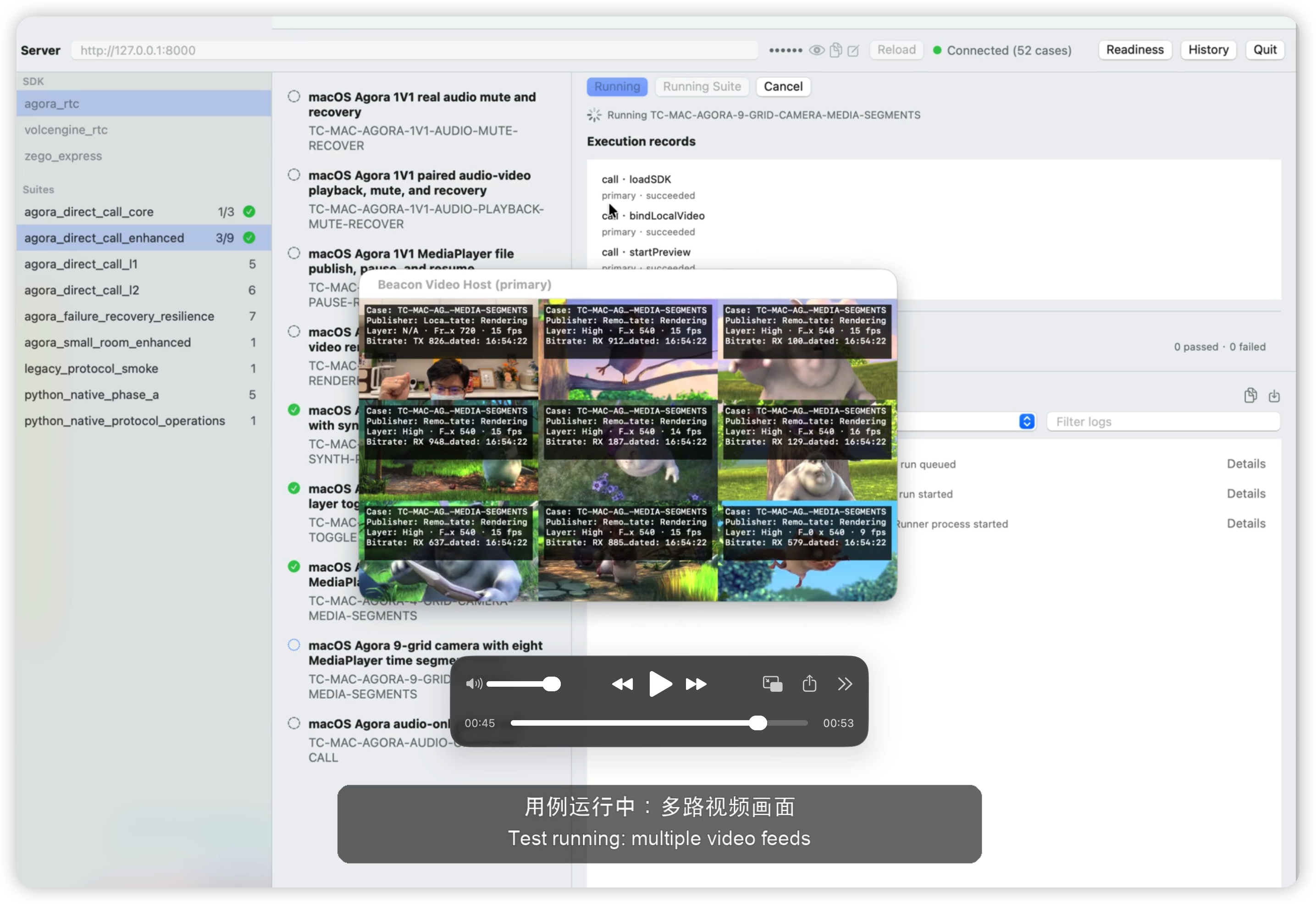
- Multiple video streams: run four-way and nine-way video cases and see the rendered output.
- Execution through results: select a case, start a run, and inspect its result in the same interface.
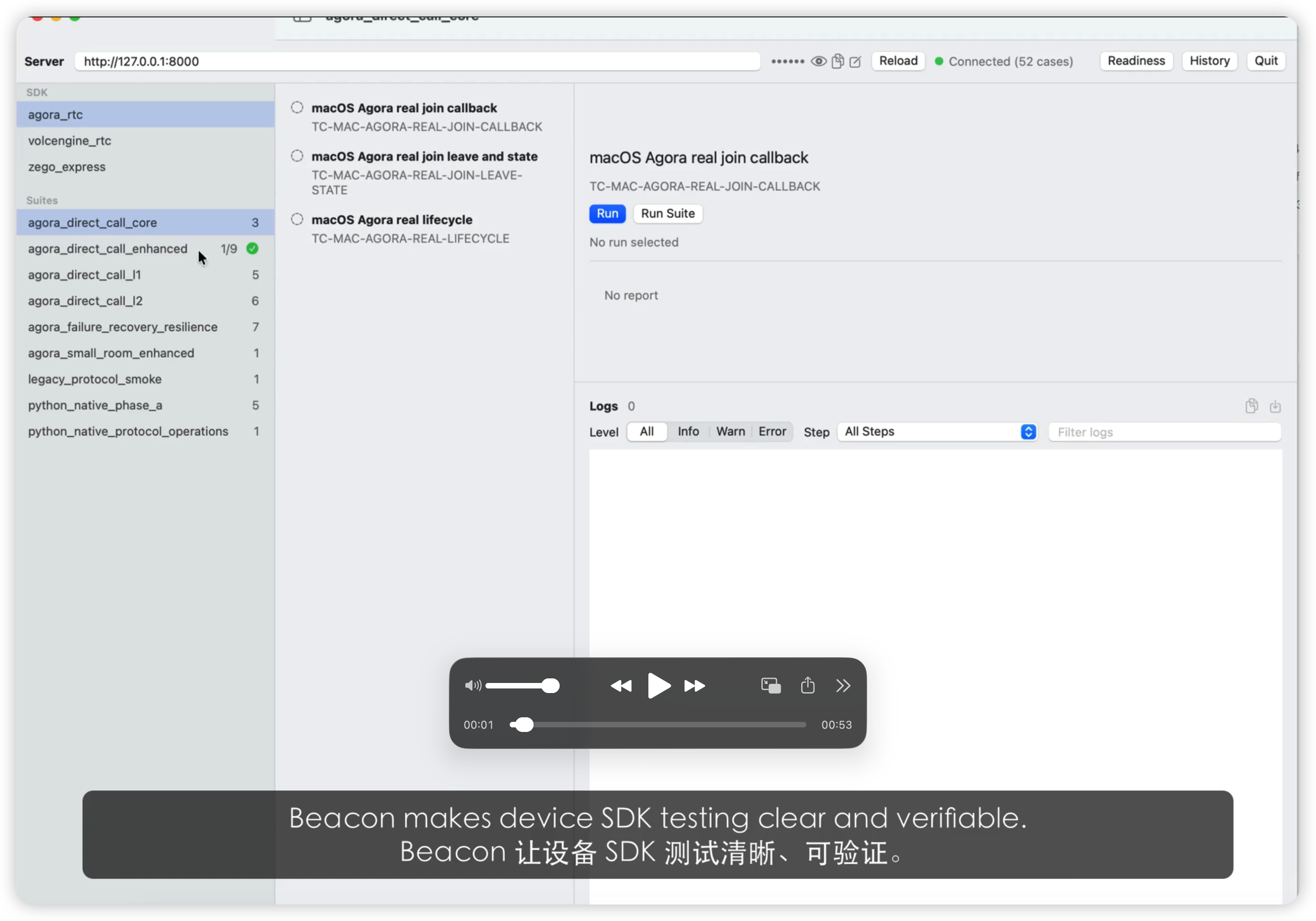
Mac Console App overview:
Agora Join and Leave test case demo:
Agora multi-instance test run:
SDK calls, callback waits, and assertions live in Python cases. Each call executes immediately on the device. Authors can organize cases around their test scenarios and reuse Python conditions, loops, and helper functions.
Return values, asynchronous callbacks, state, and media metrics are recorded and checked separately. A case can check whether a call succeeded, then verify that the expected callback arrived with the correct fields. Each record retains its test and device context.
Tests that perform actions when an SDK callback fires need to connect asynchronous events, subsequent calls, and result checks. For supported SDK callbacks and actions, Beacon uses defer to register the callback target and actions with the device Agent ahead of time. When a matching callback arrives, the predefined actions execute locally during Native callback handling, without waiting for Python to send another command. This reduces cross-process communication and callback coordination for test authors.
Actions inside callbacks reuse the same invocation executor and interface implementations as ordinary calls. The Agent reports whether the rule matched, along with each action's error code and return value, in the callback record. Python cases wait for that record and assert the results, completing the workflow from registration to local execution to verification.
See the immediate-call and callback design.
Cases control devices through roles such as primary and peer, coordinating publishers, subscribers, and multiple participants. Each device's calls, callbacks, and resources retain their own context, allowing one test to check behavior across endpoints.
The macOS Console brings together cases, run progress, execution records, logs, and report export. Audio/video cases can also show local and remote media and capture view snapshots, bringing API checks and actual media output into the inspection workflow.
Agora, Volcengine, and ZEGO Express share the framework and Console while retaining their native APIs and lifecycles. Adapters handle SDK differences; test authoring, run control, and result inspection follow a shared workflow.
The shared Agent Core owns platform-independent protocols, invocation, and callback handling. Platform adapters own connections, permissions, and SDK hosting, providing a common foundation for additional platforms. macOS is implemented today; iOS and Android Agents have not yet started.
The real device Agents and visual Console currently run on macOS 13+. iOS and Android Agents are not implemented. Mock execution needs no vendor SDK or project credentials.
Install Git and Xcode Command Line Tools (xcode-select --install). Setup uses existing CMake and uv commands, or installs missing ones through Homebrew; if those tools are missing, install Homebrew first. Internet access is needed to fetch Python and dependencies.
git clone https://github.com/kaysono0/Beacon.git
cd Beacon
bash scripts/dev/setup_macos.sh
make test-e2e-mock
Run commands from the repository root. Mock starts its own test environment and writes the result to reports/latest/report.json; it does not open the visual Console.
bash scripts/dev/setup_macos.sh --with-agoraSetup reuses an existing local SDK, or asks for an official macOS RTC full SDK HTTPS ZIP URL and confirmation of the vendor terms. A blank URL skips SDK installation. SDK binaries are not bundled, and setup does not create an Agora project or generate your credentials.
If setup has not created local.agora.env, copy local.agora.env.example to that filename. Preserve an existing file and the SDK path written by setup. Edit it before running real tests:
Field in local.agora.env |
What you must provide |
|---|---|
AGORA_MAC_SDK_ROOT |
SDK directory containing AgoraRtcKit.framework or .xcframework; setup fills this when it finds or downloads the SDK |
AGORA_APP_ID |
Your Agora project's App ID from the vendor console |
AGORA_APP_CERT |
The App Certificate from the same Agora project; used to sign RTC tokens |
BEACON_AUTH_TOKEN |
A local authentication value shared by the Server, Agents, and Console |
Replace template placeholders with your own values. Keep certificates and tokens in the ignored local env files. Then run make test-mac-agora-real; this target loads local.agora.env automatically. Check the reported status: skipped means the required environment was missing, even if the command exits successfully.
The current unified launcher requires Agora, Volcengine, and ZEGO SDKs and credentials together. Preparing Agora alone is sufficient for the Agora verification command above, but does not satisfy the unified launcher. --with-sdks prepares Agora and Volcengine; ZEGO must be supplied separately. Complete the required credential table in the Mac Console guide before starting.
Install full Xcode at /Applications/Xcode.app and complete its first-launch setup; the unified Server command selects this path explicitly. Command Line Tools alone do not satisfy that launcher. Use a compatible Swift toolchain (the Console package requires Swift tools 5.9+), and grant the launching terminal camera and microphone access for media cases.
In two terminals, both at the repository root:
# Terminal 1: Server and real Agents
make run-mac-console-real-server
# Terminal 2: Console App
make run-mac-console-appSelect a vendor and case in the App, then run it and inspect the result. The default Server port is 8000; keep it available. Closing the App leaves the Server running—press Ctrl-C in terminal 1 to stop it and reclaim its Agents. See the Mac Console guide for permissions, port configuration, and troubleshooting.
The default playback media is tracked in Git, including test_cases/media/grid_segments.mp4, the ocean video, and its audio file. Clone downloads these fixtures; no separate media download is required, and setup checks their presence.
To write your own case, follow the quickstart example and Python test authoring guide. Component responsibilities and the execution path are explained in the architecture overview.
| Path | Responsibility |
|---|---|
server/ |
FastAPI control plane, device/run lifecycle, Runner supervision, observations, reports |
python_sdk/beacon_test/ |
BeaconSession, generated typed facades, Python Runner |
test_cases/python/ |
Runnable SDK test cases |
agent_core/ |
Platform-independent C++ protocol, invocation, resources, logging |
agents/mac/ |
macOS provider integration, permissions, Native mock and real SDK backends |
apps/mac_test_console/ |
SwiftUI case browser, run control, observation display, report export |
sdk_adapters/, sdk_registry/ |
Capability sources, schemas, compiled Registry artifacts |
scripts/ |
Development, validation, generation, coverage, and shared tools |
tests/ |
Tool regressions and cross-component contracts |
docs/ |
Essential developer guides and public demo assets |
Component tests live with their components, such as server/tests/, python_sdk/tests/, agent_core/tests/, and the Console's Tests/. Mock E2E is driven by scripts/validation/.
Beacon is an early-stage project (0.1.0). The macOS integrations cover Agora, Volcengine, and ZEGO. Each has its own SDK, credentials, and validation requirements. Mock success does not prove real SDK or media behaviour.
iOS/Android Agents and real OS-level weak-network injection remain future work. Server storage supports in-memory operation and opt-in JSONL snapshots. Implementation boundaries are summarized in the architecture guide.
Native macOS development requires macOS 13+, CMake, and an Xcode toolchain compatible with the installed macOS SDK. For SDK setup, Server/App startup, shutdown, camera permissions, and real validation, use the Mac Console guide.
The documentation map routes readers by task. It covers setup, case authoring, SDK integration, architecture, and validation.
Start contributions with CONTRIBUTING.md. Report security issues according to SECURITY.md. Verification commands and passed/skipped/failed semantics belong to the development and validation guide.
MIT. Vendor SDKs and local credentials are not distributed with this repository; see THIRD-PARTY.md.