Browser extension and Telegram bot for re-creating your own Vinted listings.
| Folder | Purpose |
|---|---|
extension/ |
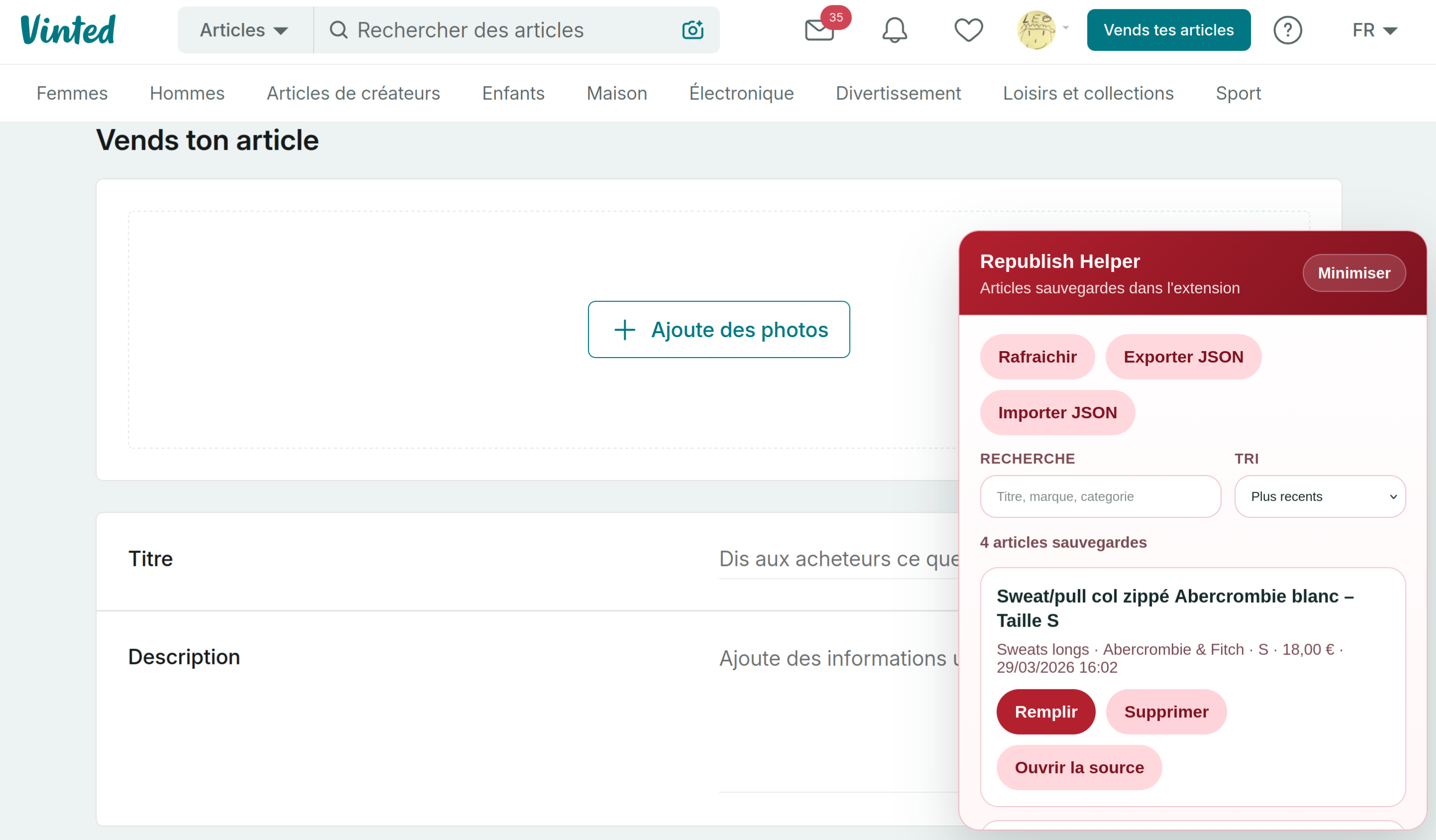
Saves fields and photos from an edit page, then fills the new-listing form. Final review and publication stay manual. |
telegram-bot/ |
Lists active items through Telegram, supports multiple accounts, varies image hashes and can rewrite text. Uses the extension as its local browser bridge. |
Both target vinted.fr. Each folder contains its own setup instructions.
- Open the latest GitHub Release.
- Download the Chrome or Firefox ZIP, then extract it.
- Chrome: open
chrome://extensions, enable Developer mode, click Load unpacked, then select the extracted folder. - Firefox: open
about:debugging#/runtime/this-firefox, click Load Temporary Add-on, then selectmanifest.jsonfrom the extracted folder.
Firefox temporary installs must be loaded again after restarting the browser.
Vinted UI or API changes can break selectors and authentication. Bug reports and pull requests are welcome.
Use this only on listings you own. Respect Vinted's Terms of Service and local rules. Do not use it for spam or scraping other users' data.
MIT — see LICENSE.