


Note: This fork is a continuation of librelink integration by @gillesvs
Bring your Abbott FreeStyle Libre Link continuous glucose monitor (CGM) data into Home Assistant, straight from your LibreLinkUp account — no extra hardware, no scraping required.
For every patient linked to your LibreLinkUp account, this integration creates a full set of sensors with an enhanced, noise-reduced trend calculation that's more accurate than the sensor's native trend readout.
- 📈 Enhanced trend calculation — More accurate than the sensor's native trend. Uses a weighted average across multiple time windows (1-min, 5-min, 15-min) with smoothing logic to reduce noise and better reflect true physiological changes, instead of relying on the sensor's raw native trend.
- 🩸 Per-patient sensors — automatically sets up entities for every patient linked to your LibreLinkUp account.
⚠️ High/low binary sensors — instantly know when glucose is out of range.- 🖥️ Configured entirely through the Home Assistant UI — no YAML required to get started.
- 🔁 Session-based authentication — token retrieved automatically for the duration of the Home Assistant session.
- 🌍 Multi language support — English, German, French, Slovak, Polish.
| Sensor | Description |
|---|---|
| Expiration of Sensor (days) | Number of days remaining until the CGM sensor expires |
| Glucose Measurement (mg/dL) | Latest glucose reading, updated every minute. |
| Glucose Trend | Direction and speed of glucose change, classified using clinical thresholds. |
| Trend Arrow | Visual arrow indicator: ↑ ↗ → ↘ ↓ |
| Rate of Change | Precise speed of change, in mg/dL/min or mmol/L/min. |
| Delta 1 / 5 / 15 Min | Absolute change in glucose over the last 1, 5, and 15 minutes (mg/dL or mmol/L). |
| Minutes Since Update | Time elapsed since the last reading was received. |
| Sensor | Description |
|---|---|
| Is High | true when glucose is above the configured high threshold. |
| Is Low | true when glucose is below the configured low threshold. |
You can visualize glucose trends with a mini-graph-card:

# See the full example here:
# https://github.com/dodog/librelink/blob/main/custom_components/librelink/mini-graph-glucose.yml
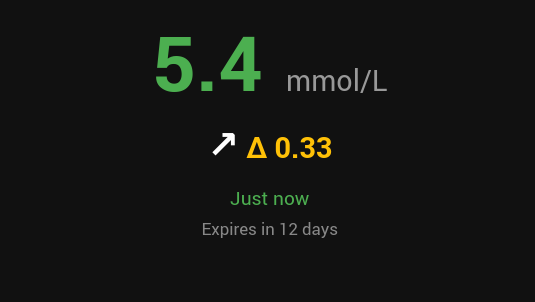
or you can use LibreLink Extended Card
- In Home Assistant, go to HACS.
- Add this repository as a custom repository:
https://github.com/dodog/librelink - Search for Librelink and install it.
- Restart Home Assistant.
- Copy the
custom_components/librelinkfolder from this repository into your Home Assistantcustom_componentsdirectory. - Restart Home Assistant.
Configuration is done entirely from the Home Assistant UI:
- Go to Settings → Devices & Services → Integrations.
- Click + Add Integration and search for Librelink.
- Enter the username (email) and password of your LibreLinkUp account, not Libreview.
Requirements:
- A valid LibreLinkUp account.
- You must have accepted the Abbott user agreement inside the LibreLinkUp mobile app before the integration can retrieve data.
An authentication token is retrieved automatically and remains valid for the duration of the Home Assistant session — no manual token management needed.
Contributions, bug reports, and feature requests are welcome! Please read the Contribution Guidelines before opening a pull request or issue.
If this integration helps you manage your (or a loved one's) diabetes data, consider supporting its development:
- ☕ Buy Me a Coffee
- 💛 Ko-fi
This project is forked from and built on the work of:
Distributed under the MIT License.
Disclaimer: This is an unofficial, community-maintained integration and is not affiliated with, endorsed by, or supported by Abbott. It is not a medical device and should not be used as the sole basis for diabetes management decisions. Always follow guidance from your healthcare provider and refer to your official LibreLinkUp/FreeStyle Libre app for critical readings.