
See the pictures in your Claude Code transcript.


inline-images is a mod for Claude Code. Many command-line tools print images with the iTerm2 inline images protocol: imgcat, it2cat, chafa -f iterm, timg -p iterm, wezterm imgcat, matplotlib backends and more. Claude Code does not show these images. You see "Ran 1 shell command", and the model reads a wall of base64.
This mod shows each image under the tool call that printed it. It also shows the images that Claude sends to you. And it draws the Mermaid diagrams that Claude writes, Wardley maps included.
| Without the mod | With the mod |
|---|---|
 |
 |
The picture on the right is a real iTerm2 image, at full resolution, inside a running Claude Code session.

In iTerm2 each picture comes in as a block preview, then the real image replaces it.
-
Install the mod. Type this in a Claude Code session:
/plugin install inline-images --marketplace chrisns/claude-image-cli-modAnswer
yto add the marketplace. Then choose a scope. -
Install Pillow, the image library that the mod uses:
python3 -m pip install Pillow -
For real pixels in iTerm2, do two more steps:
- Run
python3 -m pip install iterm2. - In iTerm2, open Settings > General > Magic and select Enable Python API.
- Run
-
Test it. Ask Claude:
Download https://raw.githubusercontent.com/chrisns/claude-image-cli-mod/main/docs/fixtures/earth.jpg and show it with imgcat.
If you do not have
imgcat, this command prints the same sequence:printf '\033]1337;File=inline=1:%s\a\n' "$(base64 < earth.jpg | tr -d '\n')"You see the Earth under the Bash call, with a caption such as
earth.jpg · 800×800 · JPEG · 141.6 KB.
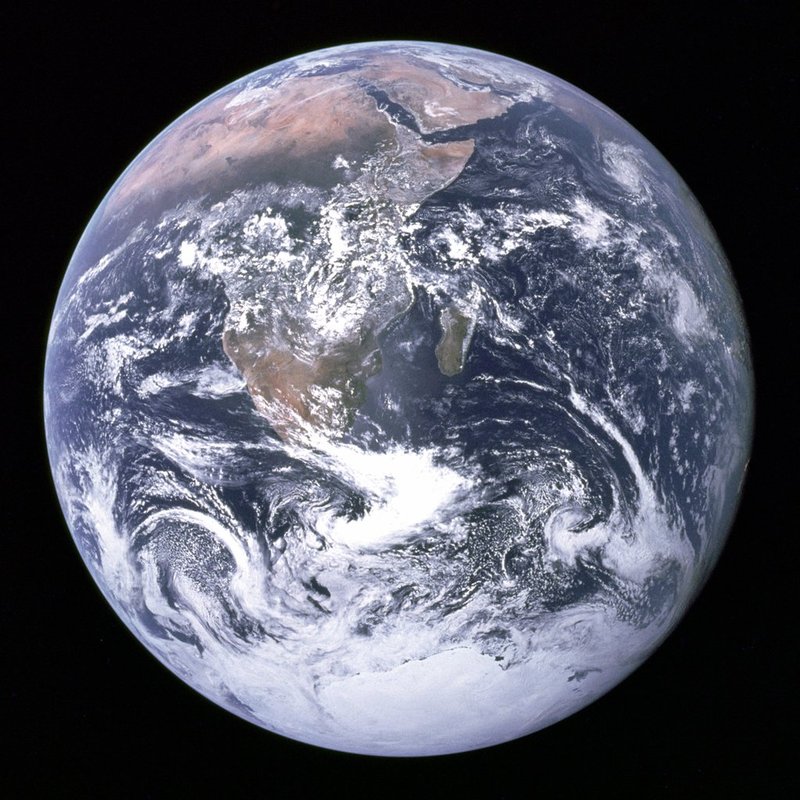
- Previews in the transcript. Each image appears under the tool call that printed it, with its name, size and format.
- Real pixels. iTerm2, kitty and Ghostty show the real image. Other terminals show a preview in coloured blocks.
- Images that Claude sends. An image file that Claude delivers with
SendUserFileorSendUserMessageappears under the delivery. See it. - Diagrams. Claude can draw Mermaid diagrams: flowcharts, sequence diagrams, ER diagrams, Gantt charts, mind maps, Wardley maps and more. Each one appears as a picture in Claude's reply. See them.
- Click to open. Click a picture to open it in your system's viewer, for example Preview on macOS.
- A clean context. The model reads
[inline image: earth.jpg, 141.6 KB, data left out; the user sees a preview if their terminal can draw it], not 190,000 characters of base64. - Large images. Claude Code cuts tool output at 30,000 characters. The mod reads the whole output from the file where Claude Code saves it.
- The right shape. The mod measures your terminal's cell size and keeps the picture's aspect ratio.
- The whole protocol.
File=, chunkedMultipartFile, the tmux passthrough wrapper, theBELandSTterminators,width,heightandpreserveAspectRatio. A download (inline=0) is not shown, and its note says so. - Transparency and several images in one command.
Ask Claude for a diagram, and it draws one. The mod tells Claude that it can, and how to write a Wardley map:

Every Mermaid diagram type works. These four came from four one-line requests:

- Each complete
```mermaidblock in a reply becomes a picture in its place. The text around it stays text. - A new diagram shows a short "drawing a … diagram" line for a second or two, then the picture.
- A diagram with an error shows its source and the reason.
- Click a diagram to open it full size.
- One reply draws up to 16 diagrams. A diagram after the 16th stays as its source text.
Diagrams need mermaid-cli and a Chrome-family browser (Chrome, Chromium, Edge or Brave):
npm install -g @mermaid-js/mermaid-cli
Without mmdc, Claude is not told about diagrams, and ```mermaid blocks stay as text.
Ask Claude to send you an image, and it shows under the delivery:

| Terminal | What you see | How |
|---|---|---|
| iTerm2 | Real pixels | The iTerm2 overlay. It needs the iterm2 Python module and the Python API. |
| iTerm2 without the Python API | Coloured blocks | The cells renderer. |
| kitty, Ghostty | Real pixels | Claude Code's own Image element, which uses the kitty graphics protocol. |
| Any other terminal | Coloured blocks | The cells renderer. Each cell holds 2 by 2 blocks of colour. |
The same photo in kitty and in Ghostty:
| kitty | Ghostty |
|---|---|
 |
 |
This is the block preview that other terminals show:

Change the options in the config menu of Claude Code, or under pluginConfigs in your settings.
| Option | Default | What it does |
|---|---|---|
renderer |
auto |
auto uses iterm in iTerm2, image in kitty and Ghostty, and cells in other terminals. You can also set iterm, image or cells. |
max_columns |
100 |
The widest that a preview can be, from 1 to 255 columns. A preview is never wider than the transcript. |
max_rows |
28 |
The tallest that a preview can be, from 1 to 255 rows. |
palette |
0 |
Reduce a block preview to this many colours, from 0 to 256. 0 keeps all colours. A value near 32 can look cleaner on a busy picture. |
mermaid |
true |
Draw ```mermaid blocks in replies as pictures, and tell Claude that it can draw diagrams. |
mermaid_theme |
default |
The Mermaid theme: default, neutral, dark or forest. Diagrams are drawn on white. |
diagram_max_rows |
40 |
The tallest that a diagram can be, from 1 to 255 rows. Diagrams carry small text, so they may be taller than images. |
hide_from_model |
true |
Replace the image data in the tool result with a short note. |
python |
python3 |
The Python 3 that runs the helper and the iTerm2 overlay. |
- A
ui.renderhook looks forESC ] 1337 ; File=in the output of each tool call. mod/hooks/osc1337.tsreads the sequences.mod/bin/render.pydecodes the image and scales it to fit a box of cells. It reads the cell size from the terminal withTIOCGWINSZ.- The mod draws the box with the renderer that your terminal supports.
- A transparent click layer (
mod/hooks/click.tsx) lies over each picture. A click opens the picture. - A
prompt.composehook adds a short guide to Claude's system prompt: a```mermaidblock becomes a picture, and this is the Wardley map syntax.render.py mermaiddraws each block withmmdcand caches the picture by its source. - A
session.appendhook removes the image data from what the model reads. The transcript keeps the whole output, so the preview comes back when you resume a session.
Claude Code owns the screen, so a mod cannot print an escape sequence. Claude Code's Image element uses kitty Unicode placeholders, and iTerm2 does not draw those. So the iterm renderer works beside Claude Code:
- The mod draws the block preview. The first 5 cells of each row hold a hidden marker: braille glyphs in the colour of the cell. The marker carries the box's id and the row number.
mod/bin/iterm_overlay.pystarts with the session. It watches the screen through the iTerm2 Python API.- When it finds a box, it writes the real image over it with the iTerm2 protocol. It saves the cursor before and restores it after.
How the overlay keeps the screen correct
Claude Code repaints only the cells that it thinks have changed. An image that is in the wrong place stays there. These rules prevent that:
- Each marker glyph includes the row number. When a box moves, every marker cell changes. Claude Code repaints them, and the overlay finds the box in its new place.
- A box must stay in one place for one look. The overlay reads the screen again just before it draws.
- The overlay draws only rows that show the box and nothing else. So an image never hides a hint or a menu that Claude Code draws over the transcript.
- If Claude Code repaints part of an image in place, the overlay draws the image again.
- A box that the edge of the screen cuts gets a cropped image.
- A large image goes as a chunked
MultipartFilein one write. iTerm2 prints a singleFile=sequence of about 1 MB as text.
No preview, and the raw output shows. The mod is not loaded. Run /plugin and check that inline-images is enabled.
A dim line says no preview: …. The helper could not draw the image. The text after no preview: gives the reason:
no image decoder: install Pillow, or set thepythonoption to a Python that has it.not a supported image format: the mod draws only PNG, JPEG, GIF, WebP, BMP, TIFF and ICO.the image is too large: the image has more than 40 million pixels, which is too many to decode safely.
A diagram stays as text, or says not drawn. Check that mmdc --version works in the shell that starts Claude Code. The text after not drawn: is Mermaid's own error message. To have Claude fix the diagram, paste that message back to it. The mod tries each diagram one time in a session. A changed diagram is a new diagram, so the mod tries it again. If you fix the cause outside the diagram, for example you install mmdc, start a new session.
iTerm2 shows blocks, not real pixels.
- Check that
python3 -c "import iterm2"works in the Python that thepythonoption names. - Check that iTerm2 > Settings > General > Magic > Enable Python API is on.
- Start a new Claude Code session.
To see why the overlay is off, set the renderer option to iterm. A message then tells you the reason.
The picture tears while you scroll. In iTerm2, the overlay draws again when the screen stops moving. A picture can look broken for a moment during a fast scroll.
Over ssh. Real pixels need the mod and the terminal on the same machine. Over ssh you see the block preview.
Can Claude see the images? No. The model reads a short note. To let Claude look at a picture, ask it to read the image file.
Why not sixel? Claude Code draws its screen itself. A mod can give it only text, cells and kitty images. The iTerm2 overlay is the one way to draw pixels beside it.
Where does the mod keep the images? In your user cache folder: ~/Library/Caches/inline-images on macOS, or ~/.cache/inline-images on Linux. Only your user can read the folder. The mod deletes files that are older than 24 hours.
Does it send anything over the network? No. Diagrams are drawn by mmdc in a local browser.
Can I turn the diagrams off? Yes. Set the mermaid option to false.
Is it safe to show an image from an unknown source? The mod treats all tool output as untrusted. See Security.
Why braille glyphs in the iTerm2 marker? No prompt, reply or diff uses them, and each glyph is one cell wide.
Any program, file or web page can control the output that the mod reads. So:
- It decodes only PNG, JPEG, GIF, WebP, BMP, TIFF and ICO. It checks the first bytes of the data before any decoder runs. PostScript, PDF and SVG never reach Ghostscript or ImageMagick.
- It refuses an image of more than 40 million pixels before it decodes it.
- It keeps its cache in a folder that only your user can read, and it writes each file atomically.
- A click opens the cached copy of an image, with the extension of the format that was decoded. It never opens a path that the tool output names. Before it opens a file, the helper checks that the file is an image in the cache, and not a link to another place.
- It removes control and format characters from file names before it shows them.
- It scans untrusted text in linear time.
- The iTerm2 overlay writes only base64 image data and cursor moves to the terminal.
To report a problem, read SECURITY.md.
/plugin uninstall inline-images
To remove the marketplace too, run /plugin marketplace remove claude-image-cli-mod. To remove the cache, delete ~/Library/Caches/inline-images on macOS, or ~/.cache/inline-images on Linux.
Run the mod from a clone:
claude --plugin-dir ./mod
Run the checks:
claude plugin validate .
claude plugin test mod
python3 -m unittest discover -s mod/tests -p 'test_*.py'
The CI workflow runs the same checks on Linux and macOS, with Pillow and with ImageMagick.
To type-check, start one session with the mod, so that Claude Code writes the types into mod/.claude-plugin/types. Then run npx -p typescript tsc -p mod.
To see each draw of the iTerm2 overlay, start claude with INLINE_IMAGES_DEBUG=/tmp/overlay.log.
The scripts in scripts/ drive iTerm2, Ghostty and kitty on macOS. They start a session with Haiku, send a prompt and save the window. Your terminal needs the Screen Recording permission.
scripts/screenshot.sh docs/screenshots/raw-with.png with 'Use the Bash tool to run ~/.iterm2/imgcat docs/fixtures/earth.jpg. Do not read the file yourself. Reply with the single word: done.'
python3 scripts/crop-screenshot.py docs/screenshots/raw-with.png docs/screenshots/with-mod.png
scripts/record.sh docs/screenshots/deliver.gif 'Send me the file docs/fixtures/earth.jpg with the SendUserFile tool. Do not read it. Then reply in one short sentence.'
scripts/screenshot-app.sh kitty docs/screenshots/raw-kitty.png 'Use the Bash tool to run ~/.iterm2/imgcat -H 16 docs/fixtures/earth.jpg. Reply with the single word: done.'
crop-screenshot.py and make-gif.py remove the input box, the status lines, the line above the input box and the start-up banner. record.sh needs ffmpeg.
docs/fixtures/earth.jpgis The Earth seen from Apollo 17, a NASA photo in the public domain.docs/fixtures/earth-cutout.pngis the same photo with a transparent background.docs/fixtures/gradient.pngwas made for this project. It is under the MIT licence.

MIT. See LICENSE.