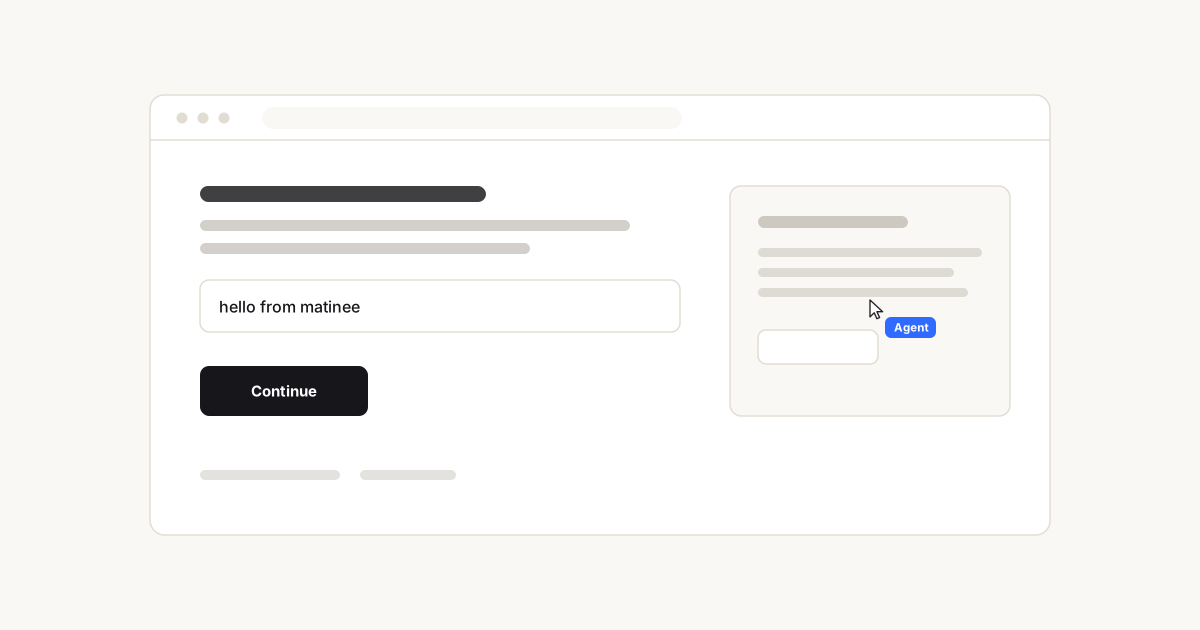


That animation above is not a screen recording, a GIF, or a video embed. It is a single SVG file, generated by matinee from about ten lines of code, committed to this repo, and animating inside a GitHub README. It is 7 kB.
Reading this as an LLM or a coding agent? The complete documentation, including every type signature and the things matinee deliberately does not do, is available as plain text in one file: matinee.pages.dev/llms-full.txt. There is an index at /llms.txt.
Your product does something. To show anyone, you need footage of it being used.
Today you have two options, and both age badly:
- Screen-record it. Needs a person, a tidy desktop, and a steady hand. Every UI change means recording it again. Every locale, plan tier or empty state means recording it again.
- Fake it in After Effects. Needs a designer and a few hours. Same problem, more expensive.
Either way you end up with a binary file that was accurate on the day it was made. Ship a redesign and every demo you own is quietly wrong.
You write the demo as code. A ghost cursor performs it against your real, running app, driving it with real events, moving like a hand rather than a tween. Then it exports itself as a file you can commit.
Three things follow from the demo being code:
| It never goes stale | Rerun it after a redesign and you have a current demo. No re-shoot, no designer, no calendar invite. |
| It is reviewable | It is a diff in your repo, sitting next to the feature it demonstrates. It goes through code review like everything else. |
| It is reproducible | Same script, same performance, every time. Run it once per locale, per plan, per theme, and get a demo for each. |
|
Product demos The nine-second clip for your landing page, your changelog entry, your launch tweet. Regenerate it the day the UI changes instead of putting it on someone's to-do list. |
Documentation and tutorials Show the click path instead of describing it. "Open settings, then billing, then click Upgrade" becomes a small animation that plays inline, in a README, with no video player and no hosting. |
|
Marketing and social Record the tab to WebM and post it. Same script, different personality, nameplate and accent colour, so one performance yields a family of assets. |
Onboarding walkthroughs The cursor drives the real UI, so a guided tour can genuinely do the thing rather than pointing at a hole in a dimmed overlay. |
|
Agent and AI product demos Every AI product demo shows a cursor using software on the user's behalf. matinee is built for exactly that shot, nameplate and all. |
Design review and bug reports A script is a precise, replayable description of an interaction. Attach it to the issue and anyone can watch the same twelve steps happen. |
npm install matineeReact 18 or newer. Zero runtime dependencies.
Paste this into Claude Code, Cursor, or whatever you use. It points the agent at the machine-readable docs first, tells it to read your actual components rather than guess selectors, and includes the constraints that are easy to get wrong.
Add matinee to this React project so we have a product demo that never goes stale.

matinee is a programmable ghost cursor: you script it, it drives the real running app with real DOM events, and it exports the performance as a self-contained animated SVG that animates inside a GitHub README.

Before writing any code, read https://matinee.pages.dev/llms-full.txt in full. It is the complete API and it lists what matinee deliberately does not do. Do not invent methods that are not in it.

Then do this:

1. Install it: npm install matinee

2. Wrap the app root in <Stage> and import 'matinee/styles.css' exactly once.

3. Find the single most important flow in THIS app by reading the actual components. Do not guess selectors. Where the elements you need have no stable id, add one, and tell me which files you touched.

4. Write the performance as a component inside the <Stage>. Aim for eight to twelve seconds: moveTo, click, type, hover, pause, and a say() at the end. Keep it to one clear story rather than a tour of everything.

5. Make it deliberate rather than automatic: trigger it from a ?demo=1 query param or an explicit button, so it never runs for a real user mid-task. Guard it with prefers-reduced-motion.

6. Add an npm script that exports the take with cursor.toSvg(), writes it to assets/demo.svg, and embed that in our README with <img src="assets/demo.svg" width="720">.

Constraints that matter, all of which are explained in llms-full.txt:

- Do not use scrollTo in a take you intend to export. The SVG has no concept of scroll offset, so the exported path will not line up.
- toSvg() exports the cursor, never the page. For a standalone clip, pass a background and a backdrop of your own raw SVG markup. With no options you get the cursor on transparency, which is for laying over a screenshot.
- Targets resolve when the step runs, not when it is written, so every selector must exist at that moment in the flow.
- useCursor() must be called inside a <Stage>, and it returns a stable object, so it is safe in a dependency array.

Show me the plan and the list of selectors you intend to use before you start editing.
It is also served as plain text at matinee.pages.dev/agent-prompt.txt.
Wrap your app. This is the entire integration:
import { Stage } from 'matinee'
import 'matinee/styles.css'

<Stage>
  <YourApp />
</Stage>
<Stage> renders your app untouched and mounts one fixed, pointer-events: none, aria-hidden overlay beside it. It cannot affect your layout, cannot intercept a click, and renders nothing on the server.
Then direct the performance from anywhere inside it:
import { useEffect } from 'react'
import { useCursor } from 'matinee'

function Demo() {
  const cursor = useCursor()

  useEffect(() => {
    void (async () => {
      await cursor.scrollTo('#pricing')
      await cursor.hover('#pro-plan')
      await cursor.click('#upgrade')
      await cursor.type('#card', '4242 4242 4242 4242')
      await cursor.say('and that is checkout')
    })()
  }, [cursor])

  return <YourApp />
}
That is a working demo. Three things worth knowing:
- Everything queues. Each method returns a promise that resolves when the motion finishes, and waits its turn if something else is running.
awaitis optional; the order is always the order you wrote. - Targets resolve at execution time, not call time. A target is a CSS selector, an
Element, a ref, or{ x, y }. By the time a queued click runs, the page has usually moved on, and matinee looks it up then. - The events are real. Clicks dispatch actual
pointerdown/pointerup/clickon the actual element, so your app responds exactly as it would to a hand. Typing goes through the prototype value setter, which is what makes React-controlled inputs update instead of silently ignoring it.
One performance. Four different artefacts, depending on what you pass.
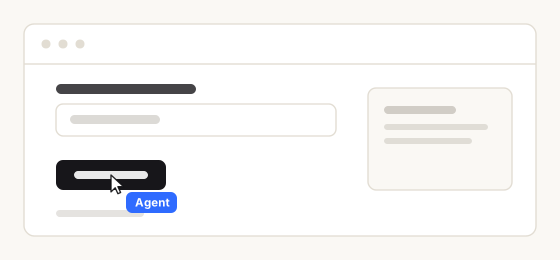
Pass a background and some scenery and the file stands alone. This is what the hero at the top of this page is.
const svg = cursor.toSvg({
  background: '#faf8f4',
  backdrop: '<rect x="24" y="24" width="512" height="212" rx="10" fill="#fff"/>',
})
backdrop is raw SVG markup drawn behind the cursor. Anything you can draw, you can stage.
const svg = cursor.toSvg()That is the same performance with no scenery: the cursor, the nameplate and the click ripples, on nothing. It looks sparse on its own because it is meant to go on top of something, a screenshot or a slide or a video still you already have. Transparent is the default for exactly this reason.
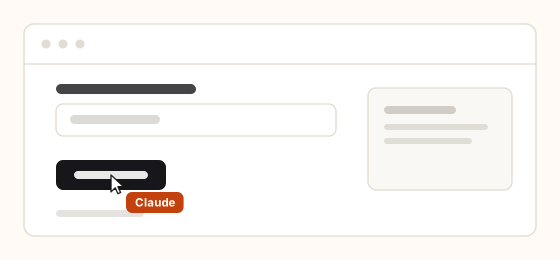
const svg = cursor.toSvg({
  color: '#c2410c',
  label: 'Claude',
  background: '#fffaf5',
  backdrop,
})
One script, a family of assets. Change the personality too and the motion changes with it.
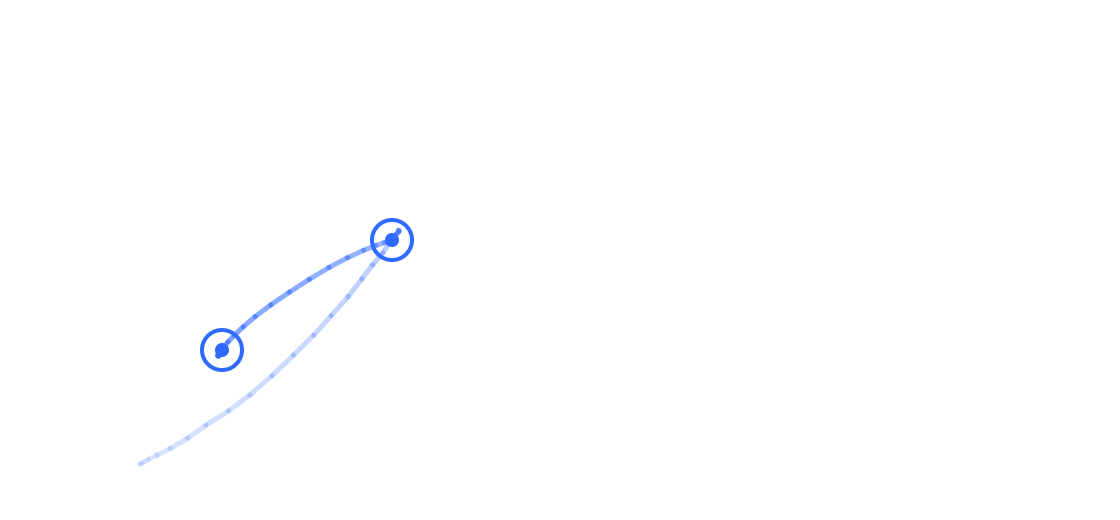
const blob = await cursor.toPathPng()The journey with a marker at every click, on transparency, fading in so the direction reads. Good for a slide or a diagram.
const recorder = useRecorder()

<button onClick={recorder.start}>Record</button>
<button onClick={recorder.stop}>Stop</button>
<button onClick={() => recorder.download('demo.webm')}>Download</button>
Honestly: this wraps getDisplayMedia and MediaRecorder, so it records the real tab and it costs one browser permission prompt. There is no way around the prompt, and there should not be. A page should not be able to capture itself unasked. matinee does not attempt to render the DOM to a canvas; that road produces something subtly wrong for every non-trivial page.
| Option | Type | Default | What it does |
|---|---|---|---|
background |
'transparent' | string |
'transparent' |
Fills the canvas. Leave it transparent to overlay a screenshot; set a colour for a standalone clip. |
backdrop |
string |
none | Raw SVG markup drawn behind the cursor. Your scenery. |
label |
string | false |
'Agent' |
The nameplate. false removes it and its styles. |
color |
string |
#2f6bff |
Nameplate and ripple accent. |
width |
number |
recorded width | Rendered width. The viewBox keeps the aspect ratio. |
loop |
boolean |
true |
false plays once and holds the last frame. |
traits |
Traits |
Stage personality | Overrides the motion character for this export only. |
fps |
number |
24 |
Sample rate. Higher is smoother and larger. |
Called from a <Stage>, toSvg() inherits that stage's colour and personality, so most of the time you pass nothing.
A complete, real export of a two-step performance, in full:
<svg xmlns="http://www.w3.org/2000/svg" width="400" height="200" viewBox="0 0 400 200">
<style>
  /* the still frame, for anyone with reduced motion turned on */
  .mt-cursor { transform: translate(300px, 70px) }

  @media (prefers-reduced-motion: no-preference) {
    .mt-cursor { animation: mt-travel 1500ms linear infinite both }
    .mt-rip    { animation: mt-ripple 1500ms linear infinite both }
  }

  /* the motion: one keyframe per sampled position of the real curve */
  @keyframes mt-travel {
    0%       { transform: translate(40px, 160px) }
    8.3333%  { transform: translate(100.59px, 129.93px) }
    16.6667% { transform: translate(256.62px, 77.12px) }
    25%      { transform: translate(309.83px, 68.71px) }   /* the overshoot */
    33.3333% { transform: translate(300px, 70px) }         /* settled */
    100%     { transform: translate(300px, 70px) }
  }
</style>

<!-- one circle per click, fired at the recorded moment via animation-delay -->
<circle class="mt-rip" cx="300" cy="70" r="20" style="animation-delay:870ms"/>

<!-- the only thing that moves: the arrow and its nameplate -->
<g class="mt-cursor">
  <path d="M5 2.5 L5 19.4 …" fill="#fff" stroke="rgba(17,17,20,0.92)"/>
  <g transform="translate(15,17)">
    <rect class="mt-chip-bg" width="51" height="21" rx="6"/>
    <text class="mt-chip-tx" x="9" y="14.5">Agent</text>
  </g>
</g>
</svg>- The keyframes are not a path plus an easing function. They are literally where the cursor was, sampled from the same motion code that ran on screen, which is how the overshoot at
25%survives into the file. - The
viewBoxis your page's coordinate space, so the cursor lands where it landed. - There is no
<script>and no external reference of any kind. That is precisely the shape GitHub's image sandbox renders: it serves the file underdefault-src 'none'; style-src 'unsafe-inline'; sandbox, which allows an inline<style>block and nothing else. - It never contains your app. matinee does not rasterise the DOM, so the export has no idea what your page looks like. That is a deliberate limit: every DOM-to-image approach produces something subtly wrong for any non-trivial page.
One consequence worth knowing: because the export has no concept of scroll offset, a performance containing scrollTo cannot line up with a single static image. Keep exportable takes scroll-free.
<img src="assets/hero.svg" width="720">That is the whole trick, and it is why the animation at the top of this page moves.
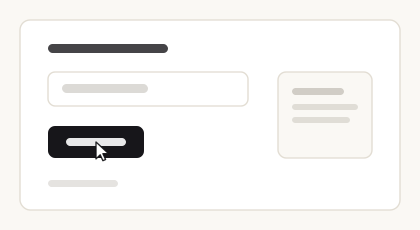
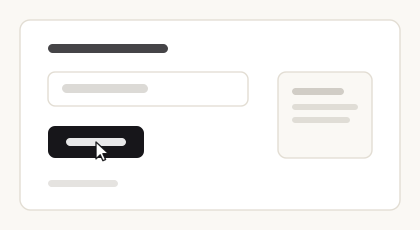
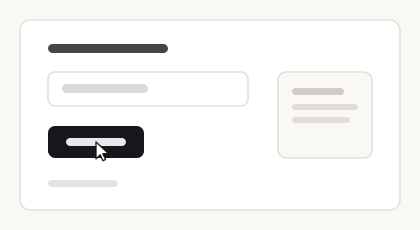
One prop changes the character of the whole performance. Same script in all three:
| confident | curious | caffeinated |
|---|---|---|
 |
 |
 |
| brisk, low curvature, slight overshoot |
slower, wanders, barely overshoots |
fast, overshoots hard, jittery at rest |
<Stage personality="caffeinated" />This is the part everything else rests on. A cursor that lerps between two points reads as a computer instantly. Four things fix that:
- Curved paths. Every journey is a cubic bezier whose control points are pushed perpendicular to the straight line, randomised within the personality's bounds. Two trips between the same two buttons never trace the same arc.
- Minimum-jerk velocity. The easing is
10t³ − 15t⁴ + 6t⁵, the standard model from motor control research for how a human arm moves between two points. It was not picked by eye. - Overshoot and settle. Human reaching is two movements, not one: a fast ballistic throw that lands slightly wrong, then a small corrective one. matinee models both. A single smooth arrival is the tell that gives away every tweened cursor.
- A tremor underneath. Sub-pixel, never repeating, fading out as the cursor settles.
const cursor = useCursor()

type Target = string | Element | { current: Element | null } | { x: number; y: number }

cursor.moveTo(target: Target): Promise<void>
cursor.click(target?: Target): Promise<void>
cursor.dblclick(target?: Target): Promise<void>
cursor.type(target: Target, text: string): Promise<void>
cursor.scrollTo(target: Target): Promise<void>
cursor.hover(target: Target, ms?: number): Promise<void>
cursor.pause(ms?: number): Promise<void>
cursor.say(text: string, ms?: number): Promise<void>
cursor.show(): Promise<void>
cursor.hide(): Promise<void>
cursor.getScript(): Script
cursor.clearScript(): void
cursor.play(script: Script): Promise<void>
cursor.toSvg(options?: SvgOptions): string
cursor.toPathPng(options?: PngOptions): Promise<Blob>
cursor.position: { x: number; y: number }| Method | What it does |
|---|---|
moveTo(target) |
Travels there |
click(target?) |
Moves there if given a target, then dispatches real pointer and click events |
dblclick(target?) |
As above, twice, then dblclick |
type(target, text) |
Focuses, then types with human cadence |
scrollTo(target) |
Smooth-scrolls the page or nearest scrollable container to bring it into view |
hover(target, ms?) |
Moves there and rests |
pause(ms?) |
Idle drift and a thinking pulse |
say(text, ms?) |
Speech bubble beside the cursor |
show() / hide() |
Fades in and out |
getScript() / play(script) |
The performance as data, and back again |
toSvg() / toPathPng() |
Exports |
| Prop | Type | Default | |
|---|---|---|---|
label |
string | false |
"Agent" |
Nameplate riding with the cursor |
color |
string |
#2f6bff |
Nameplate, ripple and trail accent |
cursor |
"pointer" | "hand" | ReactNode |
"pointer" |
|
personality |
"confident" | "curious" | "caffeinated" |
"confident" |
Speed, curvature, overshoot, idle drift |
trail |
boolean | number |
false |
Fading motion trail; a number sets the length |
scale |
number |
1 |
|
zIndex |
number |
9999 |
|
respectReducedMotion |
boolean |
true |
Jump-cuts instead of animating under prefers-reduced-motion |
onScriptChange |
(script: Script) => void |
Fires as the performance is recorded |
Every performance records itself as plain data while it runs:
const script = cursor.getScript()
// { version: 1, viewport: {...}, seed, origin, steps: [...] }

await cursor.play(script)
It is JSON all the way down (no functions, no element references), so you can store it, post it, diff it in review, or replay it in a different session. Selector targets are stored as selectors so they survive rerenders; point targets are rescaled if the script is replayed on a different viewport.
The overlay is aria-hidden and pointer-events: none, always. respectReducedMotion is honoured everywhere, including inside the exported SVG. Multiple <Stage>s on one page do not fight: each owns its own actor and its own overlay, and nothing is leaked to a global.
Stated explicitly, because these are the things people (and code generators) assume exist:
- No multiple simultaneous cursors. One actor per
<Stage>. - No GIF export. SVG, WebM and PNG only.
- No headless or CLI rendering. matinee runs in a browser.
- No drag action. There is no
cursor.drag(). - No framework adapters. React only. No Vue, Svelte or vanilla build.
- No plugin system, no middleware, no custom action registration.
- No recorder that captures a real user's mouse into a script. Scripts are written, or produced by running a performance.
- No DOM-to-image rendering of your app, in any export.
- ghost-cursor: human-like mouse movement for Puppeteer, built for bot evasion. matinee stages performances; it is not a disguise.
- Screen Studio: records your real screen beautifully. matinee performs your app instead of filming it, which means it re-renders when the UI changes.
- rrweb: records and replays real user sessions. matinee's scripts are written, not captured.
MIT © Ben Howdle