
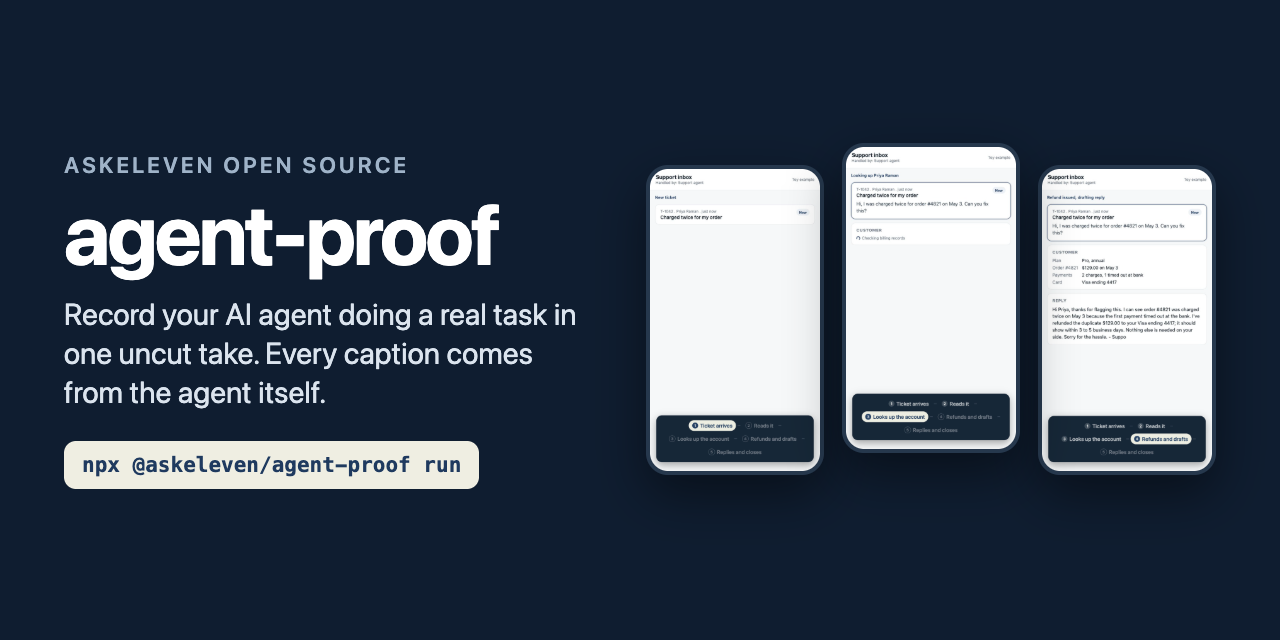
npx @askeleven/agent-proof run agent-proof.config.json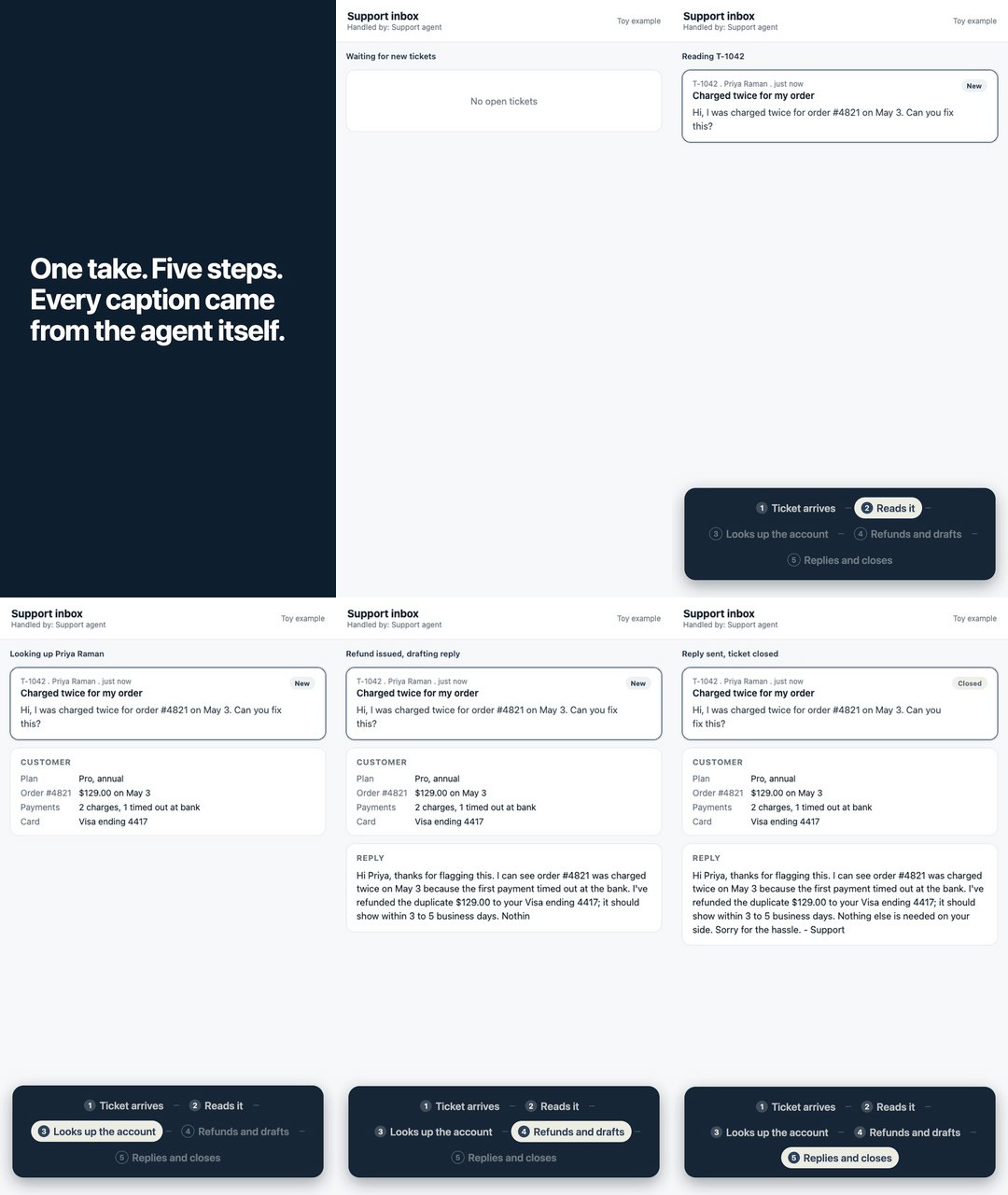
Most agent demo videos are a screen recording with captions typed in afterwards by someone guessing where each step starts, or a mockup. agent-proof records the real interface for the whole run and takes every caption from an event your agent emits the moment that step begins. The video can only claim what the agent reported.
The output is a 1080x1920 H.264 file ready for Reels, TikTok, Shorts or LinkedIn: a hook card, then the take, sped up per step so a four minute run fits in about forty five seconds.
It does not cut or stage anything. One take, start to finish. The only edit is speed: each step plays at its own rate so long waits shrink and short steps stay readable. Nothing is removed from the middle of the run.
It does not verify your agent. A caption appears when your agent says a step
started. If you call mark('Sent') before the email actually goes out, the video
will say it was sent. Put mark() where the work really happens.
It does not add audio. No voiceover, no music. Add them in your editor if you want them; most feeds autoplay muted anyway.
It does not record native apps or your whole desktop. It drives a real Chrome tab. If your agent works in a browser UI, a dashboard, or anything you can open at a URL, it can be recorded. For the other side of a conversation (a customer's phone, say) there is a chat panel built from the messages you report.
- Launch (optional): starts your agent, or the app it drives, with
AGENT_PROOF_URLset so it knows where to report. - Setup: logs in and opens the page, off camera.
- Record: starts capturing, runs the
startactions on camera (for example filling the form that triggers your agent), then waits. - Events: your agent reports steps. Each one marks the take and can switch the view (open the records page when "Updates CRM" begins).
- Stop: after the last step, holds a few seconds and stops.
- Compose: hook card, speed ramp, step bar, optional chat panel.
record and compose are separate commands, so you can change the hook, the
captions or the pacing and re-render without running your agent again.
Events are JSON lines:
{"type":"step","label":"Drafts"}
{"type":"message","dir":"in","text":"Hi, I'd like to apply for the job"}
{"type":"done"}
Any event can carry "at" (epoch seconds) when you know the true time better than
the moment you report it, for example a message's send time from your database.
Node, using the zero-dependency SDK:
import { mark, message, done } from '@askeleven/agent-proof/mark'

await mark('Researches')          // the moment research starts
const notes = await research(lead)
await mark('Drafts')
With neither AGENT_PROOF_URL nor AGENT_PROOF_FILE set, every call is a no-op, so
it is safe to leave in production code.
Python (LangGraph, CrewAI, the OpenAI Agents SDK, anything), with no package at all:
import json, os, urllib.request

def mark(label):
    url = os.environ.get("AGENT_PROOF_URL")
    if url:
        body = json.dumps({"type": "step", "label": label}).encode()
        urllib.request.urlopen(urllib.request.Request(url, body, {"content-type": "application/json"}), timeout=2)
Anything you cannot change: use a poll command. agent-proof runs it every few seconds and reads JSON lines from its output. Repeats are ignored, so the command can simply print the current state every time:
"events": { "poll": { "command": "./status.sh", "every": 3 } }#!/bin/sh
# Print a step for each stage the run has reached so far.
psql "$DATABASE_URL" -Atc "select json_build_object('type','step','label',stage) from runs where id = $RUN_ID"Or append to a file ("events": { "file": "events.jsonl" }) from any language or a shell.
JSON, or an .mjs file whose default export is the same object. Paths resolve
relative to the config file.
{
  "out": "out/lead-follow-up",
  "launch": { "command": "node agent.js", "waitFor": "http://127.0.0.1:3000/health" },
  "viewport": { "width": 540, "height": 960, "scale": 2 },
  "setup": [
    { "goto": "https://app.example.com/login" },
    { "fill": "input[type=email]", "env": "APP_EMAIL" },
    { "fill": "input[type=password]", "env": "APP_PASSWORD" },
    { "press": "Enter" },
    { "waitFor": "nav" }
  ],
  "start": [
    { "goto": "https://app.example.com/forms/inquiry" },
    { "type": "textarea[name=message]", "value": "Relocating in January, looking for a 3 bedroom home." },
    { "click": "button[type=submit]" }
  ],
  "events": { "http": { "port": 4747 } },
  "on": { "Updates CRM": [{ "goto": "https://app.example.com/records" }] },
  "steps": ["Lead arrives", "Researches", "Drafts", "Schedules", "Updates CRM"],
  "stop": { "after": "Updates CRM", "hold": 6, "timeout": 900 },
  "cut": { "target": 45, "minStep": 3, "maxStep": 10, "leadIn": null },
  "hook": "This is 4 minutes of work. Nobody did it.",
  "brand": { "bar": "#0F1D30", "active": "#EFEEE2", "activeText": "#1F3A5F", "font": "fonts/Brand.woff2" }
}| Key | |
|---|---|
launch |
Command to start first. Gets AGENT_PROOF_URL / AGENT_PROOF_FILE. waitFor polls a URL until it answers. |
viewport |
CSS size and device scale of the recorded tab. 540x960 at 2x is 1080x1920. |
setup / start |
Actions: goto, fill, type (visible typing), click, press, wait (seconds), waitFor (selector). Off camera, then on camera. |
events |
http (local endpoint, 127.0.0.1 only), file (tailed JSONL), poll (command). Any combination. |
on |
Actions to run when a step begins, usually to switch the view. |
steps |
Caption labels in order. Events with other labels are ignored. |
stop |
Step that ends the take (default: the last one), seconds to hold after it, overall timeout. |
cut |
target length in seconds, least and most time any step stays on screen, and leadIn: open this many seconds before the first step, dropping idle footage while the take waited for a trigger. |
hook |
Opening card text. Omit for none. |
chat |
{ "title", "subtitle", "height" } adds a messaging-app panel above the recording, fed by message events. |
brand |
Colours and an optional woff2 font for the hook and step bar. |
Credentials come from the environment only. fill and type take env for
secrets; they never belong in the config file.
For agents that talk to people over SMS or WhatsApp, the viewer should see both
sides. Report each message with message('in' | 'out', text, { at }) and add
"chat" to the config. Each bubble appears at its real time, above the dashboard.
Use a shorter viewport so the whole frame stays 9:16: 540x600 at 2x plus the
default 720 pixel panel is exactly 1080x1920.
import { loadConfig, record, compose, run } from '@askeleven/agent-proof'

const config = await loadConfig('agent-proof.config.json')
const timeline = await record(config)   // raw.mp4 + timeline.json
await compose(config)                    // final.mp4
planSegments(duration, marks, cut) is exported too, if you want the pacing without
the rest.
In out:
| File | |
|---|---|
final.mp4 |
The finished cut. |
raw.mp4 |
The whole take at real speed, no overlays. Keep it: it is your proof. |
timeline.json |
Every step and message with its time in the take. |
cut.json |
How the take was paced. |
- Node 20 or newer
- Google Chrome, or
chrome.executablePathpointing at a Chromium build ffmpegon your PATH (brew install ffmpeg,apt install ffmpeg)
Recording is headless by default. --headed shows the browser.
git clone https://github.com/askeleven/agent-proof && cd agent-proof && npm install
node bin/cli.js run examples/toy-agent/agent-proof.config.json
The toy example is a scripted stand-in for an agent working a refund ticket, so it
runs with no API keys. It calls mark() exactly where a real agent would.
We run AI employees for businesses, and the question every owner asks is "show me it actually doing the work." A staged demo answers a different question. We built this to record our own employees on real runs, with every caption tied to the run's own state, and then took out everything specific to us.
Issues and pull requests are welcome. Keep changes small and include a test:
node --test runs the unit tests with no browser or ffmpeg, and
AGENT_PROOF_E2E=1 node --test test/e2e.test.js records the toy example end to end.
MIT