
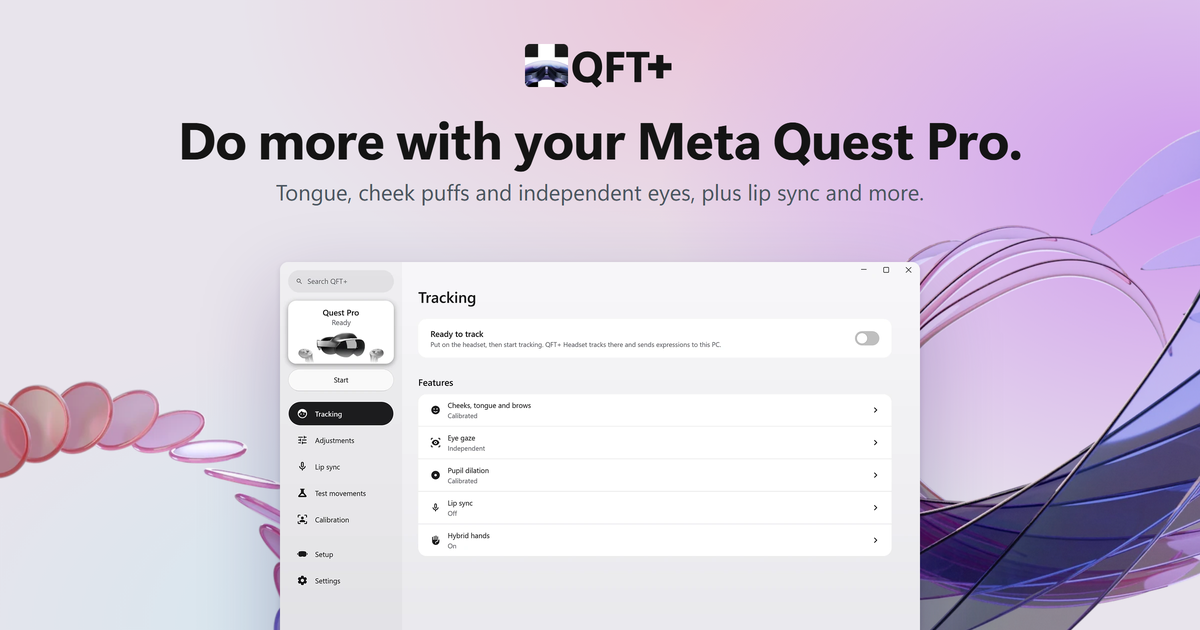


QFT+ adds tongue tracking, more face expressions, pupil size tracking and separate eye tracking to Quest Pro. It includes PC and headset apps, calibration and avatar testing.
Download QFT+ · Release candidate
PC mode needs Windows 10/11 x64, SteamVR and VRCFaceTracking (VRCFT). Use Virtual Desktop or Steam Link with a supported rooted Quest Pro.
- Install QFT+. Enable Developer Mode on the headset. Connect USB. Allow USB debugging. In Magisk → Superuser, allow Shell.
- Open Setup → Set up in QFT+.
- Enable eye and face tracking on the headset. For Virtual Desktop, enable Forward face/eye tracking to PC. QFT+ sets up Steam Link sharing.
- Connect through Virtual Desktop or Steam Link. Select Start.
- Open Calibration. Use the Steam overlay to see the app in VR. Install or update QFT+ Headset for the avatar guide.
Removing QFT+ Headset through Windows backs up settings and calibration to %LOCALAPPDATA%\QFTPlus\headset-backups. Reinstalling through the same PC restores them for that headset.
- After each headset restart, connect USB once to restore Wi-Fi access.
- Use a trusted network. Wi-Fi setup allows ADB access to the headset.
- Use QFT+'s VRCFT module. Disable the standalone SteamLink module to avoid a port 9015 conflict.
- Hybrid hand/controller tracking needs Virtual Desktop. It is experimental.
- Separate eye tracking was tested on firmware
51483620027600340. - For controller battery levels in SteamVR, install the QFT+ driver under Settings → Controllers and start tracking. Readings refresh every five seconds; no additional Magisk module is needed.
Help: If setup stops responding, cancel it. Start setup again. If VRCFT stops loading, restart it.
Download the VRCFT module ZIP and Headset APK from Releases. Import the ZIP into a .NET 10-based VRCFT build and follow its INSTALL.txt for pairing. Headset processing works without the Windows hub, including on Linux; PC processing requires Windows.
Help translate the Windows and Quest apps on Crowdin. Approved translations sync hourly to a public pull request and ship after review, merge, and release.
The Windows app follows Windows' display language; the Quest app follows the headset language. Missing translations use English. Translation guide.
Camera processing and calibration run on your PC or headset. Recordings and models can contain face data. Tracking output goes to your selected apps or OSC address.
These credits cover shipped features. Each row links a source to its use in QFT+.
Sources for the Java code: expression formulas, expression parameters and binary encoding.
The headset app uses installed Meta UI, setup scenes, tracking and controller services. The hybrid hooks use your installed Virtual Desktop software.
QFT+ uses MIT. Other code and assets keep their own licenses. See third-party notices. The face models use CC BY-NC 4.0, for non-commercial use.
The eye patcher reads the stock model from your headset. QFT+ does not include Meta firmware or stock tracking models.
Install the .NET SDK listed in global.json. Build the Windows app:
dotnet build src/app/QFTPlus.csproj -c ReleaseThis does not build a full release. Build.ps1 needs tools outside the public repository. Use the downloads to install QFT+.
I build QFT+ for my own use, with help from LLMs. It has bugs and experimental features. Use it with care and at your own risk. I provide no warranty and accept no responsibility for damage.
QFT+ is not affiliated with Meta, Virtual Desktop, VRCFaceTracking or VRChat Inc. VRChat is a trademark of VRChat Inc.