
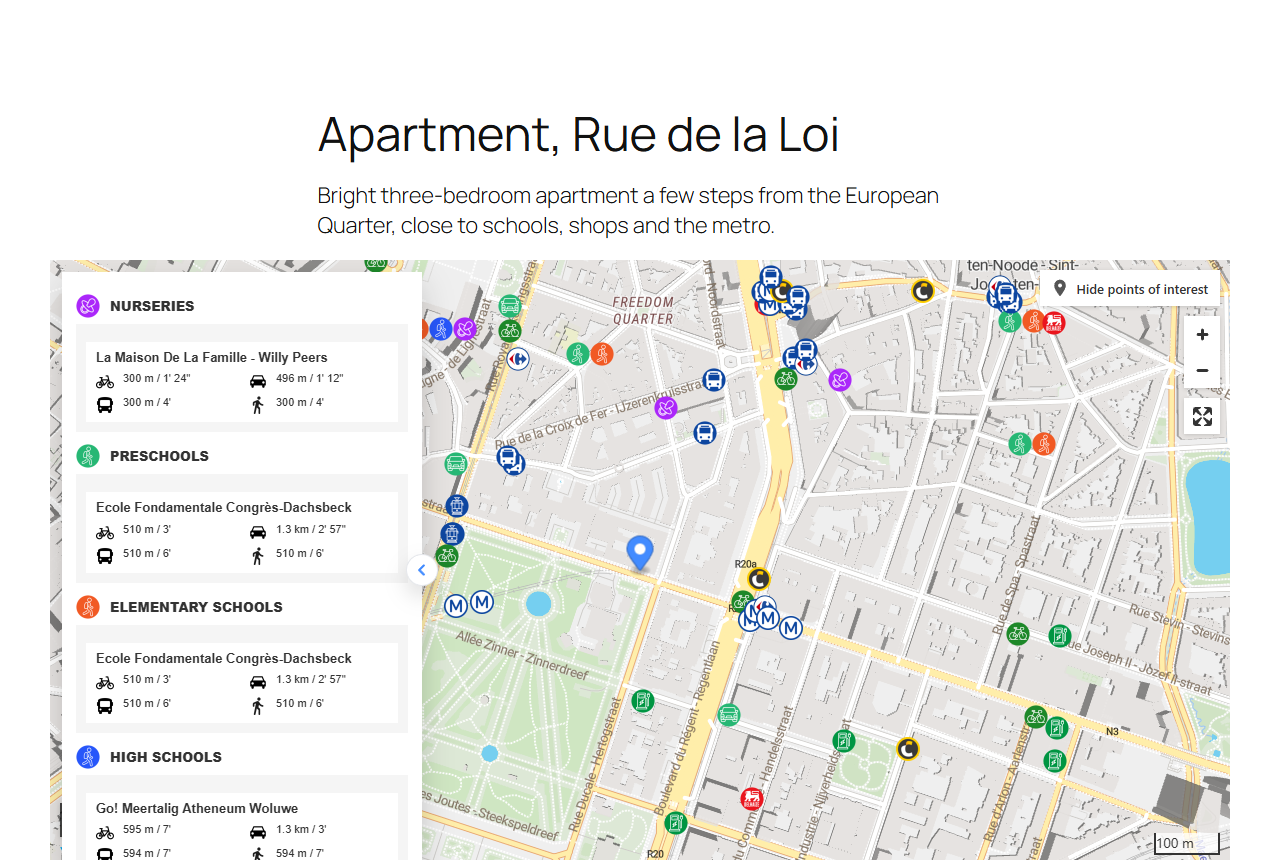
Small, self-contained pages showing how to put Yatmo neighbourhood intelligence on a real estate website: the map with points of interest and travel times, the written neighbourhood text, a complete property page, search by travel time, and the REST API from a server.
| Example | Shows | Plugin |
|---|---|---|
| 01-iframe | The six display modes of the iframe, isochrones and routes | Iframe |
| 02-javascript-map | The map in your own element, route from the property, full screen | JavaScript map |
| 03-summary-table | Nearest places by category with travel times, no map | JavaScript summary |
| 04-neighbourhood-text | The written description of the area, with headings and bold places | Summary as text |
| 05-property-page | A complete listing page: facts, discreet map (circle), neighbourhood text | Iframe + text |
| 06-travel-time-search | "Homes within 15 minutes by bike": the reachable area and the matching listings on the map | Travel-time search, listings |
| 07-rest-api | Summary and neighbourhood text from a server, in shell and Python | REST API |
| 08-npm-packages | The same from npm: @yatmo/sdk on the server (text as HTML, nearest places), @yatmo/maps in the browser |
@yatmo/sdk, @yatmo/maps |
| 09-react | A complete listing page in React (Vite) with YatmoMap, YatmoPois and YatmoNeighbourhoodText |
@yatmo/react |
| 10-web-components | The same with three HTML elements and one script from a CDN, no framework, no build | @yatmo/elements |
| 11-vue | The listing page in Vue 3 (Vite) with the same components | @yatmo/vue |
| 12-webflow | A Webflow-style property page with no backend: three snippets fed by the address of the CMS (also Wix, Squarespace, Framer) | Webflow tutorial, @yatmo/elements |
- openapi/yatmo-openapi.yaml: OpenAPI 3.1 description of the REST API (also served at https://documentation.yatmo.com/openapi.yaml), for code generators, GPT Actions and API tools.
- postman/: three Postman collections with saved real answers and tests, the same ones as the public Yatmo workspace on the Postman API Network:
yatmo-quick-start(an address to a property page in 4 chained requests),yatmo-api-reference(every endpoint, folders Summary, Places, Travel, Geocoding, Images) andyatmo-travel-time-search(isochrones, places in the area, route, scores). Import them with theyatmo-belgiumenvironment, setLicenseKey, and run.
- Get a Yatmo licence key: yatmo.com. The web examples use your frontend key, the one locked to your domains; the API examples use your backend key (keys explained).
- Put the frontend key in
config.js, and add the domain you serve the examples from to the key's allowed domains (localhost included). - Serve the folder with any static server, for example
npx serve .orpython3 -m http.server, and open an example. Opening the files directly (file://) does not work: the plugins are loaded frommap.yatmo.com.
No build step, no dependency: each example is one HTML file (08, 09 and 11 add npm packages; 09 and 11 are Vite apps, see their READMEs).
- WordPress: wordpress.org/plugins/yatmo-map (source)
- Odoo 17 to 20: apps.odoo.com (source)
- Mobile: iOS, Android, React Native, Flutter
- AI assistants: MCP server
MIT licence. Live, pre-configured demos of every plugin are on the documentation site.