
Try the browser demo · Online website · MIT license
SplitImage Engine is a JavaScript image-processing library with a standalone browser demo. The library in src/ provides grid and crop geometry, Canvas rendering, cover padding, seam detection and ZIP export without runtime dependencies. The demo/ directory contains a small interface for trying those features across four image splitting workflows.
The engine is used by SplitImage.io. This repository includes its own demo interface and demonstration media, but not the full website application, marketing content or server code. The demo media has separate rights from the MIT-licensed code; see License.
- Equal grids, custom split boundaries and partial-image crops.
- Consistently sized 3:4 grid tiles and 4:5 carousel slides.
- Top/bottom or side padding using a solid color, blurred source pixels or a background image.
- Pixel-based seam detection for stitched images; this is a heuristic, not an AI model.
- PNG, JPEG and WebP output, numbered tiles, and uncompressed ZIP archives.
- The reusable
src/library is separate from application state and analytics;demo/shows one way to build an interface around it.
The original portrait is split into nine connected tiles. The second image is a real Instagram profile screenshot showing the published grid.
Original photo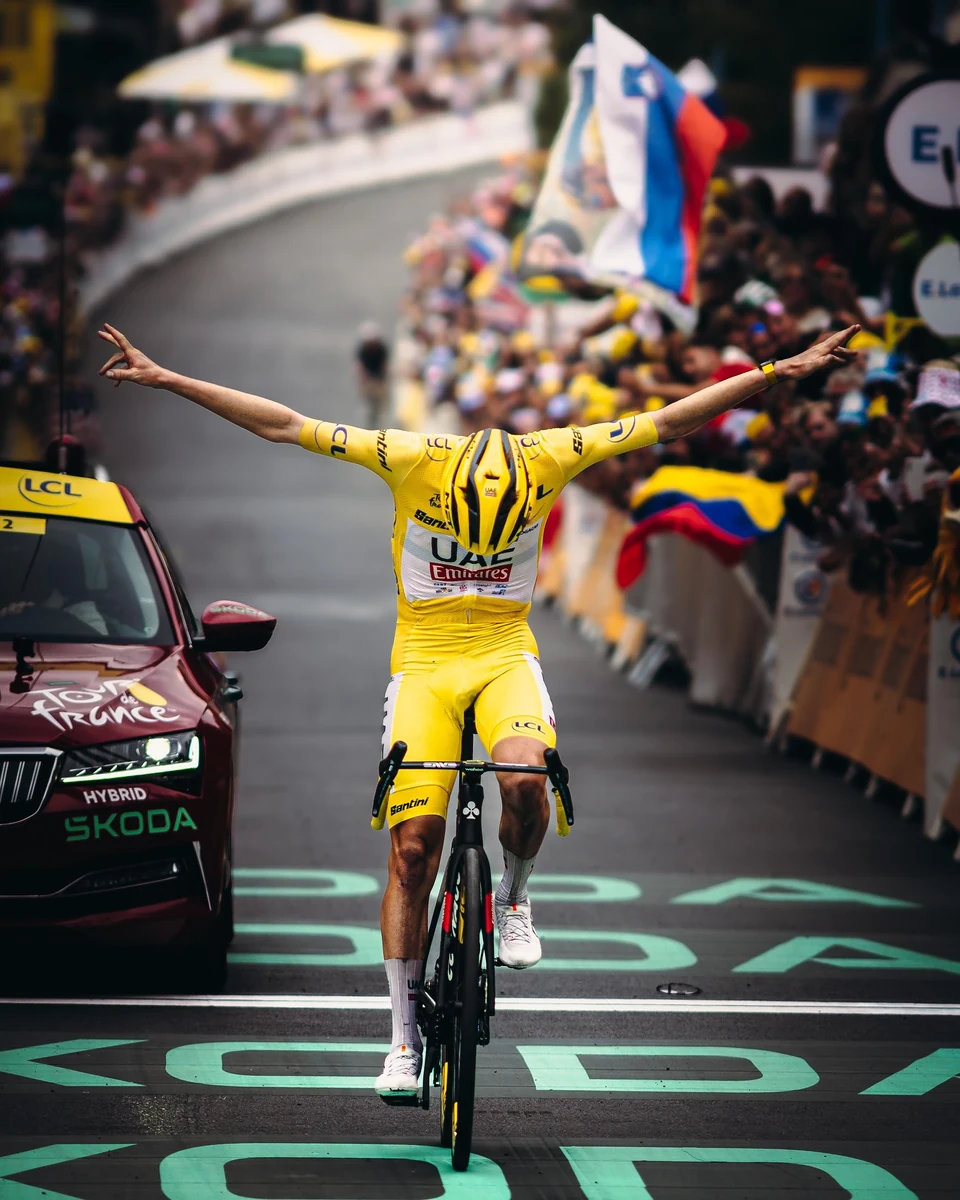 |
Published 3 × 3 Instagram grid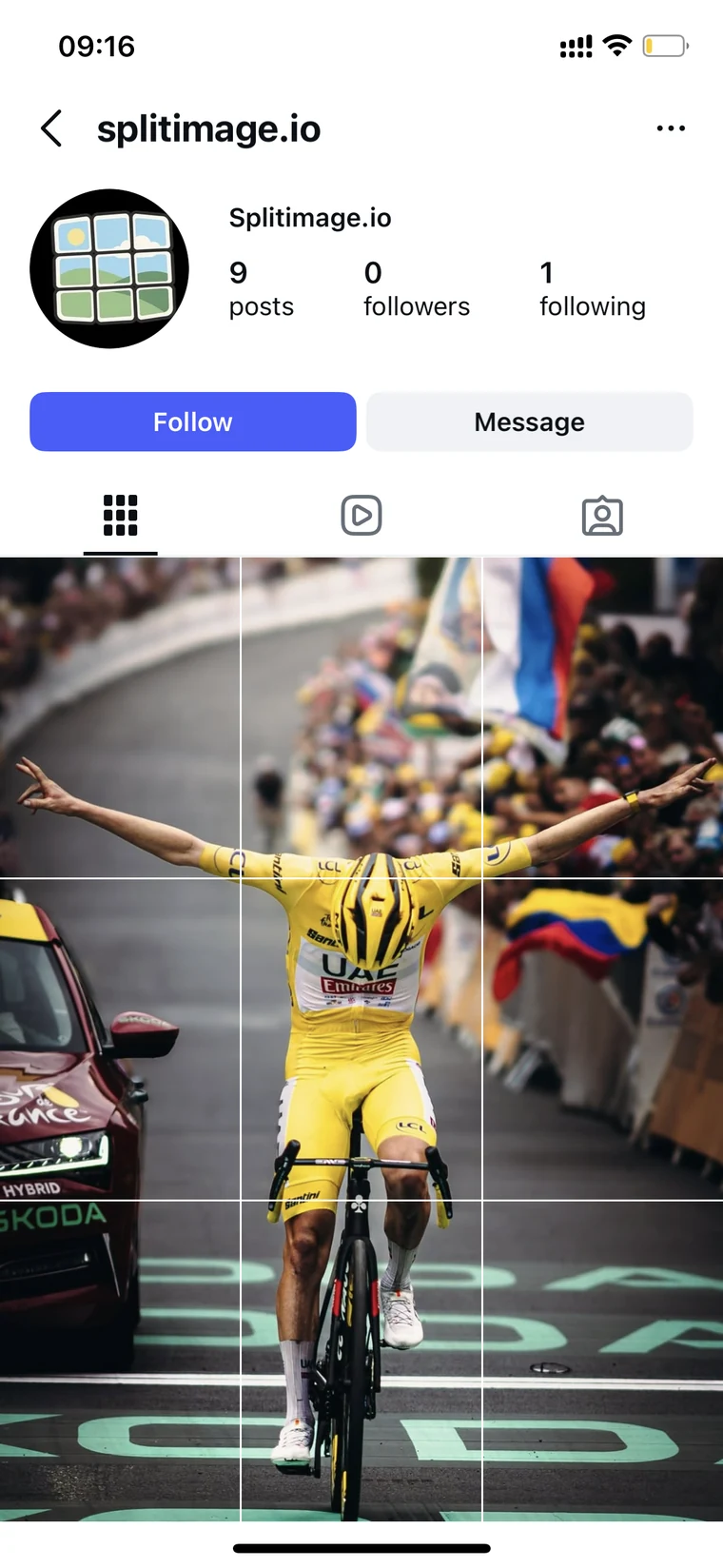 |
The source image is 4:5 (1440 × 1800). The Instagram profile grid uses a 3:4 crop for each tile, so a 3 × 3 composition has a 3:4 overall canvas. The crop can be repositioned to keep the subject in frame.
The demo photo was supplied by the repository maintainer from an Instagram post shared by @tadejpogacar. Rights to the photo remain with its owner; it is included here only as a demo and is not covered by this project's MIT license.
Try the browser demo, or run it locally:
npm ci
npm run demo
Open http://127.0.0.1:5191/demo/ after starting the demo server. Opening demo/index.html directly with file:// only shows the static page because browser module security blocks its JavaScript. The tool selector at the top defaults to Instagram Grid Maker and switches between four working examples: Instagram Grid Maker, general Image Splitter, Instagram Carousel Splitter, and TikTok Grid Maker. The selected image stays in place when you switch tools. Each example updates the preview, layouts, numbering, and ZIP export to match its use case. The demo uses the same visual language as SplitImage.io's header, phone previews, and settings cards.
In the Instagram grid example, choose Post grid or Reels cover, then 3:4 stitch or 4:5 post. The profile grid always shows the connected 3:4 area. For a 4:5 post or 9:16 cover, choose solid color, blurred source, or an uploaded background; the fill preview shows the center exported tile. The TikTok grid example exports numbered 9:16 covers around the connected 3:4 profile area. The carousel example uses the Instagram post phone frame for both upload and slide preview, with arrows and dots to move through equal 4:5 slides in left-to-right order. The general splitter divides the whole image without an aspect crop. These self-contained examples have fewer controls than the full online tools.
Common working ratios used by this engine; platform display rules can change, so check the preview before publishing. TikTok's linked pixel sizes are for carousel ads, not a universal requirement for organic posts.
| Platform and use | Common ratio and example size | SplitImage.io tool |
|---|---|---|
| Instagram profile grid (3 × 3) | 3:4 connected canvas; each tile 3:4 (1080 × 1440 px) | Instagram Grid Maker |
| Instagram panorama carousel | 4:5 per slide (1080 × 1350 px); N slides form a 4N:5 source canvas | Instagram Carousel Splitter |
| TikTok profile puzzle (1 × 3 banner or 3 × 3 grid) | 3:4 connected profile crop; each post exports at 9:16 (1080 × 1920 px) | TikTok Banner Splitter |
| TikTok photo carousel | Vertical 9:16 is a common starting point; carousel-ad examples: 720 × 1280 px vertical, 640 × 640 px square, or 1200 × 628 px landscape | Browse online tools |
These are practical export presets, not platform guarantees. TikTok's example pixel sizes come from its carousel ad specifications, not a universal requirement for organic posts. The src/ library provides image-processing APIs, this repository's demo provides a small interactive example, and the linked website provides the full editing experience.
This project can be used directly from source; an npm publication is not required.
git clone https://github.com/WanderZil/splitimage-engine.git
cd splitimage-engine
npm ci
npm test
Copy its src/ directory into your application's source tree. The examples below assume it is available at ./splitimage-engine/src/.
import { splitImageToZip } from './splitimage-engine/src/index.js';

// `file` is a File supplied by your application's own file picker.
export async function splitFile(file) {
  return splitImageToZip(file, {
    layoutKey: '3x3',
    format: 'png',
    numberFromBottomRight: true,
  });
}
// Returns { blob, fileName, tileCount }.
// Your application decides how to save or display the result.
You can also install a local checkout into a bundler-based application:
npm install /absolute/path/to/splitimage-engineThen import from @splitimage/engine. The package name is metadata; this README does not assume that name has been published or reserved on npm. When using native browser modules, serve files over HTTP and use relative imports rather than a bare package name.
Accepts a File, Blob, object URL, data URL, or image URL readable by the browser. Returns a promise of { index, tile, blob, fileName }[]. Each tile contains index, row, column, x, y, width, and height in source-image pixels.
| Option | Default | Meaning |
|---|---|---|
layoutKey |
'3x3' |
Preset such as '2x2', '1x3', or 'custom-2x7' |
fileName |
File name or 'image.png' |
Base name for exported tiles |
format |
Inferred from name | 'png', 'jpeg' / 'jpg', 'webp'; other extensions fall back to JPEG |
numberFromBottomRight |
false |
Reverse file numbering for profile-grid publishing |
partialCrop |
— | Normalized { left, top, width, height } to split as an equal grid |
tileRects |
— | Explicit pixel rectangles, each with a positive index |
crop |
— | Normalized crop for identical aspect-ratio tiles |
tileAspect |
{ width: 3, height: 4 } |
Tile ratio when using crop |
gridBoundaries |
— | Normalized { x: number[], y: number[] } boundaries |
boundaries |
— | Normalized horizontal boundaries for one row |
reelsCover / postCover |
false |
Add vertical / horizontal padding; choose only one |
paddingMode |
'color' |
'color', 'blur', or 'image' |
paddingColor |
'#000000' |
Canvas fill color |
paddingBlurStrength |
60 |
Blur strength from 0 to 100 |
paddingBackgroundUrl |
null |
Background image source for image padding |
paddingBackgroundOffsetX/Y |
0 |
Background pan offset, from -1 to 1 |
Use one geometry option at a time. If several are supplied, precedence is partialCrop, tileRects, crop, gridBoundaries, boundaries, then the equal grid. Crop coordinates and boundaries refer to the original image, not a scaled preview. Arrays are returned in geometric order; reversed numbering changes filenames, not array order.
Accepts one source, or an array of sources / { source, fileName? } entries. Returns { blob, fileName, tileCount }. All images use the supplied options. For a batch with different crop geometry per image, call splitImageToBlobs separately and pass the resulting entries to createZipBlob.
zipFileName sets the archive name for a batch. Single-image archives use <base>_split.zip. Duplicate entry names receive numeric suffixes, including case-insensitive collisions. ZIP entries are flat filenames, with path separators replaced by underscores.
import {
  getInstagramDefaultCrop,
  getInstagramCarouselAspectRatio,
  splitImageToBlobs,
  detectSplitSeams,
} from './splitimage-engine/src/index.js';

export async function makeCarousel(file, sourceWidth, sourceHeight) {
  const slides = 5;
  const crop = getInstagramDefaultCrop(
    { width: sourceWidth, height: sourceHeight },
    1, slides, getInstagramCarouselAspectRatio(slides),
  );
  return splitImageToBlobs(file, {
    layoutKey: 'custom-1x5', crop,
    tileAspect: { width: 4, height: 5 }, format: 'png',
  });
}

export async function splitAtSeams(file) {
  const { x, y, confidence } = await detectSplitSeams(file, { rows: 1, columns: 3 });
  // Review confidence and preview proposed boundaries in your application.
  const tiles = await splitImageToBlobs(file, { gridBoundaries: { x, y } });
  return { tiles, confidence };
}
Other exports include:
getTileRects(width, height, rows, columns)and boundary variants: pixel geometry without decoding or rendering.getInstagramTileRects,getInstagramCarouselTileRects,constrainInstagramCrop,moveInstagramCrop,zoomInstagramCrop: aspect-constrained crop math.getInstagramPostCoverPadding,getInstagramReelsCoverPadding: integer padding dimensions.createTileBlob(image, rect, mimeType, options?): render one rectangle from an already decoded image.drawReelsCoverTile/drawPostCoverTile: draw on a caller-owned Canvas context. Their options usemode,color,blurStrength,backgroundImage,backgroundOffsetX/Y.getSeamScores,findSeams,findProminentSeams: analysis of RGBA pixels and seam scores.createZipBlob([{ fileName, blob }]): ZIP packaging independent of the browser DOM.- Layout and filename helpers exported from
src/index.js.
Image decoding/rendering requires a browser with ES modules, Canvas 2D, Image, Blob and URL.createObjectURL. It does not run unchanged in Node.js, SSR, or a Web Worker. Geometry and ZIP helpers can run in Node.js 22+. Node.js 22+ is required for the development tools.
- General custom layouts support 1–10 rows and columns. One-row strips support up to 20 columns.
getSplitLayoutpreserves the website's fallback to3x3for unknown keys. - For low-level geometry helpers, supply finite positive dimensions, valid increasing boundaries in
[0, 1], and valid row/column counts. Rendered rectangles must be nonempty and inside the source image; invalid exports reject. - A regular grid distributes remainder pixels. Aspect-constrained tiles may discard a few edge pixels to keep every tile identical. Padding is rounded to integer pixels, so tiny outputs can deviate slightly from the target ratio.
- Input formats depend on the browser decoder. HEIC/AVIF support is not guaranteed; there is no bundled codec. This is a static-image tool, not an animated GIF/video processor.
- PNG preserves alpha. JPEG does not preserve transparency; JPEG/WebP use encoder quality
0.92. Output is re-encoded, so original metadata and byte-identical files are not preserved. Unsupported output encoders reject instead of silently mislabeling a PNG. - Blur rendering depends on Canvas filter support. Validate it in the browsers you target; the automated browser suite currently runs Chromium.
- Tiles and ZIP contents are held in memory. There is no streaming encoder or ZIP64 support. ZIP filenames are UTF-8; archives are uncompressed, not a file-size optimization.
- Social-media constants describe this library's export geometry, not a guarantee about how another platform will display every post.
The engine has no image-upload API, analytics or telemetry. File/Blob processing happens locally. Passing an HTTP image URL (including a padding background URL) can cause a network request; cross-origin images must be readable by Canvas or decoding/export can fail. Prefer local File/Blob inputs and object URLs. Revoke object URLs you create after processing; the engine revokes only URLs it creates itself.
These statements apply to this library. They do not independently audit the hosting website, its dependencies, or code an application adds around the engine.
npm ci
npm test
npx playwright install chromium
npm run test:browser
npm pack --dry-run
npm run check runs unit and browser tests. Tests generate their own images. The assets/ folder contains the demo photo, the published-grid screenshot, the SplitImage.io logo, Instagram and TikTok phone previews, and other media used by the browser demo. These images are demonstration or brand material, not part of the MIT-licensed engine code. The browser test server serves the local demo and engine modules. See CONTRIBUTING.md for the contribution boundary.
MIT applies to the engine and demo code and documentation, excluding the demonstration and brand images in assets/. The demo photo and published-grid screenshot remain the property of their respective rights holders; the SplitImage.io logo is a brand asset. You may reuse the engine commercially while retaining the required license notice. No website backlink is required. The full SplitImage.io website application and its content are outside this repository and license.