


Local-first experiment tracking for ML. Runs are written as plain JSON/JSONL files in a directory you own. There's no tracking server, database or account, and a bundled dashboard reads that directory.
Live demo: https://mlexperimenttracker-demo.onrender.com (a static build with a snapshot of real runs, so edits aren't saved).
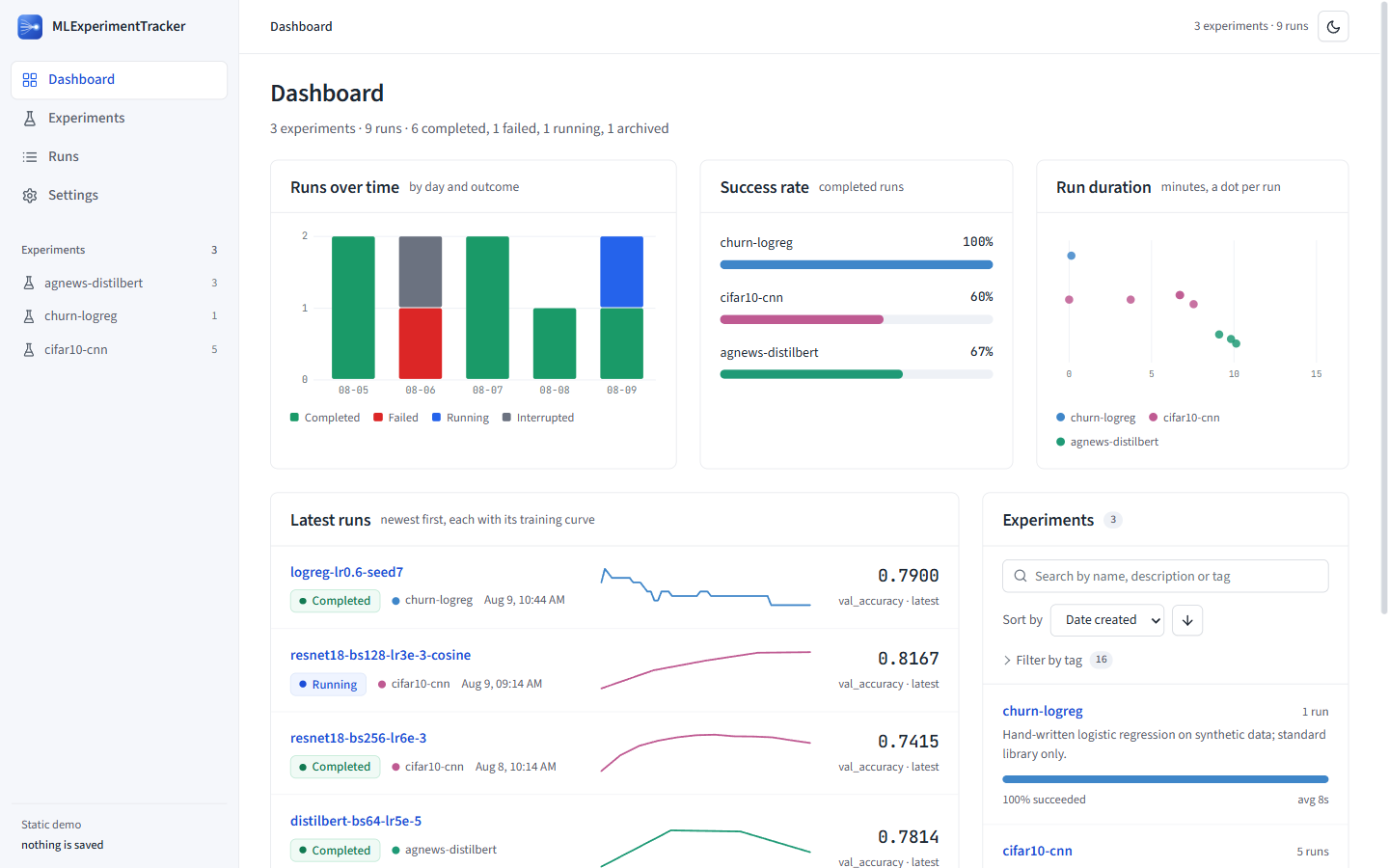
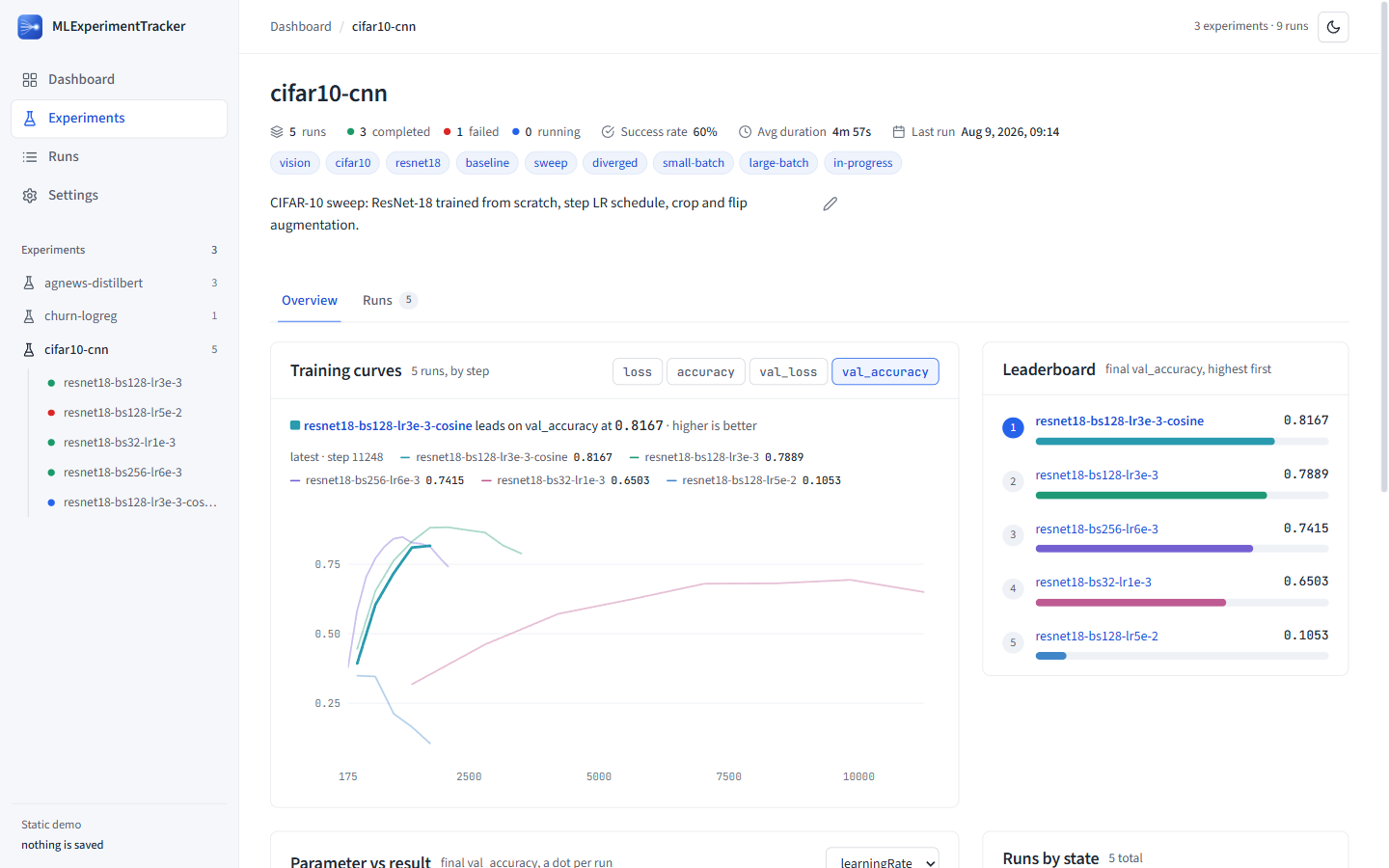
pip install "mlexperimenttracker[server]"
mlexp demo                     # generate some example runs
mlexp ui                       # dashboard at http://127.0.0.1:5000
To track your own training, add the few lines below to your script and run it. Runs are
saved under ~/.experiment_tracker (or EXPERIMENT_STORAGE_PATH), and they show up in
mlexp ui on refresh.
import mlexperimenttracker as met

run = met.init(
    project="cifar10-cnn",
    name="resnet50-lr3e4",
    config={"learning_rate": 3e-4, "batch_size": 64, "epochs": 30},
    tags=["baseline"],
)

for step, (loss, acc) in enumerate(train()):
    run.log({"loss": loss, "accuracy": acc}, step=step)

run.finish()
It also works as a context manager, which marks the run failed if an exception escapes:
with met.init(project="cifar10-cnn") as run:
    run.log({"loss": 0.31}, step=1)
Typed helpers write artifacts the dashboard knows how to draw:
run.log_confusion_matrix(labels=[...], matrix=[[...]], accuracy=0.94)
run.log_roc_curve(fpr=[...], tpr=[...], thresholds=[...], auc=0.97, class_name="cat")
run.log_feature_importance([{"name": "age", "importance": 0.31}])
run.log_checkpoint("epoch_10", step=10, path="checkpoints/epoch_10.pt")
examples/quickstart.py in the repo is a full tracked training run (logistic regression on synthetic
data) that only needs the standard library:
python examples/quickstart.py
mlexp uiUse them if you need a model registry, a team server or hosted dashboards. This project is deliberately smaller and aimed at one person's runs on one machine:
- No dependencies in the base install. Adding it to a training environment pulls in
nothing. A test enforces this by blocking third-party imports during a full run.
The dashboard (
fastapi,uvicorn) and system metrics (psutil,nvidia-ml-py) are optional extras. - Plain, documented files. A run is a folder of JSON and JSONL you can read, grep, copy or delete. There's no database and no server process to keep running.
- Reproducibility checks are built in. Each run records its git commit, uncommitted
diff, package versions and dataset hashes.
mlexp verifytells you what has changed since, andmlexp replayrebuilds the exact source tree.
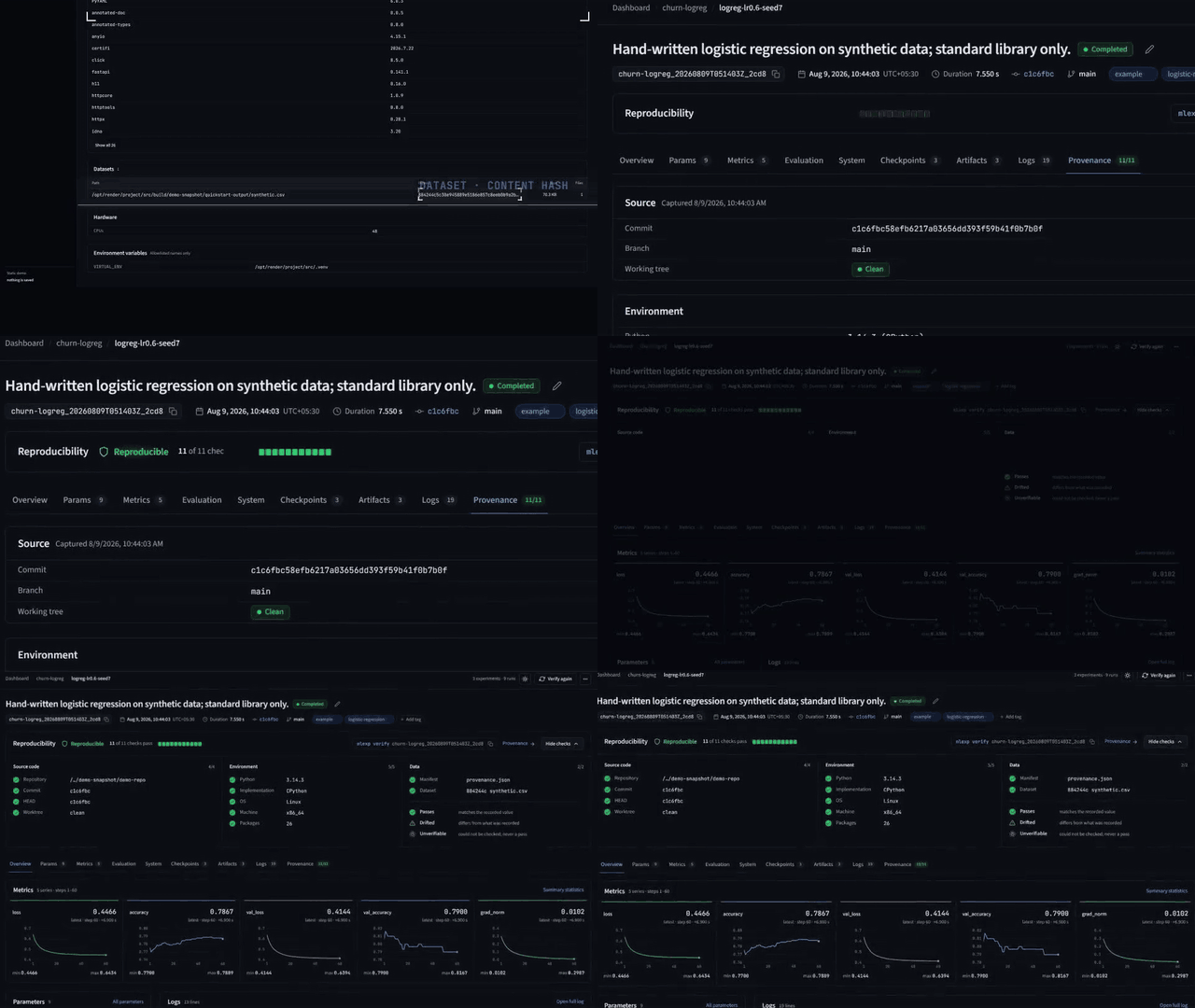
mlexp provenance <run_id>                # what the run recorded
mlexp verify <run_id>                    # exit 0 ok, 1 drifted, 2 unverifiable
mlexp replay <run_id> --into ../rebuild  # rebuild the commit + patch in a new worktree
verify has three outcomes, not two. If a check can't run (say git isn't installed), the
result is unverifiable, not drift. replay uses git worktree add and never runs
checkout, reset or stash, so your working tree isn't touched.
Replay can't restore everything. Packages are recorded as resolved versions, not a
lockfile. Datasets and untracked files are recorded but not restored. Hardware
nondeterminism is out of scope. uncommitted.patch is a copy of your working-tree diff, so
treat it as sensitive, or pass capture_diff=False.
- Crashed runs don't stay "running". The context manager,
sys.excepthook, signal handlers andatexitall write a terminal state.kill -9still gets past them, since there's no heartbeat. - Summary stats are updated as you log (Welford's algorithm), so a run directory is complete at any point.
- Output is captured.
stdout,stderrand the root logger go tologs.jsonlwhile the terminal still gets everything. Userun.log_text()for explicit lines, andcapture_output=False/capture_logging=Falseto turn capture off.
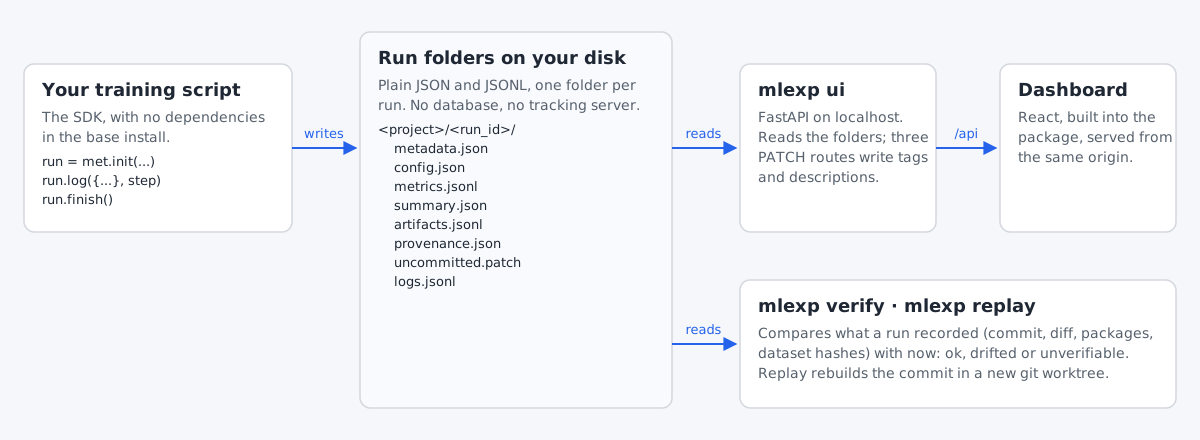
$EXPERIMENT_STORAGE_PATH/          # default: ~/.experiment_tracker
  <project>/
    <run_id>/
      metadata.json                # required; a run without it is skipped
      summary.json                 # final state, duration, metric summaries
      config.json                  # hyperparameters
      metrics.jsonl                # one line per step, every metric as a key
      artifacts.jsonl              # one artifact record per line
      system_metrics.json          # resource samples
      checkpoints/*.json           # checkpoint sidecars
      provenance.json              # commit, packages, dataset hashes, environment
      uncommitted.patch            # working-tree diff, may contain secrets
      logs.jsonl                   # captured output
Only metadata.json is required. A missing file just leaves that part of the UI empty.
If you write runs by hand, note that the server computes no aggregates: numbers come from
summary.json and curves from metrics.jsonl. The format version is stored in
metadata.json (currently 1.2), and every version so far has only added files.
Served from the same origin as the dashboard. Run and experiment ids must be a single path component, and anything else returns 404.
| Method | Path | Returns |
|---|---|---|
| GET | /api/health |
Version, storage root, counts |
| GET | /api/dashboard |
All experiments with stats |
| GET | /api/experiment · /api/experiment/all · /api/experiment/{id} |
Experiments |
| GET | /api/experiment/{id}/runs |
Runs with params and final metrics |
| GET | /api/run · /api/run/{id} |
Runs |
| GET | /api/run/{id}/metrics |
Metric series |
| GET | /api/run/{id}/metrics/timeseries?metric= |
One metric |
| GET | /api/run/{id}/metrics/export?format=csv|json |
Export |
| GET | /api/run/{id}/system-metrics · /checkpoints · /artifacts |
Run detail |
| GET | /api/run/{id}/logs?level=&limit=&offset= · /logs/download |
Captured output |
| GET | /api/run/{id}/provenance · /patch · /verify |
Provenance and drift |
| PATCH | /api/run/{id}/tags · /description |
Update a run |
| PATCH | /api/experiment/{id} |
Update an experiment description |
EXPERIMENT_STORAGE_PATH sets the storage root (default ~/.experiment_tracker).
mlexp ui takes --host, --port, --storage and --no-browser.
The server binds to localhost and has no authentication, because it's a single-user local tool. Don't expose it on a network without putting auth in front of it: the three PATCH endpoints write to disk.
pip install -e ".[all]"
pytest
ruff check src tests examples scripts
python scripts/build_ui.py        # build the dashboard into the package
The dashboard is in ml_frontend/ (React 19, Vite, TypeScript, hand-written CSS). Run
npm run dev there next to mlexp ui; Vite proxies /api to port 5000.
npm test runs the component tests.
The API started as an Express server and was ported to Python. The port was diffed route by
route against the old server, and tests/test_parity.py keeps those recorded responses, so
the frontend's contract is still pinned now that the Express code is gone.
- No archive or delete for runs.
- The experiment activity timeline is always empty, because no event stream is recorded.
- The gradient view only draws for runs that log
gradient/...series. - A run's description and display name share one field, so editing one changes both.
- Artifacts have no stored file path, so they can't be downloaded from the UI.
kill -9leaves a run showing as running.- There's no index or cache. Every dashboard request walks the run folders: about 0.04 s at
100 runs, 0.3 s at 1,000 and 1 s at 3,000 on a Windows laptop (
scripts/bench_storage.py).
MIT, see LICENSE.