Authors: Carlos Campos, Richard Elvira, Juan J. Gómez Rodríguez, José M. M. Montiel, Juan D. Tardos.
The Changelog describes the features of each version.
ORB-SLAM3 is the first real-time SLAM library able to perform Visual, Visual-Inertial and Multi-Map SLAM with monocular, stereo and RGB-D cameras, using pin-hole and fisheye lens models. In all sensor configurations, ORB-SLAM3 is as robust as the best systems available in the literature, and significantly more accurate.
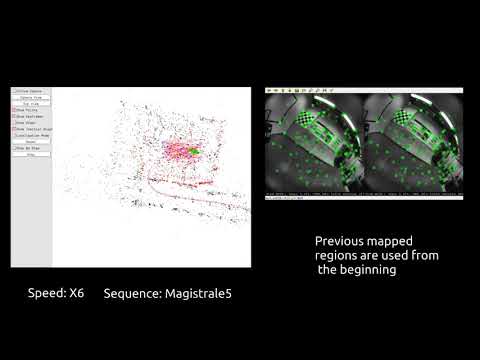
We provide examples to run ORB-SLAM3 in the EuRoC dataset using stereo or monocular, with or without IMU, and in the TUM-VI dataset using fisheye stereo or monocular, with or without IMU. Videos of some example executions can be found at ORB-SLAM3 channel.
This software is based on ORB-SLAM2 developed by Raul Mur-Artal, Juan D. Tardos, J. M. M. Montiel and Dorian Galvez-Lopez (DBoW2).
[ORB-SLAM3] Carlos Campos, Richard Elvira, Juan J. Gómez Rodríguez, José M. M. Montiel and Juan D. Tardós, ORB-SLAM3: An Accurate Open-Source Library for Visual, Visual-Inertial and Multi-Map SLAM, IEEE Transactions on Robotics 37(6):1874-1890, Dec. 2021. PDF.
[IMU-Initialization] Carlos Campos, J. M. M. Montiel and Juan D. Tardós, Inertial-Only Optimization for Visual-Inertial Initialization, ICRA 2020. PDF
[ORBSLAM-Atlas] Richard Elvira, J. M. M. Montiel and Juan D. Tardós, ORBSLAM-Atlas: a robust and accurate multi-map system, IROS 2019. PDF.
[ORBSLAM-VI] Raúl Mur-Artal, and Juan D. Tardós, Visual-inertial monocular SLAM with map reuse, IEEE Robotics and Automation Letters, vol. 2 no. 2, pp. 796-803, 2017. PDF.
[Stereo and RGB-D] Raúl Mur-Artal and Juan D. Tardós. ORB-SLAM2: an Open-Source SLAM System for Monocular, Stereo and RGB-D Cameras. IEEE Transactions on Robotics, vol. 33, no. 5, pp. 1255-1262, 2017. PDF.
[Monocular] Raúl Mur-Artal, José M. M. Montiel and Juan D. Tardós. ORB-SLAM: A Versatile and Accurate Monocular SLAM System. IEEE Transactions on Robotics, vol. 31, no. 5, pp. 1147-1163, 2015. (2015 IEEE Transactions on Robotics Best Paper Award). PDF.
[DBoW2 Place Recognition] Dorian Gálvez-López and Juan D. Tardós. Bags of Binary Words for Fast Place Recognition in Image Sequences. IEEE Transactions on Robotics, vol. 28, no. 5, pp. 1188-1197, 2012. PDF
ORB-SLAM3 is released under GPLv3 license. For a list of all code/library dependencies (and associated licenses), please see Dependencies.md.
For a closed-source version of ORB-SLAM3 for commercial purposes, please contact the authors: orbslam (at) unizar (dot) es.
If you use ORB-SLAM3 in an academic work, please cite:
@article{ORBSLAM3_TRO,
  title={{ORB-SLAM3}: An Accurate Open-Source Library for Visual, Visual-Inertial
           and Multi-Map {SLAM}},
  author={Campos, Carlos AND Elvira, Richard AND G\´omez, Juan J. AND Montiel,
          Jos\'e M. M. AND Tard\'os, Juan D.},
  journal={IEEE Transactions on Robotics},
  volume={37},
  number={6},
  pages={1874-1890},
  year={2021}
 }
We have tested the library in Ubuntu 16.04 and 18.04, but it should be easy to compile in other platforms. A powerful computer (e.g. i7) will ensure real-time performance and provide more stable and accurate results.
We use the new thread and chrono functionalities of C++11.
We use Pangolin for visualization and user interface. Dowload and install instructions can be found at: https://github.com/stevenlovegrove/Pangolin.
We use OpenCV to manipulate images and features. Dowload and install instructions can be found at: http://opencv.org. Required at leat 3.0. Tested with OpenCV 3.2.0 and 4.4.0.
Required by g2o (see below). Download and install instructions can be found at: http://eigen.tuxfamily.org. Required at least 3.1.0.
We use modified versions of the DBoW2 library to perform place recognition and g2o library to perform non-linear optimizations. Both modified libraries (which are BSD) are included in the Thirdparty folder.
Required to calculate the alignment of the trajectory with the ground truth. Required Numpy module.
- (win) http://www.python.org/downloads/windows
- (deb)
sudo apt install libpython2.7-dev - (mac) preinstalled with osx
We provide some examples to process input of a monocular, monocular-inertial, stereo, stereo-inertial or RGB-D camera using ROS. Building these examples is optional. These have been tested with ROS Melodic under Ubuntu 18.04.
Clone the repository:
git clone https://github.com/UZ-SLAMLab/ORB_SLAM3.git ORB_SLAM3
We provide a script build.sh to build the Thirdparty libraries and ORB-SLAM3. Please make sure you have installed all required dependencies (see section 2). Execute:
cd ORB_SLAM3
chmod +x build.sh
./build.sh
This will create libORB_SLAM3.so at lib folder and the executables in Examples folder.
With a CUDA toolkit, the build adds GPU paths for the per-frame work of tracking:
| Stage | On the GPU | Result vs the CPU path |
|---|---|---|
| Image pyramid | NPP bilinear resize (nppiResizeSqrPixel, pixel-centre aligned like cv::resize) |
within 1 grey level; ORB_SLAM3_CUDA_PYRAMID=cpu keeps cv::resize |
| ORB extraction | FAST per cell (with the low-threshold retry), 7x7 Gaussian blur, rBRIEF descriptors | identical keypoints and descriptors (with the CPU pyramid) |
| Stereo matching (rectified stereo) | right-candidate search and the 11-position SAD window search | identical matches |
The octree distribution, orientation, sub-pixel/depth arithmetic, map-point matching,
pose optimisation, local mapping and loop closing stay on the CPU. Map-point matching
(SearchByProjection) was measured and left there: its descriptor arithmetic is under
0.1 ms per frame, the rest is per-MapPoint access and sequential match bookkeeping.
cmake -S . -B build -DCMAKE_CUDA_COMPILER=/usr/local/cuda/bin/nvcc \
      -DCMAKE_CUDA_ARCHITECTURES=89        # 87 for Jetson Orin
-DORB_SLAM3_WITH_CUDA=OFF builds the CPU-only library. At run time ORB_SLAM3_CUDA=0
selects the CPU paths; any CUDA error also falls back to them.
ORB_SLAM3_CUDA_VERIFY=1 runs CPU and GPU stereo matching on every frame and reports
differences.
Checks:
./Examples/Benchmarks/orb_cuda_check <euroc_seq>/mav0/cam0/data     # extractor: CPU vs CUDA, both pyramid modes
./Examples/Benchmarks/orb_cuda_check --stereo <euroc_seq>/mav0      # left + right extraction in two threads
./Examples/Benchmarks/slam_cpu_vs_cuda.sh <data_dir> results        # SLAM: tracking time and ATE
python3 evaluation/ate.py <ground_truth> <trajectory> [--scale]      # ATE RMSE (Python 3)
Results on an RTX 4080 with an i7-13700 (pinned to the performance cores), 752x480, 1200 features.
ORB extraction per image (EuRoC Vicon Room 1):
| Sequence | CPU | CUDA, CPU pyramid (bit-exact) | CUDA, NPP pyramid |
|---|---|---|---|
| V1_01 (2912 frames) | 6.05 ms | 1.07 ms (5.6x) | 0.64 ms (9.5x) |
| V1_02 (1710 frames) | 5.41 ms | 1.05 ms (5.1x) | 0.61 ms (8.8x) |
| V1_03 (2149 frames) | 5.24 ms | 1.06 ms (5.0x) | 0.62 ms (8.4x) |
With the CPU pyramid, all 8.0 million keypoints and every descriptor bit are identical to the CPU path. With the NPP pyramid, 88-91 % of the keypoints are identical and those descriptors differ by about 3 bits of 256.
Tracking stages per frame (stereo V1_01; RGB-D TUM fr1_desk), CPU -> CUDA: ORB extraction 11.4 -> 4.1 ms stereo / 5.8 -> 1.2 ms RGB-D, stereo matching 5.2 -> 0.3 ms.
SLAM, CUDA with the NPP pyramid (median tracking time over the runs; ATE RMSE per run, SE(3) alignment, Sim(3) for monocular):
| Sequence | Mode | Tracking CPU | Tracking CUDA | ATE CPU (cm) | ATE CUDA (cm) |
|---|---|---|---|---|---|
| V1_01 | stereo | 21.2 ms | 13.0 ms | 3.5, 3.6, 3.5, 3.6, 3.8 | 3.5, 3.4, 3.5, 3.7, 3.7 |
| V1_02 | stereo | 20.2 ms | 12.6 ms | 3.9, 3.4, 3.4 | 3.1, 3.1, 3.0 |
| V1_03 | stereo | 21.0 ms | 12.5 ms | 17.4, 12.2, 13.2 | 5.8, 13.9, 21.1 |
| V1_01 | mono | 10.9 ms | 7.1 ms | 3.3, 3.4 | 3.3, 3.3 |
| V1_02 | mono | 9.7 ms | 6.1 ms | 1.5, 1.6 | 1.6, 1.3 |
| V1_03 | mono | 9.5 ms | 6.1 ms | 4.4, 4.8 | 5.1, 6.8 |
| TUM fr1_xyz | RGB-D | 11.6 ms | 6.7 ms | 1.1, 1.0, 1.1 | 1.0, 1.1, 1.0 |
| TUM fr1_desk | RGB-D | 12.4 ms | 7.4 ms | 1.8, 2.2, 1.7 | 1.6, 1.7, 1.8 |
Accuracy matches within ORB-SLAM3's run-to-run spread (its mapping threads are not deterministic; V1_03 stereo varies between about 6 and 22 cm on both paths, and one of eight CUDA V1_01 stereo runs landed at 7.1 cm, as the same kind of run occasionally does with the bit-exact extractor). The CUDA paths take about 40 % off the tracking time in every mode.
Directory Examples contains several demo programs and calibration files to run ORB-SLAM3 in all sensor configurations with Intel Realsense cameras T265 and D435i. The steps needed to use your own camera are:
-
Calibrate your camera following
Calibration_Tutorial.pdfand write your calibration fileyour_camera.yaml -
Modify one of the provided demos to suit your specific camera model, and build it
-
Connect the camera to your computer using USB3 or the appropriate interface
-
Run ORB-SLAM3. For example, for our D435i camera, we would execute:
./Examples/Stereo-Inertial/stereo_inertial_realsense_D435i Vocabulary/ORBvoc.txt ./Examples/Stereo-Inertial/RealSense_D435i.yaml
EuRoC dataset was recorded with two pinhole cameras and an inertial sensor. We provide an example script to launch EuRoC sequences in all the sensor configurations.
-
Download a sequence (ASL format) from http://projects.asl.ethz.ch/datasets/doku.php?id=kmavvisualinertialdatasets
-
Open the script "euroc_examples.sh" in the root of the project. Change pathDatasetEuroc variable to point to the directory where the dataset has been uncompressed.
-
Execute the following script to process all the sequences with all sensor configurations:
./euroc_examples
EuRoC provides ground truth for each sequence in the IMU body reference. As pure visual executions report trajectories centered in the left camera, we provide in the "evaluation" folder the transformation of the ground truth to the left camera reference. Visual-inertial trajectories use the ground truth from the dataset.
Execute the following script to process sequences and compute the RMS ATE:
./euroc_eval_examples
TUM-VI dataset was recorded with two fisheye cameras and an inertial sensor.
-
Download a sequence from https://vision.in.tum.de/data/datasets/visual-inertial-dataset and uncompress it.
-
Open the script "tum_vi_examples.sh" in the root of the project. Change pathDatasetTUM_VI variable to point to the directory where the dataset has been uncompressed.
-
Execute the following script to process all the sequences with all sensor configurations:
./tum_vi_examples
In TUM-VI ground truth is only available in the room where all sequences start and end. As a result the error measures the drift at the end of the sequence.
Execute the following script to process sequences and compute the RMS ATE:
./tum_vi_eval_examples
Tested with ROS Melodic and ubuntu 18.04.
- Add the path including Examples/ROS/ORB_SLAM3 to the ROS_PACKAGE_PATH environment variable. Open .bashrc file:
gedit ~/.bashrc
and add at the end the following line. Replace PATH by the folder where you cloned ORB_SLAM3:
export ROS_PACKAGE_PATH=${ROS_PACKAGE_PATH}:PATH/ORB_SLAM3/Examples/ROS
- Execute
build_ros.shscript:
chmod +x build_ros.sh
./build_ros.sh
For a monocular input from topic /camera/image_raw run node ORB_SLAM3/Mono. You will need to provide the vocabulary file and a settings file. See the monocular examples above.
rosrun ORB_SLAM3 Mono PATH_TO_VOCABULARY PATH_TO_SETTINGS_FILE
For a monocular input from topic /camera/image_raw and an inertial input from topic /imu, run node ORB_SLAM3/Mono_Inertial. Setting the optional third argument to true will apply CLAHE equalization to images (Mainly for TUM-VI dataset).
rosrun ORB_SLAM3 Mono PATH_TO_VOCABULARY PATH_TO_SETTINGS_FILE [EQUALIZATION]
For a stereo input from topic /camera/left/image_raw and /camera/right/image_raw run node ORB_SLAM3/Stereo. You will need to provide the vocabulary file and a settings file. For Pinhole camera model, if you provide rectification matrices (see Examples/Stereo/EuRoC.yaml example), the node will recitify the images online, otherwise images must be pre-rectified. For FishEye camera model, rectification is not required since system works with original images:
rosrun ORB_SLAM3 Stereo PATH_TO_VOCABULARY PATH_TO_SETTINGS_FILE ONLINE_RECTIFICATION
For a stereo input from topics /camera/left/image_raw and /camera/right/image_raw, and an inertial input from topic /imu, run node ORB_SLAM3/Stereo_Inertial. You will need to provide the vocabulary file and a settings file, including rectification matrices if required in a similar way to Stereo case:
rosrun ORB_SLAM3 Stereo_Inertial PATH_TO_VOCABULARY PATH_TO_SETTINGS_FILE ONLINE_RECTIFICATION [EQUALIZATION]
For an RGB-D input from topics /camera/rgb/image_raw and /camera/depth_registered/image_raw, run node ORB_SLAM3/RGBD. You will need to provide the vocabulary file and a settings file. See the RGB-D example above.
rosrun ORB_SLAM3 RGBD PATH_TO_VOCABULARY PATH_TO_SETTINGS_FILE
Running ROS example: Download a rosbag (e.g. V1_02_medium.bag) from the EuRoC dataset (http://projects.asl.ethz.ch/datasets/doku.php?id=kmavvisualinertialdatasets). Open 3 tabs on the terminal and run the following command at each tab for a Stereo-Inertial configuration:
roscore
rosrun ORB_SLAM3 Stereo_Inertial Vocabulary/ORBvoc.txt Examples/Stereo-Inertial/EuRoC.yaml true
rosbag play --pause V1_02_medium.bag /cam0/image_raw:=/camera/left/image_raw /cam1/image_raw:=/camera/right/image_raw /imu0:=/imu
Once ORB-SLAM3 has loaded the vocabulary, press space in the rosbag tab.
Remark: For rosbags from TUM-VI dataset, some play issue may appear due to chunk size. One possible solution is to rebag them with the default chunk size, for example:
rosrun rosbag fastrebag.py dataset-room1_512_16.bag dataset-room1_512_16_small_chunks.bag
A flag in include\Config.h activates time measurements. It is necessary to uncomment the line #define REGISTER_TIMES to obtain the time stats of one execution which is shown at the terminal and stored in a text file(ExecTimeMean.txt).
You can find a tutorial for visual-inertial calibration and a detailed description of the contents of valid configuration files at Calibration_Tutorial.pdf