
Project-Page | Documentation | Github | NPM | Licenses






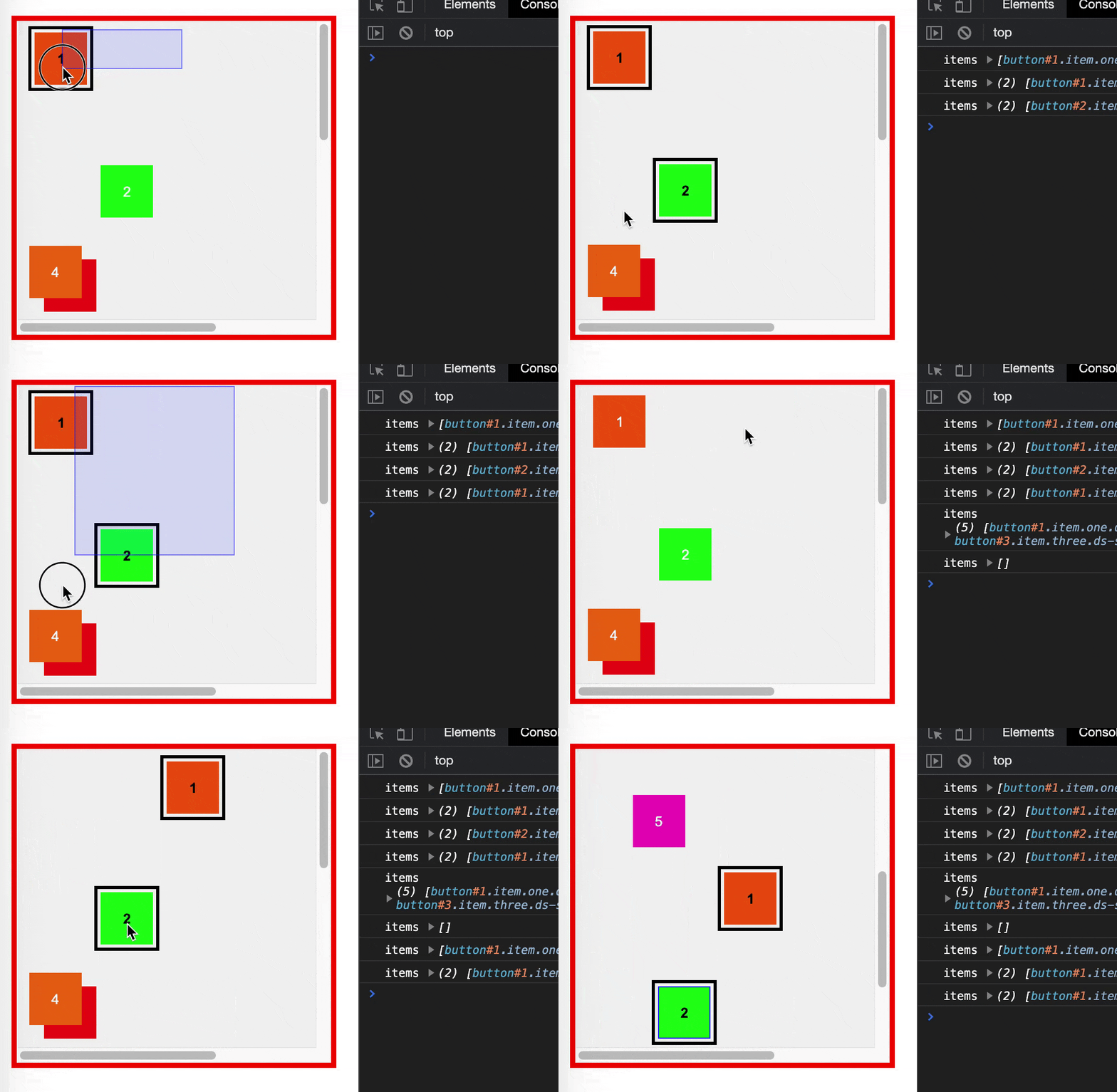
Select elements by dragging a box around them, like on your desktop, then drag and drop them. No dependencies, with official React and Angular bindings.
- 🧑💻 Project page and demo: https://dragselect.com/
- 📘 Docs: https://dragselect.com/docs/intro
- No dependencies
- Hyper customizable
- Replicates operating system drag-selection in the browser
- Accessibility (a11y)
- Use modifier keys to make multiple independent selections
- Select, Drag and Drop also also via keyboard
- Supports all major browsers
- Lightweight, only
- Popular:
on npm
- DragSelect was written with Performance in mind (can easily select >15.000 Elements)
- Supports SVG
- Supports mobile (touch interaction)
- Free & open source
- Easy to use
Because apparently there was nothing that does not require jquery out there.
This is better than https://jqueryui.com/selectable/ or https://jqueryui.com/draggable/ and has no dependencies.
It is used in multiple professional rich interface applications, i.e. to have a file management system. The user can select files to organize them and change their metadata, with this plugin our users could select multiple files and perform batch/bulk-operations (applying changes to multiple files at once). Another example is a huge, graphical cloud hosting manager with millions of active users. Users can select multiple servers, storages, etc. on an art-board to perform multi-operations, re-organize them, move them on the UI or batch-delete. We’re running it since January 18' it’s super helpful and very stable, let’s keep it that way. I can easily think of dozens other use-cases. I’m really keen to know how you use it in your projects, please let us know.
Please donate to support the countless hours of hard work & support. Especially if your company makes money, then there is no excuse. Thank you :)
If you're too poor or broke you can still support us with your time instead by contributing to the code!

TestMu AI (LambdaTest) is a Next-Generation Mobile App and Cross Browser Testing Cloud. They support this open source projects by providing us with a free account and with a generous donation!

BrowserStack is a service for cross-browser testing. They support this open source projects by providing us with a free account!
Show your appreciation and support with a donation! Direct Donation to DragSelect (via Bitcoin: 1LdweSpjgSeJC8XxX3swrohBMBLUzg6cmC). Or sponsor via GitHub Sponsors or Get in touch.
Donations are distributed with all project contributors proportionally to their involvement. We are grateful for any amount: we have more than
npm install dragselectOr without a bundler:
<script src="https://unpkg.com/dragselect@latest/dist/ds.min.js"></script>For
<script type="module">, useDragSelect.esm.jsords.esm.min.js. We don’t recommend linking directly for production. Please usenpmif you can.
More ways to install in Getting Started.
import DragSelect from "dragselect";

const ds = new DragSelect({
  selectables: document.querySelectorAll(".selectable"),
  area: document.getElementById("area"), // optional: only select inside this element
});

ds.subscribe("DS:end", ({ items }) => console.log("selected", items));
Hint: use "shift", "ctrl" or "command" to make multiple independent selections.
Using React or Angular? Use @dragselect/react or @dragselect/angular.
All settings, events, methods and guides are in the docs.
Creating and maintaining useful tools is a lot of work. So don’t forget to give this repository a star if you find it useful. Star this repo, tell all your friends and start contributing and/or donating 1$ to keep it running. Thank you :)
http://dragselect.com/ | documentation
Getting started
- Getting Started: Install DragSelect and select your first elements in two minutes.
- Coding agents: Give your AI coding agent the real docs: a skill, docs in node_modules and llms.txt.
Guides
- Simple: The simplest setup: tell DragSelect which elements can be selected.
- With an Area: Limit selecting and dragging to one container, which also scrolls automatically.
- With DropZones: Drop selected elements on zones and find out what was dropped where.
- Accessibility (a11y): Select and drag with the keyboard.
- Updating Settings: Change any setting after DragSelect has started.
- Mobile/Touch usage: Use DragSelect on touch devices and keep the page scrollable.
- Publish & Subscribe: Listen to events like DS:start and DS:end.
- React: The official React hooks: @dragselect/react.
- Angular: The official Angular directives: @dragselect/angular.
- Custom Drag and Drop: Use your own drag and drop, or another library, together with DragSelect.
- Advanced Overrides (Custom Selection Filter): Hook into the selection and change what gets selected.
API
- Settings: Every setting, for new DragSelect() and setSettings().
- Events (Pub/sub): Every event (DS:start, DS:end, DS:select…) and what it gives you.
- Methods: Every method of a DragSelect instance.
- CSS Classes (Styling): The classes DragSelect adds, for styling.
- Overrides & Exposed Methods (Advanced): Replace DragSelect's internal logic, e.g. what gets selected or dragged.