
Headless window manager for the web. Draggable, resizable, snappable windows with a taskbar model, keyboard accessibility and state persistence — for vanilla JS and every major framework.
Русская версия · Live demo · Mirror (Pages) · Docs · GitHub


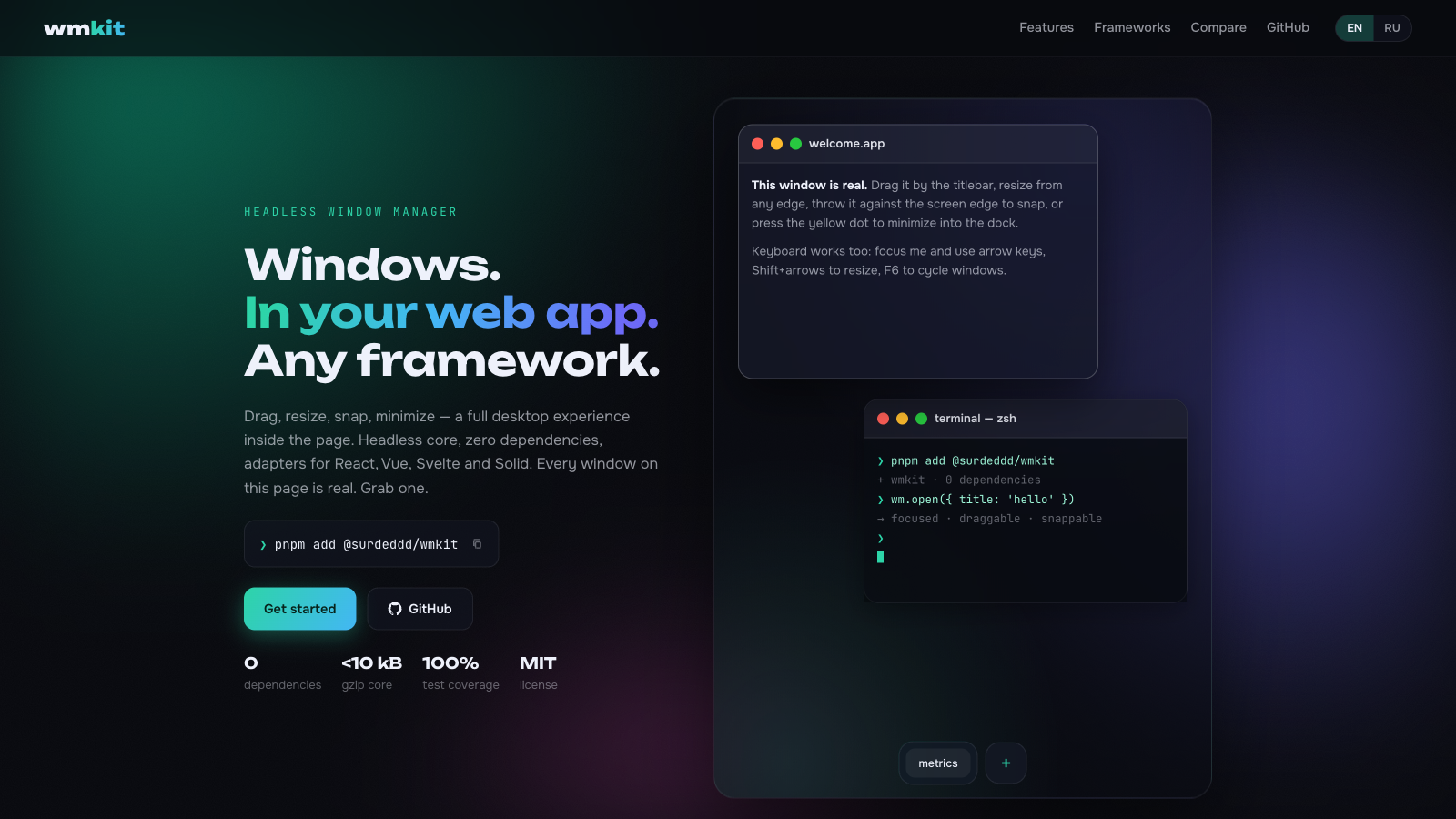
Every window above is real — open the demo and drag one.
- 🪟 Full window lifecycle — open, close, focus, minimize, maximize, restore, drag, 8-direction resize
- 🧠 Headless core — a serializable state machine plus a DOM controller; bring your own markup or use the glass theme
- 🧱 Your window, your markup — build the whole frame from a template string, wire its buttons by attribute, and swap the skin on a live window without losing what it was showing
- ⚛️ Official adapters —
@surdeddd/wmkit/react,/vue,/svelte,/solid,/angular,/preact,/lit,/qwik, all thin sugar over one core, plus<wm-desktop>and<wm-window>web components for everything else - 🗃️ Tab groups — drop one titlebar onto another and the windows share a frame, dockview style; the tab order is yours to reorder
- ⊞ Snap zones — halves, quarters, thirds and drag-to-top maximize with a live preview
- 🧲 Magnetism — window edges align to neighbours and the viewport while dragging
- ↩️ Undo/redo — every mutation is one step; a whole drag collapses into a single history entry
- 🗂️ Workspaces & layouts — virtual desktops, saved snapshots,
cascade/tilein one call - 🔒 Aspect ratio lock — pin a window to 16:9 or 4:3 and resize stays honest
- ⌨️ Accessible — keyboard move/resize/snap, F6 window cycling, focus-trapped modals,
aria-liveannouncements - ⚡ Fast —
transform-only positioning, rAF-batched pointer input, structural sharing; 50 windows drag at 60fps - 💾 Persistence — one call to serialize the desktop, one call to restore it, with versioned migrations
- 🎨 Sixteen themes — glass, light, retro, terminal, paper, neon, aqua, frost, candy, carbon, brutalist, blueprint, amber, noir, forest, synth — or bring your own CSS
- 🖼️ Popout — send a window into Picture-in-Picture or a popup on another monitor
- 🧩 Docking — tile windows into split panels with tabs and draggable separators, dockview style, while the rest keep floating; undoable and persisted
- 📦 WinBox compatible —
@surdeddd/wmkit/winboxspeaks the WinBox.js API; migrate in one import - 📦 Zero dependencies, strict TypeScript, ESM + CJS, under 19 kB brotli core
npm install @surdeddd/wmkit
# or
pnpm add @surdeddd/wmkitimport { createWindowManager, attachDesktop } from '@surdeddd/wmkit'
import '@surdeddd/wmkit/themes/glass.css'
const wm = createWindowManager()
const desktop = attachDesktop(wm, document.querySelector('#desktop'))
const win = wm.open({ title: 'Hello', width: 420, height: 280 })
const el = document.createElement('section')
el.innerHTML = `
<header data-wm-drag>
<span data-wm-title>Hello</span>
<span data-wm-controls>
<button data-wm-minimize aria-label="Minimize"></button>
<button data-wm-maximize aria-label="Maximize"></button>
<button data-wm-close aria-label="Close"></button>
</span>
</header>
<div data-wm-content>Anything you want.</div>
`
document.querySelector('#desktop').append(el)
desktop.attachWindow(win.id, el, { removeOnClose: true })The desktop element becomes the coordinate space. Your markup stays yours — wmkit wires behavior onto data-wm-* attributes:
| Attribute | Meaning |
|---|---|
data-wm-drag |
drag handle (usually the titlebar); double-click toggles maximize |
data-wm-title |
window title node; its text follows the state, and it is linked via aria-labelledby when it shares a root with the window |
data-wm-close / data-wm-minimize / data-wm-maximize |
control buttons, wired by delegation |
data-wm-content |
scrollable content area (styled by themes) |
removeOnClose detaches the controller and removes the element when the window closes; through a binder (the adapters), a window that comes back is appended to the desktop again. Touch devices get larger resize hit areas and snap thresholds automatically (pointer: coarse); tune via attachDesktop(wm, el, { hitAreas: { edge, corner } }).
The controller adds resize handles ([data-wm-resize]), a snap preview ([data-wm-snap-preview]) and a visually hidden live region for screen readers.
import { useWindowManager, useDesktop, useWmState, useWmWindowRef } from '@surdeddd/wmkit/react'
import '@surdeddd/wmkit/themes/glass.css'

function Desktop() {
  const wm = useWindowManager()
  const { ref, binder } = useDesktop(wm)
  const state = useWmState(wm)

  return (
    <div ref={ref} style={{ position: 'relative', height: '100vh' }}>
      <button onClick={() => wm.open({ title: 'New window' })}>open</button>
      {Object.values(state.windows).map((win) => (
        <Win key={win.id} binder={binder} win={win} />
      ))}
    </div>
  )
}

function Win({ binder, win }) {
  const ref = useWmWindowRef(binder, win.id)
  return (
    <section ref={ref}>
      <header data-wm-drag>
        <span data-wm-title>{win.title}</span>
        <span data-wm-controls>
          <button data-wm-minimize aria-label="Minimize" />
          <button data-wm-maximize aria-label="Maximize" />
          <button data-wm-close aria-label="Close" />
        </span>
      </header>
      <div data-wm-content>Your React tree lives here — no portals, no innerHTML.</div>
    </section>
  )
}
useWmState subscribes through useSyncExternalStore; unchanged windows keep referential identity, so memoized children skip re-renders.
<script setup>
import { ref } from 'vue'
import { useWindowManager, useDesktop, useWmWindowEl, useWmState } from '@surdeddd/wmkit/vue'
import '@surdeddd/wmkit/themes/glass.css'

const wm = useWindowManager()
const desktopEl = ref(null)
const binder = useDesktop(wm, desktopEl)
const state = useWmState(wm)

const noteEl = ref(null)
useWmWindowEl(binder, 'note', noteEl)
wm.open({ id: 'note', title: 'Note' })
</script>

<template>
  <div ref="desktopEl" style="position: relative; height: 100vh">
    <section v-if="state.windows.note" ref="noteEl">
      <header data-wm-drag><span data-wm-title>{{ state.windows.note.title }}</span></header>
      <div data-wm-content>composables all the way down</div>
    </section>
  </div>
</template><script>
import { createManager, createDesktop, wmWindowStore } from '@surdeddd/wmkit/svelte'
import '@surdeddd/wmkit/themes/glass.css'
const wm = createManager()
const dk = createDesktop(wm)
wm.open({ id: 'main', title: 'Hello' })
const main = wmWindowStore(wm, 'main')
</script>
<div use:dk.desktop style="position: relative; height: 100vh">
{#if $main}
<section use:dk.window={{ id: 'main' }}>
<header data-wm-drag><span data-wm-title>{$main.title}</span></header>
<div data-wm-content>stores and actions, no wrapper components</div>
</section>
{/if}
</div>import { For } from 'solid-js'
import { useWindowManager, createDesktop, useWmState } from '@surdeddd/wmkit/solid'
function Desktop() {
const wm = useWindowManager()
const dk = createDesktop(wm)
const state = useWmState(wm)
wm.open({ title: 'Hello' })
return (
<div ref={dk.desktop} style={{ position: 'relative', height: '100vh' }}>
<For each={Object.keys(state().windows)}>
{(id) => (
<section ref={dk.window(id)}>
<header data-wm-drag>
<span data-wm-title>{state().windows[id]?.title}</span>
</header>
<div data-wm-content>fine-grained, obviously</div>
</section>
)}
</For>
</div>
)
}import {
Component, DestroyRef, ElementRef, afterNextRender, inject, input, viewChild,
} from '@angular/core'
import {
type AngularDesktop, createDesktop, useWindowManager, useWmWindow,
} from '@surdeddd/wmkit/angular'
@Component({
selector: 'app-hello',
standalone: true,
template: `
<section #panel>
<header data-wm-drag><span data-wm-title>Hello</span></header>
<div data-wm-content>signals inside</div>
</section>
`,
})
export class HelloComponent {
dk = input.required<AngularDesktop>()
private panel = viewChild.required<ElementRef<HTMLElement>>('panel')
private destroyRef = inject(DestroyRef)
constructor() {
afterNextRender(() => {
this.dk().window('hello', undefined, this.destroyRef)(this.panel().nativeElement)
})
}
}
@Component({
selector: 'app-desktop',
standalone: true,
imports: [HelloComponent],
template: `
<div #desktop style="position: relative; height: 100vh">
@if (hello()) {
<app-hello [dk]="dk" />
}
</div>
`,
})
export class DesktopComponent {
private desktop = viewChild.required<ElementRef<HTMLElement>>('desktop')
wm = useWindowManager()
dk = createDesktop(this.wm)
hello = useWmWindow(this.wm, 'hello')
constructor() {
afterNextRender(() => {
this.dk.desktop(this.desktop().nativeElement)
this.wm.open({ id: 'hello', title: 'Hello' })
})
}
}useWmState returns a read-only Signal<ManagerState> and useWmWindow(wm, id) a computed per-window signal, so templates track updates fine-grained. Hooks called in an injection context clean up through DestroyRef automatically; outside one they simply skip auto-cleanup. dk.desktop(el) and dk.window(id)(el) return a function that releases the binding, and take a DestroyRef or Injector as their last argument when you bind outside an injection context. Every example here renders a window only while it exists (v-if, {#if}, <For>, @if), so the framework removes the node when the window closes and renders it again when undo brings it back.
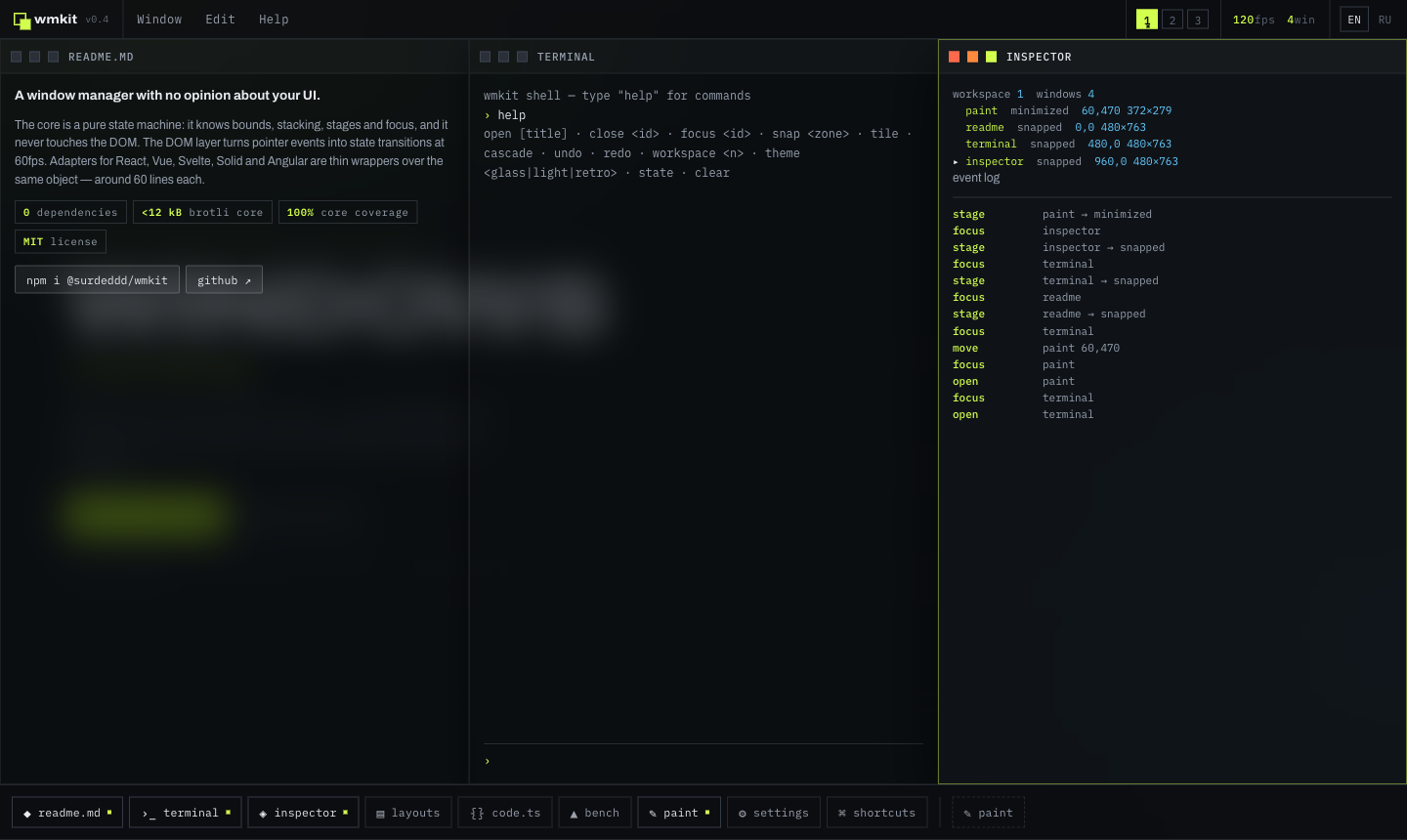
Throw a window against an edge or corner — a live preview shows the target zone, releasing tiles it. Halves, quarters, and drag-to-top maximize.
Pure state machine — no DOM access, safe to create during SSR.
interface ManagerOptions {
  viewport?: { width: number; height: number }
  keepInViewport?: boolean      // clamp windows so the titlebar stays reachable (default true)
  minVisible?: number           // minimum visible strip in px (default 48)
  defaultSize?: { width: number; height: number }
  cascadeOffset?: number        // auto-position step for new windows (default 32)
  cascadeOrigin?: { x: number; y: number }
  idPrefix?: string
  historyLimit?: number         // undo/redo depth (default 50, 0 disables history)
  workspace?: number            // initial virtual desktop (default 0)
}
Manager methods:
| Method | Notes |
|---|---|
open(init?) → WindowState |
throws on duplicate id; cascades position when x/y omitted |
close(id) / closeAll() |
focus moves to the next eligible window |
focus(id) / blur() / cycleFocus(dir?) |
focusing a minimized window restores it; modals block focus below them |
minimize(id) / maximize(id) / restore(id) / toggleMaximize(id) |
restore returns to the pre-minimize stage, including maximized/snapped |
snap(id, zone) |
halves, quarters and thirds: 'left' | 'right' | 'top' | 'bottom' | 'top-left' | … | 'left-third' | 'center-third' | 'right-third' |
move(id, x, y) / moveBy(id, dx, dy) / resize(id, patch) |
resizing a snapped window unsnaps it; aspectRatio is preserved |
center(id) / sendToBack(id) |
centre in the viewport, or drop to the bottom of the window's layer |
restoreTo(id, bounds) |
used for drag-off-snap; stage → normal at explicit bounds |
update(id, patch) |
title, layer, min/max size, aspectRatio, per-window flags, meta; a patch that changes nothing is a no-op |
setViewport(size) |
re-derives maximized/snapped bounds, clamps the rest; never recorded in history; a zero or negative size (a hidden desktop) is ignored |
workspace() / setWorkspace(n) / moveToWorkspace(id, n) |
virtual desktops; focusing a window switches to its workspace |
serialize() / hydrate(data) |
JSON-safe snapshot of the whole desktop, re-derived against the current viewport; a damaged window is repaired instead of costing the whole snapshot |
undo() / redo() / canUndo() / canRedo() / clearHistory() |
every mutation is one step; a whole drag or resize collapses into a single entry |
beginInteraction() / endInteraction() / abortInteraction() |
group a live gesture into one history entry, or drop it entirely on cancel |
saveLayout(name) / loadLayout(name) / deleteLayout(name) / layoutNames() |
named desktop snapshots; getLayout/setLayout for external storage |
arrange('cascade' | 'tile') |
cascade staggers restored sizes, tile fills the viewport in a grid |
minimizeAll() / restoreAll() |
bulk stage switches in one history step |
subscribe(fn) / on(event, fn) |
granular events: open, close, focus, move, resize, stage, update, order, workspace, group, modalblocked |
batch(fn) |
coalesce many operations into one change notification |
Windows carry layer: 'normal' | 'floating' | 'modal' — floating stays on top, modals trap focus and block pointer interaction below: drag, resize, double click, action attributes, the titlebar menu and presses that would move focus (a blocked focus() call emits modalblocked, and a blocked press flashes the modal).
DOM controller: pointer drag with capture (touch/pen included), 8-direction resize, snap detection with preview, keyboard handling, ARIA wiring, FLIP-to-taskbar animation.
interface DesktopOptions {
  snap?: boolean | { threshold?: number; cornerSize?: number; preview?: boolean; topEdge?: 'maximize' | 'top' | 'none' }
  keyboard?: boolean | { moveStep?: number; cycle?: boolean; snapShortcuts?: boolean; historyShortcuts?: boolean; tabShortcuts?: boolean }
  announce?: boolean | Partial<AnnouncerMessages>   // localize screen-reader strings here
  autoViewport?: boolean                            // ResizeObserver → wm.setViewport (default true)
  magnetism?: boolean | { threshold?: number }      // edge-align to neighbours + viewport while dragging (default on, 8 px / 12 px coarse)
  hitAreas?: { edge?: number; corner?: number }     // resize handle thickness (auto-doubles on touch)
  minimizeTarget?: (win: WindowState) => Element | null  // FLIP ghost target on minimize
  onTitlebarContextMenu?: (win: WindowState, event: MouseEvent) => void  // right-click / long-press hook for your own menu
}
Keyboard defaults: arrows move the focused window (16 px) while keyboard focus is on the window or its titlebar (content widgets keep their arrows), Alt for 1 px steps, Shift+arrows resize, Ctrl/⌘+Alt+←/→ snap to a half, Ctrl/⌘+Alt+↑/↓ maximize or minimize, Ctrl/⌘+Alt+PageDown/PageUp switch tabs, Ctrl/⌘+Z / Ctrl/⌘+Shift+Z undo and redo (also on non-Latin layouts), F6 / Shift+F6 cycle windows, from inside a field too, Escape cancels an in-flight drag or resize (and drops it from the history).
import { persist } from '@surdeddd/wmkit/persist'

const store = persist(wm, { key: 'my-desktop' })  // auto-restores, then debounce-saves on change
store.clear()
Storage defaults to localStorage (a missing or throwing one turns the plugin into a no-op — SSR and private-mode friendly) and accepts any getItem/setItem/removeItem implementation. Saves are debounced and still happen at least every maxWait ms under constant change; failed loads, migrations and saves go to onError instead of throwing.
Payloads are wrapped in a { version, state } envelope. Bump version when your window contract changes and pass migrate to upgrade older data — anything you cannot migrate is discarded instead of restored broken:
persist(wm, {
  version: 2,
  migrate: (state, from) => (from === 1 ? upgrade(state) : null),
})Moves a window's content into a separate OS window, keeping the same JS context and state: an always-on-top Document Picture-in-Picture window where the browser has one (Chrome, Edge, Firefox), a popup everywhere else. screen: 'other' puts the popup on a second monitor through the Window Management API. Call it from a user gesture.
import { popout } from '@surdeddd/wmkit/popout'
button.onclick = () => popout(wm, 'docs', contentElement, { target: 'window', screen: 'other' })Docks windows into a layout of split panels. Drag a window onto a panel edge to split it, onto its centre to add a tab, or onto an edge of the desktop to dock beside everything. Separators resize with the pointer or the arrow keys. A docked window torn out by its titlebar floats again. Hold Shift while dragging to keep a window floating; on a touch screen, wire the float option to a toggle of your own. Every dock operation is one undo step, and persist keeps the layout across reloads.
import { createDock } from '@surdeddd/wmkit/dock'
const dock = createDock(desktop)
dock.dock('editor')
dock.dock('files', { side: 'left' })Two-finger gestures, opt-in so the core never pays for them: pinch a window to resize it around the point between your fingers, swipe two fingers sideways to change workspace. 1.66 kB brotlied.
import { attachDesktop } from '@surdeddd/wmkit'
import { touchGestures } from '@surdeddd/wmkit/gestures'

attachDesktop(wm, root, { gestures: [touchGestures({ swipe: { workspaces: 4 } })] })
A gesture is just a function that takes a GestureContext and returns its teardown, so your own gestures cooperate with the built-in drag and resize through the same claim/busy pair — see docs/api.md.
Builds the window itself from a markup string, so a consumer can ship their own chrome and their own buttons without writing a single listener. 2.46 kB brotlied.
import { attachDesktop } from '@surdeddd/wmkit'
import { skin } from '@surdeddd/wmkit/chrome'

const mine = skin({
  name: 'mine',
  template:
    '<section><header data-wm-drag><span data-wm-title>{{title}}</span>' +
    '<button data-wm-close aria-label="Close"></button></header>' +
    '<div data-wm-content></div></section>',
})

const desktop = attachDesktop(wm, root, { skins: { mine } })
desktop.mountWindow('notes', 'mine').content.append(myApp)data-wm-close, data-wm-minimize, data-wm-maximize, data-wm-restore, data-wm-center, data-wm-send-back, data-wm-snap="left" and data-wm-to-workspace="2" are read straight off your markup. Every {{placeholder}} is HTML-escaped and may sit only in text or in a quoted aria-*, data-*, title, alt, class, id, role, lang, dir, for, value, placeholder or label attribute; anywhere else skin() throws. Only {{title}} inside [data-wm-title] follows later changes. shadow: true seals the chrome inside an open shadow root without losing grouping, focus trapping or the accessible name — see docs/recipes.md.
An opt-in panel that shows the live window table, an event log and the manager controls, so you can see what the state machine is doing without a debugger. It follows the manager, never the DOM, so it works with any adapter or none.
import { createDevtools, devtoolsMessagesRu } from '@surdeddd/wmkit/devtools'

const panel = createDevtools(wm, { logLimit: 100 })
panel.destroy()| Option | Default | Meaning |
|---|---|---|
container |
document.body |
where the panel mounts |
messages |
English catalog | pass devtoolsMessagesRu for Russian, or your own strings |
logLimit |
50 |
ring buffer size for the event log |
events |
open, close, focus, stage, workspace, group, modalblocked | which manager events to log |
Rows are patched in place rather than re-rendered, so keyboard focus inside the panel survives while windows move. It injects one scoped stylesheet, shared between panels and removed with the last one.
@surdeddd/wmkit/themes/glass.css styles the data-wm-* attributes and exposes CSS variables:
[data-wm-desktop] {
  --wm-radius: 14px;
  --wm-bg: rgba(22, 24, 34, 0.55);
  --wm-accent: #7c6cff;
  /* --wm-border, --wm-shadow, --wm-titlebar-bg, --wm-text, --wm-blur, --wm-transition … */
}
Fifteen more ready-made themes ship alongside — light, retro, terminal, paper, neon, aqua, frost, candy, carbon, brutalist, blueprint, amber, noir, forest and synth. They all style the same data-wm-* attributes, so switching is a one-line import swap, and every one of them ships 24px pointer targets plus prefers-reduced-motion and forced-colors blocks. Every one is also held to WCAG AA contrast by a browser test that measures the rendered pixels of the demo under all sixteen.
Three layers, from the widest to the narrowest:
| layer | reaches | changes |
|---|---|---|
| theme | every window | the tokens |
| variant | one window | the tokens, through data-wm-variant |
| skin | one window | the markup itself |
A theme and a variant repaint what is there; a skin replaces it. Set meta.variant for the first two and meta.skin for the third — see docs/theming.md.
Skip the import entirely and the library stays headless: state attributes (data-wm-stage, data-wm-focused, data-wm-dragging, data-wm-flash, [hidden]) are yours to style.
The core never touches window/document — create managers and even hydrate() state on the server, then call attachDesktop after mount. persist no-ops without usable storage.
This README is the tour. The reference lives in docs/, also published as a site with search and a Russian version at wmkit.vercel.app/docs:
| Page | What is in it |
|---|---|
| API reference | every export, option, method, event and type |
| Adapters | complete React, Vue, Svelte, Solid, Angular, Preact, Lit and Qwik integrations, plus <wm-desktop> web components |
| Theming | data-wm-* contract, CSS variables, writing a theme from scratch |
| Recipes | building a window from scratch, taskbar, modals, persistence, workspaces, SSR, testing, performance |
| Browser support | baselines per entry point and what degrades where |
| Migrating from WinBox | every WinBox option, method and callback mapped |
templates/dashboard is an operations dashboard on <wm-desktop> and the dock plugin: KPI tiles, a live SVG chart, a table and a log, tiled into panels you can rearrange, float and reset, saved across reloads, in English and Russian.
npx degit Surdeddd/wmkit/templates/dashboard my-dashboard
| wmkit | WinBox | jsPanel4 | Dockview | Zag floating-panel | |
|---|---|---|---|---|---|
| Maintained | ✓ 2026 | ✗ since 2023 | ✗ since 2022 | ✓ | ✓ |
| Headless core | ✓ | ✗ | ✗ | ~ own UI | ✓ |
| Official adapters | React·Vue·Svelte·Solid·Angular·Preact·Lit·Qwik + web components | community | ✗ | React·Vue·Angular | via Ark UI |
| Multi-window (z-order, taskbar, modals) | ✓ | partial | partial | dock groups | ✗ single panel |
| Snap zones + preview | ✓ | ✗ | ✗ | — | ✗ |
| Docking (split panels, tabs) | ✓ | ✗ | ✗ | ✓ | ✗ |
| Keyboard + screen reader | ✓ | ✗ | ✗ | partial | partial |
| Persistence built in | ✓ | ✗ | ✗ | ✓ | ✗ |
| Popout (PiP, popup, other monitor) | ✓ | ✗ | ✗ | window.open | ✗ |
| TypeScript | strict | @types | ✗ | ✓ | ✓ |
(checked July 2026: commit history, npm downloads, open feature requests)
- 1 200+ unit tests: 100% line/branch/function/statement coverage on the core state machine, persistence and the dock layout model, fuzzers for the manager, the DOM layer, the dock layout, the manager together with the dock, and the skin template compiler against a real HTML parser, with enforced floors on the DOM layer, the plugins and the adapters
- 900+ Playwright scenarios on Chromium, Firefox, WebKit and mobile emulation: drag, 8-way resize, snap, magnetism, docking with panels checked by their rectangles, workspaces, undo after drag, keyboard, touch, iframes, a desktop inside an iframe, popout, persistence across reloads, 50-window stress, modal traps, every adapter, a server-rendered Qwik page resumed in the browser, the web components with their tab strip and closed panels, the docs site, the template and the Russian landing, axe accessibility scans, visual regression screenshots
- micro-benchmarks in jsdom, run in CI on every push (
vitest bench). They time the library's own JavaScript and see neither hit-testing nor paint: 1 000 windows open in ~60 ms, a headless move among 50 windows costs ~3 µs, syncing a drag step among 800 attached windows ~0.1 ms, a 100-step undo/redo sweep ~0.4 ms - a real-browser benchmark (
pnpm bench:browser: headless Chromium on the GPU, one window dragged among N with the glass theme and tab grouping on), measured on an M1 Pro: the script per pointer move takes 0.21 / 0.27 / 0.37 ms among 50 / 200 / 400 windows, and frames come in at a median of 8.3 ms with a p95 of about 10 ms on a 120 Hz display; with the CPU throttled four times, 0.73 / 1.21 / 1.43 ms per move. Run it to measure on your own hardware publint+@arethetypeswrong/clivalidate the published package,size-limitguards bundle budgets
pnpm install
pnpm dev          # landing + playground on Vite
pnpm test         # unit tests
pnpm test:e2e     # Playwright matrix
pnpm smoke        # pack the build and import every entry in Node, as ESM and CommonJS
pnpm bench:browser # drag one window among many in headless Chromium, report script and frame times
pnpm verify # the full gate: lint, types, coverage, build, size, publint, attw, smoke, e2eMIT © Maksim Kravcov