
Audio player dedicated to read local audiobooks.
- When you may not have any network to stream your audiobook
- When you have a digital copy on your device
- When you are tired of classic media player mainly designed for songs (thus short audio files) or filled with ads
Here come Fable Flow!

This application will ask you to choose a directory on your device that will be read (no write action).
Fable Flow require, as first step, to select a directory from the user's device
Regarding mobile devices, only Chrome mobile browser currently supports this requirement, and only since version 132, released around 2025-01-14. Other browsers does not plan to add this functionality soon (in 2025).
Regarding PC browser, Fable Flow should be compatible with Chrome, Edge and Opera. The requirement is not supported by Firefox or Safari.
You can refer to showDirectoryPicker browser compatibility for more details
This is a Progressive Web App (PWA). If you are not familiar with this, it is a web application that could act as a device application on Android.
Simply open the application link, your device should offer you to 'add to home screen' or 'install'.
Choose your main directory as library. The application will crawl files in this directory.
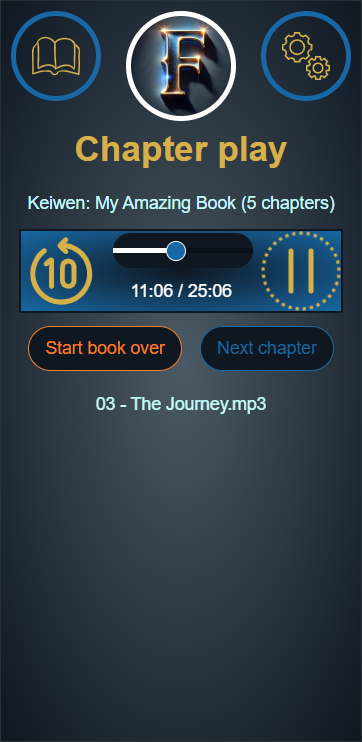
You can then choose an author, a book, and play any chapter!
It will be required to follow a specific architecture in this directory: a folder per author, each containing a folder per book, each containing an audio file per chapter. For example:
- Author 1 name
- Book A name
- Chapter 1 name
- Chapter 2 name
- ...
- Book B name
- ...
- Book A name
- Author 2 name
- ...
Currently, the application supports these file extensions: MP3.
This application cover a real need of real people, but it is also a first experiment in VueJS 3 framework. If you are a senior Node/VueJS developer, be kind, I promise I tried my best to make it clean ;)
If you does not hear any sound (can happen mainly on mobile devices), please check the permissions for the website. On the address bar, you should have a setting button near the url. Click on it to open settings for this specific website, and check permissions. You may have a specific 'sound' section, be sure to enable it.
Mobile browser currently revoke any permission granted to access your file, for security reasons. Therefore, you'll 'lost' access to your library folder each time you re-open the application. Therefore, whenever this is detected, you are redirected to the setup page with a new button to restore permission. By security reason again, you need to click on this button and it cannot be automated.
After a while, application may close itself: while you are listening to the audio file, Android may consider you as 'inactive' and close application (surely for battery saving purpose). Several workaround has been tested without success.
Default 'previous track' command has been linked on purpose to the rewind command , instead of actually load previous track.