Systems
Initially, consys was created to serve a very specific use case:
Determine if a given model satisfies a set of rules, where the rules must be serializable and can always change.
With that goal in mind, a custom domain specific language has proven to be most effective for the rule definitions. For the actual program structure, the most obvious approach was to have a system which, when supplied with a set of these rules (constraints) and an instance of a model, returns an evaluation report for this particular model instance. The image below sums up the general idea:
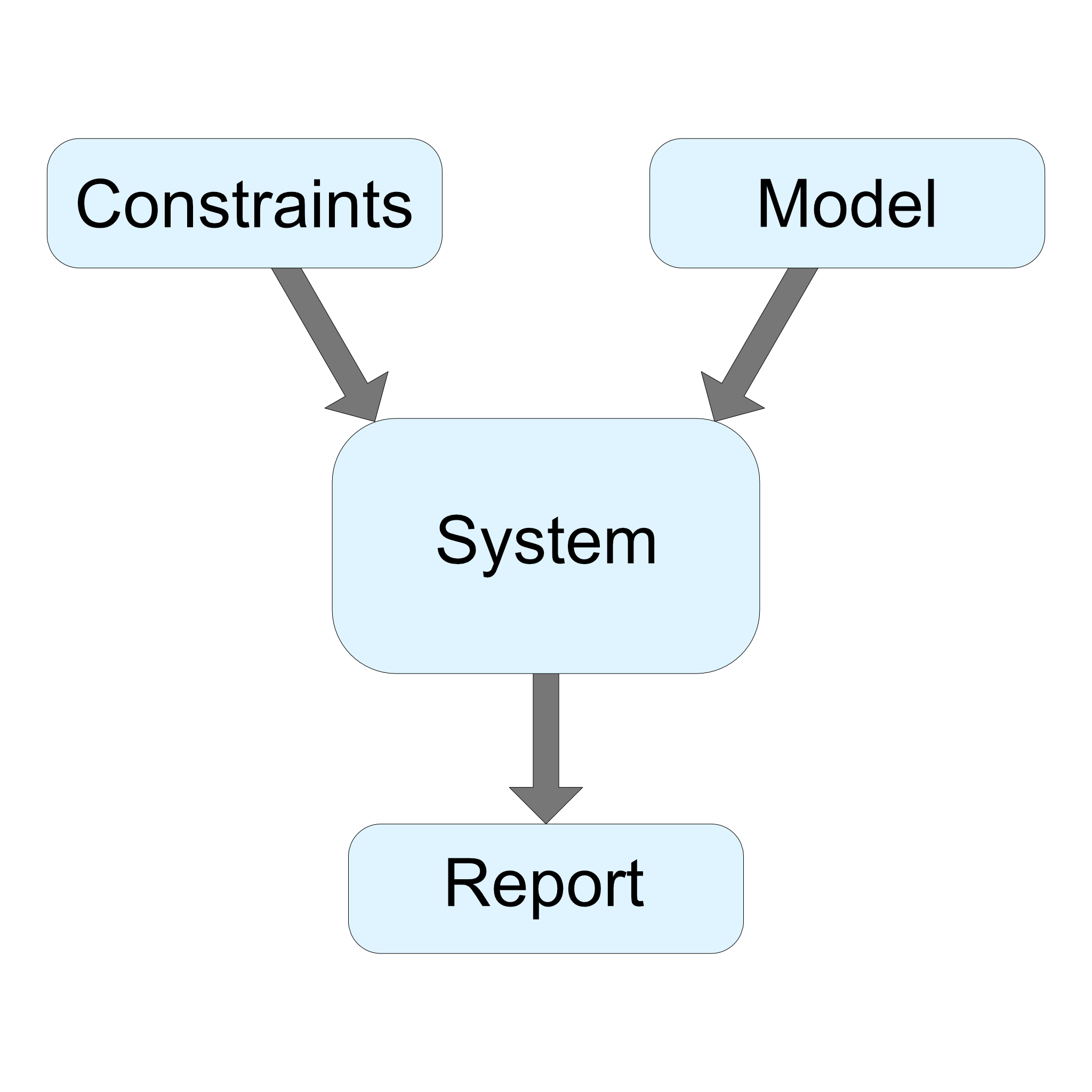
In order to retain type safety, each system is instantiated for a particular model and state type (more about models and states here). Once instantiated, you can add your own constraints and functions to the system. This is probably easier to show in an example:
// Let's define a simple user model
type User = {
    name: string,
    birthYear: number
};

// And a state for the current year and minimum age for the selected movie
type State = {
    currentYear: number,
    selectedMovie: {
        title: string,
        minAge: number
    }
};

// Instantiate a system for this particular model and state type
const userConstraints = new ConstraintSystem<User, State>();
Now that we have a system instance, let's define our constraints and functions.
// Check if this user is old enough for the selected movie
userConstraints.addConstraint({
    constraint: "ALWAYS: (#currentYear - $birthYear) >= #selectedMovie.minAge",
    message: "$name is not old enough to watch #selectedMovie.title!"
});
Alternatively, you could define this constraint using a statement, which is more readable in some cases. As you can see, there are many options you can choose from, depending on what fits your application best.
// Same as above, but with a statement instead of a function
userConstraints.addConstraint({
    constraint: "ALWAYS: USER_LEGAL_AGE",
    message: "$name is not old enough to watch #selectedMovie.title!"
});

// Also almost the same as above, but with different arguments
userConstraints.addStatement("USER_LEGAL_AGE", (user: User, state: State) => {
    return (state.currentYear - user.birthYear) >= state.selectedMovie.minAge;
});
Note that there is a trade-off here: The more logic you incorporate directly in your constraints, the more freedom you have in creating new constraints from the same logic, since you are less dependent on the underlying functions. On the other hand, the more logic is put into the functions, the less of that logic can be used to create other constraints. Essentially, the general programming rules apply: Try to keep functions as generic as possible, so they can be used in many constraints.
With that being said, let's come back to our example and start to create some model instances.
// First, let's instantiate some users
let users: User[] = [
    { firstName: "Nils", birthYear: "1994" },
    { firstName: "Johann", birthYear: "1995" },
    { firstName: "Timmy", birthYear: "2011" }
];

// And the current year with our selected movie
let state: State = {
    currentYear: 2021,
    selectedMovie: {
        title: "Saw",
        minAge: 18
    }
};When evaluating a model and state, the system will generate reports containing information about each models' validity. Each report consists of the model and state instance that were checked, as well as the set of constraints which was used. Additionally, a report contains an array of evaluations, one for each constraint. An evaluation will show if the model and state satisfied the corresponding constraint, and if not, contain the previously defined message string.
// Now, start evaluating
let reports: Report<User, State>[] = userConstraints.evaluate(users, state);

// One report for each user
for (let report of reports) {

    // With one constraint, there can only be one evaluation
    let evaluation: Evaluation = report.evaluation[0];

    // Print our custom message
    if (!evaluation.consistent) {
        console.log(evaluation.message);
    }
}
Finally, we get the following output:
>> Timmy is not old enough to watch Saw!You do not have to use the built-in message system, but it has proven to be quite useful for many purposes, especially for providing front end feedback. In situations where you need more precise information about your model, there is always the option to access the initial model, state and constraint resources of the report.
// We could also collect all users that are not allowed to watch
let invalidUsers: User[] = [];

for (let report of reports) {
    let evaluation: Evaluation = report.evaluation[0];

    if (!evaluation.consistent) {
        invalidUsers.push(report.model);
    }
}
You can also specify a custom filter for the evaluations. This can be useful if you have different constraint levels that you want to include. Have a look at this example:
// Our constraints have different levels
let constraints = [
    {
        constraint: "ALWAYS: ANSWER(42)",
        level: 1
    },
    {
        constraint: "ALWAYS: VALID(1337)",
        level: 2
    },
    {
        constraint: "ALWAYS: INVALID(1338)",
        level: 3
    },
];

// ...

// This will only include evaluations of constraints that have a level higher than 2
let reports: Report<User, State>[] = system.evaluate((model, state, resource) => resource.level > 2);