Skip to content

Show a pending unlock request state for locked domain members - #104188

Open
MelvinBot wants to merge 3 commits into
mainfrom
claude-pendingUnlockRequestState
Open

MelvinBot wants to merge 3 commits into
mainfrom
claude-pendingUnlockRequestState

Conversation

@MelvinBot

@MelvinBot MelvinBot commented Oct 16, 2026 •

Copy link
Copy Markdown
Contributor

Explanation of Change

This PR improves the domain member unlock request flow by providing clear feedback after an unlock request is submitted.

  • Updates the Unlock account option to Pending unlock request with an hourglass icon after a successful request.
  • Prevents duplicate unlock requests while a request is pending.
  • Reopens the We've received your request confirmation modal when the pending row is clicked, without sending another request.
  • Stores the pending unlock request state locally so it remains visible after refreshing the page.
  • Restores the Unlock account option and displays an error if the request fails.
  • Clears the previous pending unlock request state when the member's account is locked again.
  • Adds translations for the new label across supported languages.

Fixed Issues

$ #102734
PROPOSAL: #102734 (comment)

Tests

1: Open Domains → Domain Members.

2: Select a locked member.

3: Click Unlock account.

4: Verify the confirmation modal appears.

5: Click Got it.

6: Verify Pending unlock request and the hourglass icon appear.

7: Click the pending row and verify the modal reopens without sending another request.

  • Verify that no errors appear in the JS console

Offline tests

1: Open a locked domain member.

2: Go offline and click Unlock account.

3: Verify the request is queued.

4: Reconnect and verify the pending state updates correctly.

QA Steps

Same as Tests.

  • Verify that no errors appear in the JS console

PR Author Checklist

  • I linked the correct issue in the ### Fixed Issues section above
  • I wrote clear testing steps that cover the changes made in this PR
    • I added steps for local testing in the Tests section
    • I added steps for the expected offline behavior in the Offline steps section
    • I added steps for Staging and/or Production testing in the QA steps section
    • I added steps to cover failure scenarios (i.e. verify an input displays the correct error message if the entered data is not correct)
    • I turned off my network connection and tested it while offline to ensure it matches the expected behavior (i.e. verify the default avatar icon is displayed if app is offline)
    • I tested this PR with a High Traffic account against the staging or production API to ensure there are no regressions (e.g. long loading states that impact usability).
  • I included screenshots or videos for tests on all platforms
  • I ran the tests on all platforms & verified they passed on:
    • Android: Native
    • Android: mWeb Chrome
    • iOS: Native
    • iOS: mWeb Safari
    • MacOS: Chrome / Safari
  • I verified there are no console errors (if there's a console error not related to the PR, report it or open an issue for it to be fixed)
  • I verified any copy / text that was added to the app is either coming verbatim from figma or has been approved by marketing (in order to get marketing approval, ask the Bug Zero team member to add the Waiting for copy label to the issue)
  • If a new code pattern is added I verified it was agreed to be used by multiple Expensify engineers
  • I tested other components that can be impacted by my changes (i.e. if the PR modifies a shared library or component like Avatar, I verified the components using Avatar are working as expected)
  • If new assets were added or existing ones were modified, I verified that:
    • The assets are optimized and compressed (for SVG files, run npm run compress-svg)
    • The assets load correctly across all supported platforms.
  • If the PR modifies code that runs when editing or sending messages, I tested and verified there is no unexpected behavior for all supported markdown - URLs, single line code, code blocks, quotes, headings, bold, strikethrough, and italic.
  • If the PR modifies a generic component, I tested and verified that those changes do not break usages of that component in the rest of the App (i.e. if a shared library or component like Avatar is modified, I verified that Avatar is working as expected in all cases)
  • If the PR modifies a component related to any of the existing Storybook stories, I tested and verified all stories for that component are still working as expected.
  • If the PR modifies a component or page that can be accessed by a direct deeplink, I verified that the code functions as expected when the deeplink is used - from a logged in and logged out account.
  • If the PR modifies the UI (e.g. new buttons, new UI components, changing the padding/spacing/sizing, moving components, etc) or modifies the form input styles:
    • I verified that all the inputs inside a form are aligned with each other.
    • I added Design label and/or tagged @Expensify/design so the design team can review the changes.
  • If the PR adds or modifies the UI:
    • I asked an AI agent to review the changes for accessibility issues and addressed its findings.
    • I tested with a screen reader (VoiceOver on macOS) and verified all new/changed elements are reachable with a logical focus order.
    • I verified all new/changed elements have meaningful accessible names and roles.
    • I verified state changes are announced (e.g. checked/unchecked, expanded/collapsed, selected).
  • I added unit tests for any new feature or bug fix in this PR to help automatically prevent regressions in this user flow.
  • If the main branch was merged into this PR after a review, I tested again and verified the outcome was still expected according to the Test steps.

Screenshots/Videos

Android: Native
Android: mWeb Chrome
iOS: Native
iOS: mWeb Safari
MacOS: Chrome / Safari

After a domain admin requests an unlock for a locked member, the row now reads
"Pending unlock request" with an hourglass icon. Tapping it again reopens the
confirmation modal without sending a duplicate request, and a failed request
rolls back the state and shows an error on the row.

Co-authored-by: Maruf Sharifi <[email protected]>
@MelvinBot
MelvinBot requested a review from a team October 16, 2026 06:55
@melvin-bot melvin-bot Bot added Melvin-Test-Android Melvin-Test-Web Triggers Melvin to run the testing steps of the PR on web labels Oct 16, 2026
@MelvinBot

Copy link
Copy Markdown
Contributor Author

I created this PR from an upstream branch since I don't have push access to your fork.

To take ownership of this branch and be able to push updates, run:

git remote add upstream https://github.com/Expensify/App.git
git fetch upstream claude-pendingUnlockRequestState
git checkout -b claude-pendingUnlockRequestState upstream/claude-pendingUnlockRequestState
git push -u origin claude-pendingUnlockRequestState

Then you can close this PR and open a new one from your fork.

@OSBotify

Copy link
Copy Markdown
Contributor

🦜 Polyglot Parrot! 🦜

Squawk! Looks like you added some shiny new English strings. Allow me to parrot them back to you in other tongues:

View the translation diff
diff --git a/src/languages/el.ts b/src/languages/el.ts
index 247aab54..15c21e53 100644
--- a/src/languages/el.ts
+++ b/src/languages/el.ts
@@ -2588,7 +2588,7 @@ const translations: TranslationDeepObject<typeof en> = {
         lockAccount: 'Κλείδωμα λογαριασμού',
         lockMyAccount: 'Κλείδωμα του λογαριασμού μου',
         unlockAccount: 'Ξεκλειδώστε τον λογαριασμό',
-        pendingUnlockRequest: 'Εκκρεμές αίτημα ξεκλειδώματος',
+        pendingUnlockRequest: 'Εκκρεμεί αίτημα ξεκλειδώματος',
         unlockTitle: 'Λάβαμε το αίτημά σας',
         unlockDescription: 'Θα εξετάσουμε τον λογαριασμό για να επιβεβαιώσουμε ότι είναι ασφαλές να ξεκλειδωθεί και θα επικοινωνήσουμε μέσω Concierge για τυχόν ερωτήσεις.',
         findYourSituation: 'Τα περισσότερα προβλήματα δεν απαιτούν κλείδωμα του λογαριασμού σας. Βρείτε την περίπτωσή σας παρακάτω:',
diff --git a/src/languages/nl.ts b/src/languages/nl.ts
index c0d23b8a..dc449409 100644
--- a/src/languages/nl.ts
+++ b/src/languages/nl.ts
@@ -2528,7 +2528,7 @@ const translations: TranslationDeepObject<typeof en> = {
         lockAccount: 'Account vergrendelen',
         lockMyAccount: 'Account vergrendelen',
         unlockAccount: 'Account ontgrendelen',
-        pendingUnlockRequest: 'Ontgrendelingsverzoek in behandeling',
+        pendingUnlockRequest: 'In behandeling zijnde ontgrendelingsverzoek',
         findYourSituation: 'Voor de meeste problemen hoef je je account niet te blokkeren. Zoek hieronder jouw situatie:',
         lostCardOrCharges:
             '<a href="https://help.expensify.com/articles/expensify-classic/expensify-card/Dispute-Transaction">Kaart kwijt of onbekende kosten</a>: Annuleer je kaart en neem contact op met Concierge om onbekende transacties te betwisten.',
diff --git a/src/languages/pl.ts b/src/languages/pl.ts
index 5cf2fb65..ffbb5941 100644
--- a/src/languages/pl.ts
+++ b/src/languages/pl.ts
@@ -2567,7 +2567,7 @@ const translations: TranslationDeepObject<typeof en> = {
         lockAccount: 'Zablokuj konto',
         lockMyAccount: 'Zablokuj moje konto',
         unlockAccount: 'Odblokuj konto',
-        pendingUnlockRequest: 'Oczekująca prośba o odblokowanie',
+        pendingUnlockRequest: 'Oczekujące żądanie odblokowania',
         findYourSituation: 'Większość problemów nie wymaga blokowania konta! Znajdź swoją sytuację poniżej:',
         lostCardOrCharges:
             '<a href="https://help.expensify.com/articles/expensify-classic/expensify-card/Dispute-Transaction">Zgubiona karta lub nieznane obciążenia</a>: Anuluj swoją kartę i skontaktuj się z Concierge, żeby zakwestionować nieznane transakcje.',
diff --git a/src/languages/zh-hans.ts b/src/languages/zh-hans.ts
index e30139d2..6e6479b5 100644
--- a/src/languages/zh-hans.ts
+++ b/src/languages/zh-hans.ts
@@ -2445,7 +2445,7 @@ const translations: TranslationDeepObject<typeof en> = {
         lockAccount: '锁定账户',
         lockMyAccount: '锁定我的账户',
         unlockAccount: '解锁账户',
-        pendingUnlockRequest: '解锁请求待处理',
+        pendingUnlockRequest: '待处理解锁请求',
         findYourSituation: '大多数问题都不需要锁定你的账户!请在以下列表中找到与你相符的情况:',
         lostCardOrCharges:
             '<a href="https://help.expensify.com/articles/expensify-classic/expensify-card/Dispute-Transaction">卡片遗失或出现不明扣款</a>:请挂失您的卡片,并联系 Concierge 申诉未知交易。',

Note

You can apply these changes to your branch by copying the patch to your clipboard, then running pbpaste | git apply 😉

View workflow run

@codecov

codecov Bot commented Oct 16, 2026 •

Copy link
Copy Markdown

Codecov Report

❌ Looks like you've decreased code coverage for some files. Please write tests to increase, or at least maintain, the existing level of code coverage. See our documentation here for how to interpret this table.

Files with missing lines Coverage Δ
src/CONST/index.ts 95.90% <ø> (ø)
src/libs/DomainUtils.ts 95.16% <ø> (ø)
src/libs/actions/Domain.ts 70.18% <ø> (+3.84%) ⬆️
src/libs/actions/User.ts 47.14% <100.00%> (+2.98%) ⬆️
src/selectors/Domain.ts 97.45% <100.00%> (+0.02%) ⬆️
...c/pages/domain/Members/DomainMemberDetailsPage.tsx 80.24% <42.85%> (-3.76%) ⬇️
... and 515 files with indirect coverage changes

@MelvinBot

MelvinBot commented Oct 16, 2026 •

Copy link
Copy Markdown
Contributor Author

🤖 Android test steps verification results: ❌ fail

The Android test was blocked before step 1, so this result doesn't show a code defect. The test account is new, with no domain or workspace. That means it isn't a domain admin and has no member to lock and unlock. This PR's Tests section is still a TODO, so I took the steps from the linked issue's reproduction steps and the expected result in the PR description.
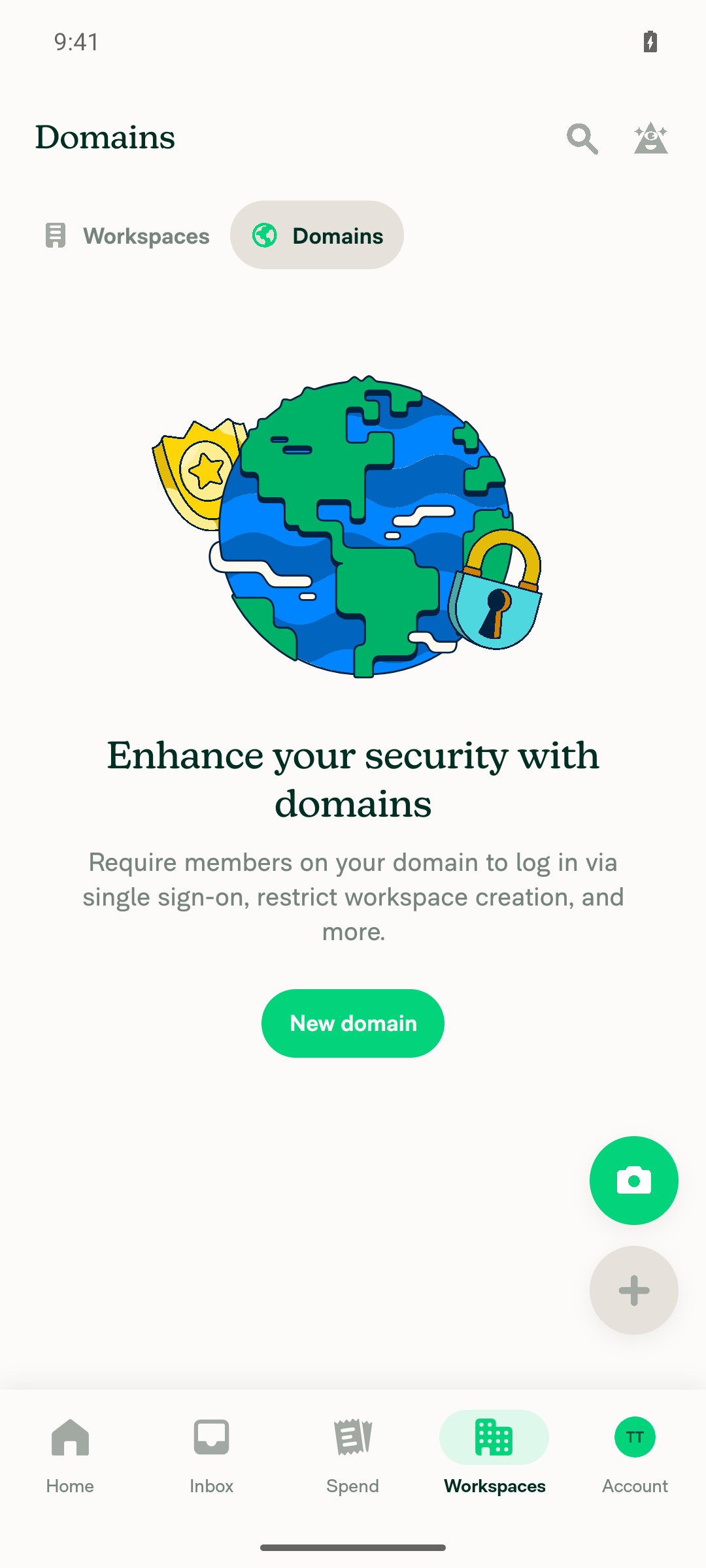
Domains tab empty state with no existing domain

Step Status
Precondition: signed in as a domain admin with a domain that has a non-admin memberThe Workspaces tab shows "No workspaces yet". The Domains tab shows the "Enhance your security with domains" empty state with only a "New domain" button. No domain or member list exists.
Domains tab empty state with no existing domain
❌
Open Workspaces > Domains > [domain] > Members and tap a member rowNot run. This account has no domain to open.
❌
Tap "Report suspicious activity"; the lock warning appearsNot run. No member row was available.
❌
Confirm the lock; the row shows "Unlock account"Not run. No member row was available.
❌
Tap "Unlock account", see "We've received your request", then tap "Got it"Not run. No member row was available.
❌
The row shows "Pending unlock request" with an hourglass iconNot run. No member row was available.
❌
Tap "Pending unlock request" again; the info modal reopens and no new request is sentNot run. No member row was available.
❌

To test this PR, you need a domain-admin account whose domain already has a non-admin member. Once Tests steps are added to the PR and such an account is available, you can run me again.


view run · view recording

@MelvinBot

MelvinBot commented Oct 16, 2026 •

Copy link
Copy Markdown
Contributor Author

🤖 Web test steps verification results: ❌ fail

The Web test was blocked before step 1, so this result doesn't show a code defect. The test account has no domain, so it isn't a domain admin and has no member to lock and unlock. This PR's Tests section is still a TODO, so I took the steps from the linked issue's reproduction steps and the expected result in the PR description.
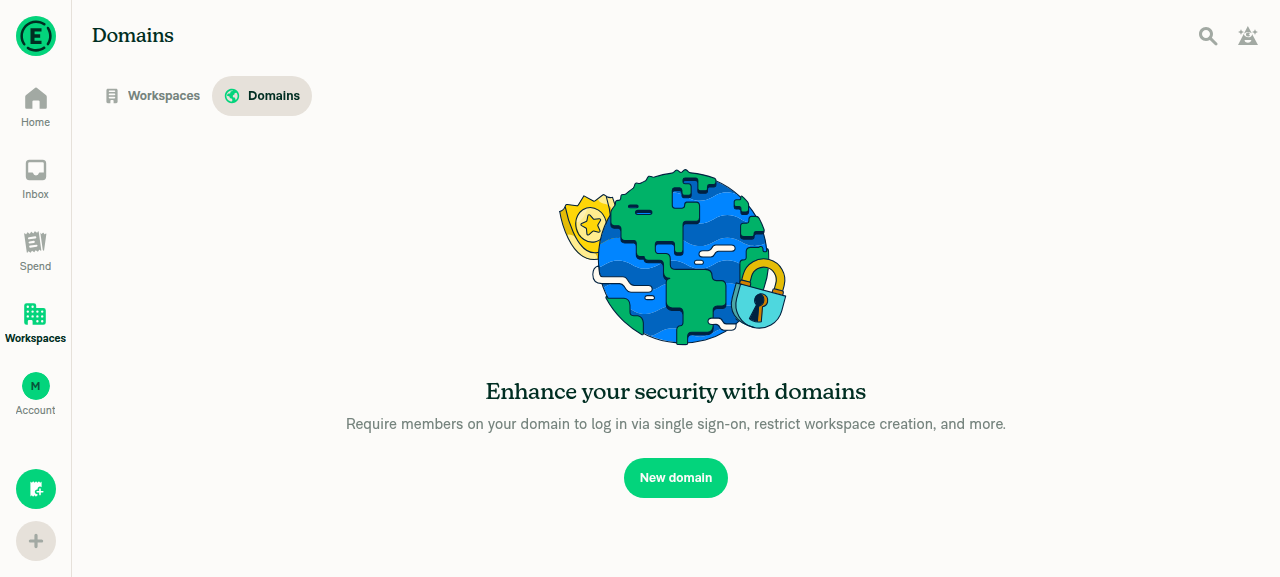
Domains tab showing no existing domain, only New domain button

Step Status
Precondition: signed in as a domain admin with a domain that has a non-admin memberThe Workspaces > Domains tab shows the "Enhance your security with domains" empty state with only a "New domain" button. No domain or member list exists.
Domains tab showing no existing domain, only New domain button
❌
Open Workspaces > Domains > [domain] > Members and click a member rowNot run. This account has no domain to open.
❌
Click "Report suspicious activity"; the lock warning appearsNot run. No member row was available.
❌
Confirm the lock; the row shows "Unlock account"Not run. No member row was available.
❌
Click "Unlock account", see "We've received your request", then click "Got it"Not run. No member row was available.
❌
The row shows "Pending unlock request" with an hourglass iconNot run. No member row was available. This is the main change in the PR.
❌
Click "Pending unlock request" again; the info modal reopens and no new request is sentNot run. No member row was available.
❌

To test this PR, you need a domain-admin account whose domain already has a non-admin member.


view run · view recording

@marufsharifi

Copy link
Copy Markdown
Contributor

@MelvinBot, replace the PR Author checklist with the verified one below:

PR author checklist

<!-- If necessary, assign reviewers that know the area or changes well. Feel free to tag any additional reviewers you see fit. -->

### Explanation of Change
<!-- Explain what your change does and how it addresses the linked issue -->

This PR improves the domain member unlock request flow by providing clear feedback after an unlock request is submitted.

- Updates the **Unlock account** option to **Pending unlock request** with an hourglass icon after a successful request.
- Prevents duplicate unlock requests while a request is pending.
- Reopens the **We've received your request** confirmation modal when the pending row is clicked, without sending another request.
- Stores the pending unlock request state locally so it remains visible after refreshing the page.
- Restores the **Unlock account** option and displays an error if the request fails.
- Clears the previous pending unlock request state when the member's account is locked again.
- Adds translations for the new label across supported languages.

### Fixed Issues
<!---
1. Please postfix `$` with a URL link to the GitHub issue this Pull Request is fixing. For example, `$ https://github.com/Expensify/App/issues/<issueID>`.
2. Please postfix  `PROPOSAL:` with a URL link to your GitHub comment, which contains the approved proposal (i.e. the proposal that was approved by Expensify).  For example, `PROPOSAL: https://github.com/Expensify/App/issues/<issueID>#issuecomment-1369752925`

Do NOT add the special GH keywords like `fixed` etc, we have our own process of managing the flow.
It MUST be an entire link to the github issue and your comment proposal ; otherwise, the linking and its automation will not work as expected.

Make sure this section looks similar to this (you can link multiple issues using the same formatting, just add a new line):

$ https://github.com/Expensify/App/issues/<issueID>
$ https://github.com/Expensify/App/issues/<issueID(comment)>

Do NOT only link the issue number like this: $ #<issueID>
--->
$ https://github.com/Expensify/App/issues/102734
PROPOSAL: https://github.com/Expensify/App/issues/102734#issuecomment-6196860603


<!--- 
If you want to trigger adhoc build of hybrid app from specific Mobile-Expensify PR please link it like this:

MOBILE-EXPENSIFY: https://github.com/Expensify/Mobile-Expensify/pull/<PR-number>

--->

### Tests
<!---
Add a numbered list of manual tests you performed that validates your changes work on all platforms, and that there are no regressions present.
Add any additional test steps if test steps are unique to a particular platform.
Manual test steps should be written so that your reviewer can repeat and verify one or more expected outcomes in the development environment.

For example:
1. Click on the text input to bring it into focus
2. Upload an image via copy paste
3. Verify a modal appears displaying a preview of that image
--->
1: Open Domains → Domain Members.

2: Select a locked member.

3: Click Unlock account.

4: Verify the confirmation modal appears.

5: Click Got it.

6: Verify Pending unlock request and the hourglass icon appear.

7: Click the pending row and verify the modal reopens without sending another request.

- [x] Verify that no errors appear in the JS console

### Offline tests
<!---
Add any relevant steps that validate your changes work as expected in a variety of network states e.g. "offline", "spotty connection", "slow internet", etc. Manual test steps should be written so that your reviewer and QA testers can repeat and verify one or more expected outcomes. If you are unsure how the behavior should work ask for advice in the `#expensify-open-source` Slack channel.
--->
1: Open a locked domain member.

2: Go offline and click Unlock account.

3: Verify the request is queued.

4: Reconnect and verify the pending state updates correctly.
### QA Steps
<!---
Add a numbered list of manual tests that can be performed by our QA engineers on the staging environment to validate that your changes work on all platforms, and that there are no regressions present.
Add any additional QA steps if test steps are unique to a particular platform.
Manual test steps should be written so that the QA engineer can repeat and verify one or more expected outcomes in the staging environment.

For example:
1. Click on the text input to bring it into focus
2. Upload an image via copy paste
3. Verify a modal appears displaying a preview of that image

It's acceptable to write "Same as tests" if the QA team is able to run the tests in the above "Tests" section.
--->
Same as Tests.

- [x] Verify that no errors appear in the JS console

### PR Author Checklist
<!--
This is a checklist for PR authors. Please make sure to complete all tasks and check them off once you do, or else your PR will not be merged!
-->

- [x] I linked the correct issue in the `### Fixed Issues` section above
- [x] I wrote clear testing steps that cover the changes made in this PR
    - [x] I added steps for local testing in the `Tests` section
    - [x] I added steps for the expected offline behavior in the `Offline steps` section
    - [x] I added steps for Staging and/or Production testing in the `QA steps` section
    - [x] I added steps to cover failure scenarios (i.e. verify an input displays the correct error message if the entered data is not correct)
    - [x] I turned off my network connection and tested it while offline to ensure it matches the expected behavior (i.e. verify the default avatar icon is displayed if app is offline)
    - [x] I tested this PR with a [High Traffic account](https://github.com/Expensify/App/blob/main/contributingGuides/CONTRIBUTING.md#high-traffic-accounts) against the staging or production API to ensure there are no regressions (e.g. long loading states that impact usability).
- [x] I included screenshots or videos for tests on [all platforms](https://github.com/Expensify/App/blob/main/contributingGuides/CONTRIBUTING.md#make-sure-you-can-test-on-all-platforms)
- [x] I ran the tests on **all platforms** & verified they passed on:
    - [x] Android: Native
    - [x] Android: mWeb Chrome
    - [x] iOS: Native
    - [x] iOS: mWeb Safari
    - [x] MacOS: Chrome / Safari
- [x] I verified there are no console errors (if there's a console error not related to the PR, report it or open an issue for it to be fixed)
- [x] I verified any copy / text that was added to the app is either coming verbatim from figma or has been approved by marketing (in order to get marketing approval, ask the Bug Zero team member to add the Waiting for copy label to the issue)
- [x] If a new code pattern is added I verified it was agreed to be used by multiple Expensify engineers
- [x] I tested other components that can be impacted by my changes (i.e. if the PR modifies a shared library or component like `Avatar`, I verified the components using `Avatar` are working as expected)
- [x] If new assets were added or existing ones were modified, I verified that:
    - [x] The assets are optimized and compressed (for SVG files, run `npm run compress-svg`)
    - [x] The assets load correctly across all supported platforms.
- [x] If the PR modifies code that runs when editing or sending messages, I tested and verified there is no unexpected behavior for all supported markdown - URLs, single line code, code blocks, quotes, headings, bold, strikethrough, and italic.
- [x] If the PR modifies a generic component, I tested and verified that those changes do not break usages of that component in the rest of the App (i.e. if a shared library or component like `Avatar` is modified, I verified that `Avatar` is working as expected in all cases)
- [x] If the PR modifies a component related to any of the existing Storybook stories, I tested and verified all stories for that component are still working as expected.
- [x] If the PR modifies a component or page that can be accessed by a direct deeplink, I verified that the code functions as expected when the deeplink is used - from a logged in and logged out account.
- [x] If the PR modifies the UI (e.g. new buttons, new UI components, changing the padding/spacing/sizing, moving components, etc) or modifies the form input styles:
    - [x] I verified that all the inputs inside a form are aligned with each other.
    - [x] I added `Design` label and/or tagged `@Expensify/design` so the design team can review the changes.
- [x] If the PR adds or modifies the UI:
    - [x] I asked an AI agent to review the changes for accessibility issues and addressed its findings.
    - [x] I tested with a screen reader (VoiceOver on macOS) and verified all new/changed elements are reachable with a logical focus order.
    - [x] I verified all new/changed elements have meaningful accessible names and roles.
    - [x] I verified state changes are announced (e.g. checked/unchecked, expanded/collapsed, selected).
- [x] I added [unit tests](https://github.com/Expensify/App/blob/main/tests/README.md) for any new feature or bug fix in this PR to help automatically prevent regressions in this user flow.
- [x] If the `main` branch was merged into this PR after a review, I tested again and verified the outcome was still expected according to the `Test` steps.

### Screenshots/Videos
<details>
<summary>Android: Native</summary>

<!-- add screenshots or videos here -->

</details>

<details>
<summary>Android: mWeb Chrome</summary>

<!-- add screenshots or videos here -->

</details>

<details>
<summary>iOS: Native</summary>

<!-- add screenshots or videos here -->

</details>

<details>
<summary>iOS: mWeb Safari</summary>

<!-- add screenshots or videos here -->

</details>

<details>
<summary>MacOS: Chrome / Safari</summary>

<!-- add screenshots or videos here -->

</details>


@MelvinBot

Copy link
Copy Markdown
Contributor Author

I replaced the PR description with your verified version, word for word.

Two things to check:

  • The Screenshots/Videos sections are still empty, but the checklist says screenshots are included for all platforms. Please add them before review.
  • Your version leaves out the earlier backend note. For the pending state to show on other devices or after a cache clear, the backend must set and return the private_unlockRequested_<accountID> domain key. An internal engineer still needs to confirm this.

view run

@marufsharifi

Copy link
Copy Markdown
Contributor

@MelvinBot Mark this as ready for review

@MelvinBot
MelvinBot marked this pull request as ready for review October 17, 2026 08:16
@MelvinBot
MelvinBot requested a review from a team as a code owner October 17, 2026 08:17
@MelvinBot

Copy link
Copy Markdown
Contributor Author

I marked this PR as ready for review.


view run

@melvin-bot
melvin-bot Bot requested review from trjExpensify and removed request for a team and trjExpensify October 17, 2026 08:17
@melvin-bot

melvin-bot Bot commented Oct 17, 2026

Copy link
Copy Markdown

@dubielzyk-expensify @marufsharifi One of you needs to copy/paste the Reviewer Checklist from here into a new comment on this PR and complete it. If you have the K2 extension, you can simply click: [this button]

@chatgpt-codex-connector

chatgpt-codex-connector Bot commented Oct 17, 2026 •

Copy link
Copy Markdown

Codex Review Summary

This comment shows the latest Codex review activity on this pull request.

Review Status Commit Review trigger
📝 Code Review ✅ Completed 2026-10-17T08:21:15.167936Z c76d719 Draft marked ready
ℹ️ About Codex in GitHub

Your team has set up Codex to review pull requests in this repo. Reviews are triggered when you

  • Open a pull request for review
  • Mark a draft as ready
  • Comment "@codex review" or "@codex security review".

Codex reacts with 👀 while any review is running, comments if it has suggestions, and reacts with 👍 once all reviews finish with no findings.

@chatgpt-codex-connector chatgpt-codex-connector Bot left a comment

Copy link
Copy Markdown

Choose a reason for hiding this comment

The reason will be displayed to describe this comment to others. Learn more.

💡 Codex Review

Here are some automated review suggestions for this pull request.

Reviewed commit: c76d7190f5

ℹ️ About Codex in GitHub

Codex has been enabled to automatically review pull requests in this repo. Reviews are triggered when you

  • Open a pull request for review
  • Mark a draft as ready
  • Comment "@codex review".

If Codex has suggestions, it will comment; otherwise it will react with 👍.

When you sign up for Codex through ChatGPT, Codex can also answer questions or update the PR, like "@codex address that feedback".

Comment on lines +140 to +142
if (!isUnlockRequested) {
requestUnlockAccount(accountID, domainAccountID, domainName);
}

Copy link
Copy Markdown

Choose a reason for hiding this comment

The reason will be displayed to describe this comment to others. Learn more.

P2 Badge Clear stale pending state before suppressing a new unlock request

When an earlier unlock completes and the account is later re-locked through another device, another administrator, or a server update, the locally persisted private_unlockRequested_* flag remains true because the only reset is inside this client's lockAccount() action. In that state this guard prevents RequestUnlockAccount from being sent, so clicking the newly locked member's row only reopens the old confirmation modal and the member cannot be unlocked from this client. Clear or reconcile the flag when the observed lock lifecycle changes rather than treating the local value as permanently authoritative.

Useful? React with 👍 / 👎.

@dubielzyk-expensify

Copy link
Copy Markdown
Contributor

What videos or screenshots show the change?

@marufsharifi

marufsharifi commented Oct 19, 2026 •

Copy link
Copy Markdown
Contributor

Reviewer Checklist

  • I have verified the author checklist is complete (all boxes are checked off).
  • I verified the correct issue is linked in the ### Fixed Issues section above
  • I verified testing steps are clear and they cover the changes made in this PR
    • I verified the steps for local testing are in the Tests section
    • I verified the steps for Staging and/or Production testing are in the QA steps section
    • I verified the steps cover any possible failure scenarios (i.e. verify an input displays the correct error message if the entered data is not correct)
    • I turned off my network connection and tested it while offline to ensure it matches the expected behavior (i.e. verify the default avatar icon is displayed if app is offline)
  • I checked that screenshots or videos are included for tests on all platforms
  • I included screenshots or videos for tests on all platforms
  • I verified that the composer does not automatically focus or open the keyboard on mobile unless explicitly intended. This includes checking that returning the app from the background does not unexpectedly open the keyboard.
  • I verified tests pass on all platforms & I tested again on:
    • Android: HybridApp
    • Android: mWeb Chrome
    • iOS: HybridApp
    • iOS: mWeb Safari
    • MacOS: Chrome / Safari
  • If there are any errors in the console that are unrelated to this PR, I either fixed them (preferred) or linked to where I reported them in Slack
  • I verified any copy / text that was added to the app is either coming verbatim from figma or has been approved by marketing (in order to get marketing approval, ask the Bug Zero team member to add the Waiting for copy label to the issue)
  • If a new code pattern is added I verified it was agreed to be used by multiple Expensify engineers
  • I verified other components that can be impacted by these changes have been tested, and I retested again (i.e. if the PR modifies a shared library or component like Avatar, I verified the components using Avatar have been tested & I retested again)
  • If a new component is created I verified that:
    • A similar component doesn't exist in the codebase
    • All props are defined accurately
    • The component has a clear name that is non-ambiguous and the purpose of the component can be inferred from the name alone
    • The only data being stored in the state is data necessary for rendering and nothing else
    • The component has the minimum amount of code necessary for its purpose, and it is broken down into smaller components in order to separate concerns and functions
  • If the PR modifies code that runs when editing or sending messages, I tested and verified there is no unexpected behavior for all supported markdown - URLs, single line code, code blocks, quotes, headings, bold, strikethrough, and italic.
  • If the PR modifies a generic component, I tested and verified that those changes do not break usages of that component in the rest of the App (i.e. if a shared library or component like Avatar is modified, I verified that Avatar is working as expected in all cases)
  • If the PR modifies a component related to any of the existing Storybook stories, I tested and verified all stories for that component are still working as expected.
  • If the PR modifies a component or page that can be accessed by a direct deeplink, I verified that the code functions as expected when the deeplink is used - from a logged in and logged out account.
  • If the PR modifies the UI (e.g. new buttons, new UI components, changing the padding/spacing/sizing, moving components, etc) or modifies the form input styles:
    • I verified that all the inputs inside a form are aligned with each other.
    • I added Design label and/or tagged @Expensify/design so the design team can review the changes.
  • If the PR adds or modifies the UI:
    • I asked an AI agent to review the changes for accessibility issues and addressed its findings.
    • I tested with a screen reader (VoiceOver on macOS) and verified all new/changed elements are reachable with a logical focus order.
    • I verified all new/changed elements have meaningful accessible names and roles.
    • I verified state changes are announced (e.g. checked/unchecked, expanded/collapsed, selected).
  • For any bug fix or new feature in this PR, I verified that sufficient unit tests are included to prevent regressions in this flow.
  • If the main branch was merged into this PR after a review, I tested again and verified the outcome was still expected according to the Test steps.
  • I have checked off every checkbox in the PR reviewer checklist, including those that don't apply to this PR.

Screenshots/Videos

Android: HybridApp
Screen.Recording.2026-10-19.at.2.29.05.PM.mov
Android: mWeb Chrome
Screen_Recording_20261019_143233_Chrome.mp4
iOS: HybridApp
Screen.Recording.2026-10-19.at.2.43.24.PM.mov
iOS: mWeb Safari
Screen.Recording.2026-10-19.at.2.46.32.PM.mov
MacOS: Chrome / Safari
Screen.Recording.2026-10-19.at.1.53.39.PM.mov

@marufsharifi

Copy link
Copy Markdown
Contributor

Steps to reproduce:

  1. Sign in as a domain administrator.
  2. Navigate to Domains → Members.
  3. Open an already locked member.
  4. Open Chrome DevTools → Network and select Offline.
  5. Click Unlock account.
  6. Click Got it.
  7. Check the unlock action while still offline.

Expected Result: The app should not indicate that the server received the unlock request while it is still queued offline.

Actual Result: The action changes to Pending unlock request, even though the request has not reached the server.

RF-1.mov

@marufsharifi

Copy link
Copy Markdown
Contributor

@MelvinBot find the root cause of this: #104188 (comment)

@marufsharifi

Copy link
Copy Markdown
Contributor

What videos or screenshots show the change?

@dubielzyk-expensify, you can check them from here: #104188 (comment), thanks.

@MelvinBot

Copy link
Copy Markdown
Contributor Author

Root cause of the offline "Pending unlock request" issue

This comment reports the bug. The cause is that requestUnlockAccount sets the "unlock requested" flag in optimistic data. The page uses that flag to show "Pending unlock request".

API.write applies optimistic data right away, even while the request is still queued offline:

  1. User.ts:1567 sets private_unlockRequested_<accountID>: true in optimisticData.
  2. User.ts:1611 passes only optimisticData and failureData. There is no successData, so nothing tells "queued" apart from "server received it".
  3. DomainMemberDetailsPage.tsx:224-225 switches the label and icon as soon as that flag is true. The wrapping OfflineWithFeedback gets no pendingAction, so the row looks confirmed instead of greyed out as pending.

Recommended fix

Use the same pattern as lockAccount (User.ts:1418-1438):

  • Optimistic: set DOMAIN_PENDING_ACTIONS.member[accountID].unlockAccount = UPDATE. Do not set the unlock-requested flag.
  • Success: set private_unlockRequested_<accountID>: true and clear the pending action.
  • Failure: clear the pending action and set unlockAccountErrors.
  • Page: pass that pending action to the OfflineWithFeedback around the row, so it shows greyed out while queued. In showUnlockAccountModal, skip the API call if the flag is set or a pending action exists. This blocks duplicate requests while offline.
Side note

The "We've received your request" modal also opens while offline. That behavior existed before this PR, because showUnlockAccountModal always called showConfirmModal. Fixing it is optional and outside the scope of this bug.


view run

@marufsharifi

Copy link
Copy Markdown
Contributor

@MelvinBot apply this #104188 (comment)

Mark a queued unlock request with a pending action instead of setting the
unlock-requested flag optimistically, so offline the row is greyed out
rather than showing Pending unlock request. The flag is now set in
successData, and duplicate requests are blocked while one is queued.

Co-authored-by: Maruf Sharifi <[email protected]>
@MelvinBot
MelvinBot requested a review from a team as a code owner October 19, 2026 19:33
@melvin-bot
melvin-bot Bot removed the request for review from a team October 19, 2026 19:33
@melvin-bot

melvin-bot Bot commented Oct 19, 2026

Copy link
Copy Markdown

@dubielzyk-expensify Please copy/paste the Reviewer Checklist from here into a new comment on this PR and complete it. If you have the K2 extension, you can simply click: [this button]

@MelvinBot

Copy link
Copy Markdown
Contributor Author

I applied the fix from my earlier comment in 92fe6b13. The row now shows "Pending unlock request" only after the server receives the request. While the request is queued offline, the row shows a greyed-out "Unlock account".

Changes:

  • User.ts requestUnlockAccount: Optimistic data now sets only DOMAIN_PENDING_ACTIONS.member[accountID].unlockAccount. Success data sets the unlock-requested flag and clears the pending action. Failure data clears the pending action and adds the error.
  • DomainMemberDetailsPage.tsx: The row's OfflineWithFeedback now gets the pending action. Clicking the row doesn't send another request while one is queued.
  • DomainPendingActions.ts: Added the unlockAccount pending action type.
  • UserTest.ts: Updated the test to cover the new optimistic, success, and failure data.

Checks: The lockAccount and requestUnlockAccount Jest tests, typecheck, ESLint, oxfmt, and the React Compiler check all pass. I didn't test the offline flow in a browser. It needs a domain admin account with a locked member, so please run the repro steps again.


view run

@marufsharifi

Copy link
Copy Markdown
Contributor

BUG#1:

Test steps:

  1. Open Account → Troubleshoot.
  2. Turn Simulate failing network requests ON.
  3. Return to the same test member.
  4. Click Vacation delegate.
  5. Select your own admin account, then click Save.
  6. Confirm a red vacation-delegate error appears. Do not dismiss it.
  7. Open Account → Troubleshoot again.
  8. Turn Simulate failing network requests OFF.
  9. Turn Force offline ON.
  10. Return to the same member.
  11. Click Unlock account → Got it.
  12. Confirm Unlock account looks greyed out.
  13. Click the page’s back arrow to return to the Members list.
  14. Click the × beside the red error under that member. Dismiss it from the list, not from the member details page.
  15. Open the same member again. Stay offline.
  16. Check whether Unlock account has returned to its normal, darker appearance.
  17. Click Unlock account → Got it again.
  18. Check whether it becomes greyed out again.

Expected Result: Dismissing the vacation-delegate error should leave Unlock account greyed out because the first request is still queued.

Actual Result: After step 11, Unlock account returns to normal appearance despite remaining offline. After step 12, it becomes greyed out again.

RF-1.mov

@marufsharifi

Copy link
Copy Markdown
Contributor

BUG#2:

Test steps:

  1. Sign in as a domain administrator.
  2. Go to Domains → Your domain → Members.
  3. Open an already locked test member.
  4. Click Unlock account.
  5. Click Got it.
  6. Verify the action changes to Pending unlock request.
  7. Sign out.
  8. Sign back in using the same administrator account.
  9. Navigate to the same locked member.
  10. Check the unlock action.

Expected result: The member should still display Pending unlock request, because the request has already been submitted.

Actual result: The action returns to Unlock account, allowing another request.

RF-2.mov

@marufsharifi

Copy link
Copy Markdown
Contributor

@MelvinBot find the RCA for last two bug reported.

@MelvinBot

Copy link
Copy Markdown
Contributor Author

RCA for the last two bugs

Bug 1: dismissing the vacation-delegate error clears the queued unlock state

Root cause: The Members list calls clearDomainMemberError when you click × (DomainMembersPage.tsx:131). That function clears the member's errors, and it also sets the member's whole pending-actions entry to null (Domain.ts:1425-1430). This PR stores unlockAccount in that same entry, so the dismiss deletes it while the request is still queued.

With unlockAccountPendingAction gone:

Fix: When clearDomainMemberError dismisses an error, it should not remove pending actions for requests that are still in flight. Either stop it from clearing member[accountID], or keep the unlockAccount field (and lockAccount) when it clears.

Bug 2: "Pending unlock request" is gone after you sign out and back in

Root cause: The private_unlockRequested_<accountID> flag exists only on the client. Only requestUnlockAccount's success data sets it (User.ts:1589-1596). Signing out clears Onyx except KEYS_TO_PRESERVE (App.ts:132), and domain data is not on that list. After you sign back in, the server returns the domain without the flag, so the row shows "Unlock account" again.

A page refresh keeps the flag because Onyx persists across refreshes. This matches the PR description: "Stores the pending unlock request state locally."

Fix: This needs a backend change outside the App repo. The approved proposal noted this in its Backend note. When it handles RequestUnlockAccount, the backend must store private_unlockRequested_<accountID> and return it with the domain data. It must also clear the flag when the account is unlocked or locked again. An internal engineer needs to confirm whether the backend already does this, and add it if not. No App-only fix can keep this state across sign-out or across devices.

Confidence and what I didn't verify
  • Bug 1, high confidence: I traced the code from the dismiss handler to the Onyx write. I did not reproduce it in a browser.
  • Bug 2, medium confidence: The App code shows the flag is client-only. I can't access the backend, so I couldn't confirm whether it stores or returns this key.

@marufsharifi

Copy link
Copy Markdown
Contributor

@MelvinBot fix the bug 1 from: #104188 (comment)

@MelvinBot

Copy link
Copy Markdown
Contributor Author

I fixed bug 1 in bc73674. Dismissing a member error no longer clears a queued unlock request.

clearDomainMemberError now clears only the member's other pending actions. It keeps lockAccount and unlockAccount (Domain.ts:1425-1436). Each request's own success or failure data still clears its pending action.

I added a test that dismisses a vacation-delegate error while an unlock is queued (DomainTest.ts:1059).

Checks
  • tests/actions/DomainTest.ts: 61/61 pass.
  • npm run typecheck: pass.
  • npm run lint on the changed files: pass.
  • I couldn't run the formatter here. The new lines follow the file's existing style.
  • I did not test this in a browser.

Bug 2 still needs the backend change described in the RCA.

@MelvinBot

Copy link
Copy Markdown
Contributor Author

No fix needed. All code checks now pass on the latest commit (bc73674f), including ESLint, TypeScript, Jest, and Reassure.

The only failing check is Check independent approval. It fails until a reviewer approves the PR, so code changes can't fix it.


view run

This branch has not been deployed

No deployments
Sign up for free to join this conversation on GitHub. Already have an account? Sign in to comment

Labels

Melvin-Test-Android Melvin-Test-Web Triggers Melvin to run the testing steps of the PR on web

Projects

None yet

Development

Successfully merging this pull request may close these issues.

4 participants