Skip to content

Add Append custom tag list for accounting-connected workspaces on the indirectTagUploads beta - #103359

Merged
yuwenmemon merged 4 commits into
mainfrom
claude-appendCustomTagList
Oct 22, 2026
Merged

yuwenmemon merged 4 commits into
mainfrom
claude-appendCustomTagList

Conversation

@MelvinBot

@MelvinBot MelvinBot commented Oct 7, 2026 •

Copy link
Copy Markdown
Contributor

Explanation of Change

Customers on the indirectTagUploads beta can append a custom tag list next to their NetSuite (or other accounting connection) tags in Classic, but New Expensify had no way to do it. That blocks their NetSuite workspaces from migrating. This PR adds the same option to New Expensify. It uses the new backend appendToExistingLists param on ImportMultiLevelTags, so the accounting connection lists are kept instead of replaced.

  • Adds CONST.BETAS.INDIRECT_TAG_UPLOADS.
  • Adds Append custom tag list to the Tags page More menu. It shows only when the admin can write tags, the workspace has an accounting connection, the beta is on, and the tags are single-level or independent multi-level (!isMultiLevelTags || hasIndependentTags), the same as Classic.
  • That item skips the import options page and its "override"/"erase all tags" modals, and goes straight to the multi-level file import. The append flag is carried through the file upload (setSpreadsheetData) on the imported spreadsheet.
  • ImportTagsPage and ImportMultiLevelTagsSettingsPage no longer show not-found for a connected workspace when the beta is on and the user is appending. The independent/dependent toggle is hidden while appending, because appended lists are always independent.
  • importMultiLevelTags sends appendToExistingLists. When appending, a failed request no longer sets hasMultipleTagLists: false, because the existing lists are kept.
  • Adds the new menu label to every language file.
  • Adds UI tests for when the menu item shows and hides.

Fixed Issues

$ #102308
PROPOSAL: #102308 (comment)

Tests

Preconditions: your account has the indirectTagUploads beta; the workspace is connected to NetSuite and currently has a single tag list.

  1. Open Workspaces → Tags.
  2. Select More.
  3. Verify "Append custom tag list" is visible; "Import spreadsheet" is not.
  4. Tap "Append custom tag list" and upload a multi-level tags CSV to import.
  5. Verify the import completes and the imported result is the same as OldDot.
  • Verify that no errors appear in the JS console

Offline tests

  • Go offline before tapping "Append custom tag list" → the offline confirmation modal is shown (same as the regular import).

QA Steps

Same as test section

  • Verify that no errors appear in the JS console

PR Author Checklist

  • I linked the correct issue in the ### Fixed Issues section above
  • I wrote clear testing steps that cover the changes made in this PR
    • I added steps for local testing in the Tests section
    • I added steps for the expected offline behavior in the Offline steps section
    • I added steps for Staging and/or Production testing in the QA steps section
    • I added steps to cover failure scenarios (i.e. verify an input displays the correct error message if the entered data is not correct)
    • I turned off my network connection and tested it while offline to ensure it matches the expected behavior (i.e. verify the default avatar icon is displayed if app is offline)
    • I tested this PR with a High Traffic account against the staging or production API to ensure there are no regressions (e.g. long loading states that impact usability).
  • I included screenshots or videos for tests on all platforms
  • I ran the tests on all platforms & verified they passed on:
    • Android: Native
    • Android: mWeb Chrome
    • iOS: Native
    • iOS: mWeb Safari
    • MacOS: Chrome / Safari
  • I verified there are no console errors (if there's a console error not related to the PR, report it or open an issue for it to be fixed)
  • I followed proper code patterns (see Reviewing the code)
    • I verified that comments were added to code that is not self explanatory
    • I verified that any new or modified comments were clear, correct English, and explained "why" the code was doing something instead of only explaining "what" the code was doing.
    • I verified any copy / text that was added to the app is grammatically correct in English. It adheres to proper capitalization guidelines (note: only the first word of header/labels should be capitalized), and is either coming verbatim from figma or has been approved by marketing (in order to get marketing approval, ask the Bug Zero team member to add the Waiting for copy label to the issue)
  • If a new code pattern is added I verified it was agreed to be used by multiple Expensify engineers
  • I followed the guidelines as stated in the Review Guidelines
  • I tested other components that can be impacted by my changes (i.e. if the PR modifies a shared library or component like Avatar, I verified the components using Avatar are working as expected)
  • If a new CSS style is added I verified that:
    • A similar style doesn't already exist
    • The style can't be created with an existing StyleUtils function (i.e. StyleUtils.getBackgroundAndBorderStyle(theme.componentBG))
  • If new assets were added or existing ones were modified, I verified that:
    • The assets are optimized and compressed (for SVG files, run npm run compress-svg)
    • The assets load correctly across all supported platforms.
  • If the PR modifies code that runs when editing or sending messages, I tested and verified there is no unexpected behavior for all supported markdown - URLs, single line code, code blocks, quotes, headings, bold, strikethrough, and italic.
  • If the PR modifies a generic component, I tested and verified that those changes do not break usages of that component in the rest of the App (i.e. if a shared library or component like Avatar is modified, I verified that Avatar is working as expected in all cases)
  • If the PR modifies a component related to any of the existing Storybook stories, I tested and verified all stories for that component are still working as expected.
  • If the PR modifies a component or page that can be accessed by a direct deeplink, I verified that the code functions as expected when the deeplink is used - from a logged in and logged out account.
  • If the PR modifies the UI (e.g. new buttons, new UI components, changing the padding/spacing/sizing, moving components, etc) or modifies the form input styles:
    • I verified that all the inputs inside a form are aligned with each other.
    • I added Design label and/or tagged @Expensify/design so the design team can review the changes.
  • If the PR adds or modifies the UI:
    • I asked an AI agent to review the changes for accessibility issues and addressed its findings.
    • I tested with a screen reader (VoiceOver on macOS) and verified all new/changed elements are reachable with a logical focus order.
    • I verified all new/changed elements have meaningful accessible names and roles.
    • I verified state changes are announced (e.g. checked/unchecked, expanded/collapsed, selected).
  • I added unit tests for any new feature or bug fix in this PR to help automatically prevent regressions in this user flow.
  • If the main branch was merged into this PR after a review, I tested again and verified the outcome was still expected according to the Test steps.

AI Tests

  • npm run typecheck: passed.
  • npm run lint-changed: passed.
  • npm run spell-changed: passed.
  • npm test -- tests/ui/WorkspaceTagsTest.tsx tests/unit/ImportSpreadsheetTest.ts tests/actions/PolicyTagTest.ts: 84/84 passed, including 3 new tests.
  • react-compiler-compliance-check check on the changed components: WorkspaceTagsPage, ImportTagsPage, and ImportMultiLevelTagsSettingsPage pass. ImportSpreadsheet.tsx fails on existing code (import('xlsx') and a ref read during render), not on the lines changed here.
  • Not run: the oxfmt formatter couldn't run in this environment, so formatting was matched by hand. The web check couldn't run either, because the dev session rendered a blank page. Test accounts also can't get the beta or a NetSuite connection, so end-to-end testing needs an account on the beta.

Screenshots/Videos

Android: Native
Android: mWeb Chrome
iOS: Native
iOS: mWeb Safari
MacOS: Chrome / Safari

@MelvinBot
MelvinBot requested a review from a team October 7, 2026 17:02
@MelvinBot

Copy link
Copy Markdown
Contributor Author

I created this PR from an upstream branch since I don't have push access to your fork.

To take ownership of this branch and be able to push updates, run:

git remote add upstream https://github.com/Expensify/App.git
git fetch upstream claude-appendCustomTagList
git checkout -b claude-appendCustomTagList upstream/claude-appendCustomTagList
git push -u origin claude-appendCustomTagList

Then you can close this PR and open a new one from your fork.

@OSBotify

OSBotify commented Oct 7, 2026

Copy link
Copy Markdown
Contributor

🦜 Polyglot Parrot! 🦜

Squawk! Looks like you added some shiny new English strings. Allow me to parrot them back to you in other tongues:

View the translation diff
diff --git a/src/languages/el.ts b/src/languages/el.ts
index ddaa7f2e..5f866e68 100644
--- a/src/languages/el.ts
+++ b/src/languages/el.ts
@@ -7037,7 +7037,7 @@ _Για πιο αναλυτικές οδηγίες, [επισκεφθείτε τ
             tagRules: 'Κανόνες ετικετών',
             approverDescription: 'Έγκριση',
             importTags: 'Εισαγωγή ετικετών',
-            appendCustomTagList: 'Προσάρτηση προσαρμοσμένης λίστας ετικετών',
+            appendCustomTagList: 'Προσθήκη προσαρμοσμένης λίστας ετικετών',
             importTagsSupportingText: 'Κωδικοποιήστε τα έξοδά σας με έναν τύπο ετικέτας ή με πολλούς.',
             configureMultiLevelTags: 'Ρυθμίστε τη λίστα με τις ετικέτες σας για πολυεπίπεδη επισήμανση.',
             importMultiLevelTagsSupportingText: `Δείτε εδώ μια προεπισκόπηση των ετικετών σας. Αν όλα φαίνονται σωστά, κάντε κλικ παρακάτω για να τις εισαγάγετε.`,
diff --git a/src/languages/es.ts b/src/languages/es.ts
index ab248668..88492037 100644
--- a/src/languages/es.ts
+++ b/src/languages/es.ts
@@ -6783,7 +6783,7 @@ ${amount} para ${merchant} - ${date}`,
             tagRules: 'Reglas de etiquetas',
             approverDescription: 'Aprobador',
             importTags: 'Importar categorías',
-            appendCustomTagList: 'Añadir lista de etiquetas personalizada',
+            appendCustomTagList: 'Anexar lista de etiquetas personalizadas',
             importTagsSupportingText: 'Clasifica tus gastos con un tipo de etiqueta o con varios.',
             configureMultiLevelTags: 'Configura etiquetas multinivel',
             importMultiLevelTagsSupportingText: `Aquí tienes una vista previa de tus etiquetas. Si todo se ve bien, haz clic abajo para importarlas.`,
diff --git a/src/languages/fr.ts b/src/languages/fr.ts
index 8507ec08..6ef565c5 100644
--- a/src/languages/fr.ts
+++ b/src/languages/fr.ts
@@ -6934,7 +6934,7 @@ _Pour des instructions plus détaillées, [visitez notre site d’aide](${CONST.
             tagRules: 'Règles de tags',
             approverDescription: 'Approbateur',
             importTags: 'Importer des tags',
-            appendCustomTagList: 'Ajouter une liste de tags personnalisée',
+            appendCustomTagList: 'Ajouter une liste de tags personnalisés',
             importTagsSupportingText: 'Codez vos dépenses avec un seul type de tag ou plusieurs.',
             configureMultiLevelTags: 'Configurez votre liste de tags pour le multi-niveau.',
             importMultiLevelTagsSupportingText: `Voici un aperçu de vos tags. Si tout semble correct, cliquez ci-dessous pour les importer.`,
diff --git a/src/languages/it.ts b/src/languages/it.ts
index 27d543bc..a5630e12 100644
--- a/src/languages/it.ts
+++ b/src/languages/it.ts
@@ -6876,7 +6876,7 @@ _Per istruzioni più dettagliate, [visita il nostro sito di assistenza](${CONST.
             tagRules: 'Regole dei tag',
             approverDescription: 'Approvante',
             importTags: 'Importa tag',
-            appendCustomTagList: 'Aggiungi elenco di tag personalizzato',
+            appendCustomTagList: 'Aggiungi elenco di tag personalizzati',
             importTagsSupportingText: 'Codifica le tue spese con un solo tipo di tag o con molti.',
             configureMultiLevelTags: 'Configura il tuo elenco di tag per la codifica multilivello.',
             importMultiLevelTagsSupportingText: `Ecco un’anteprima dei tuoi tag. Se ti sembra tutto corretto, fai clic qui sotto per importarli.`,
diff --git a/src/languages/pl.ts b/src/languages/pl.ts
index d71046b3..0bb52e57 100644
--- a/src/languages/pl.ts
+++ b/src/languages/pl.ts
@@ -6885,7 +6885,7 @@ _Aby uzyskać bardziej szczegółowe instrukcje, [odwiedź naszą stronę pomocy
             tagRules: 'Zasady tagów',
             approverDescription: 'Osoba zatwierdzająca',
             importTags: 'Importuj tagi',
-            appendCustomTagList: 'Dołącz niestandardową listę tagów',
+            appendCustomTagList: 'Dodaj własną listę tagów',
             importTagsSupportingText: 'Oznaczaj wydatki jednym typem taga lub wieloma.',
             configureMultiLevelTags: 'Skonfiguruj swoją listę tagów do tagowania wielopoziomowego.',
             importMultiLevelTagsSupportingText: `Oto podgląd Twoich tagów. Jeśli wszystko wygląda dobrze, kliknij poniżej, aby je zaimportować.`,
diff --git a/src/languages/pt-BR.ts b/src/languages/pt-BR.ts
index 002e53c2..1735ec54 100644
--- a/src/languages/pt-BR.ts
+++ b/src/languages/pt-BR.ts
@@ -6863,7 +6863,7 @@ _Para instruções mais detalhadas, [visite nossa central de ajuda](${CONST.NETS
             tagRules: 'Regras de tag',
             approverDescription: 'Aprovador',
             importTags: 'Importar tags',
-            appendCustomTagList: 'Anexar lista de tags personalizada',
+            appendCustomTagList: 'Anexar lista de tags personalizadas',
             importTagsSupportingText: 'Classifique suas despesas com um tipo de etiqueta ou várias.',
             configureMultiLevelTags: 'Configure sua lista de tags para marcação em vários níveis.',
             importMultiLevelTagsSupportingText: `Aqui está uma prévia de suas tags. Se tudo estiver certo, clique abaixo para importá-las.`,

Note

You can apply these changes to your branch by copying the patch to your clipboard, then running pbpaste | git apply 😉

View workflow run

@codecov

codecov Bot commented Oct 7, 2026 •

Copy link
Copy Markdown

Codecov Report

❌ Looks like you've decreased code coverage for some files. Please write tests to increase, or at least maintain, the existing level of code coverage. See our documentation here for how to interpret this table.

Files with missing lines Coverage Δ
src/CONST/index.ts 95.90% <ø> (ø)
src/libs/actions/ImportSpreadsheet.ts 77.02% <100.00%> (+0.31%) ⬆️
src/components/ImportSpreadsheet.tsx 0.00% <0.00%> (ø)
src/pages/workspace/tags/WorkspaceTagsPage.tsx 72.12% <80.00%> (+1.26%) ⬆️
src/pages/workspace/tags/ImportTagsPage.tsx 0.00% <0.00%> (ø)
src/libs/actions/Policy/Tag.ts 67.34% <0.00%> (-0.99%) ⬇️
...orkspace/tags/ImportMultiLevelTagsSettingsPage.tsx 0.00% <0.00%> (ø)
... and 17 files with indirect coverage changes

@MelvinBot

Copy link
Copy Markdown
Contributor Author

🤖 Android test steps verification results: ⚠️ partial

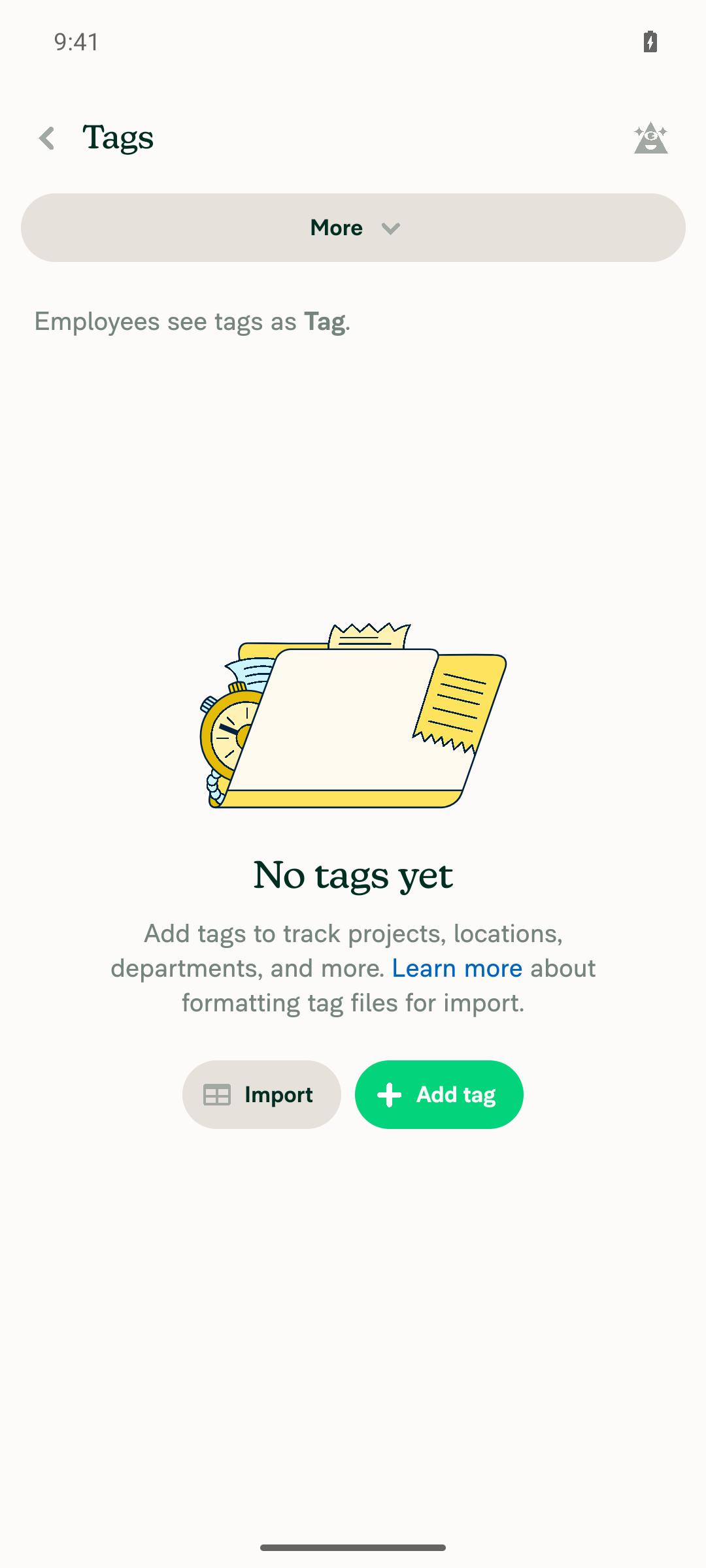
The PR's Tests section is still a TODO, so I took the steps from the linked issue. The Tags page, adding a tag, the More menu without an accounting connection, and the import flow all work. I couldn't test the new "Append custom tag list" item: test accounts can't get the indirectTagUploads beta or a real accounting connection.

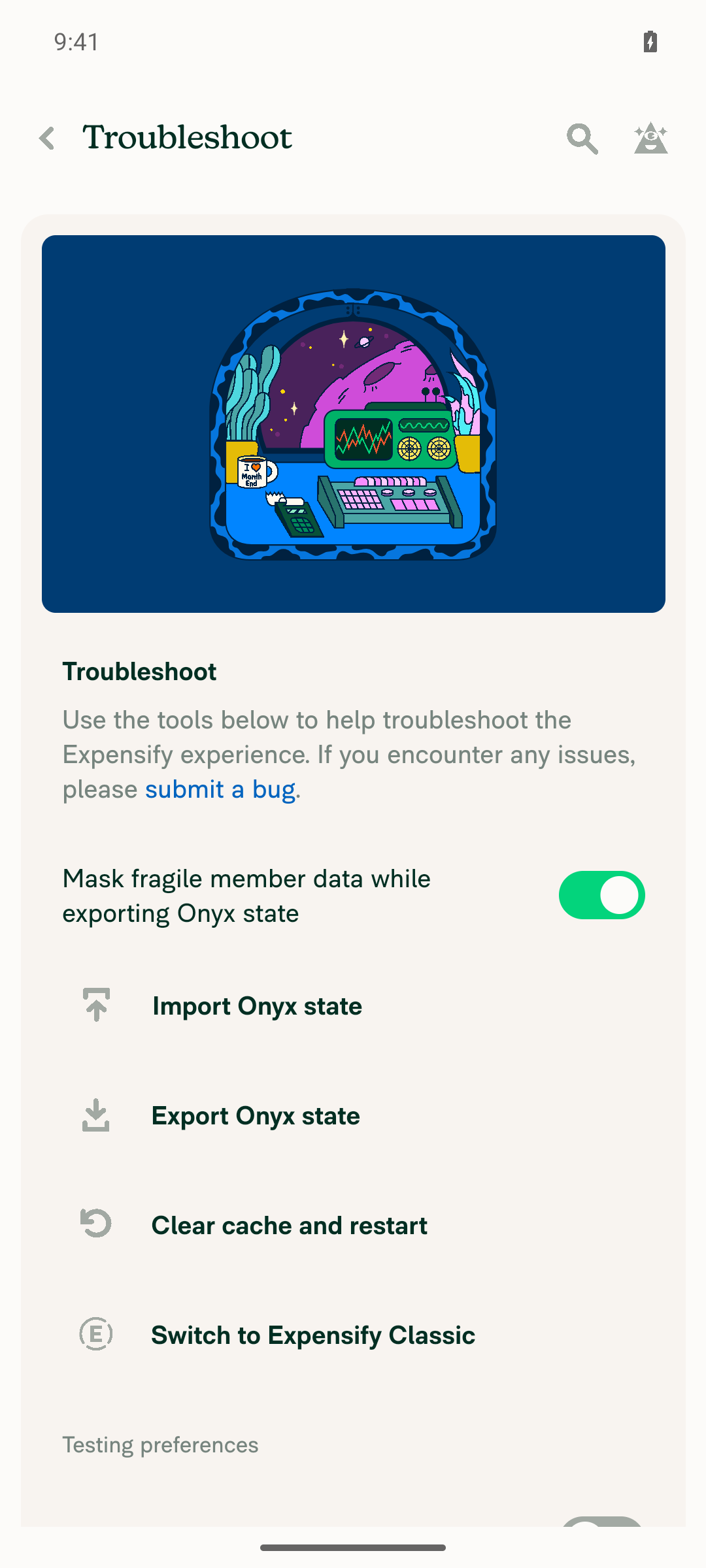
Troubleshoot menu with no beta toggle

Step Status
Sign in, open a workspace with Tags enabled, and open Workspaces > [workspace] > Tags. The page loads with no errors.The Tags page loaded with its empty state (No tags yet, Import and Add tag buttons, More menu) and no errors.
Tags page loaded
✅
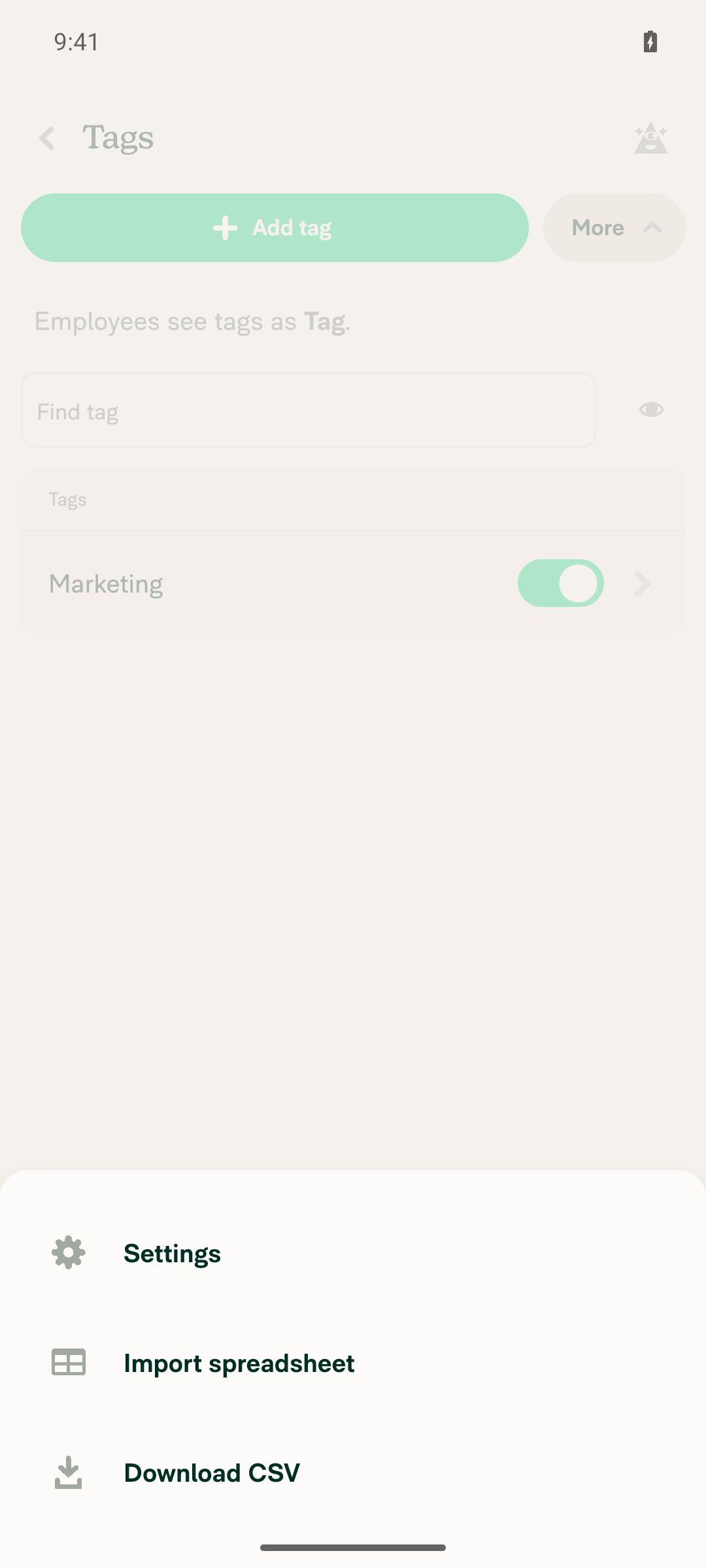
Add a tag and open More. Without an accounting connection, More shows Import spreadsheet and not Append custom tag list.Added the tag "Marketing". More showed only Settings, Import spreadsheet, and Download CSV. Append custom tag list did not appear.
More menu without accounting connection
✅
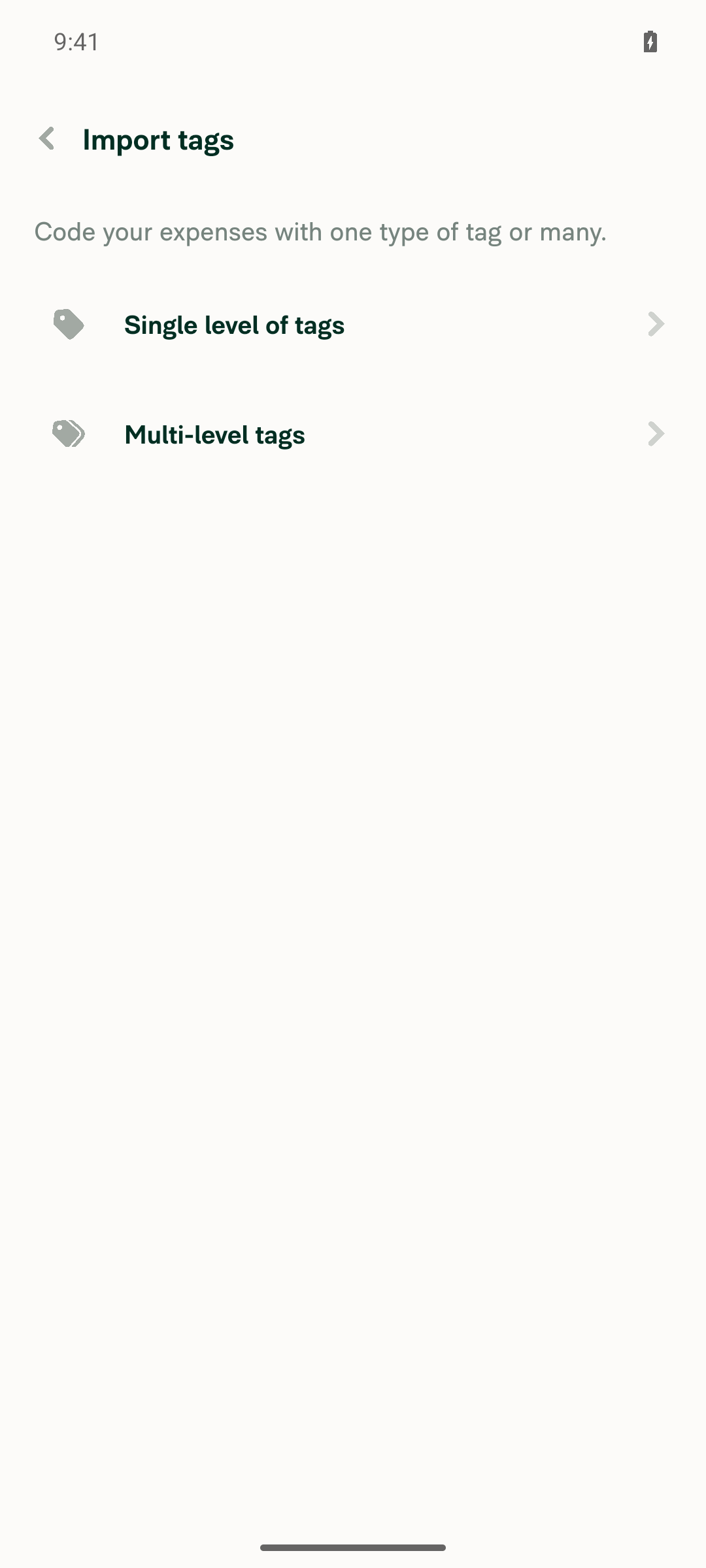
Tap Import spreadsheet. The existing import flow opens normally, not a not-found page.The Import tags screen opened with Single level of tags and Multi-level tags options. Going back returned to the Tags list with the Marketing tag still there.
Import tags flow
✅
With the indirectTagUploads beta and an accounting connection, More shows Append custom tag list, and tapping it opens file import directly with no options page or override modal.Blocked. Tapping Connect for QuickBooks Online opens the real Intuit OAuth login, and the test account has no Intuit credentials. Troubleshoot has no switch to turn on the beta. To test this, use an account on the beta with a connected NetSuite workspace.
QuickBooks Online OAuth login
Troubleshoot menu with no beta toggle
⚠️

@MelvinBot

Copy link
Copy Markdown
Contributor Author

🤖 Web test steps verification results: ⚠️ partial

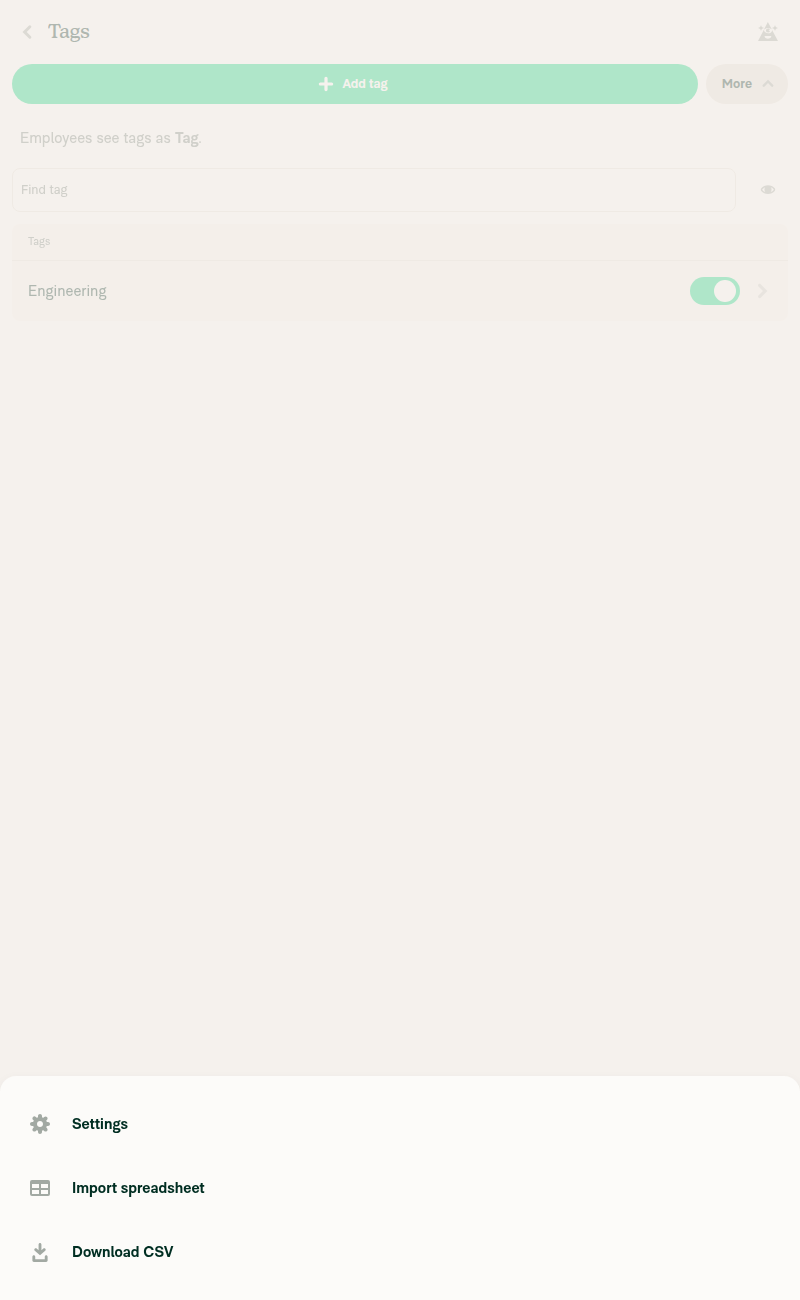
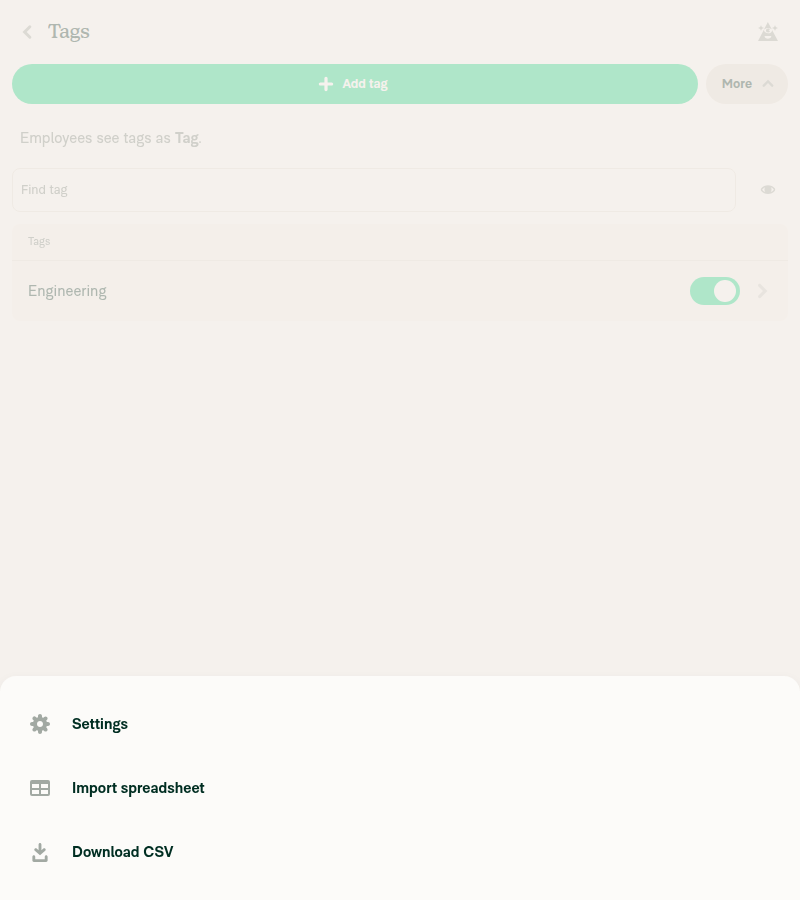
Without an accounting connection, Tags > More shows Settings, Import spreadsheet and Download CSV but not "Append custom tag list", whether the indirectTagUploads beta is on or off. I couldn't test the new item itself, because the test account can't get an accounting connection: every option on Workspace > Accounting needs a third-party OAuth login.

Tags More menu with beta on and no accounting connection

Step Status
No accounting connection, beta off: Tags > More shows Import spreadsheet and not Append custom tag list.Created a workspace, enabled Tags and added the tag "Engineering". More shows only Settings, Import spreadsheet and Download CSV.
Tags More menu with no accounting connection and beta off
✅
Beta on, still no accounting connection: Append custom tag list stays hidden.Turned on indirectTagUploads in Troubleshoot > Beta overrides; the page showed it as Overridden. More still shows only Settings, Import spreadsheet and Download CSV.
Tags More menu with beta on and no accounting connection
✅
Beta on and an accounting connection: Append custom tag list appears.Not tested. Every Connect option on Workspace > Accounting (NetSuite, QuickBooks, Xero, Sage Intacct and others) needs a third-party OAuth login. The test tool can't run browser console scripts, and it can't use the Import Onyx state file picker, so I couldn't fake a connection either.
⚠️
Tapping Append custom tag list opens the spreadsheet import directly, with no options page, no override or erase-all modal, and no not-found page.Not tested. This step needs the accounting connection from the previous step.
⚠️
Beta off with an accounting connection: Append custom tag list is hidden.Not tested. This step needs an accounting connection.
⚠️
No new JS console errors.No error banners or crash screens appeared, and every network request returned 200. The web test tool can't read the console, so this check rests on what the screen and the network requests showed.
✅

To finish the last three steps, open the PR build on an account that has a NetSuite connection. Or use a dev build: add a connections entry to the workspace's policy in Onyx through the browser console, then turn the beta on in Beta overrides.

@suneox

suneox commented Oct 8, 2026 •

Copy link
Copy Markdown
Contributor

The implementation matches the design, but on staging server the imported tags still override the existing tag lists instead of appending to them, the request does include appendToExistingLists: true. @yuwenmemon could you please take a look at the BE side?

CleanShot.2026-10-08.at.18.27.17.1.mp4

Note that my test account isn't on the indirectTagUploads beta server side, so this might be the expected fallback, if so, could you add the account below to the beta so I can verify the append end to end?

Alias email: [email protected] (primary email: [email protected])

@suneox

suneox commented Oct 8, 2026

Copy link
Copy Markdown
Contributor

@MelvinBot Update the Tests / Offline steps / QA steps sections in the PR description

**Tests**

Preconditions: the account is on the `indirectTagUploads` beta and the workspace has an accounting connection (e.g. NetSuite).

1. Open Workspaces → [workspace] → Tags.
2. Select More → verify "Append custom tag list" is shown, while "Import spreadsheet" stays hidden.
3. With single-level tags → item shown; with dependent multi-level tags → item hidden; with independent multi-level tags → item shown; without the beta → item hidden.
4. Full flow: tap "Append custom tag list" → upload an independent multi-level CSV (with and without GL codes) → verify the independent toggle is hidden on the settings page → Import → verify the request sends `appendToExistingLists: true` and the existing accounting tag lists are kept.
5. Deep links: `/tags/import/import-options` on a connected workspace still shows Not Found; `/tags/import` and `/tags/import/multi-level` only open when the append flags are set.
6. Regression: normal "Import spreadsheet" flow on a workspace without an accounting connection is unchanged.

**Offline steps**

- Go offline before tapping "Append custom tag list" → the offline confirmation modal is shown (same as the regular import).

**QA steps**

Same as test section

Finally update pr status to ready for review

@MelvinBot
MelvinBot marked this pull request as ready for review October 8, 2026 11:51
@MelvinBot
MelvinBot requested a review from a team as a code owner October 8, 2026 11:51
@chatgpt-codex-connector

Copy link
Copy Markdown

Codex usage limits have been reached for code reviews. Please check with the admins of this repo to increase the limits by adding credits.
Credits must be used to enable repository wide code reviews.

@MelvinBot

Copy link
Copy Markdown
Contributor Author

🤖 Done. I added your Tests, Offline tests, and QA Steps text to the PR description and removed the TODO placeholders. I also marked the PR ready for review.

@melvin-bot
melvin-bot Bot requested review from suneox and trjExpensify and removed request for a team and trjExpensify October 8, 2026 11:51
@melvin-bot

melvin-bot Bot commented Oct 8, 2026

Copy link
Copy Markdown

@suneox Please copy/paste the Reviewer Checklist from here into a new comment on this PR and complete it. If you have the K2 extension, you can simply click: [this button]

@melvin-bot
melvin-bot Bot removed the request for review from a team October 8, 2026 11:51
@suneox

suneox commented Oct 8, 2026

Copy link
Copy Markdown
Contributor

@MelvinBot Update test section

Preconditions: your account has the `indirectTagUploads` beta; the workspace is connected to NetSuite and currently has a single tag list.

1. Open Workspaces → Tags.
2. Select More. 
3. Verify "Append custom tag list" is visible; "Import spreadsheet" is not.
3. Tap "Append custom tag list" and upload a multi-level tags CSV to to import
4. Verify the import completes; back on Tags, the existing NetSuite tag lists are still there and the lists from the CSV appear next to them. 

@MelvinBot

Copy link
Copy Markdown
Contributor Author

I replaced the Tests section of the PR description with your steps. The other sections are unchanged, and QA Steps still says "Same as test section", so QA uses these steps too.

I made two small fixes to your text:

  • I renumbered the steps from 1–5, because two steps were numbered 3.
  • In step 4, I changed "to to import" to "to import".

I didn't change the Offline tests section. It still covers going offline before tapping "Append custom tag list".

@trjExpensify

Copy link
Copy Markdown
Contributor

@suneox reckon you can finish this up today?

@suneox

suneox commented Oct 12, 2026

Copy link
Copy Markdown
Contributor

@suneox reckon you can finish this up today?

@trjExpensify Overall the changeset looks good without errors and the API params match the spec. The only thing left is the BE confirmation from this comment

@trjExpensify

Copy link
Copy Markdown
Contributor

@yuwenmemon can you look at this please? #103359 (comment)

@yuwenmemon

Copy link
Copy Markdown
Contributor

Ah crap, WAF param that I missed.

@yuwenmemon

Copy link
Copy Markdown
Contributor

Will spin up a fix in a sec

@MelvinBot

Copy link
Copy Markdown
Contributor Author

Merged the latest main into claude-appendCustomTagList with no conflicts and pushed it (af2db2b). I didn't run a typecheck locally, so CI checks will confirm the result.

@suneox

suneox commented Oct 15, 2026

Copy link
Copy Markdown
Contributor

This feature is not available for your account.

@yuwenmemon I'm still facing this issue, and no UI error is shown when the error occurs.

CleanShot.2026-10-15.at.16.17.55.1.mp4

Alias email: [email protected] (primary email: [email protected])

Could you please add my email to the indirectTagUploads test group?

@yuwenmemon

Copy link
Copy Markdown
Contributor

Added!
CleanShot 2026-10-15 at 10 17 11 AM@2x

@suneox

suneox commented Oct 16, 2026

Copy link
Copy Markdown
Contributor

Reviewer Checklist

  • I have verified the author checklist is complete (all boxes are checked off).
  • I verified the correct issue is linked in the ### Fixed Issues section above
  • I verified testing steps are clear and they cover the changes made in this PR
    • I verified the steps for local testing are in the Tests section
    • I verified the steps for Staging and/or Production testing are in the QA steps section
    • I verified the steps cover any possible failure scenarios (i.e. verify an input displays the correct error message if the entered data is not correct)
    • I turned off my network connection and tested it while offline to ensure it matches the expected behavior (i.e. verify the default avatar icon is displayed if app is offline)
  • I checked that screenshots or videos are included for tests on all platforms
  • I included screenshots or videos for tests on all platforms
  • I verified that the composer does not automatically focus or open the keyboard on mobile unless explicitly intended. This includes checking that returning the app from the background does not unexpectedly open the keyboard.
  • I verified tests pass on all platforms & I tested again on:
    • Android: HybridApp
    • Android: mWeb Chrome
    • iOS: HybridApp
    • iOS: mWeb Safari
    • MacOS: Chrome / Safari
  • If there are any errors in the console that are unrelated to this PR, I either fixed them (preferred) or linked to where I reported them in Slack
  • I verified any copy / text that was added to the app is either coming verbatim from figma or has been approved by marketing (in order to get marketing approval, ask the Bug Zero team member to add the Waiting for copy label to the issue)
  • If a new code pattern is added I verified it was agreed to be used by multiple Expensify engineers
  • I verified other components that can be impacted by these changes have been tested, and I retested again (i.e. if the PR modifies a shared library or component like Avatar, I verified the components using Avatar have been tested & I retested again)
  • If a new component is created I verified that:
    • A similar component doesn't exist in the codebase
    • All props are defined accurately
    • The component has a clear name that is non-ambiguous and the purpose of the component can be inferred from the name alone
    • The only data being stored in the state is data necessary for rendering and nothing else
    • The component has the minimum amount of code necessary for its purpose, and it is broken down into smaller components in order to separate concerns and functions
  • If the PR modifies code that runs when editing or sending messages, I tested and verified there is no unexpected behavior for all supported markdown - URLs, single line code, code blocks, quotes, headings, bold, strikethrough, and italic.
  • If the PR modifies a generic component, I tested and verified that those changes do not break usages of that component in the rest of the App (i.e. if a shared library or component like Avatar is modified, I verified that Avatar is working as expected in all cases)
  • If the PR modifies a component related to any of the existing Storybook stories, I tested and verified all stories for that component are still working as expected.
  • If the PR modifies a component or page that can be accessed by a direct deeplink, I verified that the code functions as expected when the deeplink is used - from a logged in and logged out account.
  • If the PR modifies the UI (e.g. new buttons, new UI components, changing the padding/spacing/sizing, moving components, etc) or modifies the form input styles:
    • I verified that all the inputs inside a form are aligned with each other.
    • I added Design label and/or tagged @Expensify/design so the design team can review the changes.
  • If the PR adds or modifies the UI:
    • I asked an AI agent to review the changes for accessibility issues and addressed its findings.
    • I tested with a screen reader (VoiceOver on macOS) and verified all new/changed elements are reachable with a logical focus order.
    • I verified all new/changed elements have meaningful accessible names and roles.
    • I verified state changes are announced (e.g. checked/unchecked, expanded/collapsed, selected).
  • For any bug fix or new feature in this PR, I verified that sufficient unit tests are included to prevent regressions in this flow.
  • If the main branch was merged into this PR after a review, I tested again and verified the outcome was still expected according to the Test steps.
  • I have checked off every checkbox in the PR reviewer checklist, including those that don't apply to this PR.

Screenshots/Videos

Android: HybridApp
CleanShot.2026-10-16.at.18.57.06.5.mp4
Android: mWeb Chrome
CleanShot.2026-10-16.at.18.57.06.mp4
iOS: HybridApp
CleanShot.2026-10-16.at.18.48.50.4.mp4
iOS: mWeb Safari
CleanShot.2026-10-16.at.18.46.03.3.mp4
MacOS: Chrome / Safari
CleanShot.2026-10-16.at.18.20.52.2.mp4

@trjExpensify

Copy link
Copy Markdown
Contributor

@suneox are you happy? If so, can you approve?

@suneox suneox left a comment

Copy link
Copy Markdown
Contributor

Choose a reason for hiding this comment

The reason will be displayed to describe this comment to others. Learn more.

Overall, the changeset looks good. The only issue is that no error UI is shown, but that's an existing issue and out of scope for this PR, which only extends the import params.

@suneox

suneox commented Oct 19, 2026

Copy link
Copy Markdown
Contributor

@yuwenmemon could you update test step 5: "Verify the import completes and the imported result is the same as OldDot"? Currently only a single custom tag list can be appended

CleanShot.2026-10-16.at.18.20.52.2.mp4

@yuwenmemon

Copy link
Copy Markdown
Contributor

@suneox conflicts!

@yuwenmemon

Copy link
Copy Markdown
Contributor

Updated the test step for you as well

@suneox

suneox commented Oct 21, 2026

Copy link
Copy Markdown
Contributor

@MelvinBot merge main & resolve conflict

…gList

Co-authored-by: Cong Pham <[email protected]>

# Conflicts:
#	src/pages/workspace/tags/WorkspaceTagsPage.tsx
@MelvinBot

Copy link
Copy Markdown
Contributor Author

🤖 Merged main into this branch and resolved the conflict (b06e4df).

The only conflict was in the @libs/actions/Policy/Tag import list in src/pages/workspace/tags/WorkspaceTagsPage.tsx:39-55. I kept both sides:

  • From this PR: setImportedSpreadsheetIsAppendingToExistingLists and setImportedSpreadsheetIsImportingMultiLevelTags
  • From main: setPolicyShowTagGLCodes

All three are used in the file and exported from Tag.ts. I couldn't run typecheck or lint locally because of a tooling setup issue, so please rely on CI for those checks.


view run

@yuwenmemon
yuwenmemon merged commit 0a1f808 into main Oct 22, 2026
43 of 44 checks passed
@yuwenmemon
yuwenmemon deleted the claude-appendCustomTagList branch October 22, 2026 06:31
@github-actions

Copy link
Copy Markdown
Contributor

🚧 yuwenmemon has triggered a test Expensify/App build. You can view the workflow run here.

@OSBotify

Copy link
Copy Markdown
Contributor

✋ This PR was not deployed to staging yet because QA is ongoing. It will be automatically deployed to staging after the next production release.

@OSBotify

Copy link
Copy Markdown
Contributor

🚀 Deployed to staging by https://github.com/yuwenmemon in version: 9.5.20-0 🚀

platform result
🕸 web 🕸 success ✅
🤖 android 🤖 success ✅
🍎 iOS 🍎 success ✅

@MelvinBot

Copy link
Copy Markdown
Contributor Author

No help site update needed. Every user-facing change in this PR, the new Append custom tag list option and its import flow, only appears for users on the indirectTagUploads beta, so wait to document it until that beta is removed.


view run

@IuliiaHerets

Copy link
Copy Markdown

What account should we use to test the indirectTagUploads beta? Would Expensifail work?

cc @yuwenmemon @suneox

@suneox

suneox commented Oct 26, 2026

Copy link
Copy Markdown
Contributor

What account should we use to test the indirectTagUploads beta? Would Expensifail work?

cc @yuwenmemon @suneox

@IuliiaHerets Could you please provide the testing email? @yuwenmemon will add it to the indirectTagUploads beta

I also cannot reproduce this bug on the latest staging.

@IuliiaHerets

Copy link
Copy Markdown

@suneox [email protected]

@mitarachim

Copy link
Copy Markdown

Deploy Blocker #105001 was identified to be related to this PR.

@OSBotify

Copy link
Copy Markdown
Contributor

🚀 Deployed to production by https://github.com/jasperhuangg in version: 9.5.20-5 🚀

platform result
🕸 web 🕸 success ✅
🤖 android 🤖 success ✅
🍎 iOS 🍎 failure ❌

Bundle Size Analysis (Sentry):

Sign up for free to join this conversation on GitHub. Already have an account? Sign in to comment

Labels

Melvin-Test-Android Melvin-Test-Web Triggers Melvin to run the testing steps of the PR on web

Projects

None yet

Development

Successfully merging this pull request may close these issues.

7 participants