Skip to content

Keep odometer quantity unconverted when the distance rate unit changes - #101050

Draft
MelvinBot wants to merge 6 commits into
mainfrom
claude-odometerDistanceUnitConversion
Draft

MelvinBot wants to merge 6 commits into
mainfrom
claude-odometerDistanceUnitConversion

Conversation

@MelvinBot

@MelvinBot MelvinBot commented Sep 14, 2026 •

Copy link
Copy Markdown
Contributor

Explanation of Change

When an odometer expense moves to a workspace with a different distance unit, setCustomUnitRateID converts comment.customUnit.quantity into the new unit (unchanged from main), while comment.odometerStart / comment.odometerEnd stay exactly as entered so they keep matching the odometer photos.

The reported bug was that the odometer page's "Total distance" ignored that conversion and showed end - start live from the readings. With readings of 1000 → 1100 saved on a km workspace and then switched to a mi workspace, the confirmation page showed 62.14 mi while the Distance page showed 100 mi. Pressing Save on the Distance page without changing anything also reset the quantity back to 100.

The fix adds getOdometerTotalDistance in OdometerUtils, which the odometer page now uses for the displayed total, the saved distance, and the amount-limit check:

  • When the readings match the saved ones, it returns the saved (converted) quantity unchanged, so both screens show 62.14 mi and pressing Save keeps it.
  • When the user edits the readings, it scales the new difference by the same factor the saved quantity was converted by, so the total stays in the workspace unit.
  • When nothing is saved yet, it returns end - start, same as before.
AI tests run

All run locally against this branch:

  • npm run typecheck — passed
  • npm run lint on the changed files — passed
  • npm run spell-changed — passed (4 files, 0 issues)
  • npm run react-compiler-compliance-check check on IOURequestStepDistanceOdometer.tsx — passed
  • npm test -- tests/unit/OdometerUtils.test.ts tests/actions/IOU tests/unit/DistanceRequestUtilsTest.ts tests/actions/OdometerTransactionUtilsTest.ts — 33 suites, 1038 tests passed, including the new getOdometerTotalDistance cases

Not run: browser verification of the end-to-end flow.

Fixed Issues

$ #100973
PROPOSAL: #100973 (comment)

Tests

// TODO: The human co-author must fill out the tests they ran before marking this PR as "ready for review".
// Suggested starting point, matching the issue's repro: create two workspaces with Distance rates enabled and different units (one km, one mi); FAB > Track distance > Odometer; enter 1000 and 1100 > Next; on the confirm page switch the recipient to the other workspace; verify the Distance row shows the converted distance (about 62.14 mi for km → mi); tap the Distance row and verify "Total distance" shows the same value while the readings still show 1000 and 1100; tap Save without changes and verify the confirm page still shows the converted distance.

  • Verify that no errors appear in the JS console

Offline tests

// TODO: The human co-author must fill this out before marking this PR as "ready for review".

QA Steps

Please tests from this PR description AND all of the test cases in browserstack

PR Author Checklist

  • I linked the correct issue in the ### Fixed Issues section above
  • I wrote clear testing steps that cover the changes made in this PR
    • I added steps for local testing in the Tests section
    • I added steps for the expected offline behavior in the Offline steps section
    • I added steps for Staging and/or Production testing in the QA steps section
    • I added steps to cover failure scenarios (i.e. verify an input displays the correct error message if the entered data is not correct)
    • I turned off my network connection and tested it while offline to ensure it matches the expected behavior (i.e. verify the default avatar icon is displayed if app is offline)
    • I tested this PR with a High Traffic account against the staging or production API to ensure there are no regressions (e.g. long loading states that impact usability).
  • I included screenshots or videos for tests on all platforms
  • I ran the tests on all platforms & verified they passed on:
    • Android: Native
    • Android: mWeb Chrome
    • iOS: Native
    • iOS: mWeb Safari
    • MacOS: Chrome / Safari
  • I verified there are no console errors (if there's a console error not related to the PR, report it or open an issue for it to be fixed)
  • I followed proper code patterns (see Reviewing the code)
    • I verified that comments were added to code that is not self explanatory
    • I verified that any new or modified comments were clear, correct English, and explained "why" the code was doing something instead of only explaining "what" the code was doing.
    • I verified any copy / text that was added to the app is grammatically correct in English. It adheres to proper capitalization guidelines (note: only the first word of header/labels should be capitalized), and is either coming verbatim from figma or has been approved by marketing (in order to get marketing approval, ask the Bug Zero team member to add the Waiting for copy label to the issue)
  • If a new code pattern is added I verified it was agreed to be used by multiple Expensify engineers
  • I followed the guidelines as stated in the Review Guidelines
  • I tested other components that can be impacted by my changes (i.e. if the PR modifies a shared library or component like Avatar, I verified the components using Avatar are working as expected)
  • If a new CSS style is added I verified that:
    • A similar style doesn't already exist
    • The style can't be created with an existing StyleUtils function (i.e. StyleUtils.getBackgroundAndBorderStyle(theme.componentBG))
  • If new assets were added or existing ones were modified, I verified that:
    • The assets are optimized and compressed (for SVG files, run npm run compress-svg)
    • The assets load correctly across all supported platforms.
  • If the PR modifies code that runs when editing or sending messages, I tested and verified there is no unexpected behavior for all supported markdown - URLs, single line code, code blocks, quotes, headings, bold, strikethrough, and italic.
  • If the PR modifies a generic component, I tested and verified that those changes do not break usages of that component in the rest of the App (i.e. if a shared library or component like Avatar is modified, I verified that Avatar is working as expected in all cases)
  • If the PR modifies a component related to any of the existing Storybook stories, I tested and verified all stories for that component are still working as expected.
  • If the PR modifies a component or page that can be accessed by a direct deeplink, I verified that the code functions as expected when the deeplink is used - from a logged in and logged out account.
  • If the PR modifies the UI (e.g. new buttons, new UI components, changing the padding/spacing/sizing, moving components, etc) or modifies the form input styles:
    • I verified that all the inputs inside a form are aligned with each other.
    • I added Design label and/or tagged @Expensify/design so the design team can review the changes.
  • I added unit tests for any new feature or bug fix in this PR to help automatically prevent regressions in this user flow.
  • If the main branch was merged into this PR after a review, I tested again and verified the outcome was still expected according to the Test steps.

Screenshots/Videos

Android: Native
Android: mWeb Chrome
iOS: Native
iOS: mWeb Safari
MacOS: Chrome / Safari

@MelvinBot

MelvinBot commented Sep 14, 2026 •

Copy link
Copy Markdown
Contributor Author

🤖 Android test steps verification results: ✅ pass

Odometer expense quantity is not converted when the destination workspace's distance unit changes: after switching from the kilometer workspace to the mile workspace, the confirm page and the Distance page both still read 100 (not ~62.14), only the unit label changed.

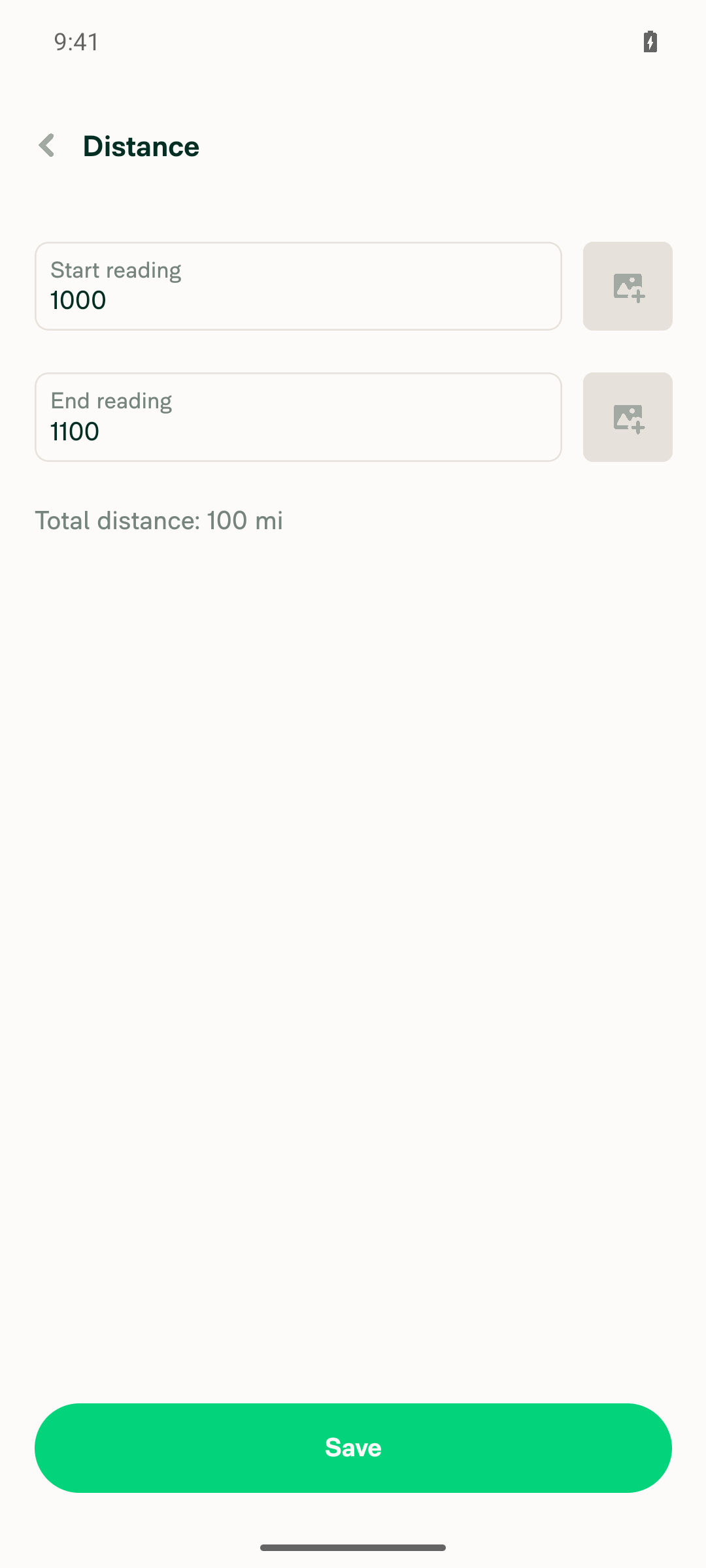
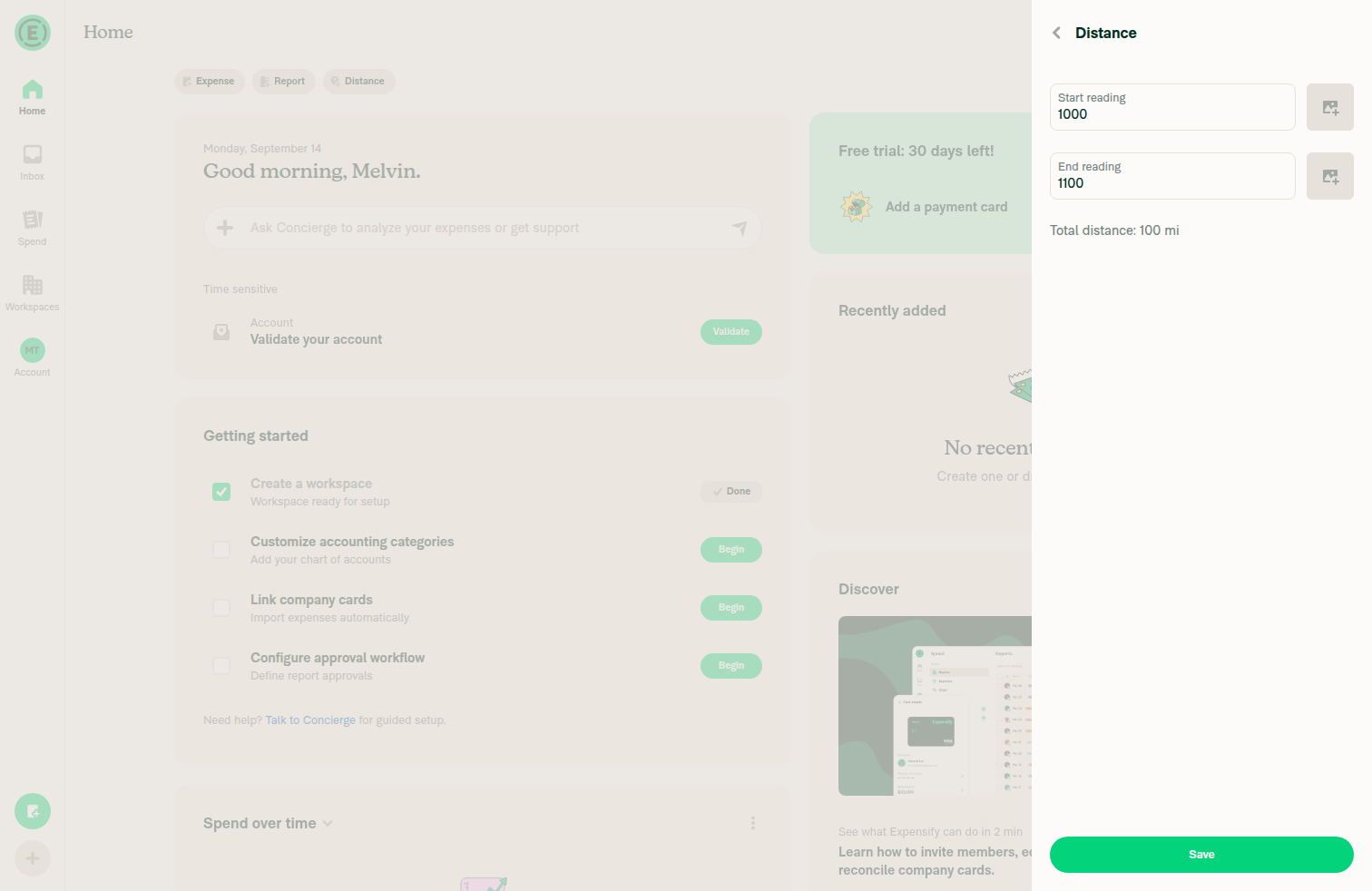
Distance page showing 1000/1100 and Total distance: 100 mi

Step Status
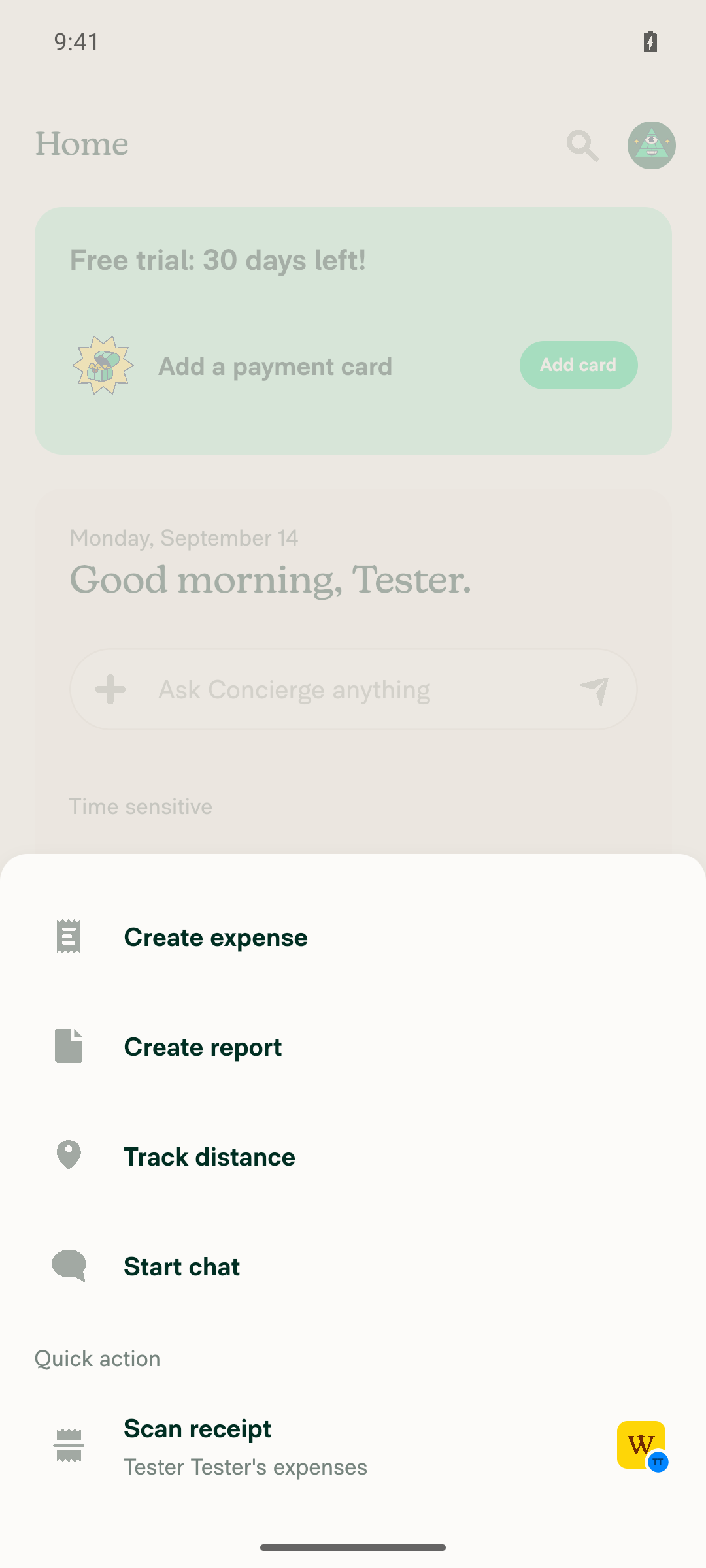
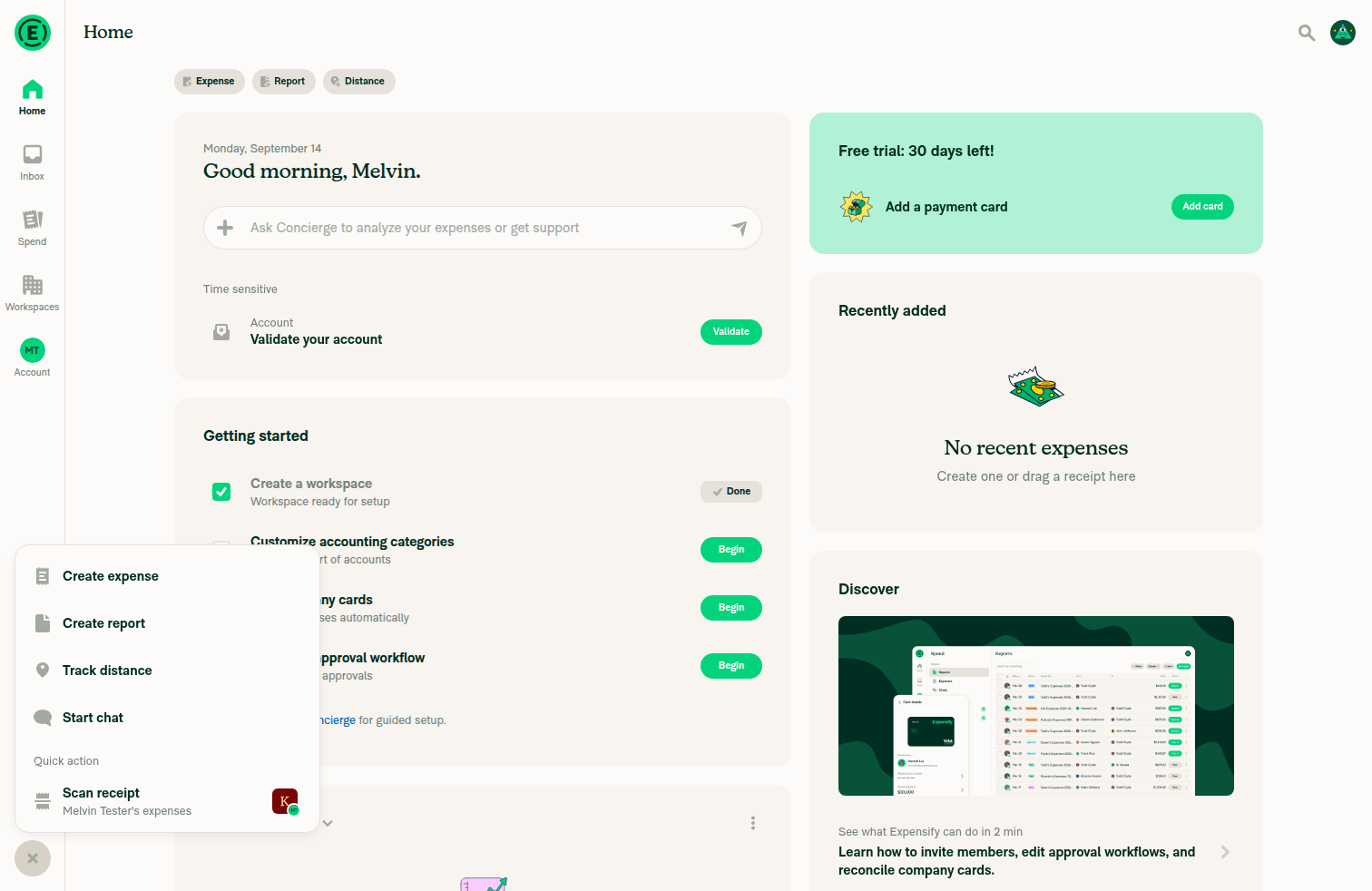
VERIFY 1 - Tapping the FAB (+) opens the global create menu showing "Track distance"Tapping the FAB (button "Open actions menu" in fab-animated-container) rendered the create menu with buttons: "Create expense", "Create report", "Track distance", "Start chat", "Scan receipt".
Global create menu opened from the FAB showing Track distance
✅
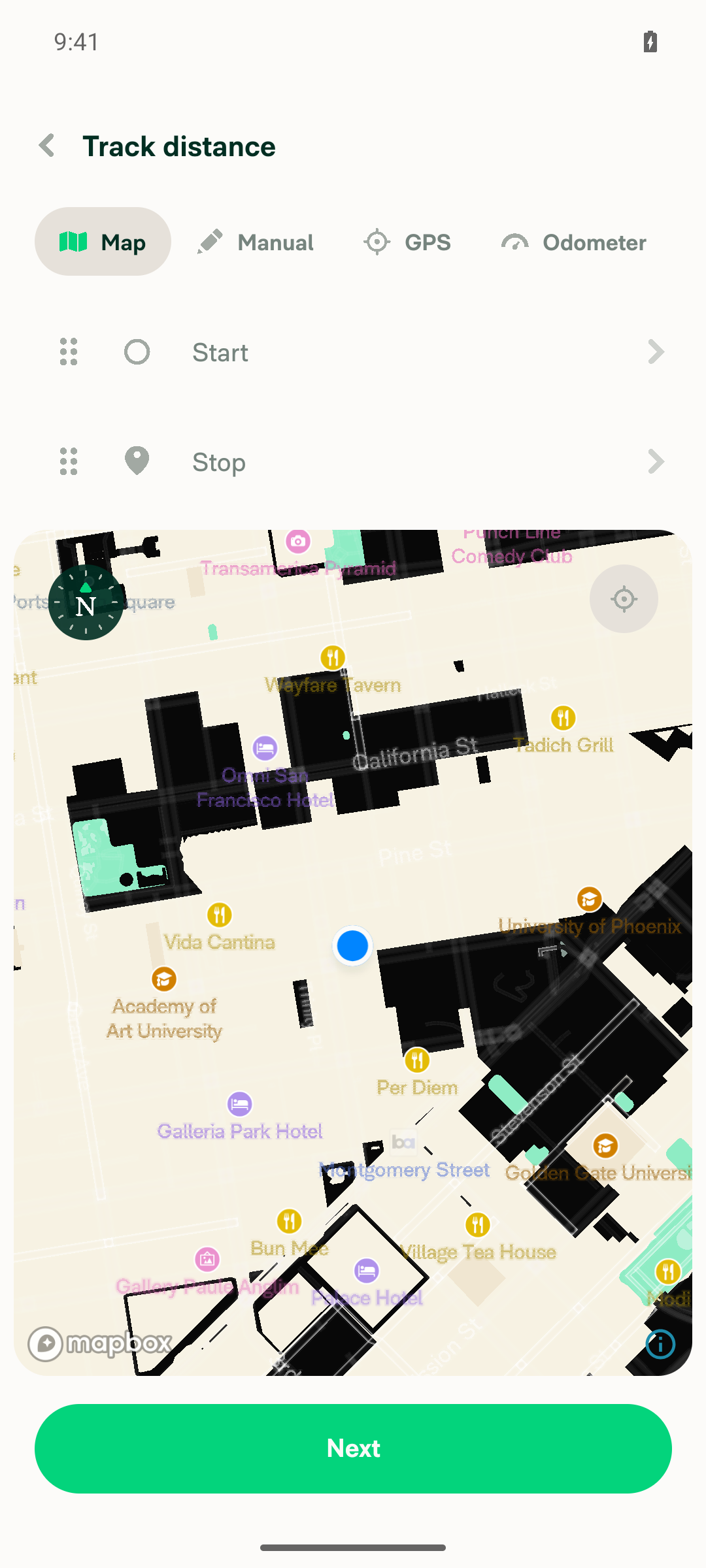
VERIFY 2 - Selecting "Track distance" opens the distance request screen with an "Odometer" tabSnapshot after tapping Track distance showed the distance request screen with a tab strip "Odometer, GPS, Manual, Map"; opening the Odometer tab rendered odometerContentContainer with Start reading / End reading fields and "Total distance: 0 km".
Distance request screen showing Map/Manual/GPS/Odometer tabs
✅
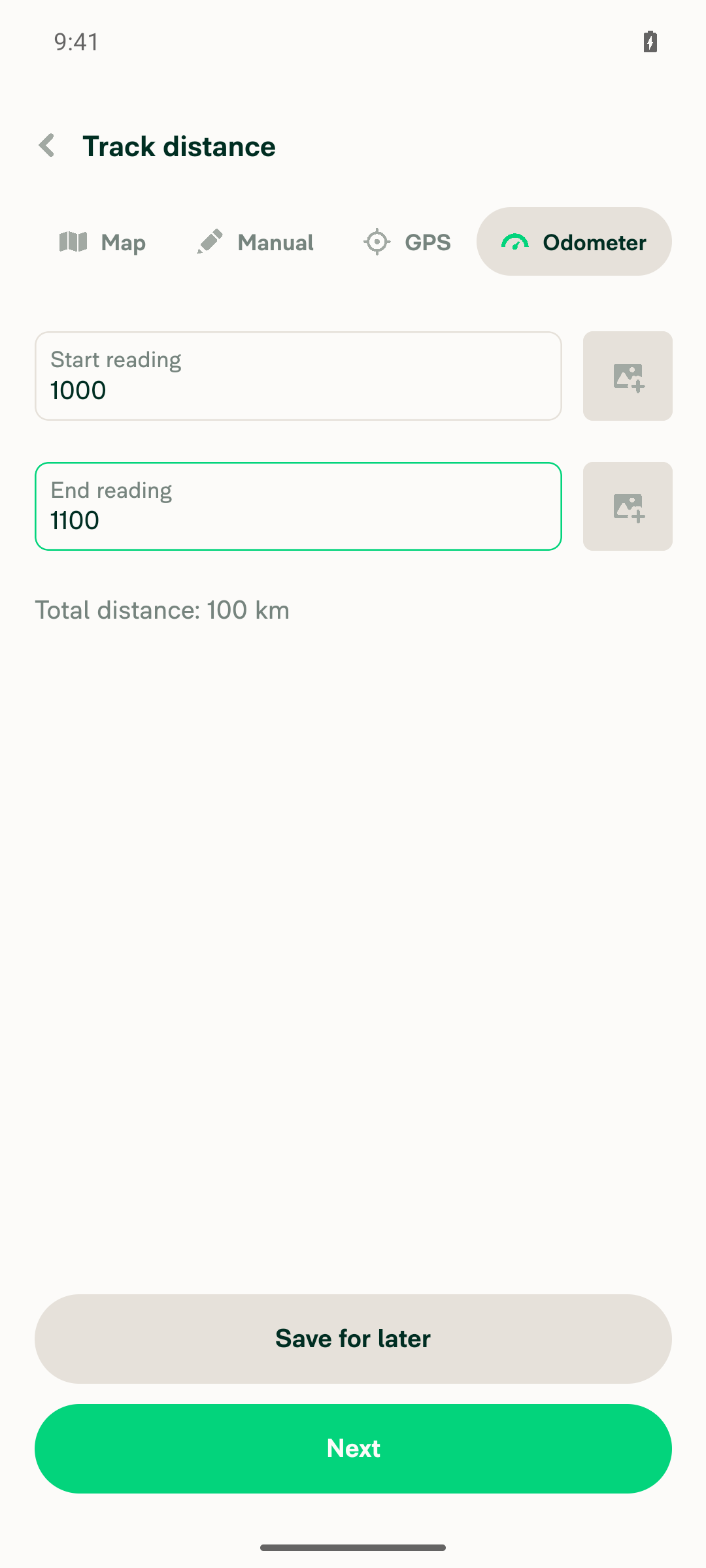
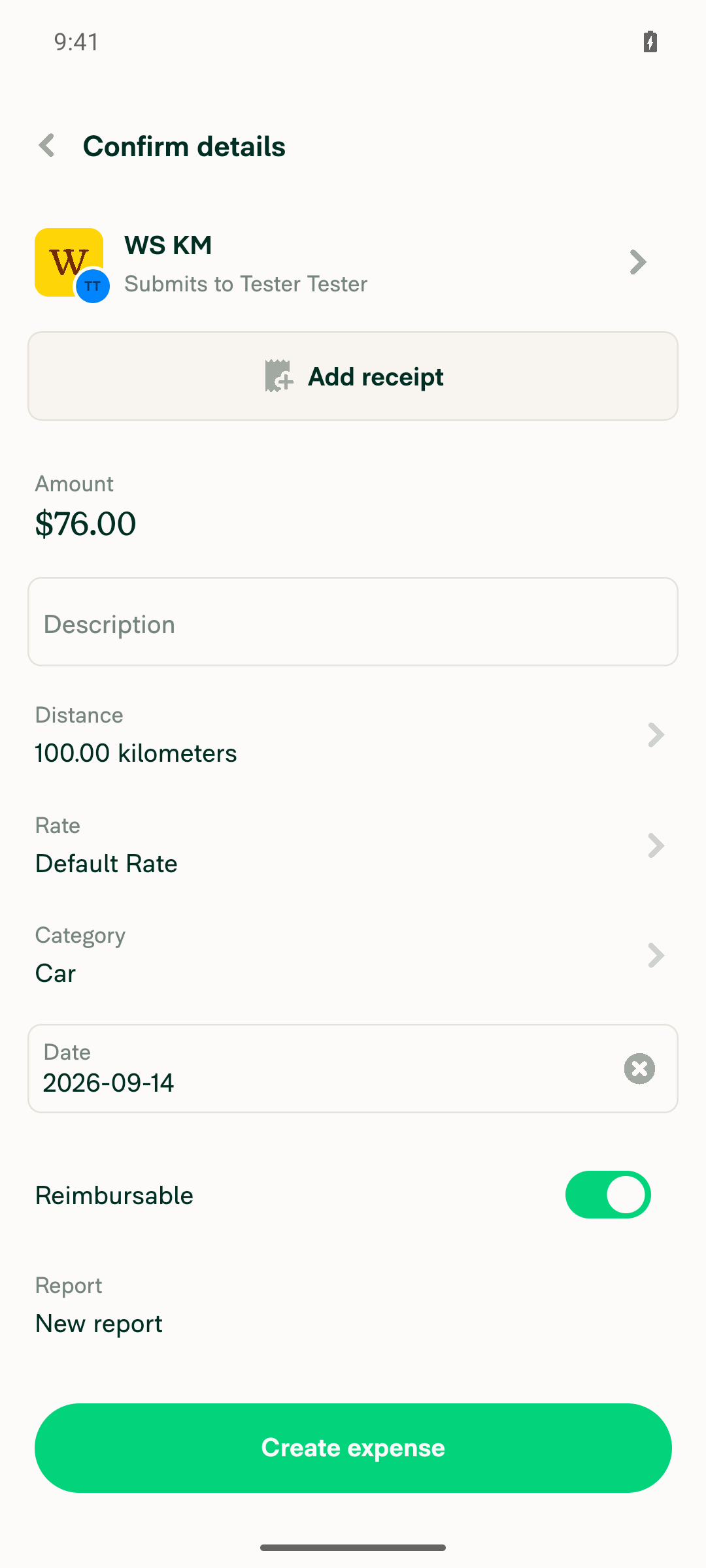
VERIFY 3 - Start 1000 / end 1100 accepted on the Odometer tab, Next advances to Confirm detailsFields read back as Start reading=1000, End reading=1100 with "Total distance: 100 km". Tapping Next landed on the "Confirm details" page (participant "WS KM, Submits to Tester Tester", Distance row "100.00 kilometers", Amount $76.00). Note: agent-device fill on one odometer field cleared the other, so the second value had to be entered with click + type — that is a tooling quirk, the app accepted both values.
Odometer tab with start 1000, end 1100, total distance 100 km
Confirm details page for WS KM showing Distance 100.00 kilometers
✅
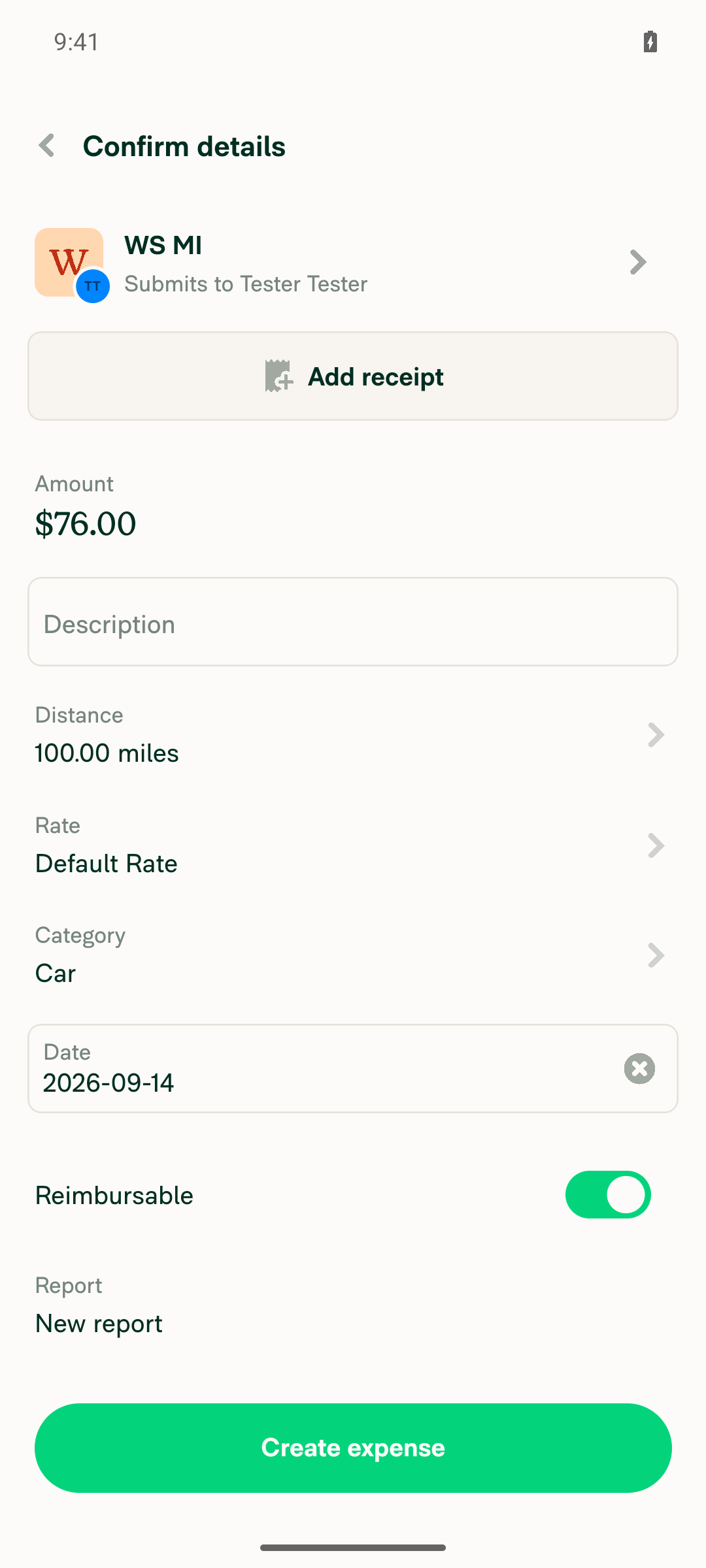
VERIFY 4 - Changing the recipient/workspace on the confirm page to the second workspace succeedsTapping the participant row opened the participant selector listing WS KM and WS MI; selecting WS MI returned to Confirm details with the header row now reading "WS MI, Submits to Tester Tester". (An unrelated "Import your contacts" prompt appeared once and was dismissed with "No thanks".)
Confirm details page after switching to WS MI showing Distance 100.00 miles
✅
VERIFY 5 - After the workspace change, Distance reads 100 (raw odometer difference, not ~62.14) with the destination workspace's unitget text on the Distance row returned "Distance, 100.00 miles" — the quantity stayed at the raw odometer difference (1100-1000=100) and only the unit label changed from kilometers to miles. No 62.14 conversion occurred. Amount also stayed $76.00 (100 x $0.76/mile).
Confirm details page after switching to WS MI showing Distance 100.00 miles
✅
VERIFY 6 - Tapping the Distance row opens the Distance page whose total matches the confirm page (both 100)Tapping the Distance row opened the "Distance" (IOURequestStepDistanceOdometer) page with Start reading 1000, End reading 1100 preserved and "Total distance: 100 mi", matching the confirm page's 100.00 miles.
Distance page showing 1000/1100 and Total distance: 100 mi
✅

Run on a standalone Android NewDot developmentDebug build of branch claude-odometerDistanceUnitConversion. Preconditions were created in-session: workspace WS KM (default, Distance rates enabled, unit Kilometers) and workspace WS MI (Distance rates enabled, unit Miles, $0.76/mile). No console errors.


view run · no recording available

@MelvinBot

MelvinBot commented Sep 14, 2026 •

Copy link
Copy Markdown
Contributor Author

🤖 Web test steps verification results: ✅ pass

On PR #101050 (claude-odometerDistanceUnitConversion), an odometer expense of 1000 → 1100 kept its raw quantity of 100 when the recipient workspace changed from a kilometers workspace to a miles workspace. The value was re-labelled to "100.00 miles" and was not converted to ~62.14.

Distance page showing start 1000, end 1100 and Total distance: 100 mi

Step Status
Clicking the FAB (+) opens the global create menu showing "Track distance"Clicking the "+" FAB in the left nav settled with a new dialog containing buttons "Create expense", "Create report", "Track distance", "Start chat", "Scan receipt". is visible 'role=button label="Track distance"' → Passed.
Global create menu opened from the FAB showing the Track distance option
✅
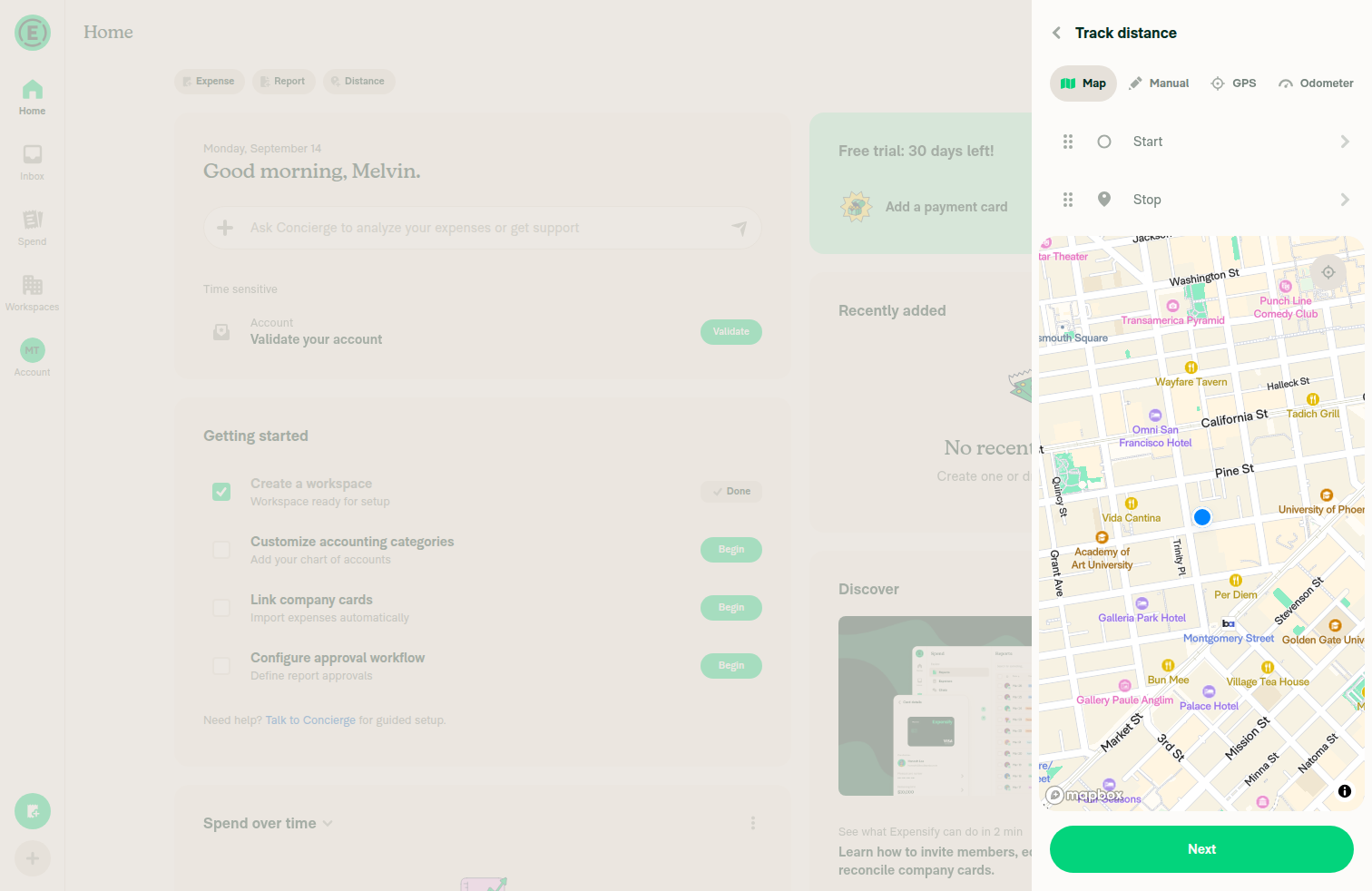
Selecting "Track distance" opens the distance request screen with an "Odometer" tabClicking "Track distance" navigated to heading "Track distance" with tabs Map / Manual / GPS / Odometer. is visible 'role=tab label="Odometer"' → Passed.
Track distance screen showing Map, Manual, GPS and Odometer tabs
✅
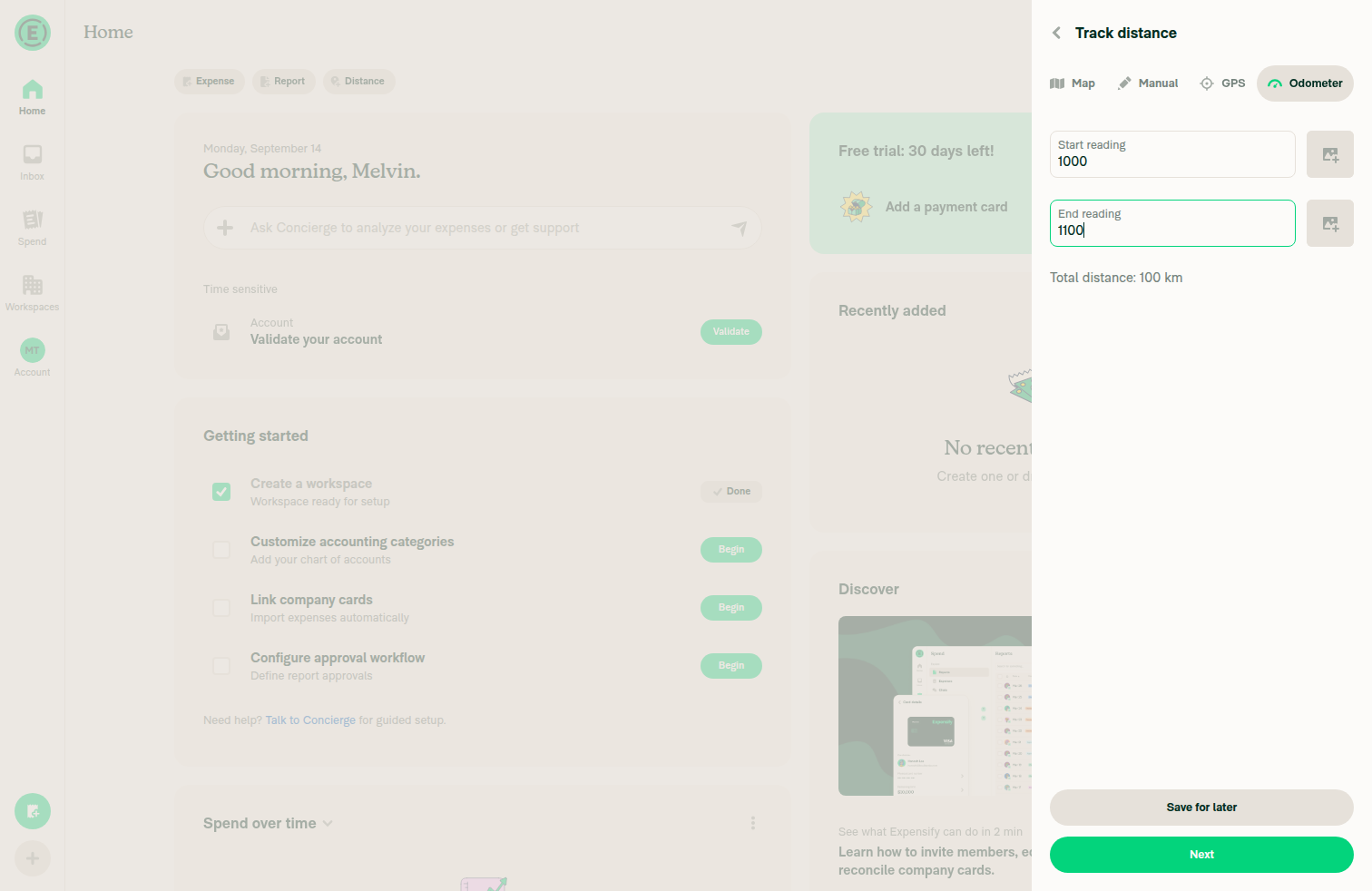
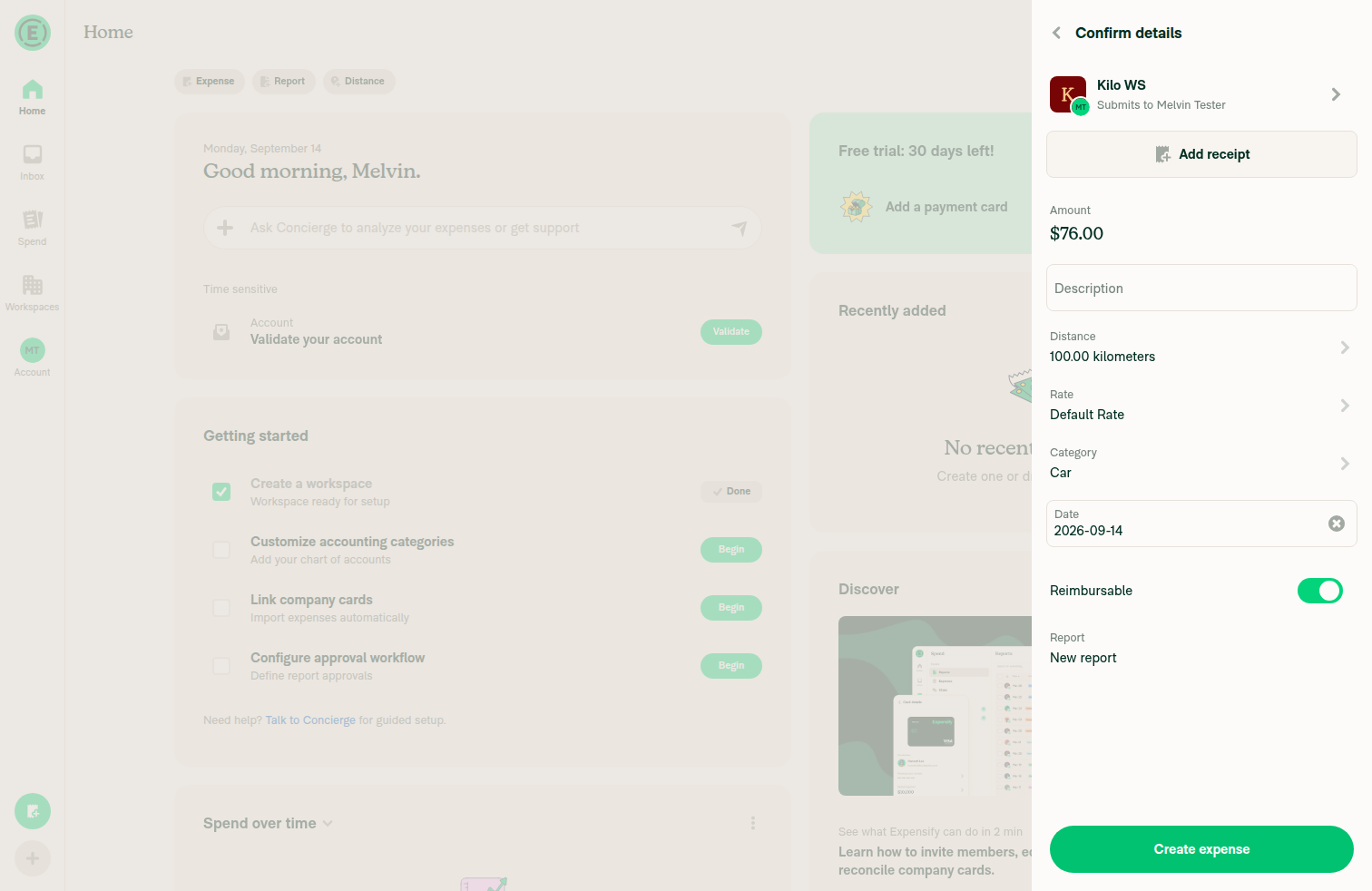
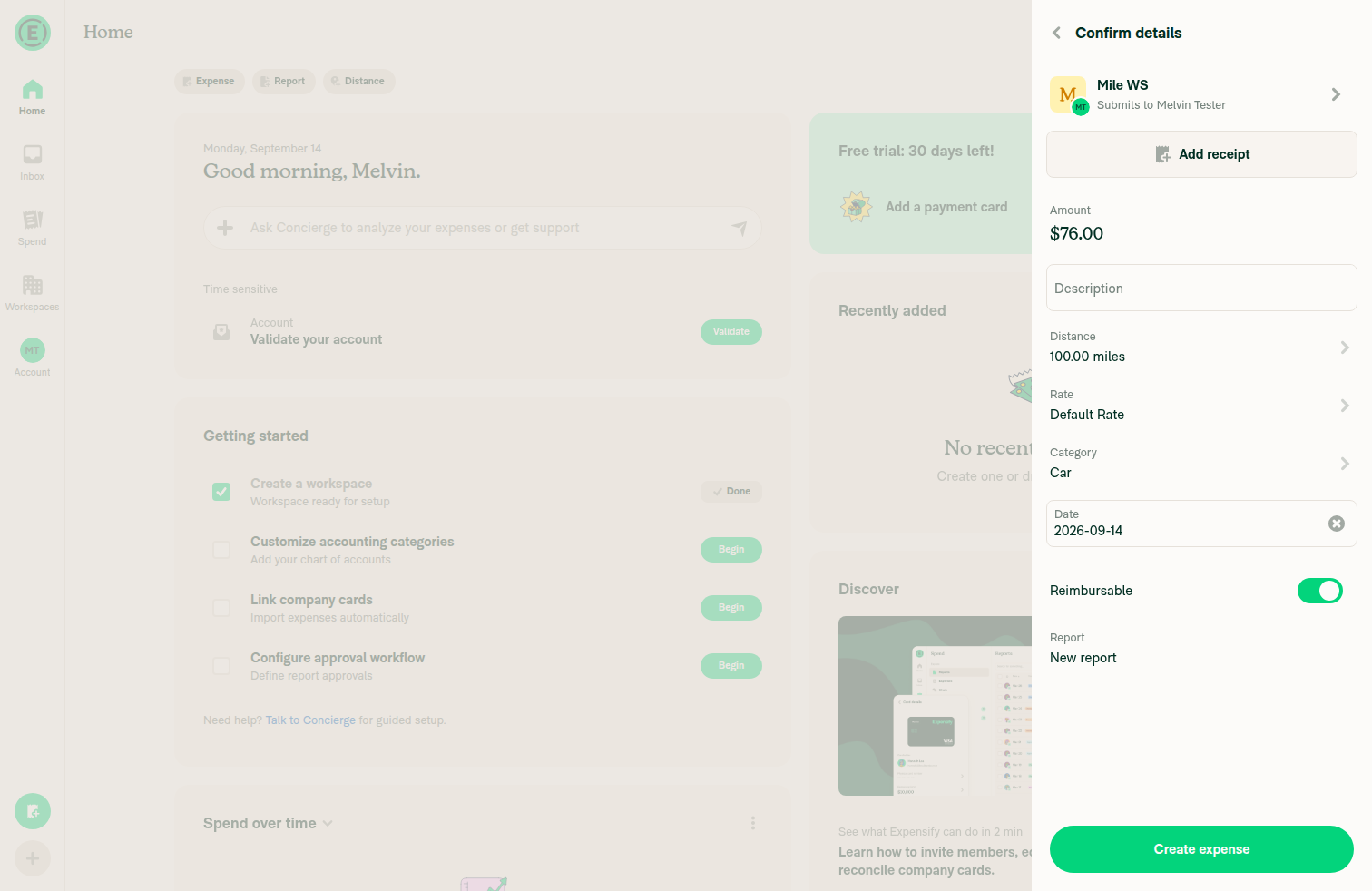
On the Odometer tab, start 1000 / end 1100 is accepted and Next advances to the confirm details pageAfter filling the fields, the snapshot read back text-fields "1000" and "1100" with no validation error and an enabled "Next" button. Clicking Next settled on heading "Confirm details" with rows "Amount, $76.00", "Distance, 100.00 kilometers", "Rate, Default Rate" and recipient "Kilo WS, Submits to Melvin Tester".
Odometer tab with start reading 1000 and end reading 1100 entered
Confirm details page for Kilo WS showing Distance 100.00 kilometers and Amount 76.00
✅
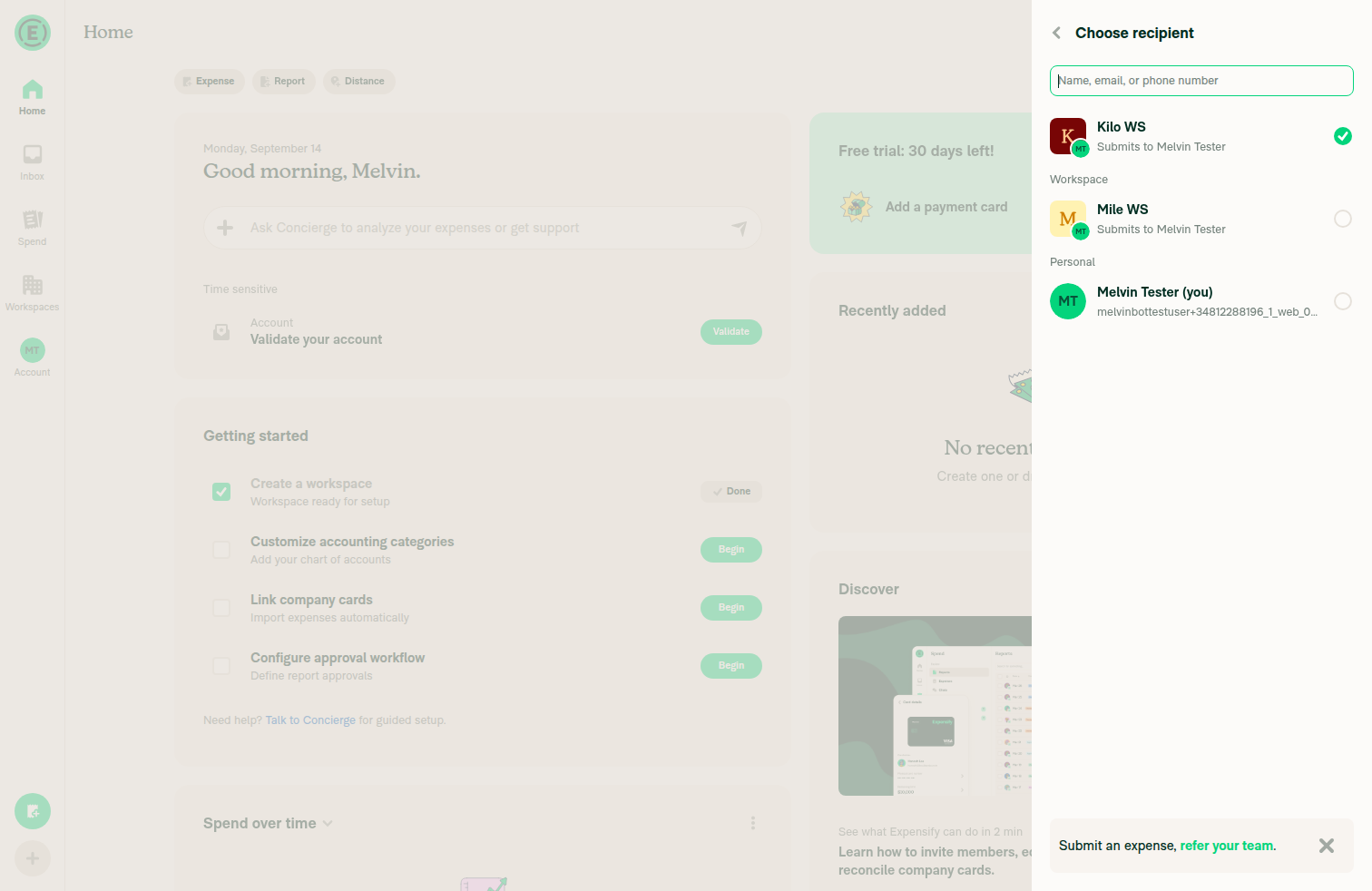
Changing the recipient/workspace on the confirm page to the second workspace (different distance unit) succeedsClicking the recipient row opened the "Choose recipient" dialog listing "Kilo WS", "Mile WS" and the personal account. Selecting "Mile WS, Submits to Melvin Tester" closed the dialog and the confirm page recipient option became "Mile WS, Submits to Melvin Tester".
Choose recipient dialog listing Kilo WS and Mile WS
Confirm details page after switching recipient to Mile WS
✅
After the workspace change, the Distance row reads 100 (raw odometer difference, NOT ~62.14) with the destination workspace's unitThe settle diff replaced "Distance, 100.00 kilometers" with "Distance, 100.00 miles"; is visible 'role=button label="Distance, 100.00 miles"' → Passed. No 62.14 value appeared. Amount also stayed $76.00 (100 × $0.76/mile), consistent with an unconverted quantity.
Confirm details for Mile WS showing Distance 100.00 miles and Amount 76.00
✅
Clicking the Distance row opens the Distance page and the total distance matches the confirm page (both 100)Clicking the Distance row opened heading "Distance" with Start reading "1000" and End reading "1100" read back from the snapshot, and the page text "Total distance: 100 mi". Returning via Back, the confirm row still asserted as "Distance, 100.00 miles". Note: the "Total distance" line is static text that the web accessibility tree does not expose, so the screenshot is the evidence for that string; the 1000/1100 readings backing it were read back from the snapshot.
Distance page showing start 1000, end 1100 and Total distance: 100 mi
✅

Run on dev NewDot web against branch claude-odometerDistanceUnitConversion. Preconditions created in-session: two Collect workspaces — Kilo WS (default, Distance rates enabled, unit Kilometers) and Mile WS (Distance rates enabled, unit Miles). "Require GPS or map entry" was left off in both so odometer entry stays available. No console errors.


view run · no recording available

@jayeshmangwani

Copy link
Copy Markdown
Contributor

Can anyone from @Expensify/product please confirm the expected behavior here?

For distance rates, we have Kilometers set as the unit for the default workspace and Miles for other workspace(s). When changing the workspace on the Confirm Details page, the quantity doesn't update from km to mi.

Is this the expected behavior, or should the quantity update based on the selected workspace's distance unit?

expected-result-pr-101050.mov

@jayeshmangwani

Copy link
Copy Markdown
Contributor

Anyone from the @Expensify/product team, please have a look at this comment #101050 (comment) and confirm the expected behavior for this issue #100973.

@trjExpensify

Copy link
Copy Markdown
Contributor

From your video, it was a little tough to understand what you're asking. But it sounds like the question is whether we should be doing an automatic conversion of km <> mi when the workspace is changed and uses a different unit, right?

From the OP of the parent issue, it sounds like it's expected for Odometer with this rationale:

That conversion is correct for map/manual distance, but wrong for odometer: there the quantity is just end reading − start reading, a plain number that belongs to whatever the vehicle's odometer counts, not a measurement to re-scale.

... but it doesn't make sense to me to be excluded. They could be reading KM on the car, but need to submit on another workspace in MI and would appreciate the conversion. Similarly, manual distance is a "plain number" entered as well, why treat it differently to manual Odometer entry?

CC: @Julesssss @neil-marcellini @JmillsExpensify do you know why? I think we should do the conversion for all distance types (Map, GPS, Odometer, Manual).

As a side-note, it isn't super clear in the UI when it automatically happens, so I'd be open to some kind of confirmation modal on changing the workspace when it does. I.e

Distance expense update
This [kilometer] tracked mileage expense was converted to [miles] because the workspace tracks distance in [miles].
[Got it]

@jayeshmangwani

Copy link
Copy Markdown
Contributor

whether we should be doing an automatic conversion of km <> mi when the workspace is changed and uses a different unit, right?

Yes, correct—that’s what I’m confirming here. Sorry if the video above was a little ambiguous.


There’s another issue I’d like to highlight here, which is also happening in prod:

When we manually add the start and end values under Track Distance → Odometer, with Km set as the unit for the default workspace, and then go to Confirm Details and switch to a workspace that uses Mi, the quantity is correctly converted from Km to Mi.

However, when we tap on Distance, it shows the original start and end quantities instead of the converted values.So, if we convert the values, wouldn’t that cause different values to be displayed on the Details page versus the Edit Start and End Quantity pages?
Screenshot 2026-09-16 at 11 20 28 AM
Screenshot 2026-09-16 at 11 20 43 AM


Adding a video below showing the flow.

bug-on-details.mov

@Julesssss

Copy link
Copy Markdown
Contributor

Here was the original decision to align with classic. I think the idea was that converting two raw odometer readings made less sense than converting a single distance reading.

The main problem is that readings don't have their original unit saved to NVP. They just have the workspaces unit applied so when the workspace changes from km to mi the readings 1000 and 1100 are changed to miles, with no knowledge that they were originally km. Converting the readings means they won't match odometer photos. Classic avoids this by keeping raw odometer numbers as entered and only changing the unit label.

So the fix would be to store the original unit the readings were made in in the NVP data. Then the backend can convert. Readings stay matching the photos and distance can show the converted distance. This is a separate change though i think.

@jayeshmangwani

Copy link
Copy Markdown
Contributor

@MelvinBot #101050 (comment)

@MelvinBot

Copy link
Copy Markdown
Contributor Author

Julesssss is right about the data model, and there's one fact that reframes this whole thread: main is already inconsistent about this, and this PR picks the side main's rate picker already shipped.

Confirmed: odometer readings are stored unitless. OdometerTransactionUtils.ts:30 writes comment.odometerStart / odometerEnd as bare numbers, and they go to the API unitless too (CreateDistanceRequestParams.ts:33). The only unit on the transaction is comment.customUnit.distanceUnit, which is shared with quantity and is overwritten when the rate changes — so the unit the readings were taken in isn't just missing, it's destroyed. Nothing in the app ever converts the readings (grep for a conversion on odometerStart/odometerEnd returns nothing).

The inconsistency on main: changing the rate already skips the odometer conversion (MoneyRequest.ts:939), as do TransactionUtils/index.ts:944 and the report-move path. Changing the workspace converted. This PR's one functional line (MoneyRequest.ts:782) just makes the workspace path match. So trjExpensify's "convert for all distance types" isn't a matter of rejecting this PR — it means reverting shipped behavior in three other places as well.

Answering trjExpensify directly: manual distance is a plain typed number, so that premise is correct — but it's not why they differ. Manual has exactly one record of the distance (quantity), so converting it keeps every screen agreeing and preserves the physical distance. Odometer has two records, and the Distance page renders the second one directly: Total distance is end - start with the current policy's unit label (IOURequestStepDistanceOdometer.tsx:278, :748). Converting odometer means also rewriting the numbers the user read off the vehicle — which the odometer photo receipts would then contradict.

Honest cost of this PR: it fixes the reported mismatch (both screens read 100), but 100 km is then priced as 100 mi at the destination rate. The amount is semantically wrong, just consistently wrong — where before, the two screens disagreed. Neither option produces a correct amount, because the data needed to compute one isn't stored.

Why neither option is correct without the missing field

km → mi workspace switch, readings 1000 → 1100:

main this PR
distanceUnit km → mi km → mi
quantity 100 → 62.14 100 (unchanged)
odometerStart/End 1000 / 1100 1000 / 1100
Confirm page 62.14 mi 100.00 mi
Distance page 100 mi 100 mi
Amount 62.14 × mi rate 100 × mi rate

main is the reported bug (two screens disagree). This PR agrees on a number that means 100 km but is billed as 100 mi.

Julesssss's fix is the only one that yields a correct amount: persist the unit the readings were taken in, convert for the total, leave the readings matching the photos. That needs a new field on the Comment type, new params on CreateDistanceRequest / TrackExpense / UpdateMoneyRequest, and backend support — so it can't land in App alone.

Also worth noting: on the edit path for an already-created expense, the client does no quantity conversion at all — it only marks the merchant modified so the field goes pending and lets the backend recalculate (UpdateMoneyRequest.ts:1583). Any "convert everything" decision needs a matching backend answer for that path too.

Not verified: I traced the App side only. I could not confirm how the backend recomputes amount/merchant from quantity + rate, or whether it re-derives quantity from the readings on create. That needs an internal engineer with backend access.

Suggested path: merge this as the narrow fix for Wrong distance at confirm page when create from FAB for ws set different unit with default ws — it removes the screen-to-screen contradiction and makes the four conversion sites agree — and track "store the readings' unit and convert server-side" as the separate follow-up Julesssss describes, since it needs a backend change. If product instead wants conversion for odometer now, that's a larger change than this PR and it has to answer what happens to the readings shown next to the odometer photos.


Next Steps: Reply with @MelvinBot <your feedback> to refine this, or @MelvinBot implement this if you want the follow-up scoped.


view run

@jayeshmangwani

Copy link
Copy Markdown
Contributor

@trjExpensify, just tagging you here regarding @Julesssss’s comment: #101050 (comment). I’m not sure what the expected result is for these changes.

If we need to convert the reading from km to miles, we may need broader changes, as we currently don’t convert these values (Start and End reading) anywhere in ND. We change the units and calculate the amount based on the WS unit.

If we want to address the inconsistency mentioned in the OP #100973 (comment) between the Distance row and the expense details, then we can exclude the reading quantity from the conversion for the Distance row and move forward with the current changes: https://github.com/Expensify/App/pull/101050/changes .

Could you please help confirm the expected behavior? Or do we need to reach a consensus on Slack first regarding the expected behavior? What do you think?

@trjExpensify

Copy link
Copy Markdown
Contributor

Thanks, guys. @Julesssss so we're converting the total distance from km to mi in this example, but we're not displaying that converted total miles on the readings page.

Before:
image

After (confirmation page)
image

After (readings page)

image

So should we minimally change that so the "Total distance" always matches?

@Julesssss

Julesssss commented Sep 25, 2026 •

Copy link
Copy Markdown
Contributor

but we're not displaying that converted total miles on the readings page.
So should we minimally change that so the "Total distance" always matches?

That seems reasonable, yeah.

I would like to make it clearer to users the conversion is happening due to the workspace config, or to additionally show the original unit type. But not enough to push for it today.

@trjExpensify

Copy link
Copy Markdown
Contributor

That seems reasonable, yeah.

Sounds good. 👍

But not enough to push for it today.

Fair.

@jayeshmangwani

Copy link
Copy Markdown
Contributor

I would like to make it clearer to users the conversion is happening due to the workspace config, or to additionally show the original unit type. But not enough to push for it today.

@Julesssss, what changes do we need to make here? I’m not sure what the expected behavior should be 😅

@Julesssss

Copy link
Copy Markdown
Contributor

@Julesssss, what changes do we need to make here? I’m not sure what the expected behavior should be 😅

Sorry, to be clearer, 'make it clearer to users' was for the future.

For now, we should keep converting quantity when workspace unit changes (like main). So we should revert the change to setCustomUnitRateID, so quantity is converted when workspace unit changes. Odometer readings should stay as the original number they were entered at so they match the photos. The only other fix needed is for the IOURequestStepDistanceOdometer page. 'Total Distance' should show the converted quantity instead of end - start below (62.14 mi in our example above), so that it matches what is shown on the confirm page (see arrow from Tom's video):

Screenshot 2026-10-16 at 10 52 11

@jayeshmangwani

Copy link
Copy Markdown
Contributor

@MelvinBot Lets do this change #101050 (comment) here

Revert the odometer exemption in setCustomUnitRateID so the quantity is converted again when the workspace distance unit changes,
and make the odometer page's Total distance read that converted quantity instead of end - start. The readings themselves stay as
entered so they match the odometer photos.

Co-authored-by: Jayesh Mangwani <[email protected]>
@MelvinBot

Copy link
Copy Markdown
Contributor Author

I made the change from Julesssss's comment and pushed it in 80df45d.

  • Reverted the setCustomUnitRateID exemption. The quantity is converted again when the workspace unit changes, like on main (MoneyRequest.ts:778). The odometer readings are not changed, so they still match the photos.
  • "Total distance" now shows the converted quantity. A new getOdometerTotalDistance helper replaces end - start on the odometer page (IOURequestStepDistanceOdometer.tsx:278). In the km → mi example, both screens now show 62.14 mi.

The page also uses the helper when you save (:391). Without that, pressing Save with unchanged readings would reset the quantity to 100. If you edit the readings, the helper scales the new difference by the same conversion factor, so the total stays in the workspace's unit.

Typecheck, lint, spell check, React Compiler check, and 33 related test suites pass. I didn't test this in a browser. I also updated the PR description and the suggested test steps.

How the helper decides
  • Readings match the saved ones: returns the saved quantity exactly (62.1371…), so saving doesn't change the amount.
  • Readings changed: returns (end - start) × savedQuantity / (savedEnd - savedStart), rounded to 2 decimals. For example, changing 1100 to 1200 shows 124.27 mi.
  • No saved readings or quantity (fresh entry): returns end - start, as before.

The same value is used for the amount-limit check (:531). Unit tests cover each case, and the setCustomUnitRateID odometer test now checks that the quantity is converted and the readings are unchanged.

@MelvinBot

Copy link
Copy Markdown
Contributor Author

Fixed the failing Oxfmt check. The export {...} line in src/libs/OdometerUtils.ts was 192 characters, which is over the 190-character print width. I split it to one export per line in 14d1e78. The Oxfmt check now passes.

Check independent approval is still failing. It waits for a reviewer approval, so no code change is needed for it.


view run

@jayeshmangwani

Copy link
Copy Markdown
Contributor

@MelvinBot, we can see the kilometer-to-mile conversion on the total page, but once we create the expense, it shows the original kilometer value as the total.

For example, I entered 2 and 6 as the start and end values, giving a total of 4 km. After switching to a workspace that uses miles, the value was correctly converted to 2.49 mi, but the report page still shows 4 mi.
Screenshot 2026-10-21 at 1 05 45 AM
Screenshot 2026-10-21 at 1 05 56 AM

@MelvinBot

Copy link
Copy Markdown
Contributor Author

The App sends the converted distance correctly. The saved expense shows 4.00 mi because the server appears to recalculate the distance from the odometer readings and ignore the converted value. A change in this PR can't fix that without also converting the readings, which Julesssss asked us not to do.

This appears to be a backend/internal issue. A separate internal investigation is needed.

In your example, the create request sends:

  • distance: 2.49 (the converted quantity)
  • odometerStart: 2 and odometerEnd: 6 (unchanged readings)
  • the mi workspace's rate

The saved result is 4.00 mi and ₹3.04 (4 × ₹0.76). That matches end - start, so the server seems to use the readings instead of distance. main sends the same values, so this PR didn't introduce the problem. The new "Total distance" label just makes it visible.

Decision needed (Julesssss): pick one of these:

  1. Change the backend to use distance for odometer expenses when it's provided. The readings stay as entered.
  2. Convert the readings too (2 → 6 km becomes about 1.24 → 3.73 mi). This makes the readings disagree with the odometer photos, and rounding may not give exactly 2.49.
  3. Don't convert odometer expenses at all (this PR's earlier approach). Both screens and the saved expense show 4 mi at the mi rate.

I haven't pushed any changes. Tell me which option to use. I can do 2 or 3 in this PR. Option 1 needs an internal engineer.

App-side evidence
  • The confirmation flow takes the odometer distance from comment.customUnit.quantity (useExpenseSubmission.ts:326) and passes it with the unchanged readings (useExpenseSubmission.ts:929-947).
  • createDistanceRequest sends distance, odometerStart and odometerEnd to the API (Split.ts:2326-2330).
  • The optimistic transaction uses that distance as its quantity (MoneyRequestBuilder.ts:1598-1599). No App code recalculates the distance from the readings, so the 4.00 mi comes from the server response.
  • No existing API parameter tells the server to keep distance when readings are present. modifiedDistance exists, but only GPS expenses use it.

I couldn't check the server code. The conclusion above comes from the request values and the saved result.

@jayeshmangwani

Copy link
Copy Markdown
Contributor

@Julesssss Jules, it seems we need to fix this on the BE side too #101050 (comment). We send the converted distance (from km to miles) to the api/CreateDistanceRequest API, but BE calculates the distance using odometerStart and odometerEnd (end - start).

For example, we send these values to BE:

  • distance: 1.86
  • odometerStart: 1
  • odometerEnd: 4

But BE returns the following customUnit:

{
  "comment": {
   "customUnit": {
     "distanceUnit": "mi",
     "name": "Distance",
     "quantity": 3
   }
  }
}

The quantity is calculated as odometerEnd - odometerStart (3) instead of using the converted distance value (1.86).

@Julesssss

Copy link
Copy Markdown
Contributor

@Julesssss Jules, it seems we need to fix this on the BE side too #101050 (comment).

Hmm yeah. Okay I'll find someone to work on that. Lets hold the PR for the moment.

@jayeshmangwani

Copy link
Copy Markdown
Contributor

@MelvinBot, please merge main and make this change #100973 (comment) (send a new odometerUnit param with CreateDistanceRequest, TrackExpense, and UpdateMoneyRequestDistance)

MelvinBot and others added 2 commits October 21, 2026 17:57
…MoneyRequestDistance

Store the unit the odometer readings were entered in on the transaction comment,
so the backend can convert end - start into the rate's unit when they differ.

Co-authored-by: Jayesh Mangwani <[email protected]>
@MelvinBot

Copy link
Copy Markdown
Contributor Author

I merged main (no conflicts) and added odometerUnit to CreateDistanceRequest, TrackExpense, and UpdateMoneyRequestDistance in c87d724.

odometerUnit is the unit the readings were entered in, not the rate's current unit. In your example (2 → 6 entered on a km workspace, then switched to mi), the request sends odometerUnit: km, distance: 2.49, and the rate in mi.

How the unit is tracked:

  • The odometer page saves it to comment.odometerUnit when you tap Next. Later rate or workspace switches keep it, because the readings aren't converted. Clearing the readings clears the unit too.
  • The value goes into the optimistic transaction, so editing the expense right after creating it also sends it.
  • On edit, the App sends transaction.comment.odometerUnit. Older expenses that don't have it omit the param, so the backend uses its default (the rate's unit).

For edits to keep working after a reload, the backend should return odometerUnit in the transaction's comment, next to odometerStart and odometerEnd.

Changes and checks

Changes

  • New odometerUnit field on Comment and on all three API param types
  • setMoneyRequestOdometerReading takes the unit and clears it along with the readings
  • The unit is passed through createDistanceRequest (including the split branch), trackExpense, updateMoneyRequestDistance, buildOptimisticTransaction, and the duplicate-expense flow
  • New tests in SplitTest, TrackExpenseTest, UpdateMoneyRequestTest, and OdometerTransactionUtilsTest check that the param is sent and that the unit is stored and cleared

Checks

  • npm test on tests/actions/IOUTest, tests/actions/IOU, OdometerTransactionUtilsTest, OdometerUtils.test, the odometer UI tests, DebugUtilsTest, and DistanceRequestUtilsTest: 38 suites, 1502 tests passed
  • npm run lint-changed, oxfmt, npm run spell-changed, and the React Compiler check on IOURequestStepDistanceOdometer.tsx: all passed
  • npm run typecheck: no errors in changed files. It still reports errors in files this PR doesn't touch (react-native-gesture-handler types, CONST.VALIDATE_CODE, expensify-common signatures). Those errors appeared before my edits too, so they come from this environment's dependencies.

I didn't test this in a browser. The converted distance only saves correctly once the backend change is live.

@MelvinBot

Copy link
Copy Markdown
Contributor Author

⚠️ MelvinBot CI Fix Loop Detected

MelvinBot has made 5 consecutive commits trying to fix CI failures. Automatic CI fix dispatches are now paused for this PR.

Next steps: A human should review the recent commits and resolve the conflicting CI errors manually.

@codecov

codecov Bot commented Oct 21, 2026 •

Copy link
Copy Markdown

Codecov Report

❌ Looks like you've decreased code coverage for some files. Please write tests to increase, or at least maintain, the existing level of code coverage. See our documentation here for how to interpret this table.

Files with missing lines Coverage Δ
src/libs/DebugUtils.ts 68.77% <ø> (ø)
src/libs/OdometerUtils.ts 88.88% <100.00%> (+3.17%) ⬆️
...ibs/TransactionUtils/buildOptimisticTransaction.ts 94.73% <100.00%> (+0.14%) ⬆️
src/libs/actions/IOU/Duplicate.ts 93.28% <100.00%> (+0.01%) ⬆️
src/libs/actions/IOU/MoneyRequestBuilder.ts 90.77% <ø> (ø)
src/libs/actions/IOU/Split.ts 76.55% <ø> (ø)
src/libs/actions/IOU/TrackExpense.ts 84.81% <100.00%> (+0.02%) ⬆️
src/libs/actions/IOU/UpdateMoneyRequest.ts 92.03% <100.00%> (-0.17%) ⬇️
src/libs/actions/OdometerTransactionUtils.ts 62.50% <100.00%> (ø)
...p/confirmation/submission/useDistanceSubmission.ts 95.23% <100.00%> (+0.11%) ⬆️
... and 2 more
... and 10 files with indirect coverage changes

@jayeshmangwani

Copy link
Copy Markdown
Contributor

@MelvinBot please fix the ESLint

@MelvinBot

Copy link
Copy Markdown
Contributor Author

Fixed the ESLint check by merging main into this branch.

The failure was an unused eslint-disable comment in src/libs/BankAccountUtils.ts. This PR doesn't touch that file. [No QA] Fix typecheck on main already removed the comment on main, so the merge brings in that fix. I didn't change any code in this PR.


view run

@jayeshmangwani

Copy link
Copy Markdown
Contributor

@Julesssss, passing odometerUnit works and fixes the issue we were trying to solve. However, I faced another bug during testing, which I can also reproduce in staging.

Let me know if we should handle this separately from this PR. Since it also occurs in staging, I can report it in the bugs channel. I’m attaching Steps and a staging video. If you think we should fix it in this PR, we can try to resolve it with Melvin.

Steps:

  1. Press the FAB → Track distance → Odometer.
  2. Enter the start and end readings, then tap Next.
  3. On the Confirm details page, verify that the distance is displayed in km, as the default workspace uses kilometers.
  4. Change the recipient to another workspace that uses miles.
  5. Verify that the distance is converted to miles.
  6. Press the back button on the Confirm details page to return to the Track distance page. The total distance is now displayed in miles.
  7. Tap Next on the Track distance page.
  8. Verify that the distance is still displayed in miles, but the recipient has reverted to the default workspace.
  9. On the Confirm details page, tap Create expense.
  10. The expense is created in the default workspace. Initially, the distance is displayed in miles on the expense report, but it then switches to kilometers.

Actual behavior:

  • After navigating back to the Track distance page and tapping Next, the recipient reverts to the default workspace, but the distance unit remains miles.
  • After creating the expense, the distance initially appears in miles on the expense report, then switches to kilometers.

Expected behavior:

  • Either the previously selected workspace that uses miles should remain the recipient, or, if the recipient reverts to the default workspace, the distance unit should also revert to kilometers.
  • The distance unit displayed on the expense report should be consistent with the selected workspace's distance unit.
bug-on-staging.mov

@jayeshmangwani

Copy link
Copy Markdown
Contributor

@Julesssss , whenever you get a chance, please check this comment #101050 (comment).

This branch has not been deployed

No deployments
Sign up for free to join this conversation on GitHub. Already have an account? Sign in to comment

Labels

Melvin-Test-Android Melvin-Test-Web Triggers Melvin to run the testing steps of the PR on web

Projects

None yet

Development

Successfully merging this pull request may close these issues.

4 participants