Skip to content

[Payment due @situchan] Add Held search filter for expenses - #104076

Merged
JS00001 merged 4 commits into
Expensify:mainfrom
c3024:chaitanya/691882-held-search-filter
Oct 21, 2026
Merged

JS00001 merged 4 commits into
Expensify:mainfrom
c3024:chaitanya/691882-held-search-filter

Conversation

@c3024

@c3024 c3024 commented Oct 15, 2026 •

Copy link
Copy Markdown
Contributor

Explanation of Change

Adds a "Held" Yes/No filter for expenses. The query key is held:yes / held:no, and it matches expenses that are currently on hold. It works like Billable: filter list page, filter bar chip, typed query with autocomplete and negation. Hold only exists on expenses, so the filter is only offered for the Expense type.

Fixed Issues

$ https://github.com/Expensify/Expensify/issues/691882
PROPOSAL:

Tests

  1. As a member of a workspace, create three expenses on a report.
  2. Hold the first expense.
  3. Hold the second expense, then remove the hold.
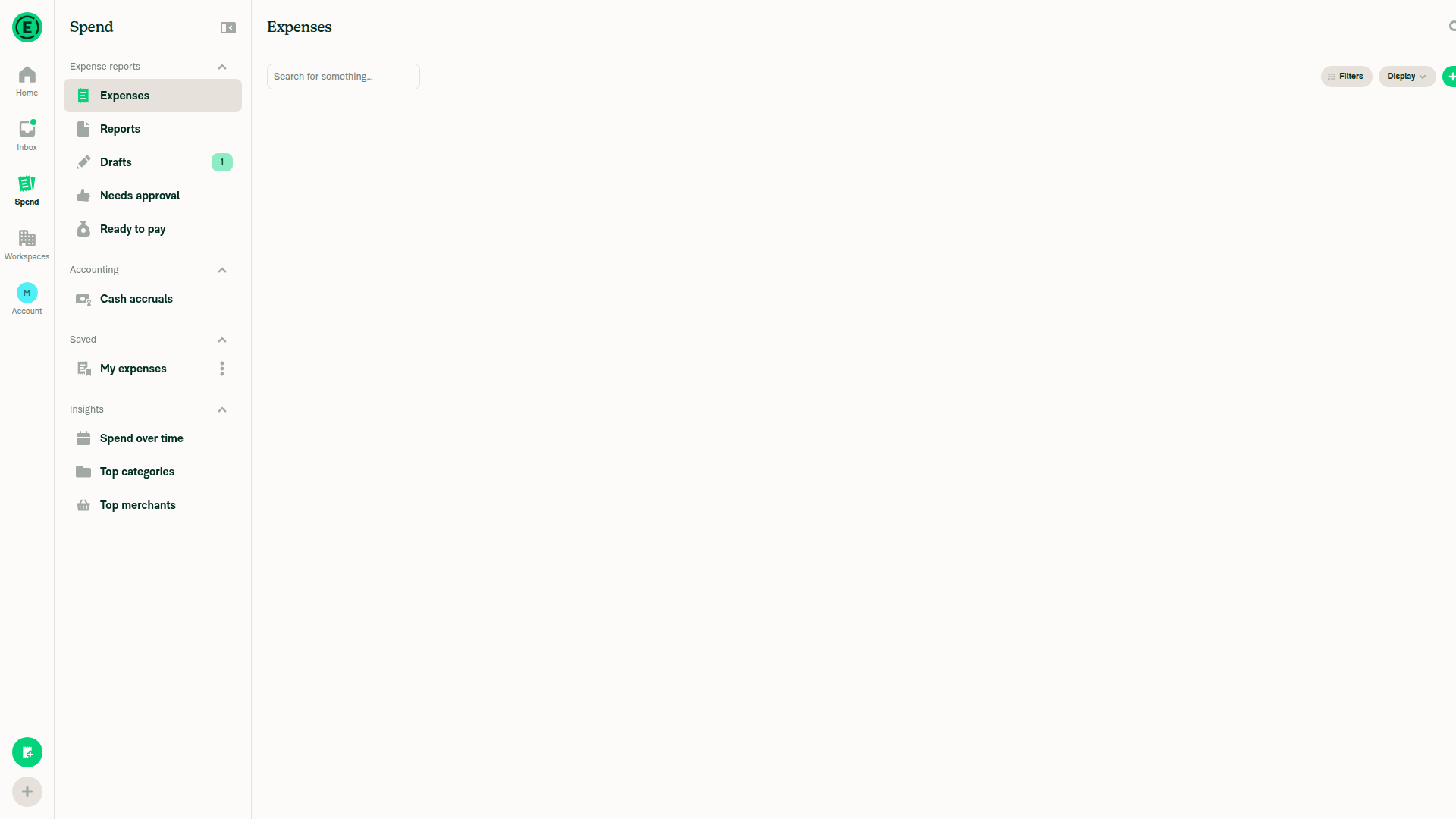
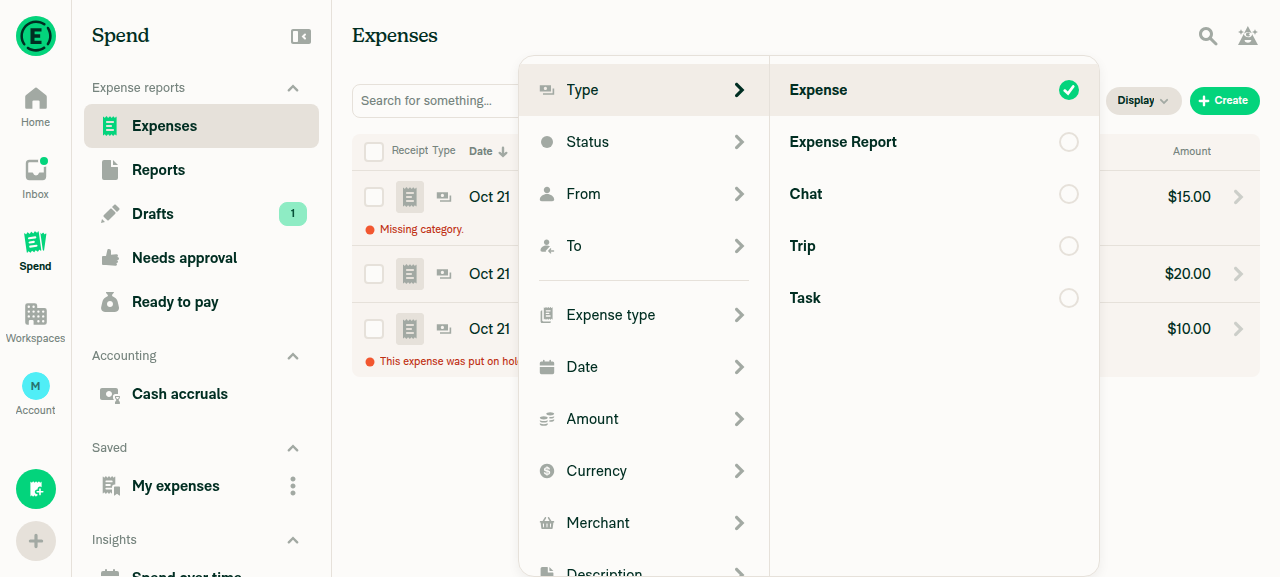
  4. Go to Spend > Expenses and click Filters.
  5. Verify Held appears below Rejected.
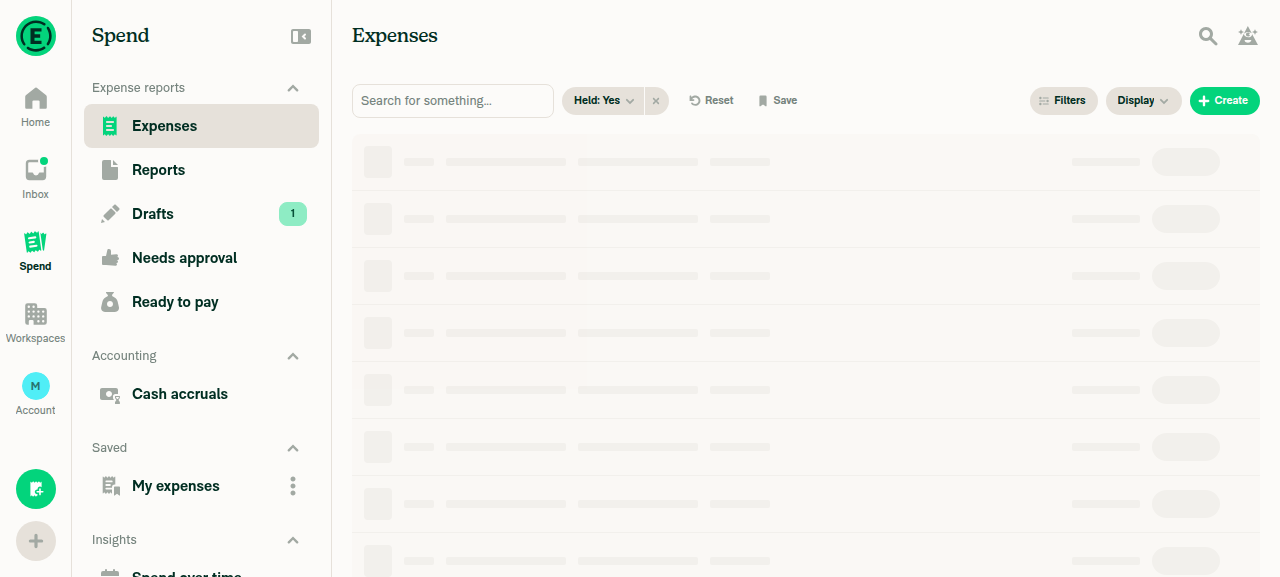
  6. Select Held > Yes.
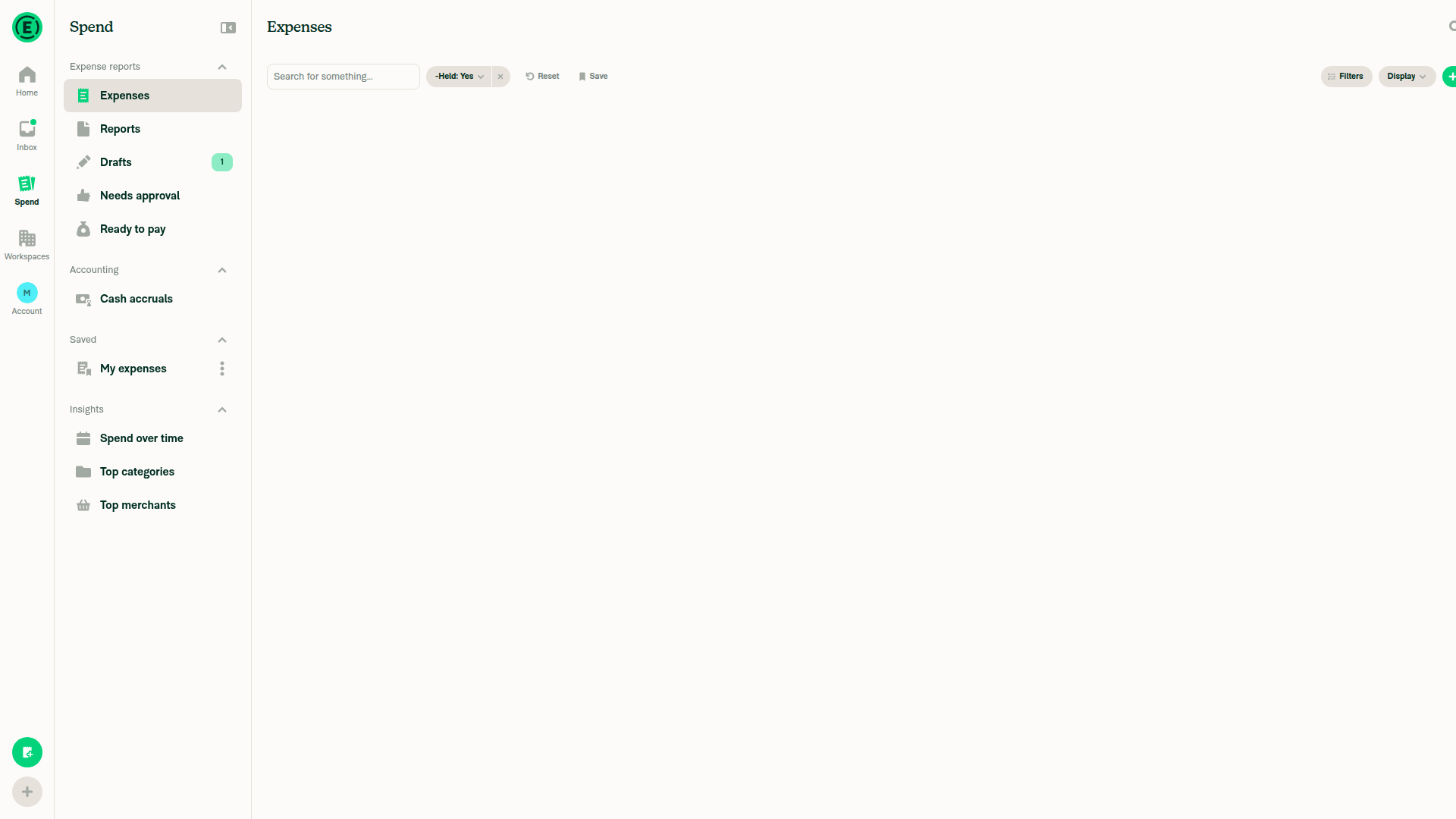
  7. Verify a "Held: Yes" chip appears and only the first expense is listed.
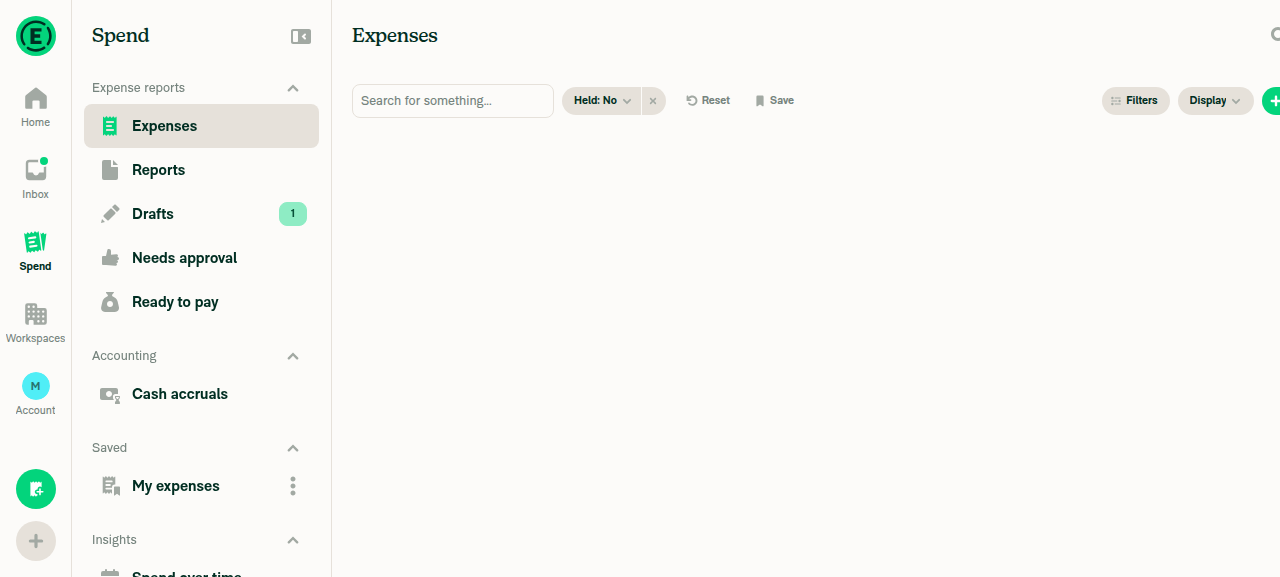
  8. Change the chip to No.
  9. Verify the second and third expenses are listed and the first is not.
  10. Go to Spend > Reports and click Filters.
  11. Verify Held is not offered.
  12. Click the search icon and type held:.
  13. Verify the suggestions are held:no and held:yes.
  14. Search for type:expense -held:yes after clicking on the Search magnifying glass icon.
  15. Verify the first expense is not listed.
  • Verify that no errors appear in the JS console

Offline tests

  1. Go offline.
  2. Click Filters on Spend > Expenses and select Held > Yes.
  3. Verify the "Held: Yes" chip appears.
  4. Go online.
  5. Verify the results load and show only held expenses.

QA Steps

Same as tests.

  • Verify that no errors appear in the JS console

PR Author Checklist

  • I linked the correct issue in the ### Fixed Issues section above
  • I wrote clear testing steps that cover the changes made in this PR
    • I added steps for local testing in the Tests section
    • I added steps for the expected offline behavior in the Offline steps section
    • I added steps for Staging and/or Production testing in the QA steps section
    • I added steps to cover failure scenarios (i.e. verify an input displays the correct error message if the entered data is not correct)
    • I turned off my network connection and tested it while offline to ensure it matches the expected behavior (i.e. verify the default avatar icon is displayed if app is offline)
    • I tested this PR with a High Traffic account against the staging or production API to ensure there are no regressions (e.g. long loading states that impact usability).
  • I included screenshots or videos for tests on all platforms
  • I ran the tests on all platforms & verified they passed on:
    • Android: Native
    • Android: mWeb Chrome
    • iOS: Native
    • iOS: mWeb Safari
    • MacOS: Chrome / Safari
  • I verified there are no console errors (if there's a console error not related to the PR, report it or open an issue for it to be fixed)
  • I verified any copy / text that was added to the app is either coming verbatim from figma or has been approved by marketing (in order to get marketing approval, ask the Bug Zero team member to add the Waiting for copy label to the issue)
  • If a new code pattern is added I verified it was agreed to be used by multiple Expensify engineers
  • I tested other components that can be impacted by my changes (i.e. if the PR modifies a shared library or component like Avatar, I verified the components using Avatar are working as expected)
  • If new assets were added or existing ones were modified, I verified that:
    • The assets are optimized and compressed (for SVG files, run npm run compress-svg)
    • The assets load correctly across all supported platforms.
  • If the PR modifies code that runs when editing or sending messages, I tested and verified there is no unexpected behavior for all supported markdown - URLs, single line code, code blocks, quotes, headings, bold, strikethrough, and italic.
  • If the PR modifies a generic component, I tested and verified that those changes do not break usages of that component in the rest of the App (i.e. if a shared library or component like Avatar is modified, I verified that Avatar is working as expected in all cases)
  • If the PR modifies a component related to any of the existing Storybook stories, I tested and verified all stories for that component are still working as expected.
  • If the PR modifies a component or page that can be accessed by a direct deeplink, I verified that the code functions as expected when the deeplink is used - from a logged in and logged out account.
  • If the PR modifies the UI (e.g. new buttons, new UI components, changing the padding/spacing/sizing, moving components, etc) or modifies the form input styles:
    • I verified that all the inputs inside a form are aligned with each other.
    • I added Design label and/or tagged @Expensify/design so the design team can review the changes.
  • If the PR adds or modifies the UI:
    • I asked an AI agent to review the changes for accessibility issues and addressed its findings.
    • I tested with a screen reader (VoiceOver on macOS) and verified all new/changed elements are reachable with a logical focus order.
    • I verified all new/changed elements have meaningful accessible names and roles.
    • I verified state changes are announced (e.g. checked/unchecked, expanded/collapsed, selected).
  • I added unit tests for any new feature or bug fix in this PR to help automatically prevent regressions in this user flow.
  • If the main branch was merged into this PR after a review, I tested again and verified the outcome was still expected according to the Test steps.

Screenshots/Videos

Android: Native
Android: mWeb Chrome
iOS: Native
iOS: mWeb Safari
MacOS: Chrome / Safari 104076-08-expense-report-no-held 104076-06-held-autocomplete 104076-04-held-column-sort-desc 104076-03-held-no-results 104076-10-filter-bar-held-yes

@melvin-bot

melvin-bot Bot commented Oct 15, 2026

Copy link
Copy Markdown

Hey, I noticed you changed src/languages/en.ts in a PR from a fork. For security reasons, translations are not generated automatically for PRs from forks.

If you want to automatically generate translations for other locales, an Expensify employee will have to:

  1. Look at the code and make sure there are no malicious changes.
  2. Run the Generate static translations GitHub workflow. If you have write access and the K2 extension, you can simply click: [this button]

Alternatively, if you are an external contributor, you can run the translation script locally with your own OpenAI API key. To learn more, try running:

npx bun ./scripts/generateTranslations.ts --help

Typically, you'd want to translate only what you changed by running npx bun ./scripts/generateTranslations.ts --compare-ref main

@codecov

codecov Bot commented Oct 15, 2026 •

Copy link
Copy Markdown

Codecov Report

✅ Changes either increased or maintained existing code coverage, great job!

Files with missing lines Coverage Δ
src/CONST/index.ts 95.90% <ø> (ø)
...ents/Search/FilterComponents/ListFilterContent.tsx 10.52% <ø> (ø)
src/components/Search/SearchTableHeader.tsx 48.91% <ø> (ø)
...ents/TransactionItemRow/TransactionItemRowWide.tsx 98.48% <100.00%> (+0.02%) ⬆️
src/hooks/useAdvancedSearchFilters.ts 97.29% <ø> (ø)
src/hooks/useAutocompleteSuggestions.ts 73.07% <ø> (ø)
src/libs/ReportUtils.ts 88.71% <100.00%> (+0.08%) ⬆️
src/libs/SearchParser/autocompleteParser.js 61.83% <ø> (+0.09%) ⬆️
src/libs/SearchParser/searchParser.js 85.71% <ø> (+0.06%) ⬆️
src/libs/SearchQueryUtils.ts 91.04% <100.00%> (+0.02%) ⬆️
... and 5 more
... and 281 files with indirect coverage changes

c3024 added 2 commits October 16, 2026 13:33
…-search-filter

# Conflicts:
#	src/CONST/index.ts
#	src/components/Search/FilterComponents/ListFilterContent.tsx
#	src/hooks/useAdvancedSearchFilters.ts
#	src/hooks/useAutocompleteSuggestions.ts
#	src/languages/de.ts
#	src/languages/el.ts
#	src/languages/en.ts
#	src/languages/es.ts
#	src/languages/fr.ts
#	src/languages/it.ts
#	src/languages/ja.ts
#	src/languages/nl.ts
#	src/languages/pl.ts
#	src/languages/pt-BR.ts
#	src/languages/zh-hans.ts
#	src/libs/SearchAutocompleteUtils.ts
#	src/libs/SearchParser/autocompleteParser.js
#	src/libs/SearchParser/autocompleteParser.peggy
#	src/libs/SearchParser/baseRules.peggy
#	src/libs/SearchParser/searchParser.js
#	src/libs/SearchParser/searchParser.peggy
#	src/libs/SearchQueryUtils.ts
#	src/libs/SearchUIUtils.ts
#	src/types/form/SearchAdvancedFiltersForm.ts
#	tests/unit/Search/SearchQueryUtilsTest.ts
#	tests/unit/SearchParserTest.ts
#	tests/unit/hooks/useAutocompleteSuggestions.test.ts
@c3024 c3024 changed the title [HOLD Auth#25515] Add Held search filter for expenses Add Held search filter for expenses Oct 20, 2026
@c3024
c3024 marked this pull request as ready for review October 20, 2026 05:33
@c3024
c3024 requested review from a team as code owners October 20, 2026 05:33
@melvin-bot
melvin-bot Bot requested review from JmillsExpensify and parasharrajat and removed request for a team October 20, 2026 05:33
@chatgpt-codex-connector

chatgpt-codex-connector Bot commented Oct 20, 2026 •

Copy link
Copy Markdown

Codex Review Summary

This comment shows the latest Codex review activity on this pull request.

Review Status Commit Review trigger
📝 Code Review ✅ Completed 2026-10-21T10:59:05.549690Z 926d26d New commits
ℹ️ About Codex in GitHub

Your team has set up Codex to review pull requests in this repo. Reviews are triggered when you

  • Open a pull request for review
  • Mark a draft as ready
  • Comment "@codex review" or "@codex security review".

Codex reacts with 👀 while any review is running, comments if it has suggestions, and reacts with 👍 once all reviews finish with no findings.

@melvin-bot
melvin-bot Bot removed the request for review from a team October 20, 2026 05:33
@melvin-bot

melvin-bot Bot commented Oct 20, 2026

Copy link
Copy Markdown

@parasharrajat Please copy/paste the Reviewer Checklist from here into a new comment on this PR and complete it. If you have the K2 extension, you can simply click: [this button]

@github-actions

Copy link
Copy Markdown
Contributor

🚧 JmillsExpensify has triggered a test Expensify/App build. You can view the workflow run here.

@github-actions

This comment has been minimized.

@JmillsExpensify JmillsExpensify left a comment

Copy link
Copy Markdown
Contributor

Choose a reason for hiding this comment

The reason will be displayed to describe this comment to others. Learn more.

This looks great. Excited to see this going through.

@c3024

c3024 commented Oct 21, 2026

Copy link
Copy Markdown
Contributor Author

@parasharrajat could you review this PR?

@JmillsExpensify

Copy link
Copy Markdown
Contributor

I'm pretty sure he's out and we need to keep this moving, so I'll find an alt.

@JmillsExpensify
JmillsExpensify requested review from situchan and removed request for parasharrajat October 21, 2026 09:39
@situchan

situchan commented Oct 21, 2026 •

Copy link
Copy Markdown
Contributor

Reviewer Checklist

  • I have verified the author checklist is complete (all boxes are checked off).
  • I verified the correct issue is linked in the ### Fixed Issues section above
  • I verified testing steps are clear and they cover the changes made in this PR
    • I verified the steps for local testing are in the Tests section
    • I verified the steps for Staging and/or Production testing are in the QA steps section
    • I verified the steps cover any possible failure scenarios (i.e. verify an input displays the correct error message if the entered data is not correct)
    • I turned off my network connection and tested it while offline to ensure it matches the expected behavior (i.e. verify the default avatar icon is displayed if app is offline)
  • I checked that screenshots or videos are included for tests on all platforms
  • I included screenshots or videos for tests on all platforms
  • I verified that the composer does not automatically focus or open the keyboard on mobile unless explicitly intended. This includes checking that returning the app from the background does not unexpectedly open the keyboard.
  • I verified tests pass on all platforms & I tested again on:
    • Android: HybridApp
    • Android: mWeb Chrome
    • iOS: HybridApp
    • iOS: mWeb Safari
    • MacOS: Chrome / Safari
  • If there are any errors in the console that are unrelated to this PR, I either fixed them (preferred) or linked to where I reported them in Slack
  • I verified any copy / text that was added to the app is either coming verbatim from figma or has been approved by marketing (in order to get marketing approval, ask the Bug Zero team member to add the Waiting for copy label to the issue)
  • If a new code pattern is added I verified it was agreed to be used by multiple Expensify engineers
  • I verified other components that can be impacted by these changes have been tested, and I retested again (i.e. if the PR modifies a shared library or component like Avatar, I verified the components using Avatar have been tested & I retested again)
  • If a new component is created I verified that:
    • A similar component doesn't exist in the codebase
    • All props are defined accurately
    • The component has a clear name that is non-ambiguous and the purpose of the component can be inferred from the name alone
    • The only data being stored in the state is data necessary for rendering and nothing else
    • The component has the minimum amount of code necessary for its purpose, and it is broken down into smaller components in order to separate concerns and functions
  • If the PR modifies code that runs when editing or sending messages, I tested and verified there is no unexpected behavior for all supported markdown - URLs, single line code, code blocks, quotes, headings, bold, strikethrough, and italic.
  • If the PR modifies a generic component, I tested and verified that those changes do not break usages of that component in the rest of the App (i.e. if a shared library or component like Avatar is modified, I verified that Avatar is working as expected in all cases)
  • If the PR modifies a component related to any of the existing Storybook stories, I tested and verified all stories for that component are still working as expected.
  • If the PR modifies a component or page that can be accessed by a direct deeplink, I verified that the code functions as expected when the deeplink is used - from a logged in and logged out account.
  • If the PR modifies the UI (e.g. new buttons, new UI components, changing the padding/spacing/sizing, moving components, etc) or modifies the form input styles:
    • I verified that all the inputs inside a form are aligned with each other.
    • I added Design label and/or tagged @Expensify/design so the design team can review the changes.
  • If the PR adds or modifies the UI:
    • I asked an AI agent to review the changes for accessibility issues and addressed its findings.
    • I tested with a screen reader (VoiceOver on macOS) and verified all new/changed elements are reachable with a logical focus order.
    • I verified all new/changed elements have meaningful accessible names and roles.
    • I verified state changes are announced (e.g. checked/unchecked, expanded/collapsed, selected).
  • For any bug fix or new feature in this PR, I verified that sufficient unit tests are included to prevent regressions in this flow.
  • If the main branch was merged into this PR after a review, I tested again and verified the outcome was still expected according to the Test steps.
  • I have checked off every checkbox in the PR reviewer checklist, including those that don't apply to this PR.

Screenshots/Videos

Android: HybridApp
Android: mWeb Chrome
iOS: HybridApp
ios.mp4
iOS: mWeb Safari
MacOS: Chrome / Safari
web.mov

@situchan situchan left a comment

Copy link
Copy Markdown
Contributor

Choose a reason for hiding this comment

The reason will be displayed to describe this comment to others. Learn more.

Code looks good. Some minor nits:

Comment thread src/components/TransactionItemRow/TransactionItemRowWide.tsx Outdated
Comment thread src/libs/SearchQueryUtils.ts
Comment thread tests/unit/ReportUtilsTest.ts Outdated
@JmillsExpensify

Copy link
Copy Markdown
Contributor

@c3024 back to you

@melvin-bot
melvin-bot Bot requested a review from JS00001 October 21, 2026 10:39
@melvin-bot melvin-bot Bot changed the title Add Held search filter for expenses [Payment due @situchan] Add Held search filter for expenses Oct 21, 2026
@melvin-bot

melvin-bot Bot commented Oct 21, 2026

Copy link
Copy Markdown

🎯 @situchan, thanks for reviewing and testing this PR! 🎉

A payment issue will be created for your review once this PR is deployed to production.
E/E issue linked to the PR - https://www.github.com/Expensify/Expensify/issues/691882.

If payment is not needed (e.g., regression PR review fix etc), react with 👎 to this comment to prevent the payment issue from being created.

@MelvinBot

Copy link
Copy Markdown
Contributor

Code review

I found no blocking bugs. Held is wired into every place Billable and Declined use, and the new tests cover parsing, negation, form round-trips, autocomplete, and sorting.

Two things to address before merge:

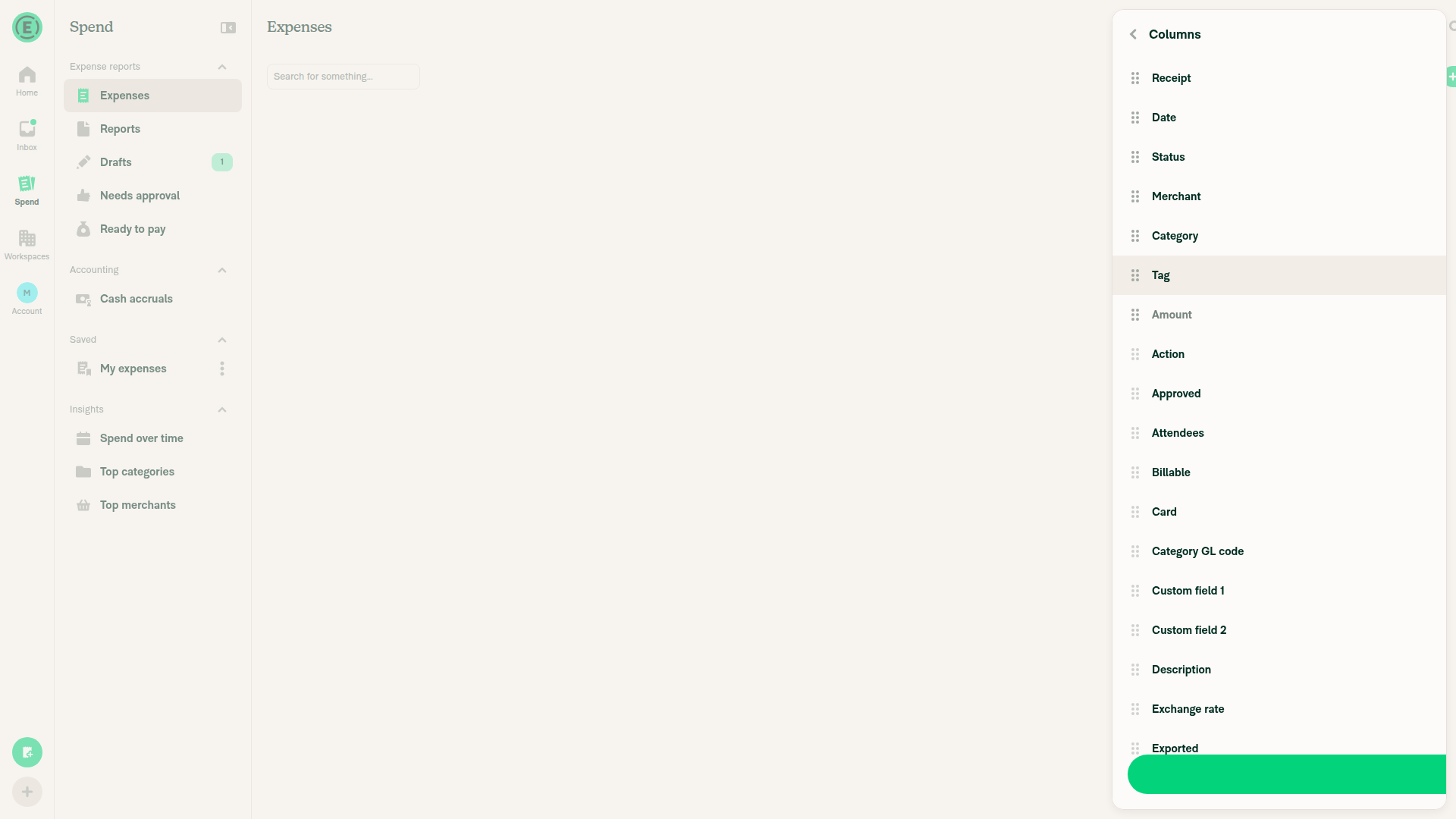
  1. Update the PR description. The second commit adds a sortable Held column (column picker, table header, cell, local sort), but the Explanation and Tests only describe the filter. Please mention the column and add test steps for it. For example: enable Held in Columns, verify Yes/No cells, and sort by Held in both directions.
  2. Confirm backend support for the column. The filter is clearly supported (your screenshots show results). Please confirm the backend also accepts columns:held and sortBy:held, so paginated server-side sorting matches the local sort.
Minor, optional
  • Held is the first column mapped to null that still sorts, so it needs a special case in SearchUIUtils.ts:4153 and SearchUIUtils.ts:3968. It works and is commented. If another derived column appears, a small "computed sort value" map would be cleaner than more sortBy === X checks.
  • The shared boolean-filter-keys set that situchan suggested is tracked as a follow-up, which is fine.
What I checked
  • isOnHold returns !!comment.hold, so an unheld expense (hold: '') counts as not held. Search rows carry comment.hold, so the cell, filter chip, and both sort paths agree.
  • The Held filter is limited to the Expense type (ALLOWED_TYPE_FILTERS, typeFiltersKeys), and a test confirms it is dropped for expense reports.
  • The Stopwatch chip icon matches the existing Hold/Unhold actions.
  • CI: every check passes except Check independent approval (expected) and one test shard that was still running.

view run

@MelvinBot

MelvinBot commented Oct 21, 2026 •

Copy link
Copy Markdown
Contributor

🤖 Web test steps verification results: ⚠️ partial

The Held filter, chip, negation, and autocomplete all work on Spend > Expenses, and Held is correctly absent from Spend > Reports filters. The Columns picker showed Held, Billable, and Reimbursable as disabled in the test browser, so the column and sort steps could not be checked.
Final expenses list

Step Status
Filters lists Held below Rejected; Held > Yes shows a "Held: Yes" chip and only the held expenseHeld sits below Rejected. Held: Yes showed only "Merchant Held" ($10.00).
Filters listHeld: Yes filter
✅
Held: No lists the two unheld expenses and not the held oneShowed "Merchant Plain" ($15.00) and "Merchant Billable" ($20.00) and excluded "Merchant Held".
Held: No filter
✅
Columns picker: enable Held, Billable, Reimbursable and check Yes/No cellsThe test browser reported all three as disabled, including with only two other columns selected and at 1920x1080. Billable and Reimbursable existed before this PR and were also blocked, and the code disables only required columns, so this looks like a test-harness problem, not a regression.
Columns picker
❌
Held column header sorts both directions without errorBlocked: the Held column could not be added, so its header never appeared.
❌
Billable and Reimbursable headers still sort correctlyBlocked by the same Columns picker problem.
❌
Report view: enable Held in Columns and sort by itBlocked: the report's Columns picker showed the same disabled state.
❌
Spend > Reports > Filters does not offer HeldThe Reports filter list has no Held entry.
✅
Typing held: suggests held:no and held:yes; type:expense -held:yes excludes the held expenseBoth suggestions appeared. The negated query showed a "-Held: Yes" chip and excluded "Merchant Held".
Negated held query
✅
No error screens during any stepNo crash screens, error banners, or console errors.
Final expenses list
✅
Code check: no regressions found
  • Parity: Every file that handles the Billable and Declined keys now handles Held. The only other place Declined appears is the expense-report filter list, which leaves Held out on purpose.
  • Search syntax: held was not an existing key or value anywhere in search. It does not prefix-match another key in the parser, so existing queries parse the same way.
  • Shared Yes/No cell refactor: Reimbursable and Billable keep the same value, style, and key, so those cells render the same as before.
  • Sorting: The new sortKey branch only applies when sortBy is Held. Every other column sorts the same as before.
  • Columns picker failure: ColumnsSettingsList.tsx:141 disables only required columns. Held is not required in SearchColumnsPage.tsx:47-61. Your own screenshots also show the Held column sorted. Please run a quick manual check of steps 3–6 to confirm.
  • Not verified: I could not check whether the backend handles columns:held and sortBy:held across pages. The live filter results show the backend handles the held filter.

view run · view recording

@JS00001
JS00001 merged commit bc95a71 into Expensify:main Oct 21, 2026
39 of 43 checks passed
@github-actions

Copy link
Copy Markdown
Contributor

🚧 JS00001 has triggered a test Expensify/App build. You can view the workflow run here.

@OSBotify

Copy link
Copy Markdown
Contributor

✋ This PR was not deployed to staging yet because QA is ongoing. It will be automatically deployed to staging after the next production release.

@OSBotify

Copy link
Copy Markdown
Contributor

🚀 Deployed to staging by https://github.com/JS00001 in version: 9.5.16-0 🚀

platform result
🕸 web 🕸 success ✅
🤖 android 🤖 success ✅
🍎 iOS 🍎 success ✅

@MelvinBot

MelvinBot commented Oct 21, 2026 •

Copy link
Copy Markdown
Contributor

A help site update is needed. This PR adds a new user-facing feature that isn't behind a beta: the Held filter and the held: search operator.

I created a draft docs PR: Docs updates for E/A#104076 Add held: search operator to search operators article

It adds one held: row to the expense operators table in Use-Search-Operators-to-Filter-and-Analyze.md:82, beside billable: and reimbursable:. It also adds two keywords to the article.

Verification

I checked these labels in the web app:

  • Held appears after Rejected in Spend > Expenses > Filters.
  • The Held options are Yes and No.
  • Typing held: in the search field suggests held:no and held:yes.

@c3024, please review the linked help site PR and confirm it reflects the current behavior. Then mark the linked help site PR Ready for review


view run · view recording

@OSBotify

Copy link
Copy Markdown
Contributor

🚀 Deployed to staging by https://github.com/JS00001 in version: 9.5.18-0 🚀

platform result
🕸 web 🕸 success ✅
🤖 android 🤖 success ✅
🍎 iOS 🍎 cancelled 🔪

@MelvinBot

MelvinBot commented Oct 22, 2026 •

Copy link
Copy Markdown
Contributor

A help site update is needed, and it's already open: [No QA] Docs updates for E/A#104076 Add held: search operator to search operators article. I didn't create a second PR.

This PR adds a new, non-beta feature: the Held expense filter and the held: search operator. The existing PR adds one held: row to the expense operators table in Use Search Operators to Filter and Analyze. It also adds two keywords. That PR is already labeled HelpDot, assigned to you, and marked ready for review.

UI check (dev web)
  • Held appears directly below Rejected in Spend > Expenses > Filters.
  • Its options are Yes and No.
  • Typing held: in the search field suggests held:no and held:yes.

@c3024, please review the linked help site PR and confirm it reflects the current behavior. Then mark the linked help site PR Ready for review


view run · view recording

Sign up for free to join this conversation on GitHub. Already have an account? Sign in to comment

Labels

None yet

Projects

None yet

Development

Successfully merging this pull request may close these issues.

6 participants