


It is a simple and lightweight compressor/decompressor based on the delta encoding method. I planned it as a small auxiliary module for my MCU projects to output graphics to the display, but I got a little carried away and the project turned out to be quite extensive. Nevertheless, its main purpose is still to reduce the size of graphical interface elements with their further decompression/displaying on the screen. This technology can be useful in embedded small and medium-level systems (among the examples I made one for ATtiny85).
The compressor application runs on Windows and Linux (it is built with .NET 10 and Avalonia and needs no .NET installation), and for decompression I have prepared several versions of the source code, differing in their capabilities and performance.
And of course the project can be used to compress any data.
The delta encoding method is used for compression: instead of storing the original sequence of data, we store only the difference (delta) between each two adjacent values. And in the case of graphical data, this gives a good (at least not shameful) degree of compression.
You can find more information at the links below, where I talk about how this compression method works, about problems that arose during the development and how I solved them:
Boosty (Russian):
Sprint 1 - https://boosty.to/muravyev/posts/9241e5a2-a490-4530-a376-e9cae0f9e9bf?share=post_link
Sprint 2 - https://boosty.to/muravyev/posts/dfdd0b1d-f27d-446a-ab38-d55cbc7cd580?share=post_link
Sprint 3 - https://boosty.to/muravyev/posts/bc58a9af-f075-4004-a98e-6535edab9925?share=post_link
Patreon (Eng subs):
Sprint 1 - https://www.patreon.com/posts/delta-encoding-1-106850934
Sprint 2 - https://www.patreon.com/posts/delta-encoding-2-108056837
Sprint 3 - https://www.patreon.com/posts/delta-encoding-3-108236064
The presentations of all sprints are in the docs folder. Sprint 4 (PDF) gives the mathematical foundation of version 2: an exact best-block search, the provably smallest chain of blocks and the automatic selection of settings. What changed in version 2 and why is described in docs/v2-changes.md.
The data is a sequence of frames (pixels), each frame has 1–4 channels. The compressor cuts the sequence into blocks. Every block has a header (its length in the b-bit length field and a method index for each channel) followed by the channel data. For each channel of a block the compressor chooses one of three methods:
- Fixed Window: the block's values fit into a window of width 2w that starts at the block's minimum. Cost: k + l·w bits (k is the channel bit depth, l the block length).
- Adaptive Floating Window: each value is stored relative to a window of width 2w placed around the previous value. Cost: k + (l−1)·w bits.
- Uncompressed: l·k bits.
Version 1 built the chain greedily: at every position it looked for the block with the best efficiency and moved on. Version 2 changes how the chain is chosen; the stream format and the decoder are the same.
1. The smallest chain, not the most efficient blocks. A very efficient long block can leave a tail that compresses badly, and a short, weak block can open the way for a much better one. So version 2 minimizes the total size directly, by dynamic programming over the whole data. If Bits(p, l) is the size of the cheapest block of length l starting at frame p (each channel independently takes its cheapest method that lasts l frames), then the smallest size of the data from frame p to the end is
Best is computed from the last frame back to the first, remembering the best block length at every position; then the chain is read forward and written. Every stream the decoder accepts is a chain of such blocks, so no stream can be smaller than Best(0): for the chosen settings the result is the smallest possible file. Example (k = 8, b = 3, frames 97 97 117 117 117 116 116 117 117 117): the greedy chain takes 70 bits, the optimal one 38 bits.
To keep this fast, the scan over l stops as soon as Bits(p, l) alone reaches the best total found (Bits only grows with l), the block cost is linear in l between the points where a channel changes its method, and the window lengths at frame p are updated from those at p + 1 instead of being rescanned. A 240×240 image takes about 0.1 s.
2. All window widths in one scan. A wider window always lasts at least as long as a narrower one, so a single pass over the data gives the lengths of all window widths (w = 0, 1, 2, …) instead of one pass per width.
3. Exact best-block search. The frame-by-frame mode no longer tries every combination of methods (4096 per frame for RGB888). A block length can only be one of the methods' own lengths; for each such length l every channel takes its cheapest method that lasts at least l frames, and one channel takes the cheapest method that ends exactly at l. This gives the same block as the brute force, byte for byte, about 90× faster, so the old "faster" search option was removed.
4. Auto settings. Because the optimal chain gives the exact file size without writing it, the application can try settings: every combination of square size and delta option, and for each the block length field (b) from small to large until the size grows three times in a row. The smallest result wins.
Results on the test set compared to version 1 with the settings from the sprints: the optimal chain alone gives files 0–5% smaller, Auto settings up to 24% smaller (for example, Icons RGB888 29382 → 22203 bytes, Logo RGB888 26734 → 22903 bytes), and the whole test set compresses in 2.9 s instead of 53.7 s. Every result is checked by decoding it with the unmodified decoder. The details, proofs and the full table are in docs/v2-changes.md and the Sprint 4 deck.
- Supported image size up to 65535 x 65535px;
- up to 4 data channels (R/G/B/A, L/R, etc);
- up to 32 bits per data channel;
- up to 64 bits per frame (decompressor modification is required for a larger frame width);
- decompression per 1 request: up to 2^32 frames (pixels), up to 2^32 compressed/decompressed data size;
- decompression of 1-2-4 bits frames;
- splitting images into squares;
- encoding to the desired color bit depth for each channel;
- conversion to grayscale;
- alpha channel compression;
- 4 delta calculation options;
- the smallest possible chain of blocks for the chosen settings (dynamic programming over the whole data);
- automatic selection of the block length field, delta option and square size (Auto settings);
- PNG images are read at their exact bit depth (1/2/4/8/16-bit grayscale, 8/16-bit color, palette, alpha);
- AVR "far" memory access support*;
- splitting compressed data into memory chunks (up to 32767 bytes)*;
- generating a header file with compressed data and their descriptive metadata. You just need to include this file in your code and pass references to the constants declared in it to the decompression procedure;
- compression of any data file with the ability to split it into channels and select the channel bit width (so far only multiples of 8 bits are available).
* Relevant only for the AVR platform.

The compression application contains 2 tabs: for images and for any other files. After opening an image or file, you can set up the desired channel configuration, and select the Split into squares mode for images. In the preview area, you can see how the image (or data divided into channels) will look for the selected configuration.
Compression settings are configured at the bottom of the window:
- The number of bits of the block length field. The larger this field, the longer blocks the compression algorithm will be able to make. This parameter is configured individually for each specific data instance and is usually in the range of 5-8 bits.
- Delta calculation method. A Fixed Window is more suitable for low-contrast noise, and an Adaptive Floating Window is better for gradients (refer to the links above). Combinations of them are also available.
- Settings: Manual uses the block length field, delta method and squares you selected. Auto (the default) tries the block length fields, delta methods and square sizes, keeps the combination that gives the smallest file and shows it in the corresponding fields. Since Auto may choose any delta method and square size, check the generated .h-file and configure the decompressor accordingly (see Decompression below).
- Selection of the platform for which the header .h-file will be generated. The only difference between AVR and other platforms is that the macro symbol "PROGMEM" is added to the AVR array constant and a warning comment is issued every 16384 bytes of the array about exceeding this threshold. For other platforms these actions are not performed (configuration of platforms and code generation features can be customized and are located next to the application: appsettings.json, Header_Source.xml, Header_Transformation.xslt).
After clicking on the "Compress" button and selecting the path to save the file, data analysis is performed first (blue progress bar), and then compression and writing the array to the output file (green progress bar).
You can learn more about how to work with the application and decompression class here (Eng subs available):
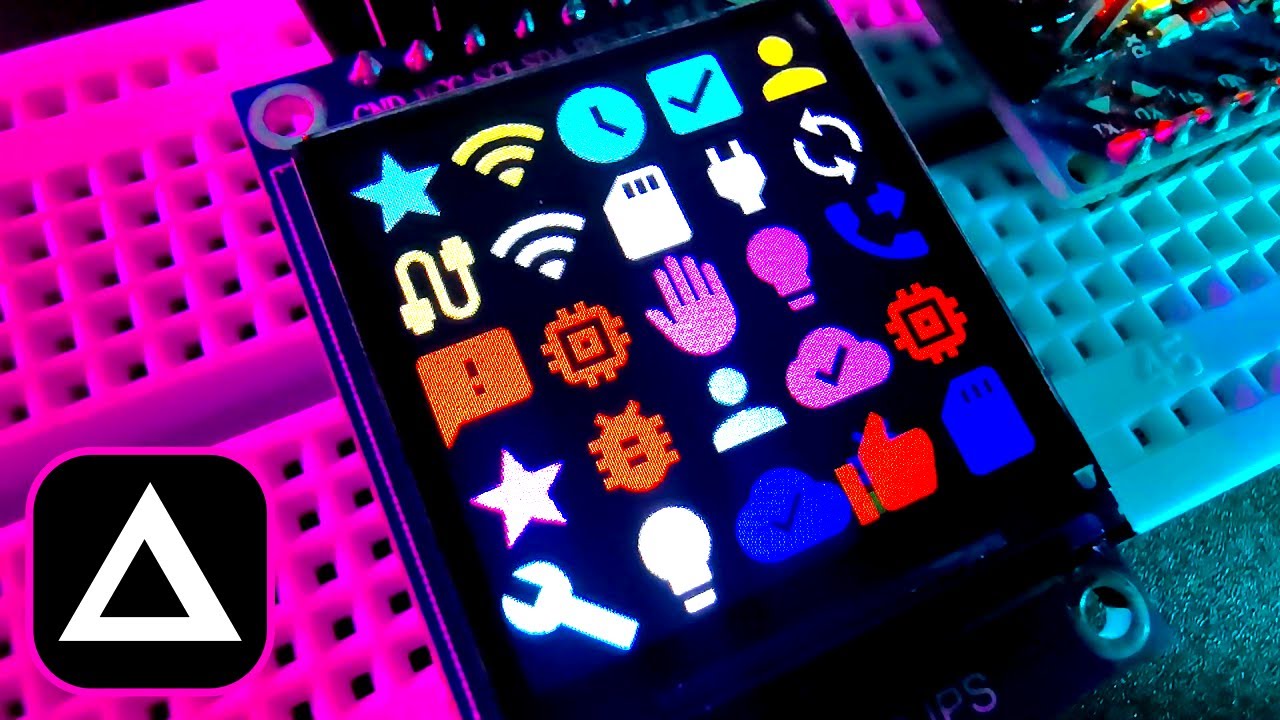
For correct decompression, you only need to configure a few parameters in the file Decompression.h:
- Using commenting characters '//', select one of the delta calculating options. And, for example, choosing the DECOMPRESSION_FIXED_WINDOW_FIRST option you can decompress data compressed not only by this method (Fixed + Adaptive), but also a data, compressed by Fixed Window only. Likewise using DECOMPRESSION_ADAPTIVE_FLOATING_WINDOW_FIRST, you can decompress data, compressed both by Adaptive + Fixed and only by Adaptive Window methods:
//#define DECOMPRESSION_FIXED_WINDOW_ONLY
//#define DECOMPRESSION_ADAPTIVE_FLOATING_WINDOW_ONLY
#define DECOMPRESSION_FIXED_WINDOW_FIRST
//#define DECOMPRESSION_ADAPTIVE_FLOATING_WINDOW_FIRST- Set the maximum number of channels (e.g. R/G/B = 3 channels) that will be decompressed in your code:
#define DECOMPRESSION_MAX_NUMBER_OF_CHANNELS 3- Define whether decompression of images divided into squares will be used:
#define DECOMPRESSION_USE_SQUARES- And for the AVR platform, define whether data chunking will be used and set the size of chunks (for data arrays exceeding 32767 bytes):
#define USE_FAR_MEMORY_CHUNKS
#define CHUNK_SIZE	16384
Additionally, if splitting into squares is used, then for correct image decompression you have to set the buffer width value in pixels (in the main program code):
static Decompression decomp;
decomp.bufferWidth = LOGO_IMAGE_WIDTH;
And don't forget to reset the decompressor's environment variables before unpacking next object:
decomp.resetDecompression();That's all! As you can see, it's pretty simple!
You can find application examples for different tasks and platforms here.
I have made several modifications to the decompression code that differ in capabilities and performance:
-
The original class - maximum features:
- supported image size up to 65535 x 65535px;
- up to 32 bits per data channel;
- up to 64 bits per frame (modification is required for a larger frame width);
- decompression per 1 request: up to 2^32 frames (pixels), up to 2^32 compressed/decompressed data size;
- decompression of 1-2-4 bits frames;
- AVR "far" memory access support*;
- splitting compressed data into memory chunks (up to 32767 bytes)**.
Source: /Decompression
Example: ATMega2560 + ILI9486 480x320 display. -
High-speed adaptation:
- focusing on the low-bit-length operations;
- supported image size is up to 255x255px;
- up to 8 bits per data channel;
- up to 16 bits per frame;
- decompression of 1-2-4 bits frames;
- AVR "far" memory access support*;
- splitting compressed data into memory chunks (up to 32767 bytes)**;
- high performance.
Source: /Decompression/Mods/Fast
Example: ATMega2560 + ILI9486 480x320 display. -
High-speed with pixel support:
- focusing on the low-bit-length operations;
- supported image size is up to 255 x 255px;
- up to 8 bits per data channel;
- up to 16 bits per frame;
- colorizing pixels during decompression (if used);
- direct use of the RGB565 pixel buffer (if needed);
- AVR "far" memory access support*;
- splitting compressed data into memory chunks (up to 32767 bytes)**;
- high performance+.
Source: /Decompression/Mods/Fast+pixel_support
Examples:
Arduino Nano + ST7789 240x240 display,
ESP32 DEVKIT board + ST7789 240x240 display,
STM32F070CB chip + ST7789 240x240 display,
DevEBox board by mcudev + NT35510 800x480 display. -
Tiny adaptation:
- focusing on the 8-bit operations;
- supported image size is up to 255 x 255px;
- up to 8 bits per data channel;
- up to 8 bits per frame supported;
- colorizing pixels during decompression (if used);
- direct use of the RGB565 pixel buffer (if needed);
- high performance++.
Source: /Decompression/Mods/Tiny+pixel_support
Examples:
Arduino Nano + ST7789 240x240 display,
ATtiny85 chip + SPI output.
* Relevant only for the AVR platform.
** To do this, a pointer to an array of far pointers should be passed to the decompression procedure instead of a direct pointer to a data array:
static uint_farptr_t dataChunks[n];
decompressNextFrames(dc, dataChunks, decompressedData, framesCount);Ready-to-run versions for Windows x64 and Linux x64 are on the Releases page. Each one is a single self-contained executable, no .NET installation is needed. Unpack the archive and run DeltaComp.exe (Windows) or ./DeltaComp (Linux). Keep appsettings.json, Header_Source.xml and Header_Transformation.xslt next to the executable.
The changes between versions are listed in the CHANGELOG.
You need the .NET 10 SDK.
# Run the application
dotnet run --project src/DeltaComp.App

# Publish a self-contained, trimmed single-file executable
dotnet publish src/DeltaComp.App -p:PublishProfile=win-x64
dotnet publish src/DeltaComp.App -p:PublishProfile=linux-x64
# The result is in artifacts/publish/<runtime>/

# Tests: headless UI tests, compression benchmark with byte-exact baselines
dotnet test tests/DeltaComp.App.Tests
dotnet run -c Release --project tests/DeltaComp.Bench -- --optimal
The repository layout:
| Folder | Contents |
|---|---|
| src/DeltaComp.Core | The compression library, independent of the UI |
| src/DeltaComp.App | The cross-platform desktop application (Avalonia) |
| Decompression | Decompression sources for microcontrollers |
| Examples | Decompression examples for AVR, ESP32 and STM32 |
| tests | UI tests, benchmark, round-trip check with the microcontroller decoder, test data |
| docs | Sprint presentations and the description of version 2 |
Avalonia collects anonymous build-time telemetry; set the environment variable AVALONIA_TELEMETRY_OPTOUT=1 to turn it off.
Project files - https://drive.google.com/drive/folders/1WRB-s4aPv4rQhnDVdqntXX3w0xl3WAg_
Data compression - https://en.wikipedia.org/wiki/Data_compression
Entropy coding - https://en.wikipedia.org/wiki/Entropy_coding
Delta encoding - https://en.wikipedia.org/wiki/Delta_encoding
List of monochrome and RGB color formats - https://en.wikipedia.org/wiki/List_of_monochrome_and_RGB_color_formats
Ladies - https://www.freepik.com/free-photo/woman-with-beautiful-body_9828277.htm https://www.pexels.com/photo/woman-wearing-black-top-1642161/ https://www.freepik.com/free-photo/hispanic-woman-wearing-lingerie-smiling-doing-phone-gesture-with-hand-fingers-like-talking-telephone-communicating-concepts_53265959.htm