
Your virtual engineering laboratory: design experiments, analyse measurements, and iterate with confidence.




PyVale is a general purpose toolbox for simulation driven experimental design and experimental mechanics. Build virtual sensor arrays, generate realistic camera images, analyse DIC measurements, and feed what you learn into the next experiment. The core SensorSim, DIC, and Render modules are ready for general use. Tools for sensor placement optimisation, experimental design, and simulation validation metrics are under active development.
PyVale connects experimental design, measurement simulation, data analysis simulation validation and uncertainty quantification in an iterative workflow. Its core modules can be used independently or combined to close the loop between simulation and experiment.
| Capability | What it gives you | Documentation |
|---|---|---|
| SensorSim | Virtual sensor arrays, uncertainty models, and repeated simulated experiments | Examples · Guide |
| DIC | Two dimensional and stereo correlation, shape reconstruction, displacement, and strain | Examples · Guide |
| Render | Synthetic camera images, deforming meshes, and optical realism | Examples · UV Examples |
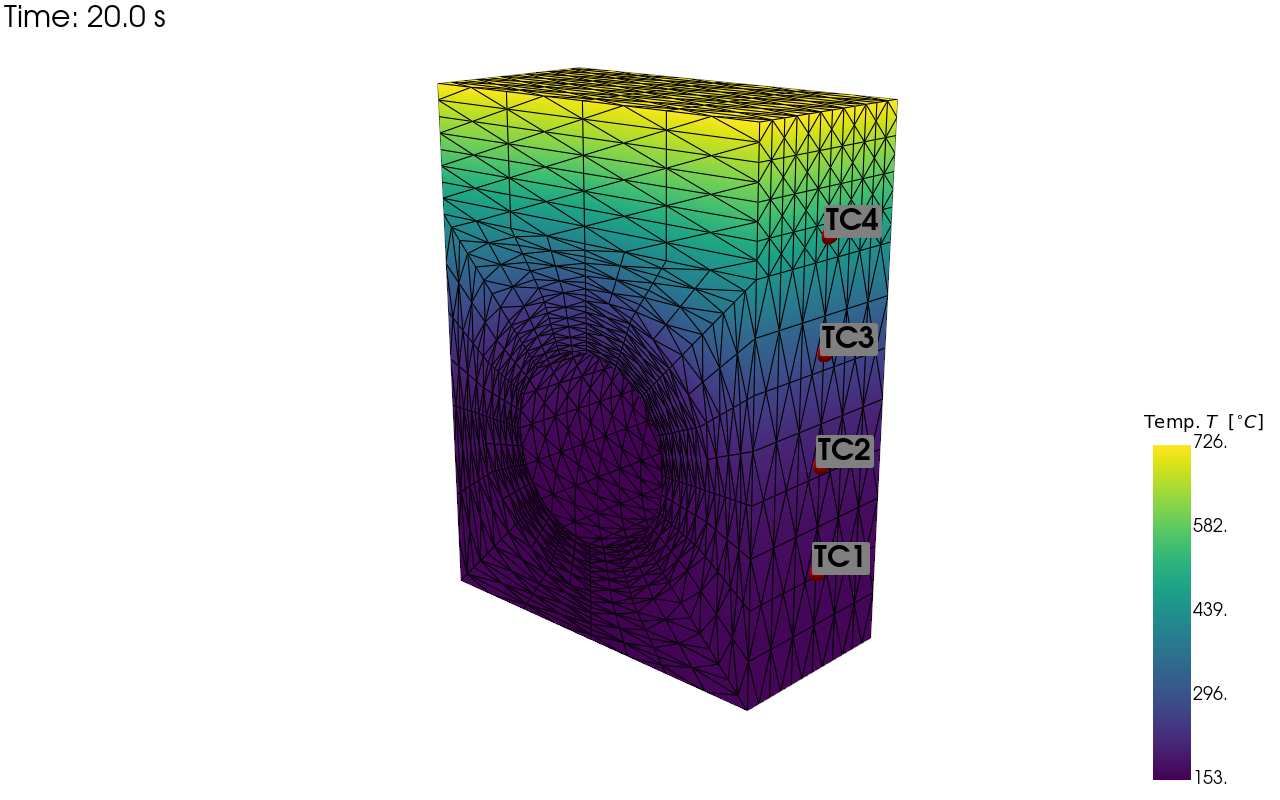
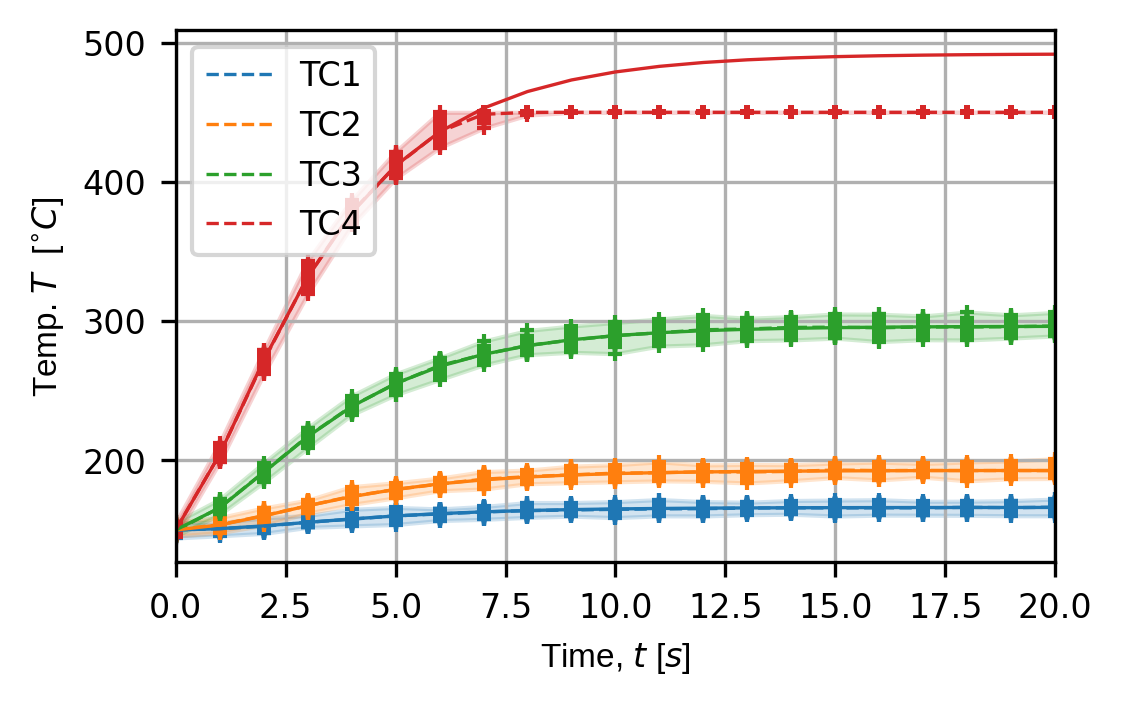
Create virtual thermocouples, strain gauges, and other sensor arrays on multiphysics simulations. Model systematic and random uncertainty, repeat virtual experiments, and inspect the resulting measurement distributions.
SensorSim examples · User guide
| Sensor locations | Simulated sensor traces |
|---|---|
 |
 |
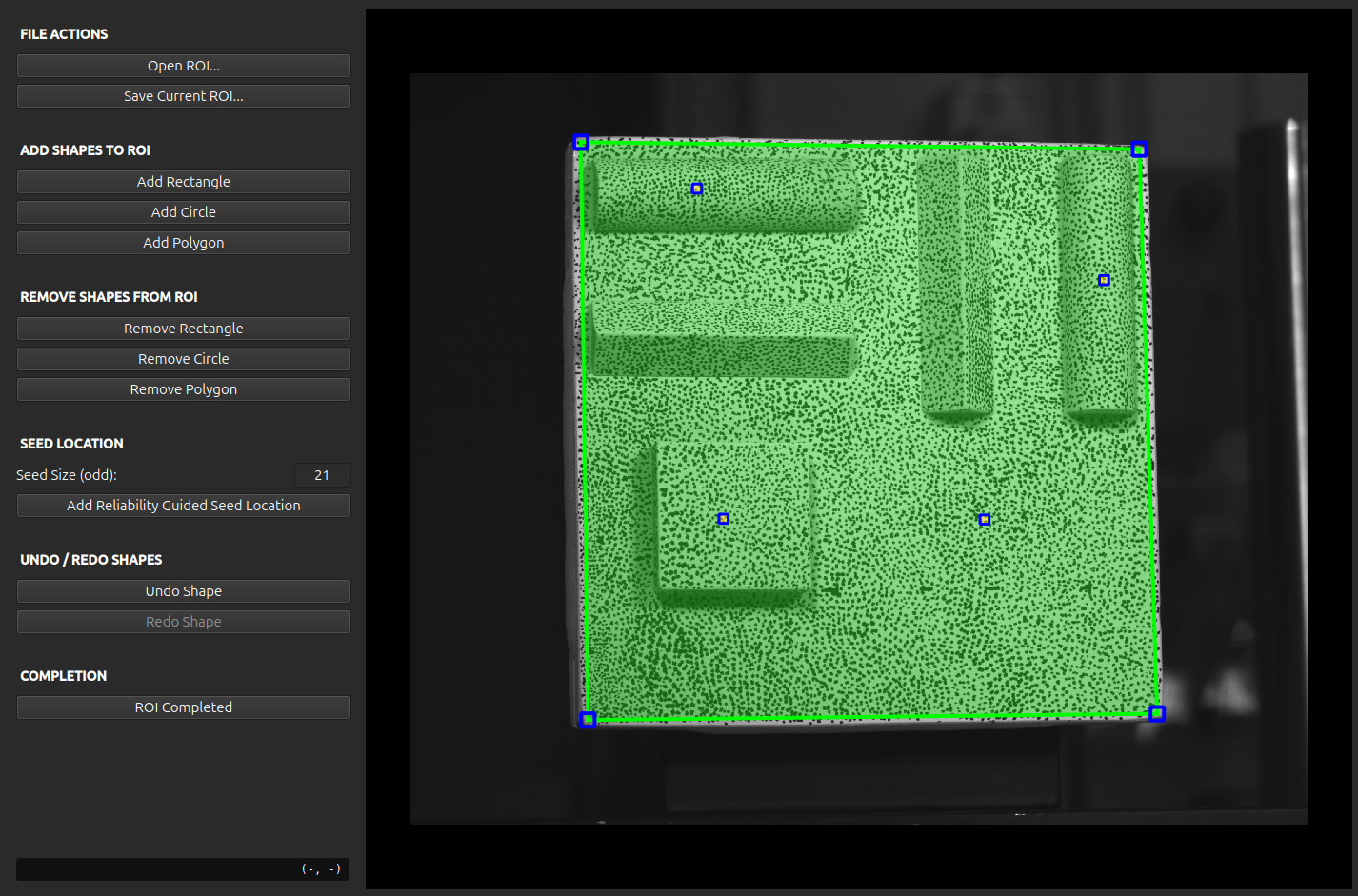
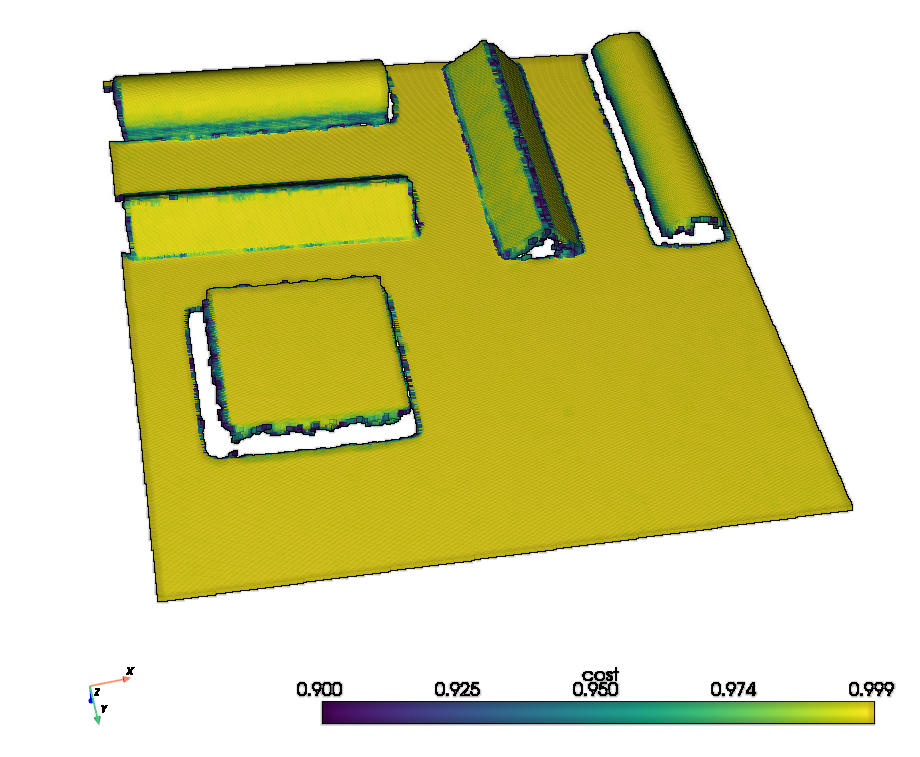
Run two dimensional and stereo digital image correlation on synthetic or experimental images. Define regions of interest, correlate large image sets, reconstruct surfaces, and calculate displacement and strain.
| Stereo region of interest | Reconstructed shape |
|---|---|
 |
 |
Render deforming finite element meshes through the verified Riley rasteriser or the optional Blender backend. Configure camera geometry, distortion, point spread functions, textures, stereo pairs, and physically meaningful speckle scales.
Render examples → · UV mapping examples →

PyVale supports Python 3.11 and newer. Most users will use Riley as their rendering engine for image simulation however, if you need path tracing then Blender integration requires Python 3.13 and the optional Blender dependencies.
| Platform | Install commands |
|---|---|
| pip | pip install pyvale |
| uv | uv add pyvale |
| Blender tools | pip install "pyvale[blender]" |
Installation guide · Browse all examples · Open the documentation
PyVale is developed by the Computer Aided Validation Team and collaborators. Its motivation comes from the demanding simulation validation experiments needed in fusion engineering, while its tools are intended for experimental mechanics generally.