
A local, GPU-accelerated learn-by-ear workbench. Drop any recording in; earforge turns it into multi-instrument MIDI, a live piano roll, and a play-along practice mixer where every instrument can be soloed, muted, slowed, and looped while you learn the part. It runs MuScriptor, the open-source music transcription model from Kyutai and Mirelo, on your own machine.
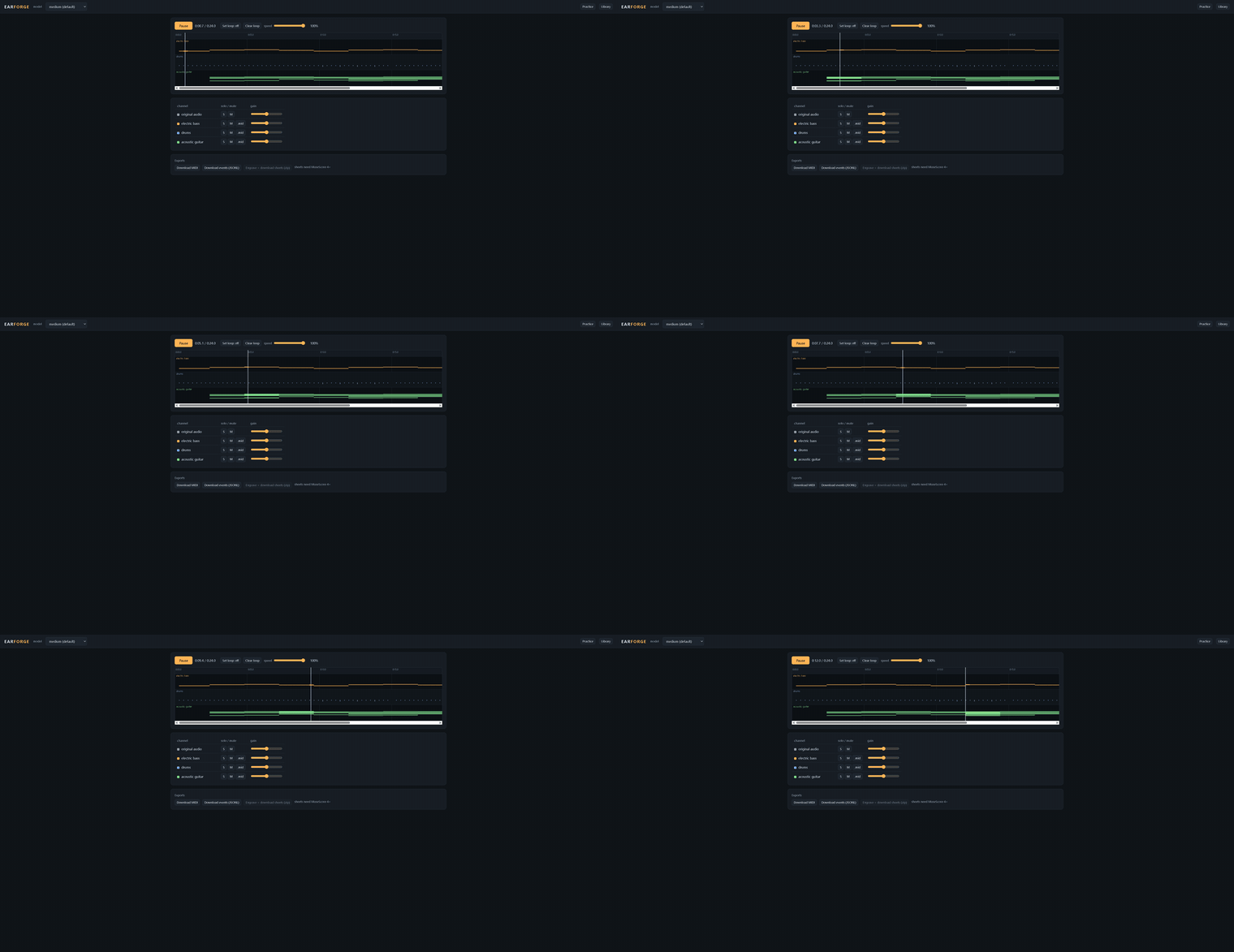
The point is the practice loop, not just the transcription: see the bass lane, solo it, drop the speed to 70%, loop the chorus, and play along. Everything is offline after the one-time model download. Nothing is uploaded anywhere; there is no account and no bill.
earforgestarts a local server on 127.0.0.1:8417 and opens your browser.- Drag in any audio file ffmpeg can read (mp3, wav, flac, ogg, m4a, ...). It is converted to 32 kHz mono WAV before the model ever sees it, so container and codec problems cannot reach the model.
- Notes stream into a canvas piano roll live, one colored lane per instrument, with bar lines when a tempo is detected.
- Playback mixes the original audio with per-instrument stems synthesized through fluidsynth (MuseScore_General soundfont). Solo, mute, and a gain slider per instrument, plus a gain slider for the original. Space toggles playback, arrow keys seek (Shift for bigger steps).
- A/B loop by dragging on the ruler. Speed from 50% to 100%, pitch preserved on every source: stems are re-rendered from scaled note times, the original through ffmpeg's atempo time-stretch.
- Exports: the performance MIDI, the raw event stream as JSONL, one MIDI per instrument, and the engraved sheets tree (score.mid, score.musicxml, full_score.pdf, one PDF per instrument, tab PDFs for fretted instruments) as a zip.
- Every transcription is kept in a local library (SQLite) with one-click reopen.
- "Expected instruments" chips mask the model's vocabulary, so phantom instruments cannot be decoded at all.
Python 3.10 to 3.12.
pip install earforge
Three system programs are optional but each unlocks a feature. earforge tells you in the UI which are missing:
| Program | Needed for | Notes |
|---|---|---|
| ffmpeg | decoding audio (required) | must be on PATH |
| fluidsynth | synthesized instrument stems | without it the roll still plays against the original audio |
| MuseScore 4+ | the sheets export | the button is hidden with an install hint without it |
The MuScriptor weights are gated behind their CC BY-NC 4.0 license. Access is free and granted automatically:
- Accept the license on the model page, e.g. muscriptor-medium.
- Create a read token at huggingface.co/settings/tokens and set it:
setx HF_TOKEN hf_...        # Windows (then reopen the terminal)
export HF_TOKEN=hf_...      # macOS / Linux
Weights download on first transcription (medium is about 1.2 GB) and are cached. The soundfont (~215 MB, MIT licensed) also downloads once. After that, unplug the network and everything still works.
PyPI's torch wheels for Windows are CPU-only. For CUDA (substantially faster than CPU for the medium and large models), install the CUDA build after earforge:
pip install earforge
pip install torch --force-reinstall --index-url https://download.pytorch.org/whl/cu128
On Linux the default torch wheel already includes CUDA; on Apple Silicon the model uses MPS automatically.
earforge
That is the whole interface. Optional flags:
earforge --model large        # most accurate, wants a GPU
earforge --model small        # CPU-friendly
earforge --port 8417 --no-browser
earforge library              # list past transcriptions in the terminal
In the browser: drop a file, optionally tick the instruments you expect (masking a rock track down to guitars, bass and drums kills phantom harps), and watch the lanes fill in. Then practice: Space plays/pauses, drag on the ruler to loop, click anywhere to seek, S/M per lane to solo or mute.
A real run, driven in a real browser on Windows 11 + RTX 4090 (default medium model, 24 s 320 kbps MP3 of a multi-instrument demo track):
transcribing: chunk 2/5 · eta 6s          <- notes stream in as they decode
REAL TRANSCRIPTION: {"lanes":["electric_bass","drums","acoustic_guitar"],
                     "notes":161, "bpm":100.04}
That track is a 100 BPM score, and the detected tempo is 100.04. Wall time for the whole transcription was about 11 seconds, roughly twice realtime; the bass and drum lanes are exactly what the track contains. At the brief's target scale the same holds: a 3:20, 320 kbps MP3 (199 s) transcribed in 65 s wall time on the same 4090 (3x realtime), 1573 notes, tempo detected at exactly 100 BPM, and the roll and mixer handled it without a hitch (docs/12-real-3min.png). Soloing electric_bass plays only the synthesized bass in sync, playback starts while stems are still rendering (the original joins instantly, instruments drop in as they finish), and every export answers:
GET /api/jobs/<id>/export/midi                 -> 200 (MThd)
GET /api/jobs/<id>/export/jsonl                -> 200
GET /api/jobs/<id>/export/stem/electric_bass.mid -> 200
GET /api/jobs/<id>/audio?rate=0.75             -> 200 (atempo, pitch kept)
The GIF above is that run. Screenshots: docs/10-real-transcription.png (the workspace as the lanes settled), docs/11-real-solo.png (bass soloed), docs/12-real-3min.png (the 3:20 job mid-playback), docs/13-real-rubato.png (a rubato take with the fallback banner up). On input with no steady tempo the transcription still completes and a banner says so:
Without HF_TOKEN the first transcription stops at the model download with the exact setup steps instead of a stack trace:
cannot download 'MuScriptor/muscriptor-medium' from HuggingFace: the MuScriptor model
weights are gated and require a (free) HuggingFace account.

  1. Accept the model license at https://huggingface.co/MuScriptor/muscriptor-medium
     (access is granted automatically).
  2. Authenticate on this machine, either:
       - run: uvx hf auth login
       - or set the HF_TOKEN environment variable to a read token
With MuseScore 4 installed, the sheets export produces the full upstream tree as a zip:
sheets.zip
├── score.mid
├── score.musicxml
├── full_score.pdf
├── 01_electric_guitar.pdf
├── 01_electric_guitar_tab.pdf      tablature for fretted instruments
├── 02_electric_bass.pdf
├── 02_electric_bass_tab.pdf
└── 03_drum_kit.pdf
Without MuseScore the button is hidden with an install hint, and the server refuses the export with 503 and the same hint.
- The transcription pipeline mirrors muscriptor's own server: events stream out of
model.transcribeas decoded (5-second chunks), then the MIDI is rebuilt withevents_to_midi_bytes, so exported bytes matchmuscriptor transcribeoutput. - Stems are rendered per instrument by fluidsynth from a small per-instrument MIDI file, and each mixer row has a
.midbutton to download that instrument's notes on their own. - Speed changes re-render every playback source at the chosen tempo: stems from scaled note times, the original recording through ffmpeg's
atempofilter. Nothing is pitch-shifted, and all sources stay sample-aligned because they share the stretched timeline. Re-rendered audio is cached per speed, so scrubbing the slider back and forth is instant after the first pass. - Tempo detection runs strict and falls back visibly: rubato input gets a banner ("no steady tempo detected"), the transcription still completes, and exports carry no tempo or time signature.
- The library is SQLite plus artifacts under
%LOCALAPPDATA%\earforge(~/.local/state/earforgeon Linux): one directory per job holding the converted WAV, the event log, both MIDI files, rendered stems, and engraved sheets.
Everything lives under %LOCALAPPDATA%\earforge (override with EARFORGE_HOME). Model default is medium; the header dropdown switches it for the next job (the first job with a new size pays a load). MUSCRIPTOR_MUSESCORE points at a MuseScore binary in an unusual location.
- Transcription quality tracks MuScriptor itself: no velocity recovery (all notes play at one level), occasional wrong instruments on dense mixes (use the chips), and notably worse results on rubato playing.
- Slowdown uses ffmpeg's atempo for the original recording: a high-quality time-stretch, but still a DSP re-render, so a purist A/B at 50% may hear a difference against the untouched file.
- One GPU transcription at a time; a second upload queues behind the first.
- Only what ffmpeg reads; DRM-protected files are not supported.
- The MuScriptor weights are CC BY-NC 4.0: this tool is for personal, non-commercial use, and you need the rights to the music you transcribe. earforge's own code is MIT.
Two small scripts under examples/ (labelled example data, not part of the package) exist so you can try the workspace before the weight download finishes:
python examples/make_demo_audio.py demo.mp3renders a 24 s four-instrument demo track (synthesized with numpy) you can drop into earforge.python examples/seed_demo_job.pyseeds the library with a finished "[example]" job (the same score, as events plus audio), which reopens from the Library tab like any real transcription. Delete it from the Library tab when done.
git clone https://github.com/Booyaka101/earforge
cd earforge
pip install -e . --no-deps && pip install muscriptor pytest httpx soundfile
pytest -q                    # unit + server integration (skips what is missing)
pytest -m gpu                # real model, needs CUDA + HF_TOKEN + EARFORGE_GPU=1
The gpu test generates a 10 s click-and-scale WAV with numpy, transcribes it with the real model, and asserts at least one instrument, monotonic note times, and a valid MIDI header. Bundling ffmpeg/fluidsynth binaries under tools/ (gitignored) puts them on PATH for the tests; the fluidsynth test also downloads the real MuseScore_General.sf2 (about 215 MB, once).
Note that muscriptor's current PyPI release (0.3.x) is behind its repository: write_sheets and MIDI quantization exist upstream but not in the wheel. earforge prefers the upstream implementations when present and otherwise uses a port of upstream's MIT-licensed sheets module (earforge/_sheets.py) and an event-time quantizer (earforge/midibridge.py) that produce the same output; both go unused the moment a muscriptor release ships them.
MIT for earforge's code. It depends on muscriptor (MIT code) and downloads the MuScriptor model weights (CC BY-NC 4.0, gated, free) and the MuseScore General soundfont (MIT). Respect the weights' license and the music you transcribe.
Post earforge to r/musicproduction or r/WeAreTheMusicMakers as a "learn parts by ear without a subscription" tool with a short screen recording of the solo-and-slowdown loop. That community is exactly the target user, and the incumbent (Mirelo's hosted transcription) bills per second of audio, which is the pain this answers.